dsh-carsi-papers
cannotgetaname/dsh-carsi-papers
Searches campus-subscribed databases (IEEE Xplore, Springer Nature Link, ScienceDirect) through its own dedicated Chrome profile and downloads verified full-text PDFs. Merges results across databases by DOI, exports BibTeX/RIS, and leaves CARSI or IP-based institutional sign-in to the user so no credentials are stored or replayed.
Install
dsh plugin --profile web add github:cannotgetaname/dsh-carsi-papersREADME
dsh-carsi-papers



English | 中文
Campus-subscribed literature access for DeepSeek Harness, driven through a dedicated browser.
Open-access finders stop where the paywall starts. Campus subscriptions live behind an institutional sign-in (CARSI / Shibboleth) or a campus IP, so this plugin keeps its own Chrome profile with a local debugging port and lets the agent work inside that authenticated session: search the database, read the record, download the subscribed PDF, verify what arrived, and save it with a usable name.
Why this exists
Literature agents usually stop at open-access copies and preprints, because that is all the public APIs return. The papers you actually need are behind a campus subscription, and that subscription is tied to a browser session: a CARSI / Shibboleth sign-in, or a campus IP.
This plugin keeps its own Chrome profile with a local debugging port, so the agent works inside that authenticated session: search the database with its own API, download the subscribed PDF, verify the bytes, save it with a usable name, and export citations. Paywalls and robot checks are reported, never bypassed.
Demo
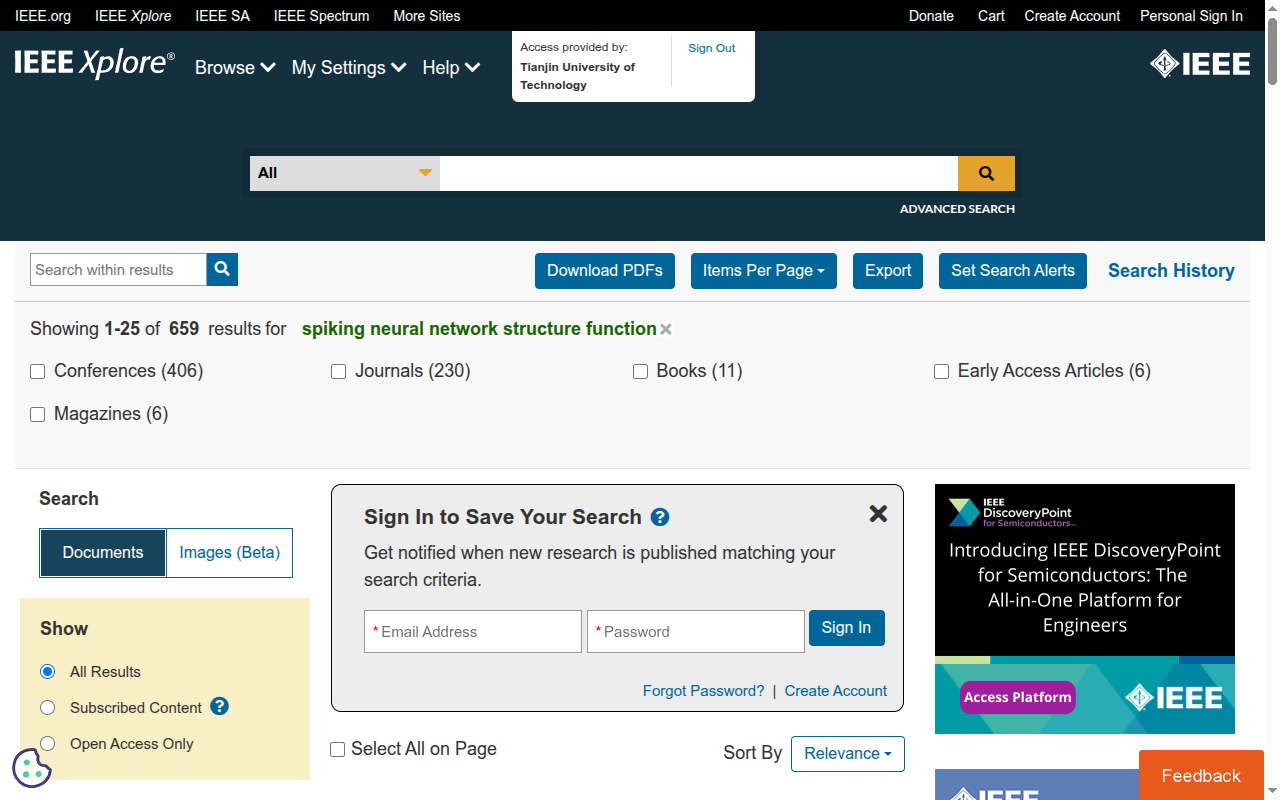
The header reads Access provided by: Tianjin University of Technology — that session is what the agent searches and downloads through.
papers_search   query="structure-function relationship spiking neural network"
                publishers=["ieee", "springer"] rows=4
→ 8 merged hits, every record labelled by the databases that returned it

papers_fetch    publisher=springer url=https://link.springer.com/article/10.1038/s41467-025-62202-1
→ saved: refs/2025-Yang-Spiking dynamics of individual neurons ….pdf
  2.4 MB · 12 pages · verified PDF

papers_export   format=bibtex
→ refs/carsi-records.bib (downloaded records only)
Tools
| Tool | Purpose |
|---|---|
papers_status | Whether the research Chrome is running, its port, profile directory, and open tabs. |
papers_search | Search a database; returns normalized records with each item's access state. |
papers_fetch | Download one PDF, verify it, save it under downloadDir, and append an audit line. |
papers_access | Open a publisher page and report institution, paywall, and robot-challenge state. |
papers_export | Write the session's records as BibTeX, RIS, or GB/T 7714 for Zotero or a paper. |
papers_enrich | Fill missing authors, venue, and year from Crossref by DOI. |
papers_zotero | Write the session's records straight into the local Zotero library. |
papers_doctor | Self-check: browser, profile, download directory, every database, Zotero. |
ref_audit | Audit a reference list (.bib/.tex/numbered) against Crossref per entry. |
ref_format | Emit GB/T 7714 entries, filling missing fields from Crossref. |
campus_status / campus_mark | Judge whether the network is still the recorded campus one. |
papers_login | Open the institutional sign-in entry and hand the window to the user. |
papers_open | Open any URL in the research browser; reports title, final URL, and page flags. |
papers_eval | Run JavaScript in the active page — the escape hatch for an unadapted database. |
Searching several databases
papers_search takes either one publisher or a publishers list. With a list it queries each
database in turn and merges the results by DOI (falling back to a normalized title), so one call
answers "is this paper in anything we subscribe to?" and every record lists the databases that
returned it.
Exporting records
papers_export turns the records seen in the session into carsi-records.bib or .ris inside the
downloads directory, ready to drag into Zotero.
Supported databases
| Adapter | Search | |
|---|---|---|
ieee (IEEE Xplore) | site REST endpoint | stamped PDF endpoint |
springer (Springer Nature Link) | result page DOM | article PDF link |
sd (ScienceDirect) | result page DOM | signed asset URL, fetched in page |
cnki (中国知网) | site grid endpoint (HTML fragment) | article page #pdfDown button |
wanfang (万方) | result page DOM | detail page download link (needs an institutional balance) |
Adding a database means adding one object to ADAPTERS in lib/papers.js: origin, match,
search(page, query, options), pdf(page, record), and optionally articleUrl(record) and
metadata(page).
Debugging an adapter
npm run capture -- <url> [name] [--wait=6000]
Saves the rendered DOM, a screenshot, the page metadata, and every XHR/Fetch response (including
request bodies) under debug/<name>/, so a new database can be reverse-engineered offline and its
markup turned into a fixture for npm test.
Behaviour worth knowing
- Sign-in stays human. The plugin never types, stores, or replays credentials. When a page needs a
CARSI sign-in or a robot check,
papers_*raises a desktop notification, brings the browser forward, and waits up to 90 seconds for the user to finish, then continues. - Access is reported, never bypassed. Paywalls and challenges are surfaced as state. Only what the signed-in subscription already entitles is fetched.
- Downloads are verified. Bytes must start with
%PDF-; the page count comes frompdfinfowhen installed and from the page tree otherwise. A paywall page saved as.pdfis rejected. - Files are named
year-firstAuthor-title.pdffrom the publisher record seen in the preceding search, falling back to the article page metadata. - Every search and download appends a line to
carsi-audit.jsonlin the downloads directory. - Pacing and a session cap: requests are spaced (
requestGapMs, default 1500) and at mostmaxDownloads(default 30) files are written per process.
Configuration
The bundle row accepts these fields (defaults in parentheses):
| Field | Meaning |
|---|---|
port (9222) | Chrome debugging port for the research browser. |
profileDir ($DSH_HOME/papers-browser) | Chrome profile that keeps the institutional sessions. |
downloadDir (<cwd>/refs) | Where PDFs and the audit log are written. |
maxDownloads (30) | Downloads per process before the plugin refuses. |
requestGapMs (1500) | Minimum spacing between publisher requests. |
executablePath | Chrome/Chromium/Edge binary when discovery fails. |
Local Zotero
papers_zotero talks to Zotero's local HTTP API (127.0.0.1:23119). Reads need nothing; the first
write needs an approval you give once in the Zotero window, and the resulting key is read from
ZOTERO_API_KEY or $DSH_HOME/zotero-api-key (mode 600). It is never written into the repository.
Tests
npm test          # 123 offline checks: units, fixtures in headless Chrome, tool schemas
npm run test:unit # no browser needed
npm run test:live # opt-in, hits real publishers
Install
dsh plugin --profile <profile> add /absolute/path/to/dsh-carsi-papers
or Plugins → Add plugin with this directory. The plugin starts Chrome itself; it needs no npm dependencies and no build step.
Limitations
- One dedicated profile means the first visit to each publisher may need one manual institutional sign-in; publisher sessions expire on their schedule and are renewed the same way.
- Cloudflare robot checks are personal: the user clears them, the plugin waits and then continues.
- IEEE publishes no Highwire citation tags, so its file names rely on the preceding search record.
papers_evalcan do anything the signed-in session can; it is a diagnostic tool, not a sandbox.
Related plugins
archify (deepseek-harness)
tt-a1i/archify
WeKnora (dsh-weknora)
tencent/weknora
next-ai-draw-io (dsh-plugin)
dayuanjiang/next-ai-draw-io
AiToEarn (dsh-plugin-aitoearn)
yikart/aitoearn