dsh-bloomglass
cosmosail/dsh-bloomglass
A DeepSeek Harness Web theme: ten OKLCH Chinese-traditional-colour palettes that adapt to light and dark, plus an optional wallpaper behind frosted glass panels; tailored for the DS Bot (bot team) interface; the palette and wallpaper persist locally.
Install
dsh plugin --profile web add github:cosmosail/dsh-bloomglassREADME
dsh-bloomglass
一个 DeepSeek Harness Web 主题插件:十套 OKLCH 中国传统色(国色)配色打底,可选一张壁纸铺满窗口、界面以磨砂玻璃叠上去。官方 Light / Dark / System 仍然掌权。已适配 DS Bot(Bot 团队)界面。
效果展示
10 套配色,每套都有亮色与暗色(底色 / 正文色 / 强调色 / 层级面色):
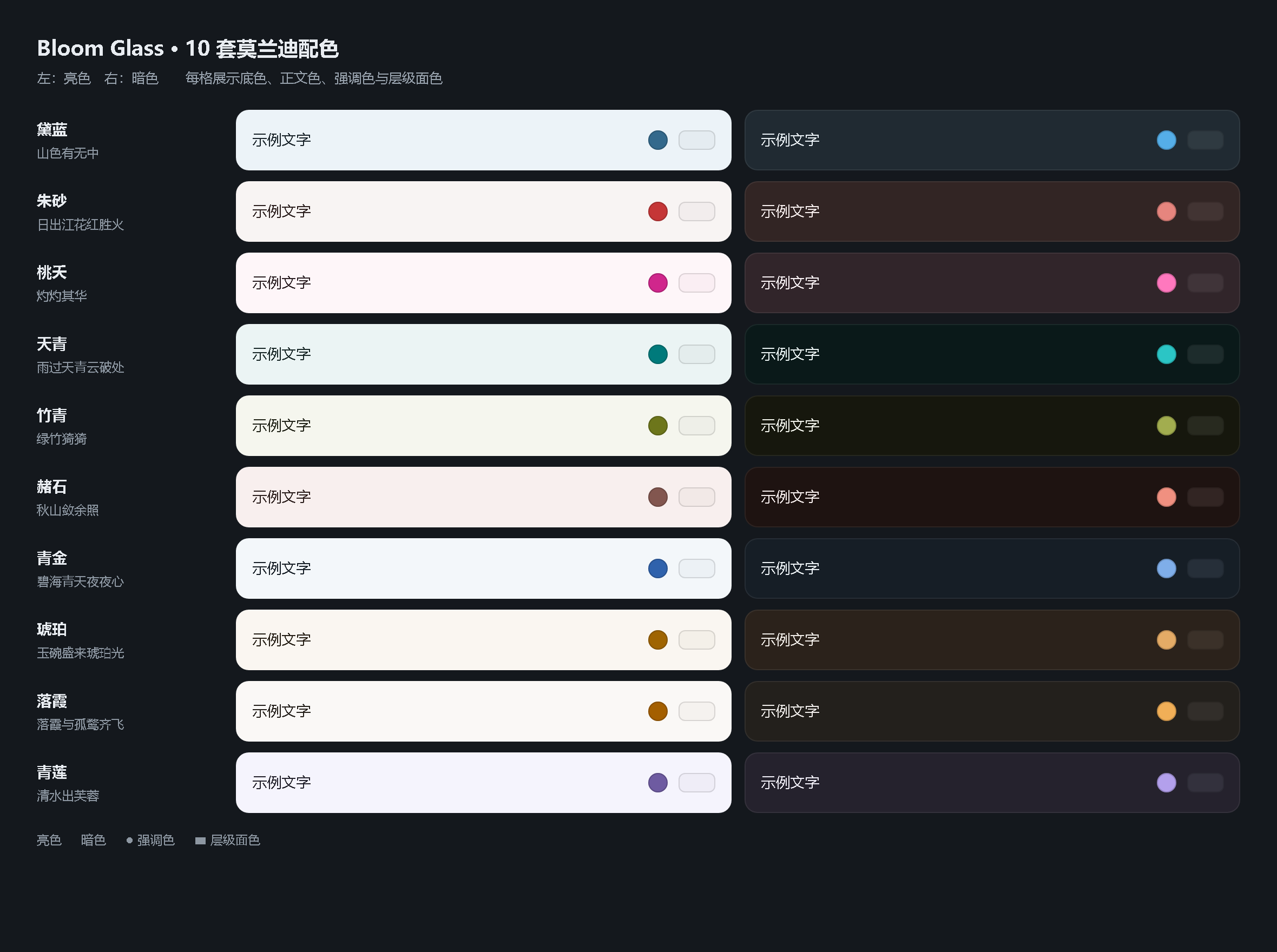
| 亮色 · 黛蓝 | 暗色 · 天青 |
|---|---|
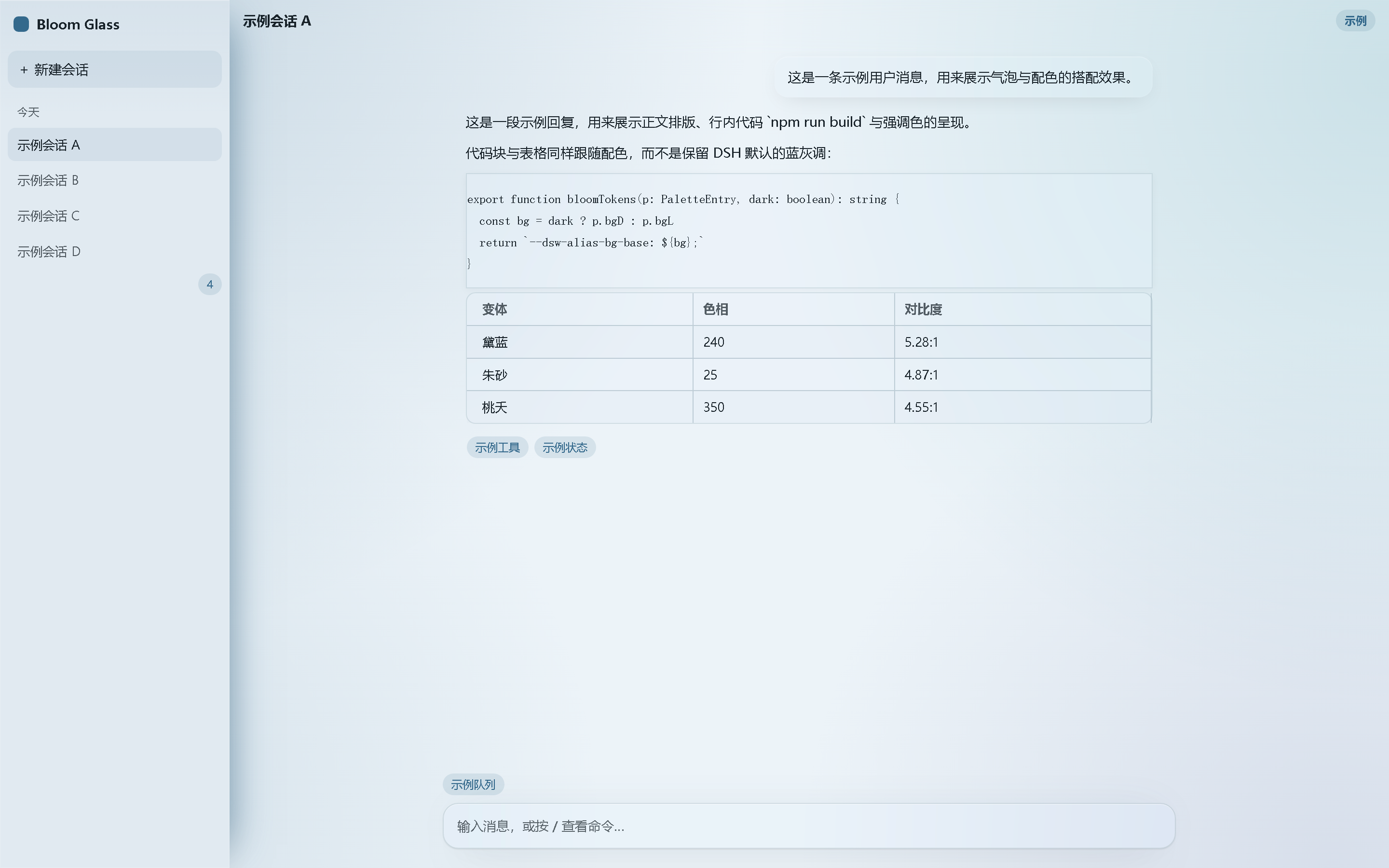 | 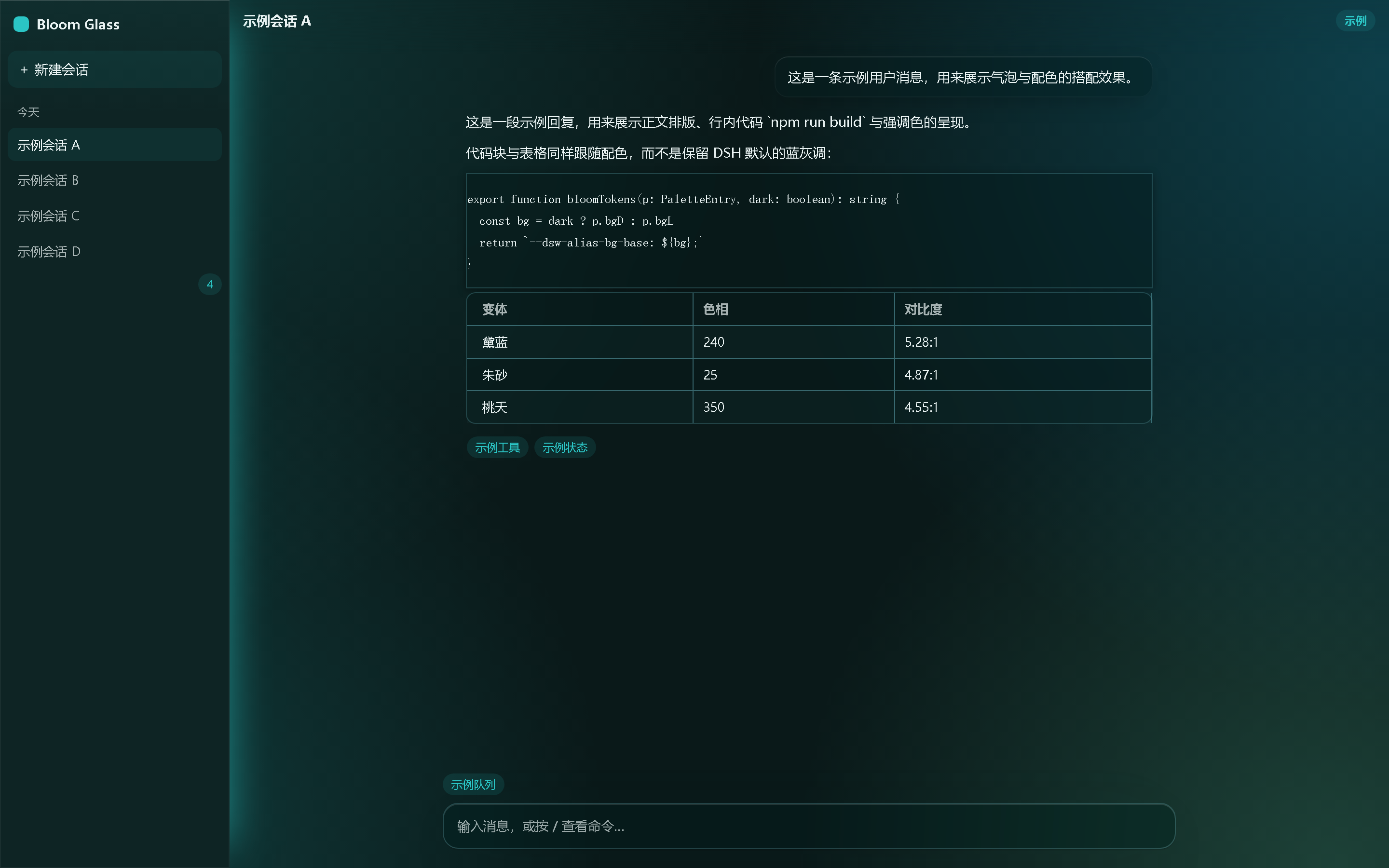 |
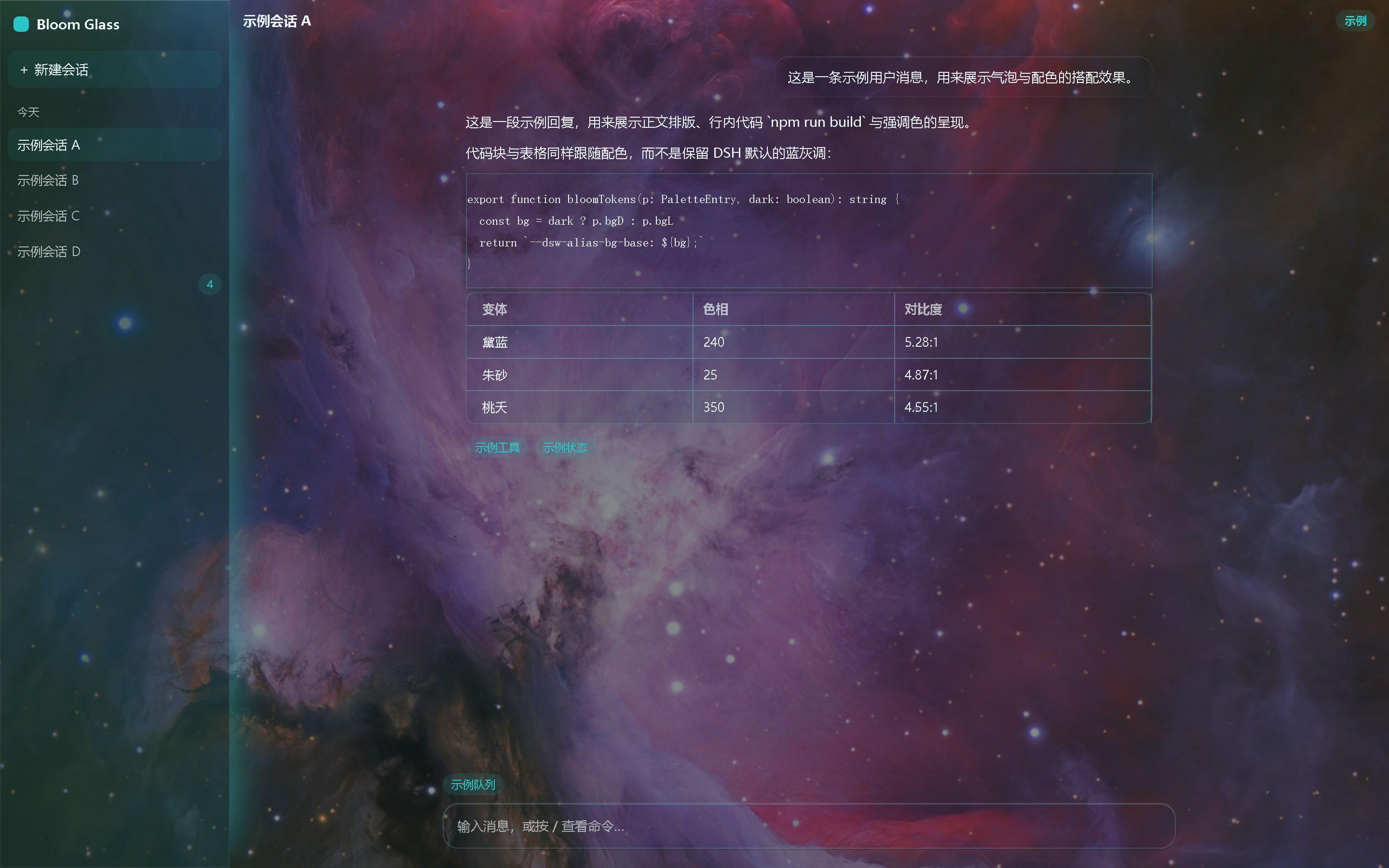
同一配色与窗口,只多了壁纸层 —— 表面色按玻璃浓度转为半透明,文字与边框保持不透明:
功能
- 10 套配色:黛蓝 / 朱砂 / 桃夭 / 天青 / 竹青 / 赭石 / 青金 / 琥珀 / 落霞 / 青莲,明暗自适应
- DS Bot(Bot 团队)适配:Bot 界面的配色与磨砂跟随本主题,与 ds-bot 共写的 6 个 DSH token 由本主题压回,整窗只留一套配色
- 壁纸 + 磨砂:本地 JPEG / PNG / WebP / GIF,无大小限制
- 磨砂范围:左侧栏、会话区、右侧栏(含全屏展开)、设置弹窗,以及 DS Bot 的固定面板与弹层
- 一个独立设置栏:设置 → Bloom Glass,含配色选择 + 玻璃浓度 / 模糊 / 饱和 / 压暗滑杆 + 保存 / 删除,不往「通用」页插行
- 壁纸关闭时是纯配色模式;打开后表面色按玻璃浓度转为半透明(文字与边框始终不透明)
- 只走官方
overrideTokens覆盖层,从不setTheme('custom');不写settings.yaml,不请求任何远程 URL
数据位置:壁纸存 IndexedDB,旋钮存 localStorage。
DS Bot(Bot 团队)界面
Bot 列表、对话气泡、输入卡片与右侧详情面板都跟随当前配色与明暗(下图为亮 / 暗两态;截图里的 Bot 名、会话与面板内容全部为虚构示例。整页用 ds-bot 自己的样式表与头像代码合成,不含任何真实会话,也不含任何真实头像图片):
| 亮色 | 暗色 |
|---|---|
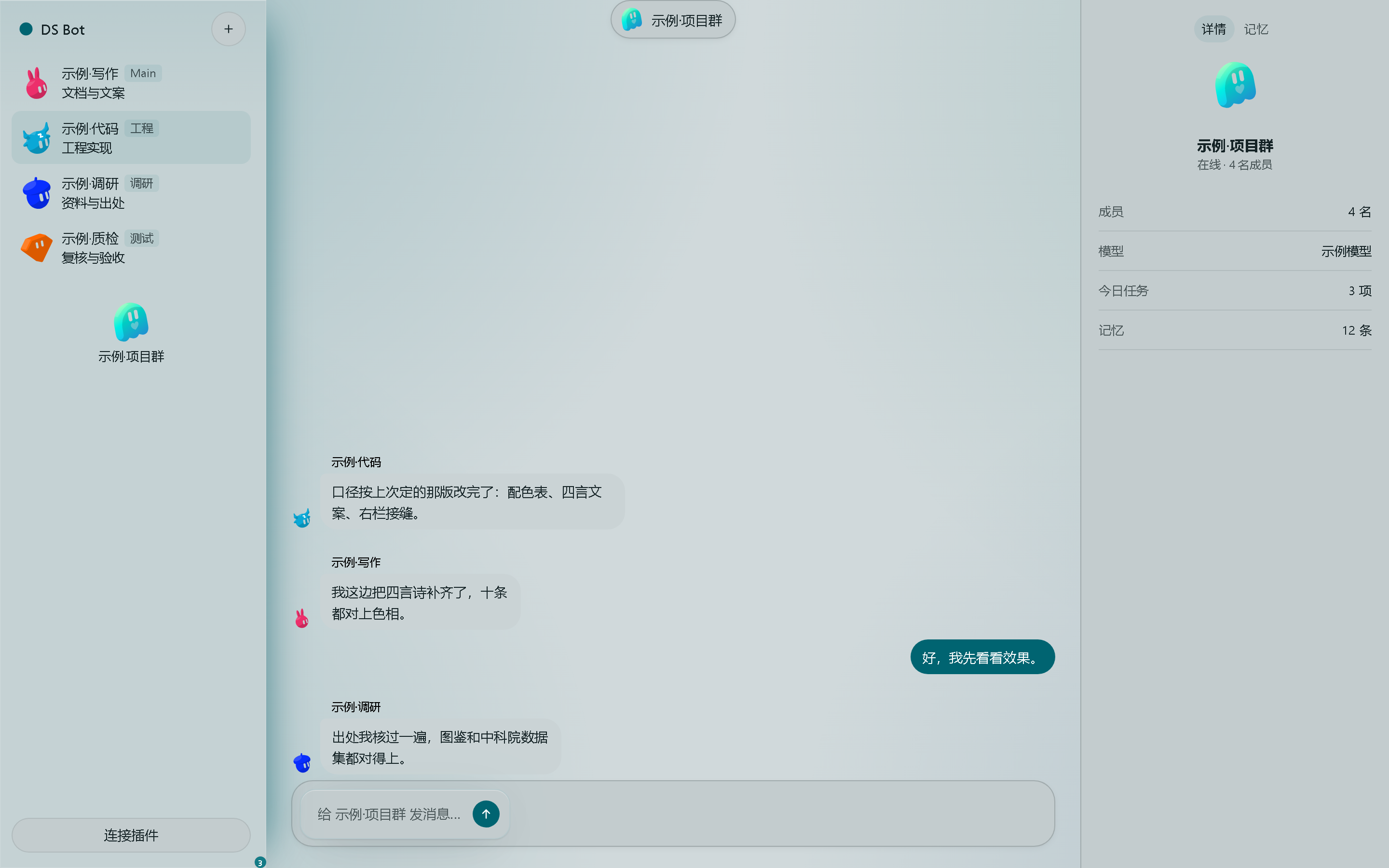 | 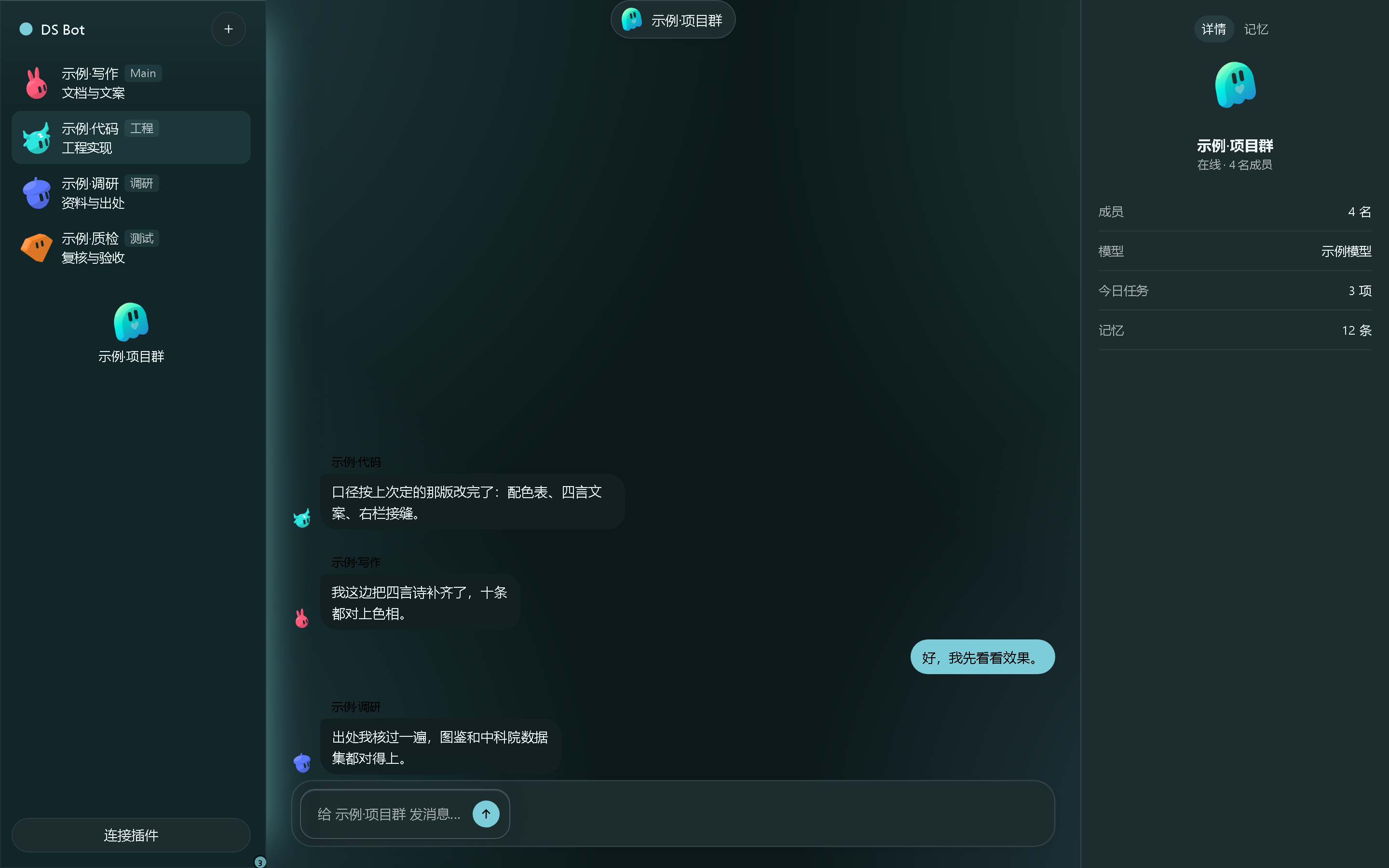 |
本主题接管 Bot 界面的配色与明暗:ds-bot 自带的「外观 → 主题」对它不再生效,「强调色」仍按 ds-bot 里的设置走;铺了壁纸时,浮在壁纸上的面板、菜单与对话框同样转半透明磨砂。
安装
dsh web 需已在运行。
# 从 npm 安装
dsh plugin --profile web add dsh-bloomglass

# 或直接从仓库安装
dsh plugin --profile web add github:CosmoSail/dsh-bloomglass
装完重启 dsh web(刷新页面不够),然后打开 设置 → Bloom Glass。
首次启动会一次性读取旧版插件留下的三个位置——localStorage 的 dsh-bloom-variant(配色)、dsh-frosted-window:knobs(玻璃参数),以及名为 dsh-frosted-window 的 IndexedDB 库里的壁纸——把先前保存的选择接过来。之后写入的是本插件自己的键,不再回读。
开发
git clone https://github.com/CosmoSail/dsh-bloomglass.git
cd dsh-bloomglass
npm install
npm test         # vitest,115 个用例
npm run typecheck
npm run build    # tsdown → lib/index.js + lib/client.js
npm run showcase # 重新生成 docs/showcase 下的演示页
npm run showcase:bot # 重新生成 DS Bot 界面演示页(需已安装 ds-bot)
lib/ 随仓库提交(dsh plugin add github: 依赖它,也免去用户本地构建),因此改完源码请重新构建再提交。
契约:按官方 package-and-install 以 dsh.bundle + dsh.client 分发。
许可
MIT,见 LICENSE。
Related plugins
dsh-deep-whale (maid-atelier)
small-tailqwq/dsh-deep-whale
dsh-wallpaper-engine
elysia395/dsh-wallpaper-engine
dsh-deep-whale
small-tailqwq/dsh-deep-whale
open-sea-skin
d-dev0101/open-sea-skin