dsh-novels
darlingsakurua/dsh-novels
A bookshelf panel for reading .txt novels beside the conversation: import a local file, decode UTF-8, UTF-8 with BOM, UTF-16 or GB18030, split it into chapters, then read with a table of contents, chapter navigation, adjustable font size, line height and column width. Each book resumes at the chapter and scroll position you left it at.
Install
dsh plugin --profile web add github:darlingsakurua/dsh-novelsREADME
dsh-novels
English | 简体中文
Read .txt novels inside DeepSeek Harness: import a file, get chapters split
automatically, and read it in a panel next to the conversation.
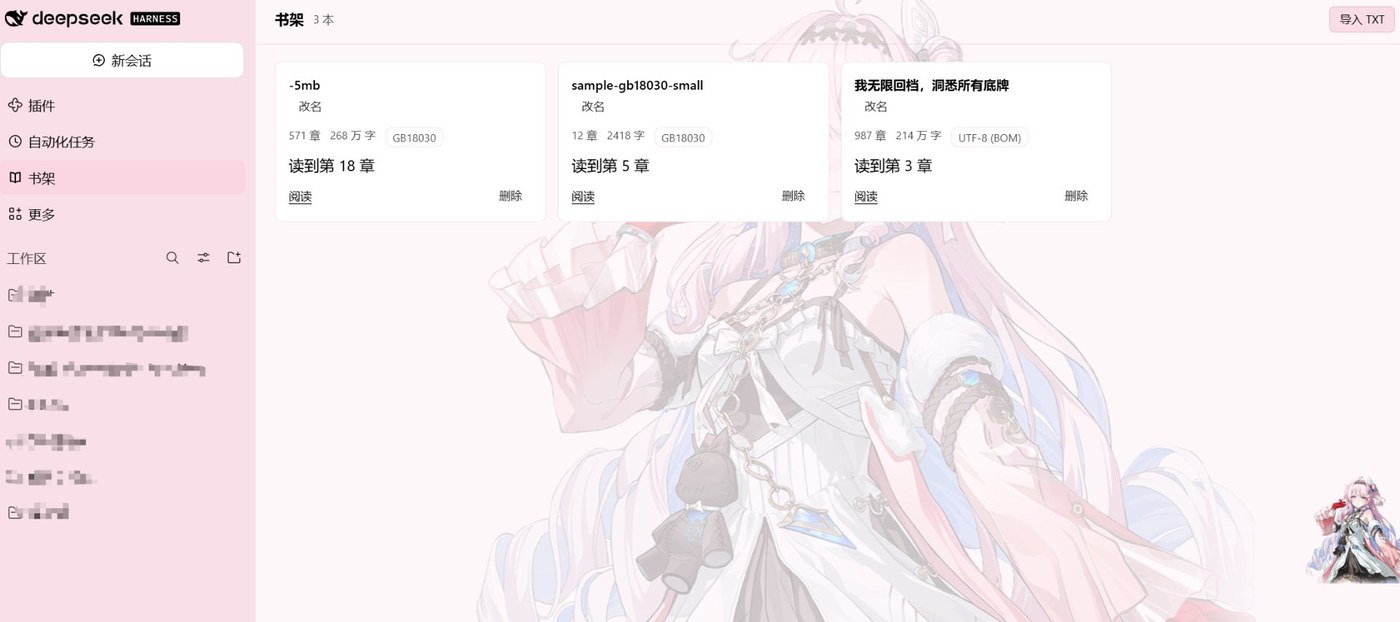
Status: 0.1.3 — upload, shelf, reader, progress restore, rename, delete, reader prefs (font size, line height, page width), upload progress, long-book table-of-contents grouping, empty/error/loading states, and show or open the folder that holds your uploaded files.
Features:
- Import
.txtby button or drag & drop; 20 MB cap, UTF-8/BOM/GB18030/GBK/Big5/UTF-16. - Automatic chapter split with a 4000-character block fallback.
- Shelf cards show chapter/character counts, encoding, reading progress bar and "读到第 N 章"; rename in place; delete with confirmation.
- Storage row above the shelf shows the absolute data folder and opens it; each
card has a Location button that reveals (and selects) that book's
.txtin the OS file manager. The browser cannot do this itself, so the Host spawnsexplorer.exe /select,…(Windows),open -R(macOS) orxdg-open(Linux). The client only posts the book id — never a path. - Uploaded bodies keep the book's name:
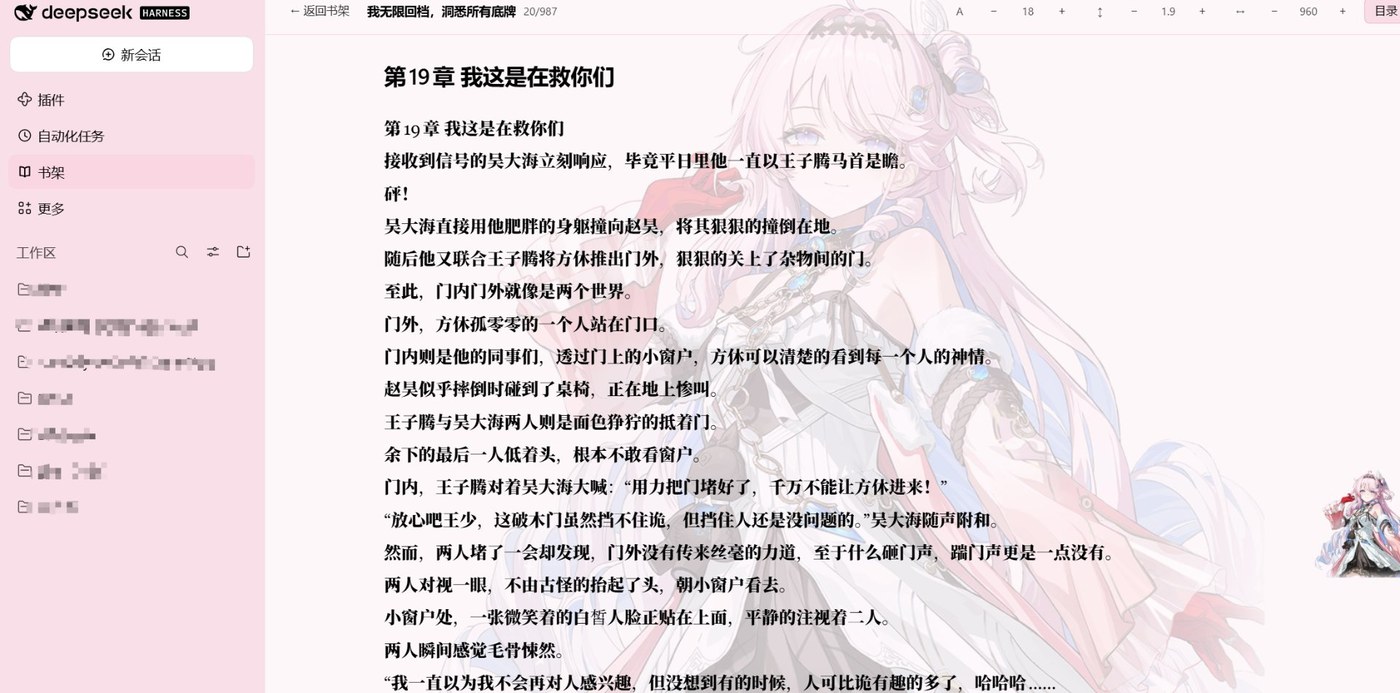
books/<title>.txt(+.chapters.json). Renaming a book renames both files, a second book with the same title becomes<title> (2).txt, and characters Windows forbids (\ / : * ? " < > |) are replaced before the name touches the disk. Older<id>.txtlayouts migrate on the next start. - Reader: table of contents, previous/next chapter, font size, line height, page width, keyboard (← → PageUp PageDown Space j k Esc Ctrl±), chapter counter and a bottom progress line.
- Reading position (chapter + scroll offset) and reader prefs persist on the Host,
so they survive a reload and a restart.
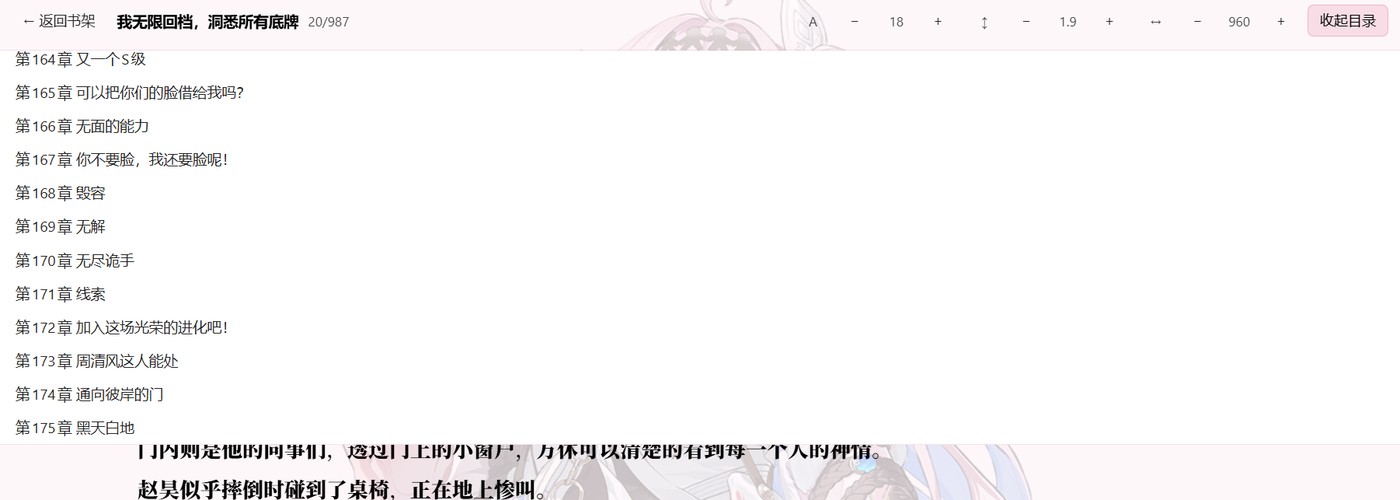
/apiports change every launch, so the client keeps no state of its own. - Long books (>300 chapters) get a grouped table of contents (100-chapter blocks, only the active block expanded).
Screenshots
Reader — table of contents, font size / line height / page width controls, chapter counter, keyboard navigation.
Grouped table of contents — books over 300 chapters are split into blocks of 100, with only the current block expanded.
Panel styling
The stylesheet is installed once into document.head when the plugin
activates (ensureStyles(), tag style[data-plugin-css="dsh-novels/panel.css"]).
It used to be a <style> element rendered inside the shelf's own tree. Every
rule lives in the same string, so the shelf looked right — but opening a book
unmounted the shelf, the style element went with it, and the reader lost the
whole sheet: no height:100%, no flex column, no overflow:auto. The symptom
was a reader that could not scroll and a chapter footer pushed out of the panel.
Keeping the sheet in head makes it independent of whichever view is mounted.
render.test.mjs asserts both halves of that contract (sheet in head, no
<style> inside the panel tree).
Install
# clone once, then install from the DSH profile that should carry the plugin
git clone https://github.com/darlingsakurua/dsh-novels.git
plugin_manager install_bundle target="<path-to-your-clone>"
The bundle is linked (not copied), so edits under client/ and lib/ apply
after the plugin is reloaded (plugin_manager set_plugin target="include:dsh-novels" enabled=false then true).
Layout
dsh-novels/
  package.json         dsh.bundle.patch + dsh.client (platform: web)
  cordis.patch.yml     inserts the bundle into the profile
  icon.svg             sidebar glyph (currentColor)
  locale/{zh,en}.json  panel title for the sidebar tooltip
  lib/index.mjs        Host half: HTTP routes under /dsh-novels/api/v1
  lib/store.mjs        Host half: library index, atomic writes, path checks
  client/index.mjs     Web half: shelf + reader, plus the text pipeline
Data lives in <profileDir>/plugin-data/dsh-novels/:
library.json            {version, prefs, books[]}
books/<id>.txt          normalized UTF-8 body
books/<id>.chapters.json  [{i, title, start}]
API
All routes are gated exactly like the shipped /api channel (the request must
carry the browser session the shell already forwards).
| Method | Path | Purpose |
|---|---|---|
| GET | /ping | diagnostics (dataDir, bookCount, version) |
| GET | /library | books + reader prefs |
| POST | /books | {name, text, encoding, chapters} → book |
| GET | /books/{id} | book + chapter offsets |
| GET | /books/{id}/text | full body as text/plain |
| PATCH | /books/{id} | rename ({title, author}) |
| PATCH | /books/{id}/progress | {chapterIndex, offsetChars, percent} |
| DELETE | /books/{id} | remove book and its files |
| POST | /reveal | open the books/ folder in the OS file manager |
| POST | /books/{id}/reveal | reveal + select that book's .txt |
| PATCH | /prefs | {fontSize, lineHeight, measure, fontFamily} |
Envelopes are {ok: true, ...} or {ok: false, error, message}; request bodies
are capped at 24 MB for uploads and 64 KB for everything else. The client rejects
files over 20 MB before reading them; the Host cap leaves room for the JSON
envelope (body + chapter offsets).
Text pipeline
client/index.mjs decodes bytes in this order: BOM (UTF-8/UTF-16) → strict
UTF-8 → GB18030 → GBK → Big5. Line endings are normalized to \n before
chapter offsets are computed, because every offset is a character index into
that normalized text.
Chapter headings are matched with ^第…[章节回卷篇部集] and
^Chapter/Part/Book N. A heading with less than 200 characters before the next
one is treated as a false positive and dropped (the previous chapter absorbs
it); the final chapter is always kept. Files with no heading at all are split
into 4000-character blocks.
Tables of contents above 300 chapters are rendered in blocks of 100 (1–100,
101–200, …) with only the block holding the current chapter expanded. Grouping
by the first character of the title was tried first and abandoned: nearly every
Chinese chapter heading starts with 第, so it produced a single bucket.
Tests
No test runner needed — plain Node scripts, each printing ok/FAIL lines:
node _test/store.test.mjs        # Host store: index, atomic writes, clamping
node _test/client-parse.test.mjs # decode/normalize/split (bundled client code)
node _test/host-api.test.mjs     # routes, envelopes, 401/403 gate, limits
node _test/perf.test.mjs         # 5 MB GB18030 sample end to end
node _test/render.test.mjs       # shelf → upload → read → delete, headless React
render.test.mjs loads the real client bundle with a miniature React (hooks +
static tree) and points fetch at a server wired to the plugin's own Host
routes, so the browser flow is exercised without a browser. _test/tmp/
holds its throwaway profiles.
_test/make-sample.mjs regenerates the GB18030 samples in samples/
(the 5 MB one is handy for checking upload time by hand).
Manual acceptance
These cannot be automated from here (the sandbox cannot start a browser):
- Import
samples/sample-gb18030-small.txtandsamples/sample-gb18030-5mb.txt. - Read past chapter 10 of the 5 MB book, scroll mid-chapter, go back to the shelf — the card should read "读到第 N 章" with a filled bar.
- Reopen it: same chapter, same scroll offset, same font size/line height/width.
- Rename a book on the shelf; the reader header follows the new title.
- Toggle the app theme (light/dark): all panel surfaces and text follow the
--dsw-alias-*tokens. - Disable the plugin (
set_plugin target="include:dsh-novels" enabled=false): the 书架 icon disappears and/dsh-novels/api/v1/pingreturns 404; re-enable and refresh to get it back with the same books.
Rules this plugin follows
- Never require
@deepseek-ai/dsh-client-*; onlyreactand the builtins. - Never poke
document.bodyor use an iframe; the panel is a React tree in a slot. (The stylesheet is a<style>inhead, installed imperatively — like the shell's own style service does — not DOM inside the panel.) - Styles use
--dsw-alias-*tokens only — no literal colors. - Keyboard shortcuts live on the reader container, never on
window. - The API prefix is
/dsh-novels/api/v1;/apibelongs to the connection channel.
License
MIT © 2026 darlingsakurua
Related plugins
dsh-web (dsh-task-board)
zhu1090093659/dsh-web
dsh-web (dsh-web-all)
zhu1090093659/dsh-web
dsh-TUI
ccch1mneyyy/dsh-tui
dsh-web-ui (dsh-task-board)
zhu1090093659/dsh-web-ui