F
dsh-everforest
formalistblue/dsh-everforest
Everforest palettes for the DeepSeek Harness Web/Desktop UI: six schemes (dark and light, each in hard, medium or soft) applied as token-level overrides, with the Host half painting the boot palette so the Web loading screen and first frame are already Everforest; a Settings page picks the scheme and can follow the system appearance.
Install
dsh plugin --profile web add github:formalistblue/dsh-everforestREADME
🌲 Everforest for DeepSeek Harness
中文 | English
Everforest 是一套以森林色为基调、温暖柔和的护眼配色。






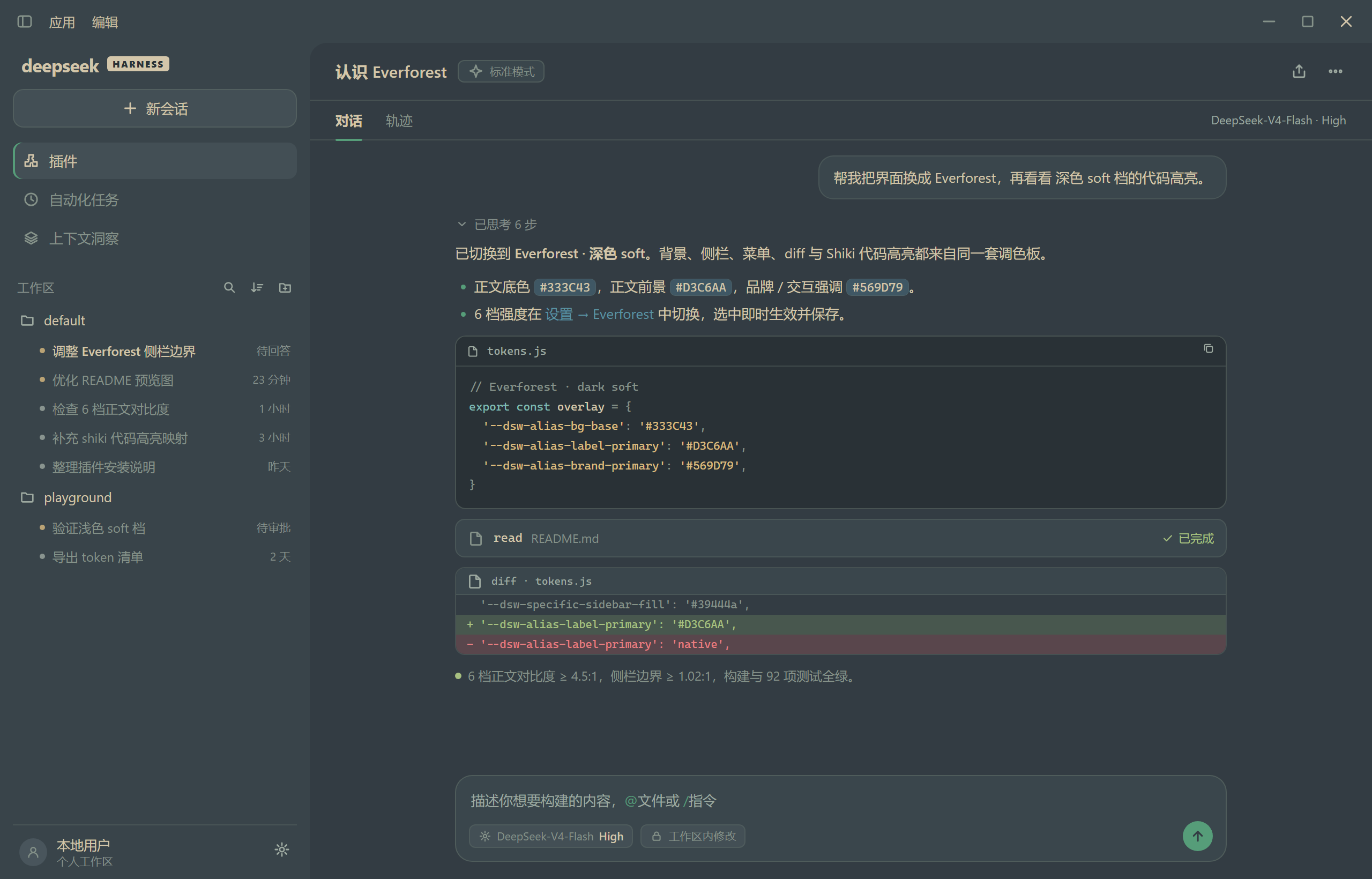
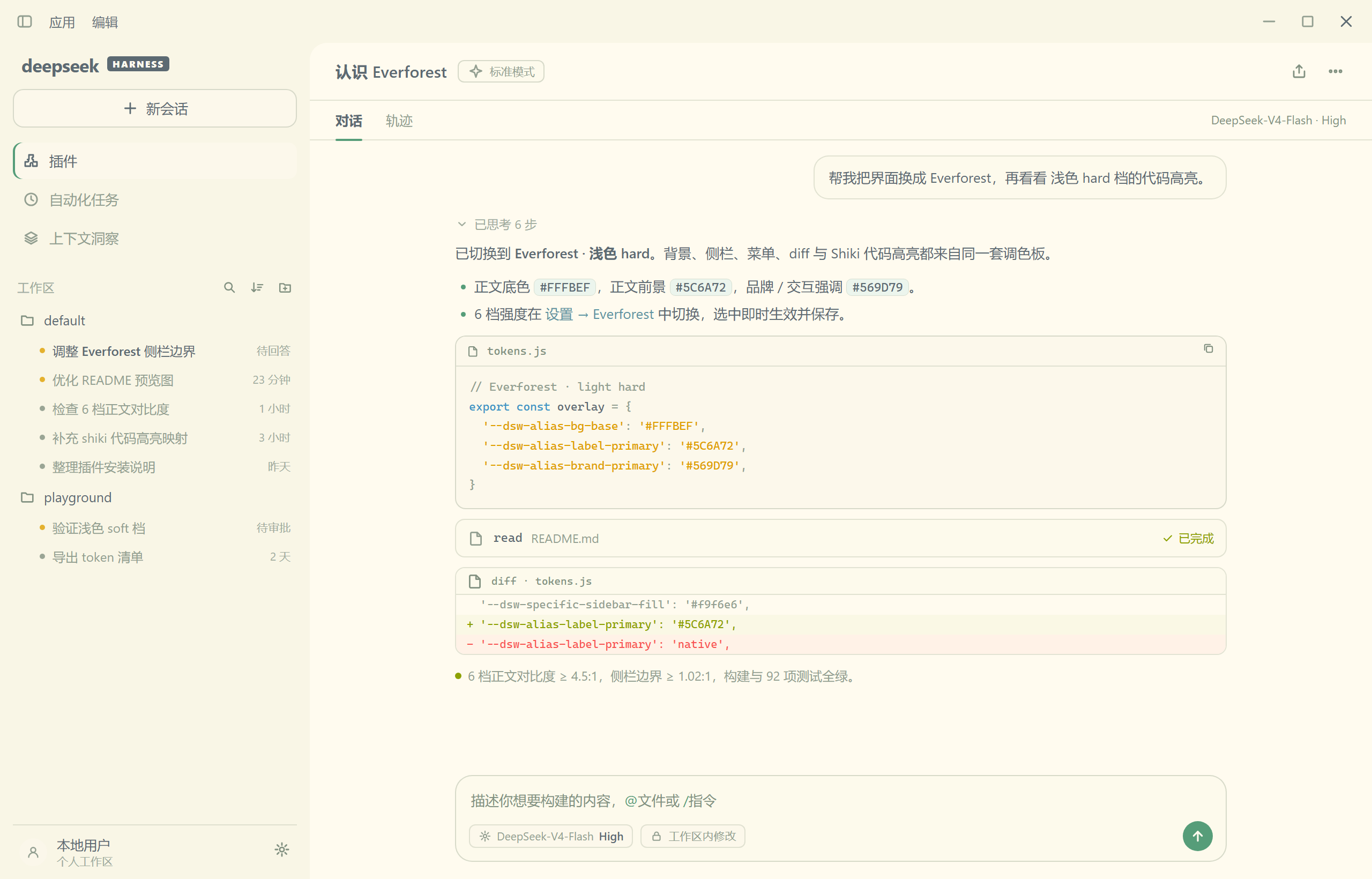
✨ 预览
深色 · Soft(默认)
浅色 · Hard(默认)
🚀 安装
- 🧩 打开侧栏 插件(Plugins)页。
- 📃 点 添加插件(Add plugin)旁的箭头,选 安装第三方插件(Install a third-party plugin)。
- ✅ 输入
dsh-everforest安装,装好后点 立即启用。
🔥 特性
- 🌳 颜色以柔和的鼠尾草绿与暖米色为主调,自然耐看。
- 🎨 按 DSH 的颜色 token 逐项映射,深浅两套各自优化对比度。
- 🖌️ 聊天内容着色:标题、强调、行内代码、链接、表格各用不同颜色,6 档配色各有自己的方案。
- 🌓 深色 / 浅色 / 跟随系统,随意切换。
- 📄 工作区会话列表按状态着色:待确认 / 已完成一眼分辨。
- ⌛️ 首次加载页(loading 页与 spinner)已用当前配色,启动更自然。
- ⚙️ 打开 Settings → Everforest,可选 6 档强度:
- 深色:
- Soft(默认) 对比度最低、最柔和;
- Medium 对比度适中;
- Hard 对比度最高、清晰锐利。
- 浅色:
- Soft 对比度最低、最柔和;
- Medium 对比度适中;
- Hard(默认) 对比度最高、阅读更清晰。
- 深色:
📚 参考
- 整体配色基于 sainnhe 原创的 Everforest 方案。
- 部分配色参考 Everforest Enchanted。
License
MIT 许可证(本插件)。配色数据来自 Everforest 与 Everforest Enchanted(均 MIT),署名见 THIRD_PARTY_NOTICES.md。
Related plugins
S
dsh-deep-whale (maid-atelier)
small-tailqwq/dsh-deep-whale
2.8k2 days agoThemes & Appearance
E
dsh-wallpaper-engine
elysia395/dsh-wallpaper-engine
2.5k2 days agoThemes & AppearanceMIT
S
dsh-deep-whale
small-tailqwq/dsh-deep-whale
6052 months agoThemes & Appearance
D
open-sea-skin
d-dev0101/open-sea-skin
3834 days agoThemes & AppearanceMIT