minke
heerte869-droid/minke
Operate macOS applications and Chrome pages in DeepSeek Harness, with a visible whale-themed cursor and support for background browser tasks.
Install
dsh plugin --profile web add github:heerte869-droid/minkeREADME

Minke
让 DeepSeek Harness 操作 Mac 应用和 Chrome 网页。用独立的鲸鱼娘光标,看见 AI 正在操作哪里。
下载 DSH 插件 · 下载 Chrome 扩展 · 安装方法 · 所有版本 · English
实机演示
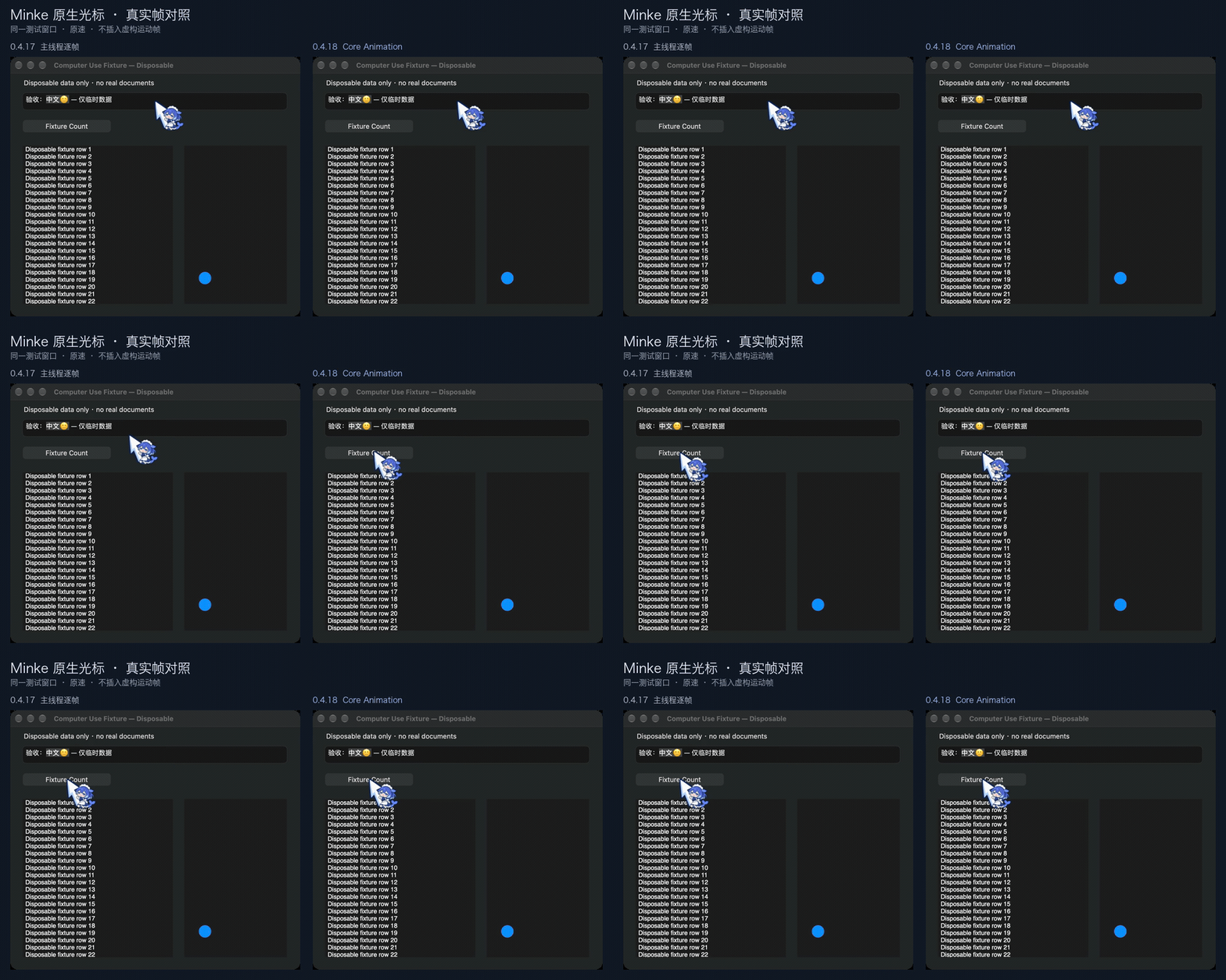
Mac 原生光标 · 0.4.18 观看 60fps 原速对照
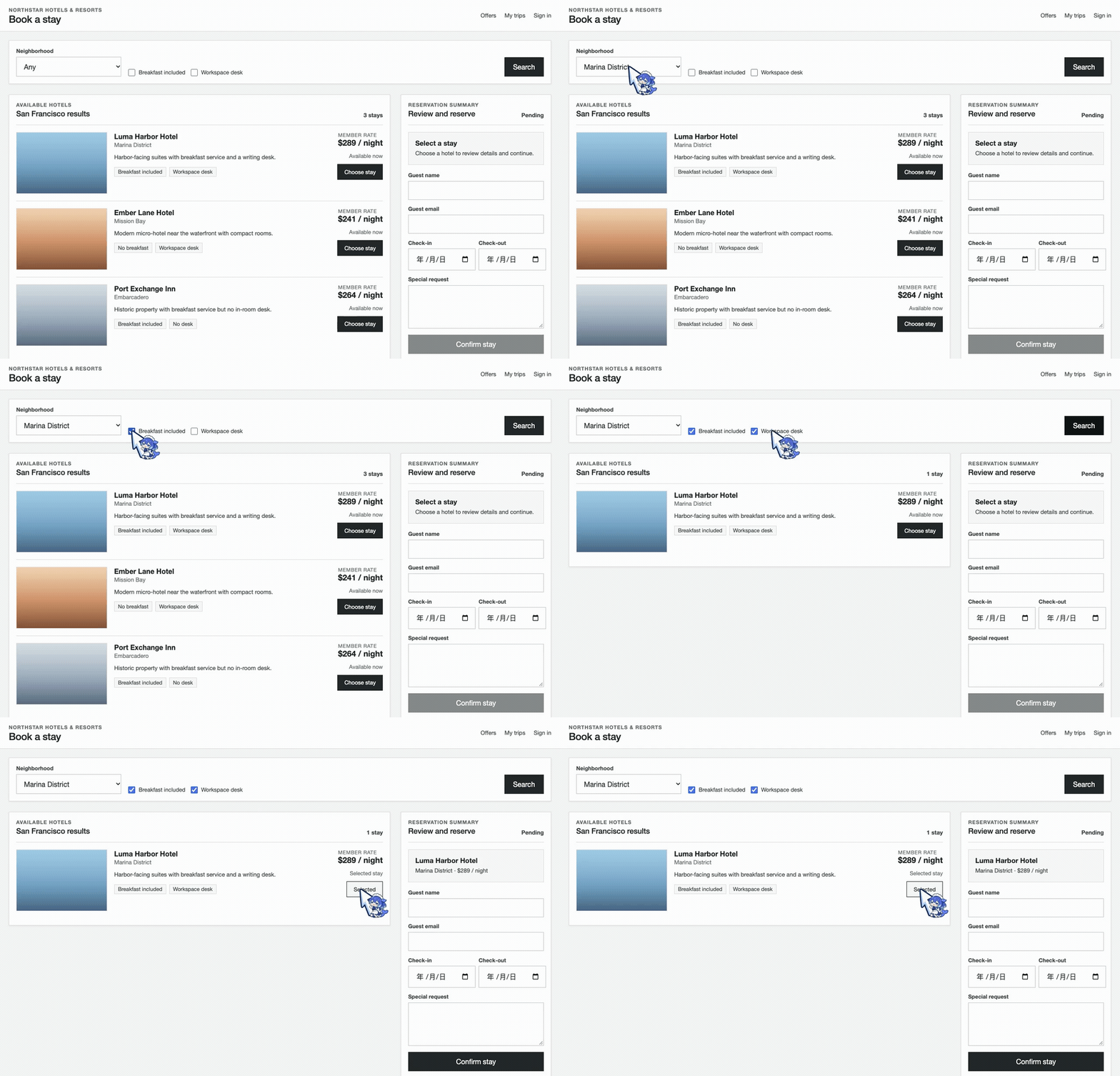
Chrome 网页操作 · 从三个住宿选项筛到一个 观看原速视频
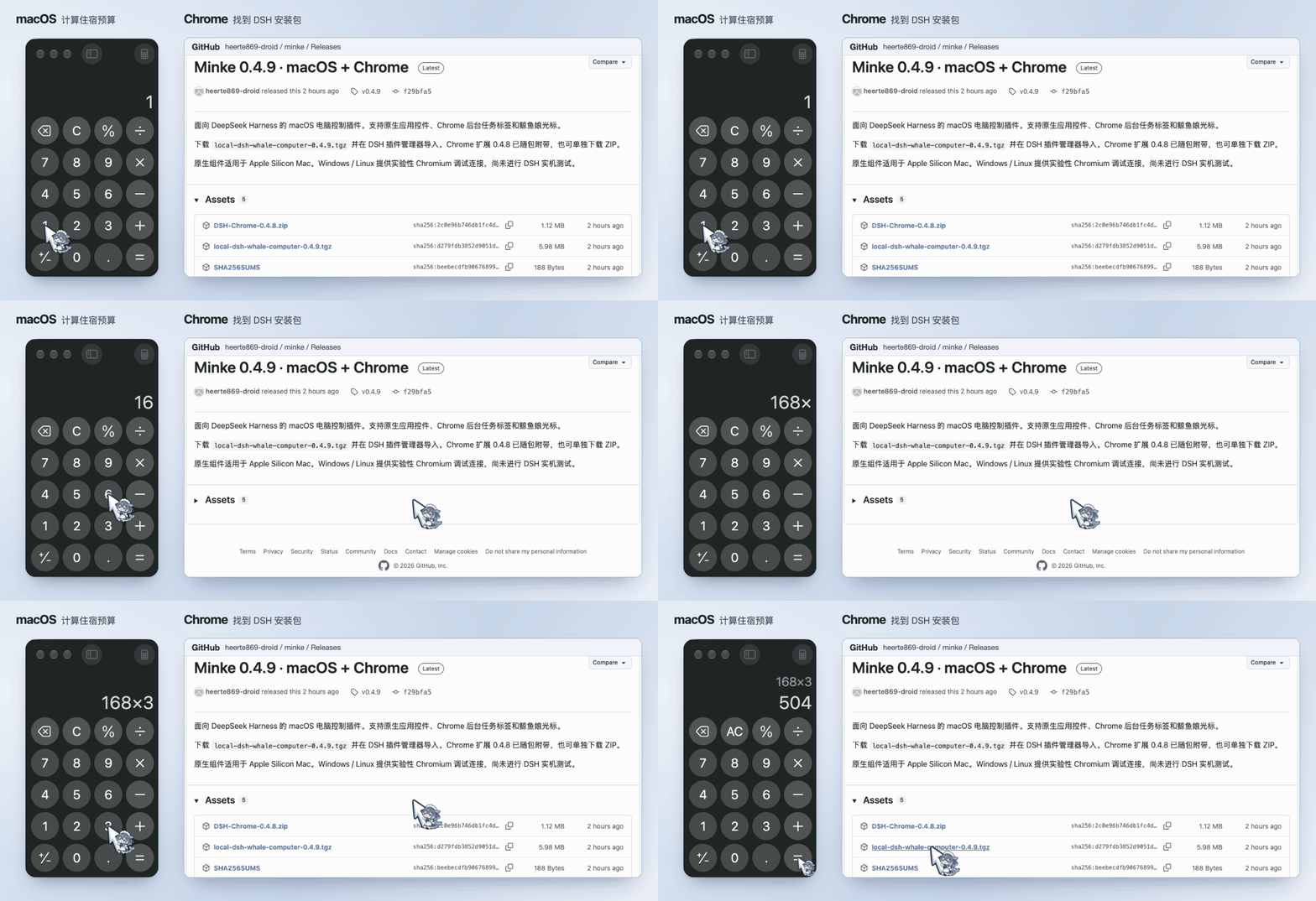
Mac 计算器与 Chrome 实际任务(早期版本录制)
- 操作 Mac 原生控件、Chrome 网页控件,执行点击、填写表单等任务。
- 支持的浏览器后台任务在独立任务标签中运行,保留用户正在使用的标签。
- 光标大小和显示方式可调,随时可以停止操作。
装进 DSH
- 下载 Minke 0.4.18 的 DSH 安装包(.tgz),无需解压。
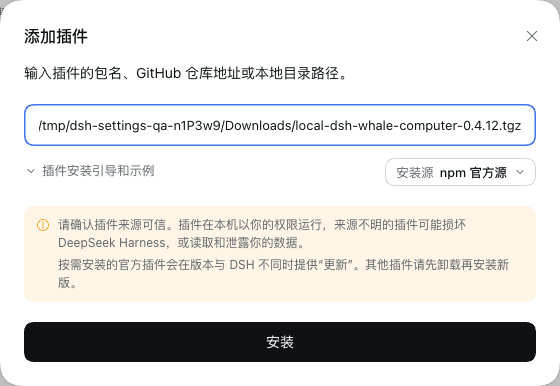
- 打开 DSH 左侧的 插件 → 添加插件,粘贴该文件的完整路径,点 安装。访达中选中文件后按
⌥⌘C可复制路径。 - 需要操作 Chrome 时,在 DSH 的 设置 → 电脑控制 → 安装 Chrome 扩展 中取得扩展目录,也可以解压上方的 Chrome 扩展下载包。在
chrome://extensions开启开发者模式,点 加载已解压的扩展程序,选择含manifest.json的目录。
使用 DSH CLI 的 Web profile 也可直接安装预构建包:
dsh plugin --profile web add --ignore-scripts https://github.com/heerte869-droid/minke/releases/download/v0.4.18/local-dsh-whale-computer-0.4.18.tgz
查看 DSH 安装窗口
适用 Apple Silicon Mac、macOS 14+、DSH 0.2.2-rc.3、0.2.2-rc.5、0.2.3-alpha.2;Chrome 扩展需要 Chrome 118+。Windows / Linux 已通过 Chromium 适配自动化检查,尚未在这两个系统的 DSH 桌面端实测。
浏览器连接与权限 · 工具接口 · 从源码构建 · MIT 许可 · 素材与第三方说明
欢迎在 Issues 分享实际使用任务和问题,也欢迎参与 测试与贡献。Minke 是独立社区插件,不是 DeepSeek 官方产品。
This project authorizes DSH Plugin to list this repository and display its plugin information.
Related plugins
archify (deepseek-harness)
tt-a1i/archify
WeKnora (dsh-weknora)
tencent/weknora
next-ai-draw-io (dsh-plugin)
dayuanjiang/next-ai-draw-io
AiToEarn (dsh-plugin-aitoearn)
yikart/aitoearn