dsh-futuristic-style
hwqaaa/dsh-futuristic-style
Cinematic 10-second cold-start animation with the original soundtrack, a 1.2 s dissolve into a looping anime chat background, and a frosted settings panel for DeepSeek Harness. Its HTTP routes have no DSH access check, so a web page open in your browser could call them.
Install
dsh plugin --profile web add github:hwqaaa/dsh-futuristic-styleREADME
dsh-futuristic-style
Cinematic cold-start animation with the original soundtrack and a looping anime chat background for DeepSeek Harness.
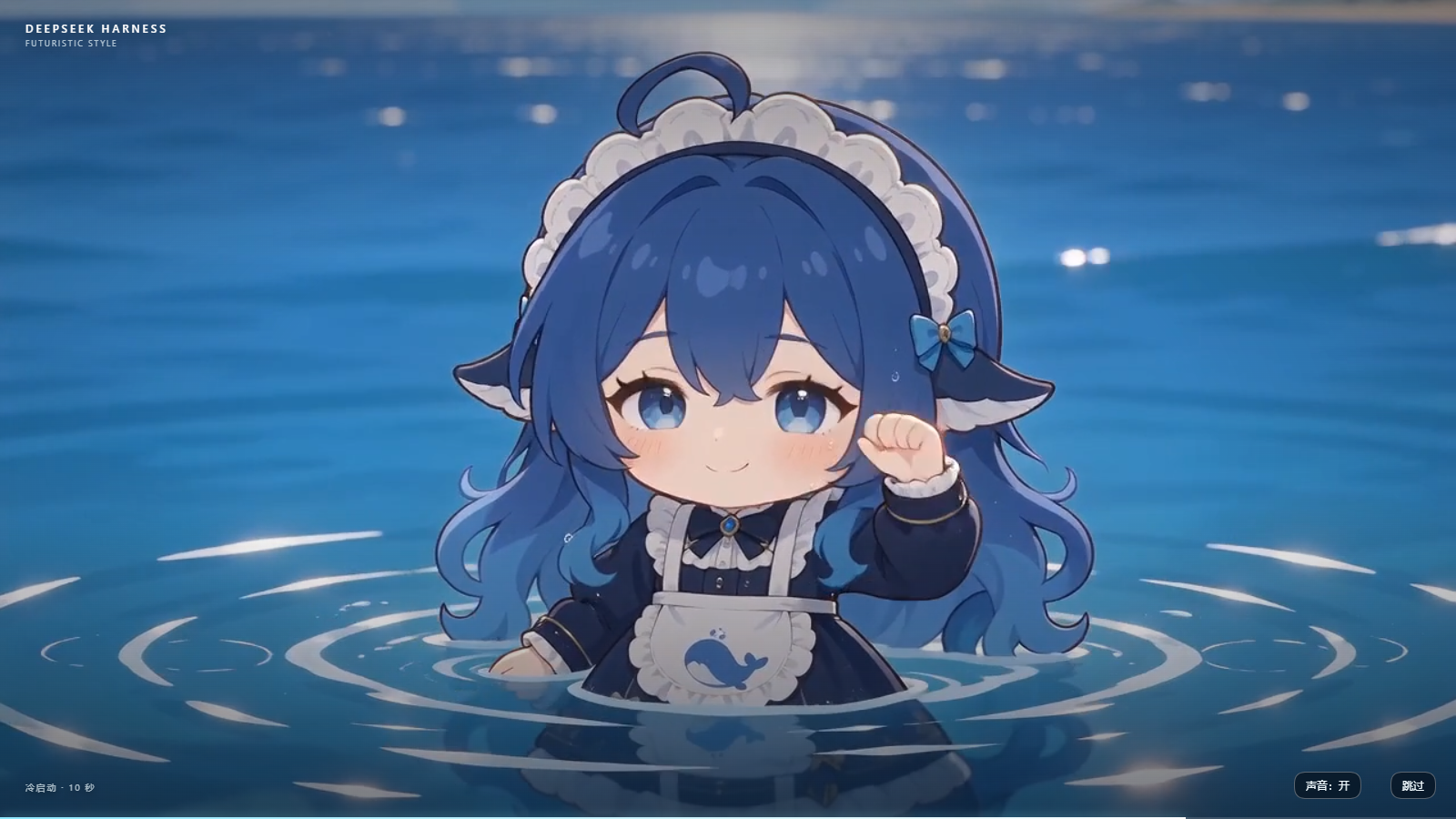
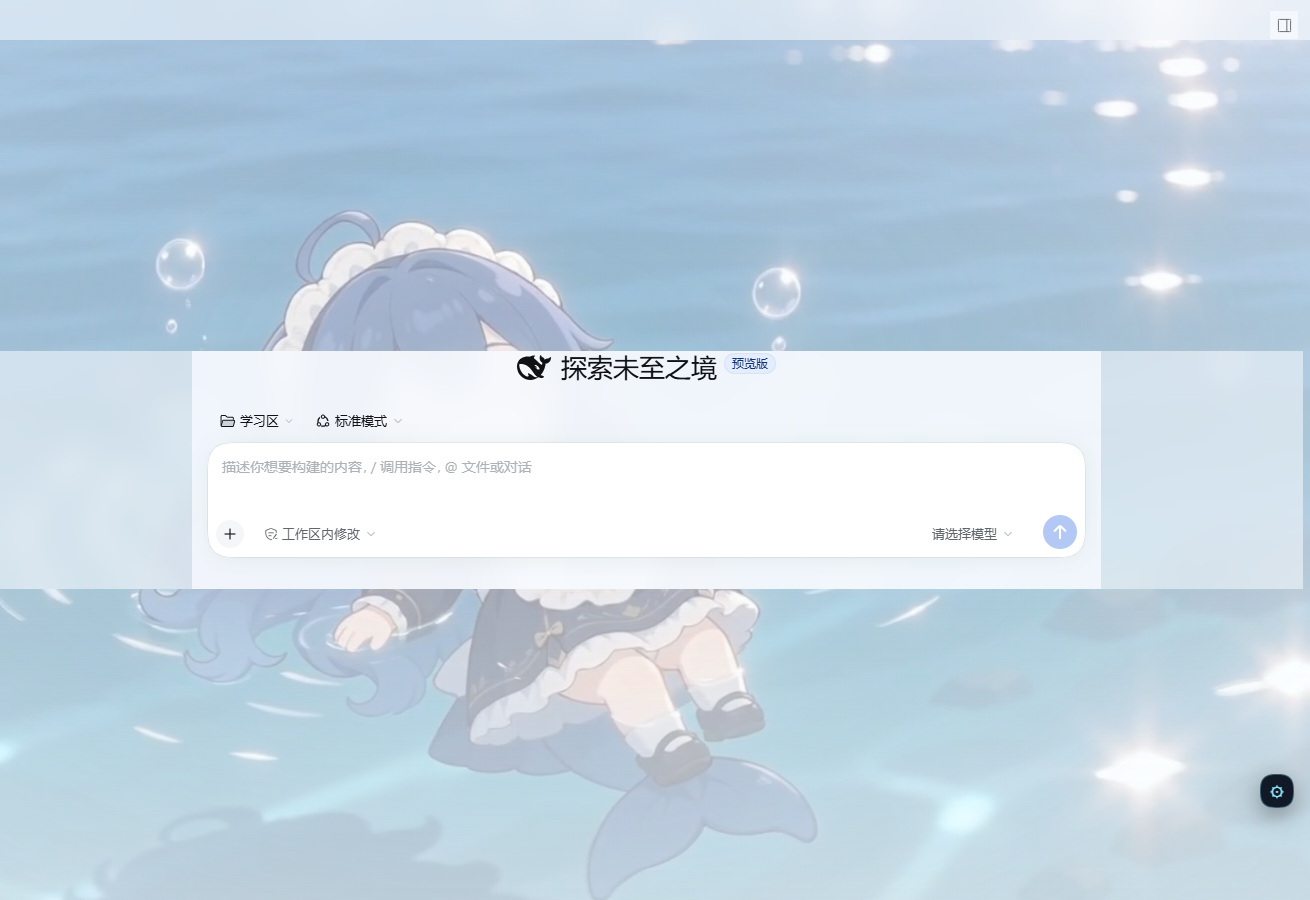
A 10-second whale-breach cold start, a 1.2-second dissolve into the chat, and a frosted background-video layer with a small settings gear.
中文简介
为 DeepSeek Harness 提供一套完整的视觉启动体验:
- 10 秒冷启动动画,使用原片的 AAC 原声
- 结束或跳过时,用 1.2 秒叠化过渡到聊天界面
- 聊天背景循环播放一段动漫海面视频
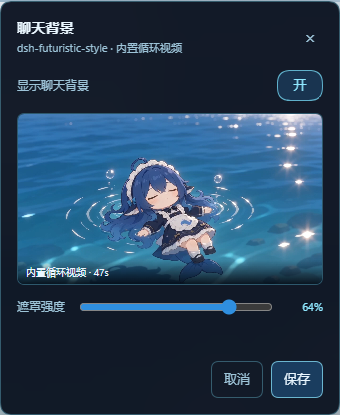
- 右下角齿轮可开关背景、调整遮罩强度
- 首屏封面在 React 之前注入,不露出 “Loading plugins” 闪屏
Features
Cold start
- 10.03 s, 1280×720, 60 fps, H.264; the original AAC stereo track is muxed into the video, no separate synthesized audio.
- A host-injected poster cover paints before React; the boot overlay takes over at about 1 s with no loading-screen flash.
- Skip, sound on/off, progress line, and keyboard Escape to skip.
- The sound button mutes or unmutes the video's own audio; if autoplay policy
blocks sound, it starts muted and the button reads
声音:关. - 1.2 s dissolve: the boot layer fades with a slight push-in while the chat UI and background crossfade in from a soft blur/scale.
- Plays once per browser session.
prefers-reduced-motion: reduceskips it. - Missing or corrupt media fails open immediately; DSH stays usable.
Chat background
- One built-in looping background video: 1920×1080, 60 fps, H.264, 18.2 MB.
- First-frame poster for loading and missing-video fallback.
- Standalone gear panel: enable/disable, veil strength, and a preview.
- Settings persist to
~/.dsh/dsh-futuristic-style/config.json. - Light and dark DSH themes are supported; the dark theme uses a transparent shell with frosted sidebar, header, composer, and menus.
- The composer and the plus menu have their own frosted surfaces; the plus menu uses a near-opaque material so chat text cannot bleed through.
- No background picker and no rotation: exactly one video.
Requirements
- Windows
- DeepSeek Harness Desktop 0.2.1-rc.2
- No separate media download; the 24.6 MB package includes the videos, audio, posters, host routes, and client code
Other DSH versions are not declared compatible. The plugin uses public DSH bundle/client APIs and the desktop index-injection path.
Install
From a GitHub Release
- Fully quit DSH: close the window, right-click the tray icon and quit, then
confirm there is no
DeepSeek Harness.exeprocess. - Run:
dsh plugin --profile desktop add "https://github.com/HWQAAA/dsh-futuristic-style/releases/download/v0.1.0/dsh-futuristic-style-0.1.0.tgz"
If dsh is not on PATH, use the CLI shipped with DSH:
& "<DSH install dir>\resources\runtime\cli\bin\dsh.cmd" plugin --profile desktop add "https://github.com/HWQAAA/dsh-futuristic-style/releases/download/v0.1.0/dsh-futuristic-style-0.1.0.tgz"
- Reopen DSH.
From a local tgz
dsh plugin --profile desktop add "C:\path\to\dsh-futuristic-style-0.1.0.tgz"
Conflict note
If dsh-boot-suite or another startup-animation/wallpaper plugin is installed,
disable it first. Two startup overlays or two background layers will fight.
Usage
- First page load after restart: poster cover → cold start → 1.2 s dissolve → chat with the background video.
跳过orEscapeends the cold start early; the same dissolve is used.声音:开/关controls the original video audio.- Bottom-right gear: enable/disable the background, adjust the veil, preview the video poster, and save.
- The background video is muted by design (the source track is near-silent).
Compatibility and limits
- Boot video is 720p and is upscaled.
- Autoplay policy can mute boot audio until the sound button is pressed.
prefers-reduced-motion: reduceskips the cold start by design.- Theme selectors are tuned for DSH 0.2.1-rc.2 hashed class names; a future DSH version may need selector updates.
- Windows desktop only. Web, macOS, and Linux are untested.
- The plugin does not download anything at runtime and sends no telemetry.
Privacy
- All media and code are local. The plugin does not make network requests.
- The only persistent state is the background settings file under
~/.dsh/dsh-futuristic-style/and DSH's own profile. - The boot animation runs once per browser session; DSH session storage holds
only a versioned
1flag.
Uninstall
Fully quit DSH, then:
dsh plugin --profile desktop remove dsh-futuristic-style
Reopen DSH. If the app does not start after installation, remove the plugin with the same command while DSH is closed.
Development
pnpm install --frozen-lockfile
pnpm build
pnpm typecheck
pnpm test
Pinned toolchain: Node 24.21.0, pnpm 11.28.5, TypeScript 5.9.3, React 18.3.1, Vite 8.3.8, Vitest 5.1.0. Tests: 9 passing.
Repository layout:
src/host/— config API, byte-range media routes, index-injected boot coversrc/client/— boot overlay, background layer, gear panel, CSSsrc/shared/— config schema and public payloadassets/— cold-start video/audio, background video, posterslib/— built host/client outputdocs/screenshots/— README images
License and assets
- Code (
src/,lib/): MIT, see LICENSE. - Bundled media (
assets/): © 2026 HWQAAA, all rights reserved; permitted only as part of an unmodified copy of this plugin. See ASSETS.md.
Issues
Please open an issue at https://github.com/HWQAAA/dsh-futuristic-style/issues and include your DSH version, Windows version, and whether the problem happens with the boot layer, the background layer, or the gear panel.
Related plugins
dsh-wallpaper-engine
elysia395/dsh-wallpaper-engine
dsh-deep-whale (maid-atelier)
small-tailqwq/dsh-deep-whale
dsh-deep-whale
small-tailqwq/dsh-deep-whale
dsh-claude-style
nwflower/dsh-claude-style