dsh-phone-remote
junfei-z/dsh-phone-remote
Phone access to the DSH Web GUI over a password-gated Cloudflare quick tunnel; the phone uses a browser, with no app and no VPN. Installs either as this plugin or as a launchd/systemd service, so the gate and its tunnel URL stay up across DSH restarts. Attaches to the running desktop app on its random loopback port by minting the browser-session cookie DSH would mint, leaving DSH unmodified, or proxies a fixed dsh web. Adds a login page, a signed cookie (180 days by default) and per-IP login throttling.
Install
dsh plugin --profile web add github:junfei-z/dsh-phone-remoteREADME
dsh-phone-remote



English | 简体中文
Use DeepSeek Harness (DSH) from your phone — like Claude Code's remote control: send messages, watch the agent work in real time, and approve actions while away from your desk.
Published on npm as dsh-phone-gate with build provenance, and listed in the curated Awesome DSH Plugin registry that the in-app plugin market reads.
- 🔌 One command to install: a DSH plugin (
dsh plugin add dsh-phone-gate) — or a host service that stays reachable while DSH restarts - 💰 Zero cost (Cloudflare free quick tunnel)
- 📱 No app, no VPN on the phone — iPhone and Android work identically (and it won't fight proxy apps for iPhone's single VPN slot)
- 🖥️ Two modes: attach to the running DeepSeek Harness desktop app (same instance), or host a standalone
dsh web - 💻 Host side: macOS / Linux / Windows
- 🔒 Built-in password gate (DSH has no login mechanism — exposing it bare would be public remote code execution)
- 🔄 Auto-restart: survives reboots and crashes
- 🧩 Generic: set
authtononeand pointupstreamat any local web app
Quick start: install it as a plugin ⚡
dsh plugin --profile web add dsh-phone-gate
Reload dsh web, open Settings → Plugins → dsh-phone-gate, and it already works with every default: it generates an access password, starts the gate on 127.0.0.1:8443, brings up a Cloudflare quick tunnel, and prints the phone URL. The desktop app installs the same package from Settings → Plugins → Install.
[dsh-phone-gate] 网关已启动 http://127.0.0.1:8443 → DeepSeek Harness 桌面版(随机端口自动发现)[dsh-cookie]
[dsh-phone-gate] 访问密码:a65f-6516-a8ac(可在 ~/.dsh/remote-auth.json 里改)
[dsh-phone-gate] 手机访问地址:https://xxx-yyy-zzz.trycloudflare.com
The URL also lands in ~/.dsh/remote-url.txt and the password in ~/.dsh/remote-auth.json, so the plugin and the host service below share one password.
You need cloudflared on PATH (official builds); or set tunnel.enabled to false and point your own tunnel, Tailscale or reverse proxy at http://127.0.0.1:8443.
Plugin or host service?
Same gate, same password file — they differ in who keeps it alive, so pick by what you want reachable:
Plugin (dsh plugin add) | Host service (install.sh) | |
|---|---|---|
| Install | one command, settings UI in DSH | one script, launchd / systemd / Task Scheduler |
| Lives as long as | the DSH process that loaded it | your login session — the phone URL stays up while DSH restarts or is closed |
| Upstream | this DSH, or any local app | the desktop app (random port), dsh web, or any local app |
| Tunnel URL | reassigned whenever the plugin reloads | reassigned on reboot |
| Best for | trying it out; one-click updates | leaving it running; taking over a desktop-app session from away |
The host service is the reason this project exists: a plugin cannot answer the phone while the process that hosts it is down.
Or: let your DSH set up the host service for you
Already running DSH on your computer? Don't even open a terminal — paste this into your DSH chat:
Help me set up phone remote access. Clone https://github.com/Junfei-Z/dsh-phone-remote locally, read its README, then run
./install.sh --desktop(I use the desktop app; if it turns out I don't have it, use--webinstead), and give me the phone URL and access password.
DSH will clone, configure the services, and hand you the URL and password — you just open it on your phone. 🤯
(Linux: ./install-linux.sh. Windows: ask DSH to read windows/start-dsh-remote.ps1 and run it.)
What you get
phone browser → https://xxx.trycloudflare.com → password once → full DSH GUI
(messages / live output / tool approvals / auto-reconnect / add to home screen)
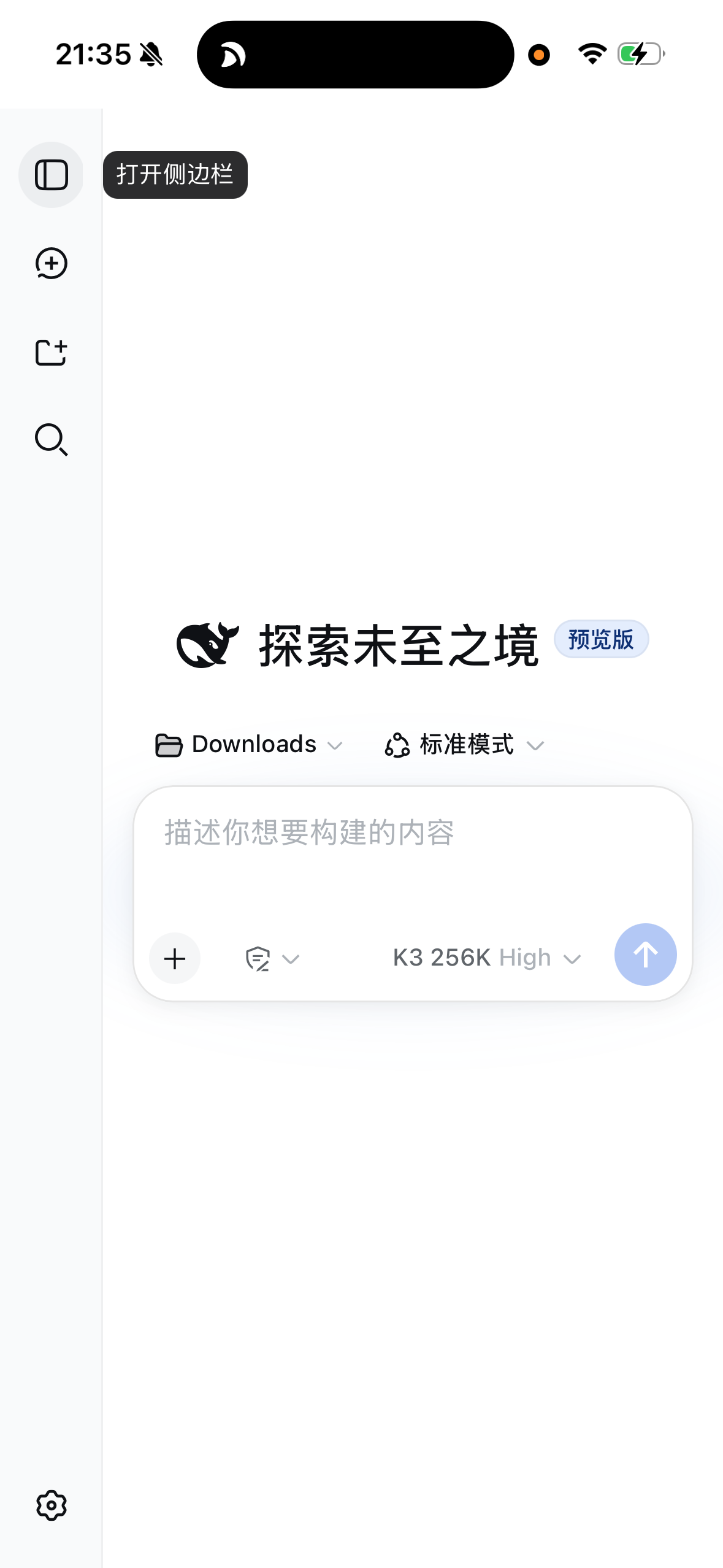
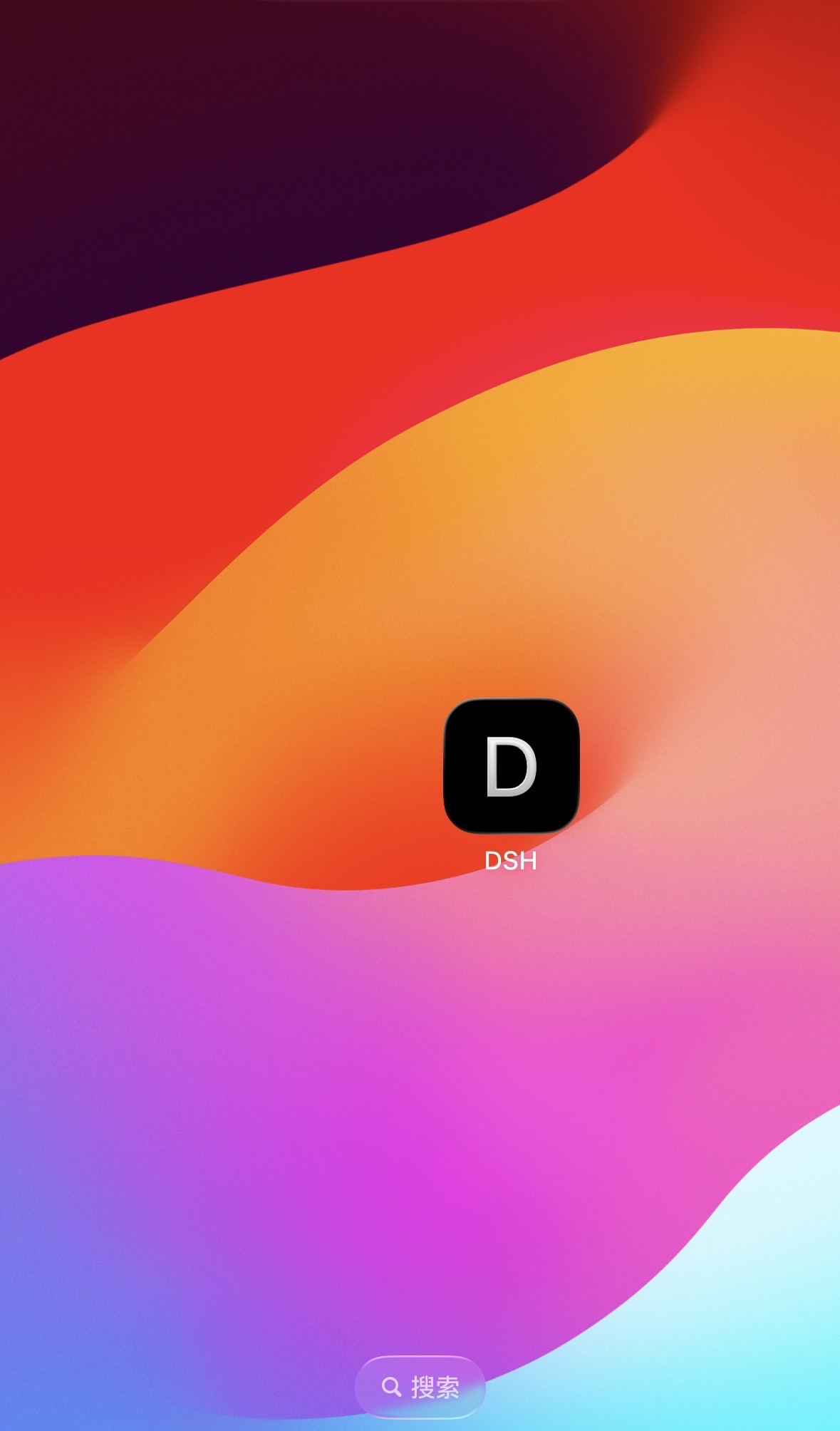
Left: the full DSH console on an iPhone. Right: added to the home screen, it behaves like an app.
Two modes: which DSH does the phone talk to?
Same tunnel + password gate, two possible upstreams. Pick one at install time; switch any time by re-running the installer.
| A · Desktop app (use this if you have it) | B · Standalone dsh web | |
|---|---|---|
| What the phone sees | The very instance you use on the Mac: same workspace, same sessions, same live state | A separate dsh web process (3080) — history is shared, but it is not the instance your desktop app has open |
| Requires | DeepSeek Harness.app running (its GUI port is random per launch) | launchd/systemd keeps dsh web alive; no desktop app needed |
| Needs on the Mac | the desktop app | the dsh CLI (falls back to npm exec) |
| Port | random — discovered automatically | fixed 127.0.0.1:3080 |
| Best for | taking over the session you are already in | no desktop app, or a clean separate entry for the phone |
./install.sh --desktop   # mode A
./install.sh --web       # mode B
./install.sh             # auto: desktop if /Applications/DeepSeek Harness.app exists, else web
Switching modes reuses your password and tunnel services; the URL is reassigned.
How mode A works (why a cookie has to be minted)
Since DSH 0.2 every process mints a random launch token, prints it only inside the startup URL (?token=...), and exchanges it for a signed browser cookie. The desktop app's GUI also listens on a random loopback port. A tunnel can supply neither.
So the gate reads the persistent client-connection/browser-session secret from ~/.dsh/.credentials.yaml, mints the same signed cookie DSH would mint for 127.0.0.1:<current port>, and injects it on every upstream request. The port is re-confirmed via ps + lsof before forwarding (8s cache, single-flight probe), so a desktop-app restart on a new port keeps working. Zero changes to DSH.
How mode B works
The gate forwards to the fixed http://127.0.0.1:3080 and injects the same cookie, which also gets past the launch-token requirement of newer dsh web builds; com.deepseek.dsh-web (or dsh-web.service) keeps that process alive.
Troubleshooting both modes
| What the phone shows | Cause / fix |
|---|---|
| "can't reach this machine's DSH" | A: the desktop app is not running (or still starting). B: nothing listens on 3080 |
| "DSH rejected this session (401)" | The gate's credentialsFile is not the one that process uses (different DSH_HOME). Fix it in ~/.dsh/remote-auth.json, then launchctl kickstart -k gui/$(id -u)/com.dsh.auth-proxy |
| Breaks after a desktop-app restart | Refresh once — the port is rediscovered; if it persists, check ~/.dsh/logs/auth-proxy.err.log |
Platform support
| Setup | Status |
|---|---|
| Mac → iPhone | ✅ one-command (install.sh) |
| Mac → Android | ✅ same script (phone steps are identical) |
| Linux → any phone | ✅ one-command (install-linux.sh, systemd user services) |
| Windows → any phone | ⚠️ semi-automatic (windows/start-dsh-remote.ps1; PRs welcome) |
The phone side is identical everywhere: open the URL in a browser (Safari on iPhone, Chrome on Android), enter the password, add to home screen.
Why DSH isn't remotely reachable by default — and how this fixes it
dsh web serves the GUI on 127.0.0.1:3080 only, and --host 0.0.0.0 is deliberately refused — the GUI can execute code on your machine yet has no built-in accounts. It does ship a "browser-trust fence" (Host/Origin checks against DNS rebinding and CSRF), but that's attack defense, not authentication.
So "phone access" is three independent problems, each with one fix:
┌────────────┐   HTTPS   ┌──────────────┐ tunnel(outbound) ┌───────────────────────────────┐
│   phone    │ ────────→ │  Cloudflare  │ ───────────────→ │ your computer (no public IP /  │
│  browser   │           │  edge        │                  │ no router changes needed)      │
└────────────┘           └──────────────┘                  │  ③ dsh-auth-proxy :8443        │
                                                           │   password + injected DSH      │
                                                           │   cookie + rate limit          │
                                                           │   ↓ rewrite Host / Origin      │
                                                           │  ② upstream (pick one)         │
                                                           │   A desktop app (random port)  │
                                                           │   B dsh web :127.0.0.1:3080    │
                                                           │   fence sees a local request   │
                                                           └───────────────────────────────┘
- Networking —
cloudflaredbuilds an encrypted tunnel outbound from your computer to Cloudflare. No public IP, no router changes, HTTPS included. Official builds for every platform. - Authentication — a zero-dependency Node gate (
proxy/dsh-auth-proxy.mjs) sits between the tunnel and DSH: no password, no entry; a signed 180-day cookie after login; 8 wrong passwords locks the IP for 5 minutes. Cross-platform. - Fence + launch-token compatibility — the gate rewrites
Host/Originto a loopback authority so the fence sees a local request, and injects a session cookie minted from~/.dsh/.credentials.yaml(the same secret DSH uses), which also satisfies the launch-token requirement of newer builds. Zero changes to DSH itself.
Only the auto-start layer is OS-specific: launchd on macOS, systemd on Linux, Task Scheduler/startup folder on Windows.
Manual install
Prerequisites: Node.js ≥ 22.18 (or 24), plus either the DeepSeek Harness desktop app (mode A) or a working npm exec @deepseek-ai/dsh web (mode B).
⚠️ The Node version matters: dsh's entry point gates on
import.meta.main, which only exists in Node 22.18+ / 24. On an older Node,dsh webexits 0 silently — no error, no output, no listener.install.shprobes for a usable node and tells you to upgrade if it finds none.DSH itself has moved on:
@deepseek-ai/dsh@0.2.2declaresnode >=24.9.0. The gate's own code only needs 22.18, so the standalone service still runs on Node 22 — but install Node 24 if you want DSH on its supported runtime.In mode B the
npxfallback may pull a differentdshversion than your desktop app; if session files ever disagree, align them withnpm i -g @deepseek-ai/dsh@<same version>.
macOS
git clone https://github.com/Junfei-Z/dsh-phone-remote.git
cd dsh-phone-remote
./install.sh --desktop   # mode A: attach to the desktop app
./install.sh --web       # mode B: host a standalone dsh web
./install.sh             # no flag: auto-detect
The installer adds cloudflared via Homebrew if missing, wires the launchd services, and prints the phone URL plus password.
Linux
git clone https://github.com/Junfei-Z/dsh-phone-remote.git
cd dsh-phone-remote
./install-linux.sh  # cloudflared must be installed first (script prints the link)
Uses systemd user services; for start-at-boot without login: sudo loginctl enable-linger $USER.
Windows (semi-automatic)
git clone https://github.com/Junfei-Z/dsh-phone-remote.git
cd dsh-phone-remote
powershell -ExecutionPolicy Bypass -File .\windows\start-dsh-remote.ps1
Auto-start (either): drop a shortcut to the script into shell:startup, or use the schtasks command from the Chinese README.
The Windows path is not machine-tested — issues and PRs welcome.
Phone side (iPhone / Android identical)
- Open the printed URL in your browser
- Enter the access password (once per 180 days)
- Share/menu → Add to Home Screen → tap the icon from now on
Optional: a stable URL
Quick-tunnel URLs change when the computer restarts (the current one is always in ~/.dsh/remote-url.txt). For a fixed hostname:
- Buy any domain and host it on Cloudflare (free plan works)
- Cloudflare Zero Trust → Networks → Tunnels → create a tunnel, point the Public Hostname at
http://localhost:8443 - Optionally add a Cloudflare Access application (email OTP), or keep this repo's password gate
- Run the tunnel the official persistent way:
cloudflared service install <token>
FAQ
Desktop app or standalone dsh web? If you have the DeepSeek Harness desktop app, use mode A (--desktop) so the phone drives the very instance you use on the Mac. Without it (or if you want a headless, always-on entry point), use mode B (--web). See the table under "Two modes".
Is it secure? The public internet can only reach the password gate; DSH itself stays on 127.0.0.1. Everything is HTTPS. The password lives in ~/.dsh/remote-auth.json — edit the password field to rotate it. The gate only uses the secret in ~/.dsh/.credentials.yaml in local memory to sign a session cookie; that secret is never sent to the phone. Never expose DSH without authentication (bare --host 0.0.0.0 or an unauthenticated tunnel).
Why not Tailscale? Tailscale is great (private mesh), but an iPhone can only run one VPN tunnel at a time — if you use proxy apps, they conflict. This approach is "just a URL" on the phone: zero conflicts.
Mac lid closed / asleep? The macOS package includes a caffeinate -s service: no sleep on AC power, automatically inactive on battery.
Uninstall: macOS ./uninstall.sh; Linux systemctl --user disable --now dsh-auth-proxy dsh-cloudflared dsh-web and remove ~/.config/systemd/user/dsh-*.
Files
| Path | Role |
|---|---|
proxy/gate.mjs | the gate itself (zero-dependency Node): password cookie, DSH cookie minting, desktop-port discovery, rate limit, WebSocket proxying. Shared by both install forms |
proxy/dsh-auth-proxy.mjs | host-service entry point: reads remote-auth.json and runs the gate |
plugin/index.mjs | DSH plugin entry point: settings schema, gate lifecycle, Cloudflare quick tunnel |
package.json + cordis.patch.yml | the DSH bundle manifest and the layer it contributes (published to npm as dsh-phone-gate) |
test/gate.test.mjs | end-to-end gate tests — npm test, no DSH needed |
scripts/dsh-web.sh | mode B's DSH GUI launcher (waits for port handoff) |
scripts/dsh-cloudflared.sh | tunnel wrapper (records the assigned URL) |
launchd/*.plist | macOS service templates |
systemd/*.service | Linux service templates |
windows/start-dsh-remote.ps1 | Windows starter |
install.sh / install-linux.sh / uninstall.sh | installers |
License
MIT
Related plugins
dsh-purge
kingcharleslzy-ai/dsh-purge
dsh-web (dsh-ssh)
zhu1090093659/dsh-web
dsh-web (dsh-remote-web-ui)
zhu1090093659/dsh-web
dsh-web-ui (dsh-ssh)
zhu1090093659/dsh-web-ui