dsh-acp-client
lidaiyue/dsh-acp-client
Runs the main DSH conversation through an official ACP agent chosen from the Agent preset picker: CodeBuddy, Claude, Codex, Grok, or Antigravity. A client, not a server, and the presets load no DSH tools — the agent brings its own tools and permission prompts. Its HTTP routes have no DSH access check, so a web page open in your browser could call them.
Install
dsh plugin --profile web add github:lidaiyue/dsh-acp-clientREADME
dsh-acp-client
English | 中文
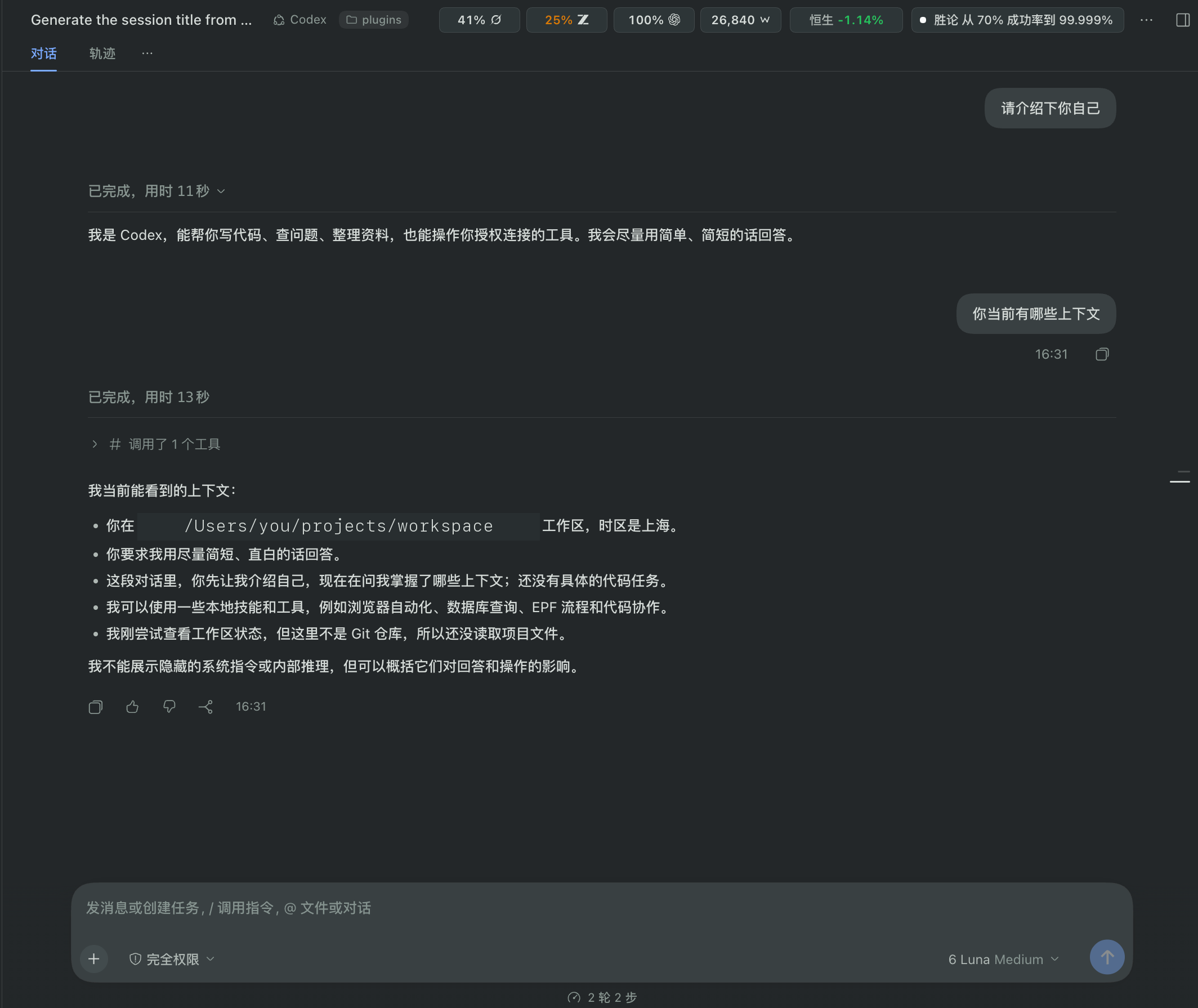
An Agent Client Protocol (ACP) client for DeepSeek Harness Web. Choose CodeBuddy, Claude, Codex, Grok, or Antigravity as the Agent preset, and the main DSH conversation runs through that agent's own stdio ACP process.
- It is a client, not a server: DSH calls the agent.
@deepseek-ai/dsh-acpis the opposite direction. - It does not reuse a desktop login or call an unofficial gateway; that is
dsh-workbuddy's approach. - These presets load no DSH tools. The agent uses its own tools, edits, and permission prompts.
Tested with dsh 0.2.2-rc.5.
Prerequisites
Sign in once in a terminal with the agent's official CLI. Sessions need a workspace directory.
| Preset | PATH command | Fallback |
|---|---|---|
| CodeBuddy | codebuddy --acp | none (fails if codebuddy is missing) |
| Claude | claude-agent-acp | npx -y @agentclientprotocol/claude-agent-acp@0.111.0 |
| Codex | official codex-acp only | npx -y @agentclientprotocol/codex-acp@2.10.0 |
| Grok | grok agent stdio | npx -y @xai-official/grok@1.0.90 agent stdio |
| Antigravity | agy acp | npx -y paseo-acp-agy@1.3.8 |
claude and codex are not ACP servers. They are passed to the official adapters through CLAUDE_CODE_EXECUTABLE and CODEX_PATH, so the existing login is reused. An older @zed-industries/codex-acp on PATH is skipped.
Grok: grok login (or set XAI_API_KEY). Antigravity: agy acp --login.
Install
dsh plugin --profile web add /absolute/path/to/dsh-acp-client
# or straight from GitHub
dsh plugin --profile web add github:lidaiyue/dsh-acp-client
Restart dsh web and hard-refresh the page. The presets and model adapters are registered on the host, so a refresh alone is not enough.
Use
- On the new-session screen, open the Agent / 智能体 preset picker and choose one of the five presets.
- The model picker lists that agent's own catalog. Model and reasoning changes go through ACP
session/set_config_option(orsession/set_model). If the catalog fails, the preset shows a load failure instead of disappearing. - Send from the normal composer. Replies, thoughts, tool cards, permission prompts, questions, and forms appear in the main transcript. The session title is derived locally from your own first message — no extra model call is sent through the agent. Tool cards are display-only and never become executable DSH tools. Only your latest typed turn (text and images) and the workspace are forwarded, not the DSH system prompt.
- Stopping the turn cancels a pending prompt. Switching presets starts a new ACP session; the old context is not migrated.
After a refresh or process exit, the plugin reopens the same ACP session for the same conversation and agent when the agent supports it. Session ids are kept in ~/.dsh/dsh-acp-client/sessions.json. If resume fails, you are asked to send another message to start a new session.
Configuration
Optional fields on the acp-client bundle entry in cordis.patch.yml:
| Field | Default | Meaning |
|---|---|---|
command / args / env | CodeBuddy | Overlay for CodeBuddy only |
agents.<id> | built-in | Overlay for codebuddy, claude, codex, grok, or agy |
env values are never logged.
Safety
Nothing is auto-approved, except that a session already on danger-full-access skips ordinary tool prompts and picks an allow option the agent offered. Questions and forms are still shown. There is no client-side "always allow" list; the agent owns that memory.
License
Related plugins
dsh-our-free-model
ebony-vinyl/dsh-our-free-model
dsh-routing-suite
yjh051108/dsh-routing-suite
dsh-connect-workbuddy
dingminhua/dsh-connect-workbuddy
dsh-workbuddy-connect
corrinehu/dsh-workbuddy-connect