dsh-bundles
lm20230311/dsh-bundles
DeepSeek Harness 插件合集(整合包):按人群一键装齐整套插件。Curated persona plugin bundles for DeepSeek Harness.
Install
dsh plugin --profile web add github:lm20230311/dsh-bundlesREADME
dsh-bundles
English | 中文
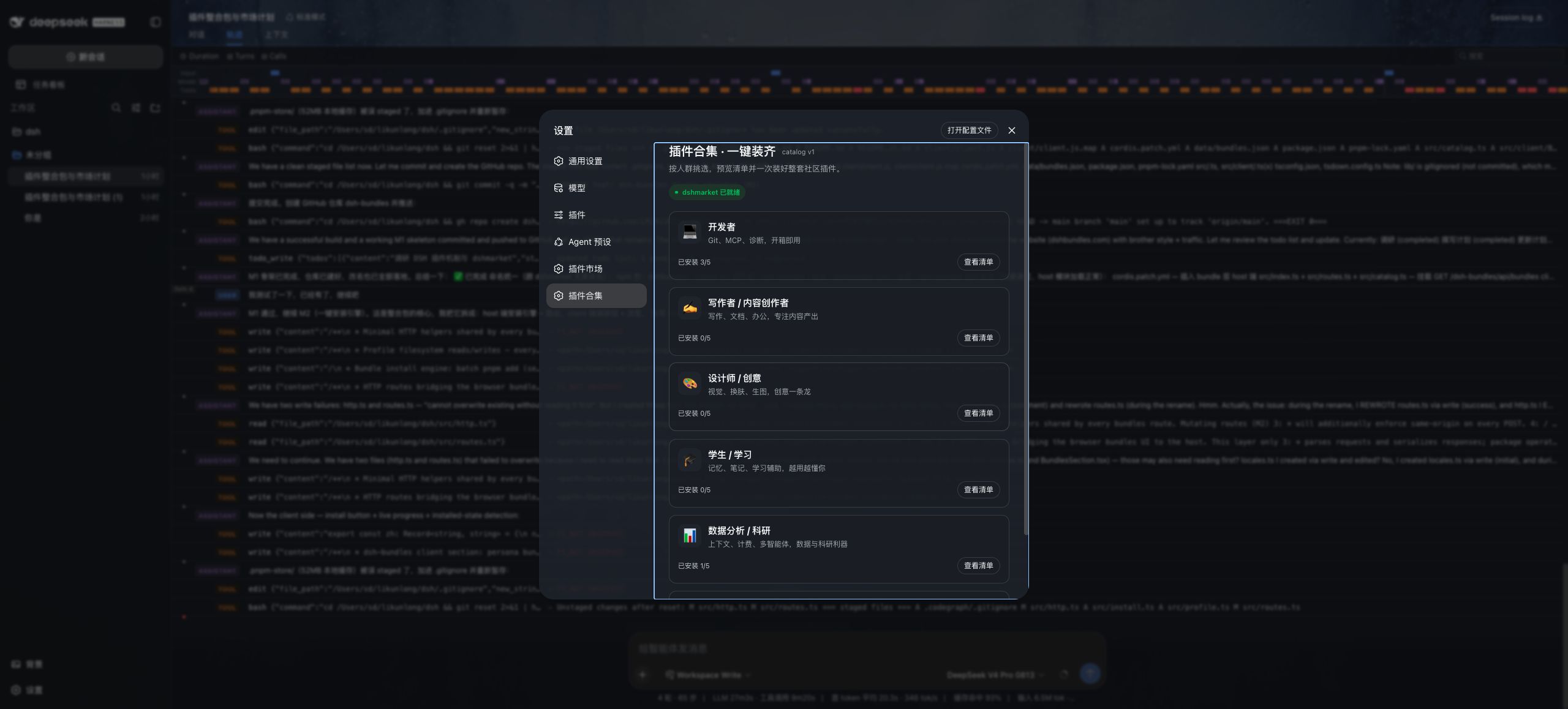
One-click, persona-based plugin bundles for DeepSeek Harness. Choose how you work, review the included community plugins, and install the complete toolkit from one card.
Website · Plugin market · Bundle catalog
Install
dsh plugin --profile web add dshbundles
Restart dsh web, then open Settings → Plugin Bundles.
Install a specific official or verified community bundle directly from a terminal:
npx -y dshbundles@latest install developer --profile web
Safely uninstall the same bundle:
npx -y dshbundles@latest uninstall developer --profile web
Adopt a complete legacy install that is shown as unmanaged from the UI, or run:
npx -y dshbundles@latest adopt developer --profile web
Successful installs write an ownership ledger to .dsh-bundles/state.json in the target profile. Uninstall removes only packages installed exclusively by that bundle; pre-existing packages and packages still referenced by another bundle are preserved. Use list and status [bundle-id] to inspect installation and management state. Legacy adoption requires explicit confirmation and claims packages without another ownership record; it never happens automatically, so independently installed packages are not silently made removable.
For source testing before a release, use dsh plugin --profile web add --allow-build=dshbundles github:LM20230311/dsh-bundles#main.
Use a bundle
- Click anywhere on a persona card to expand its plugin list.
- Click a plugin row to inspect its description, source, repository, and market metadata.
- Click Install all to install the complete bundle and watch live progress; afterwards, use Safe uninstall from the same card. For a complete legacy install, use Manage legacy install first.
Already-installed plugins are skipped. Before changing the profile, dsh-bundles snapshots package.json and pnpm-lock.yaml; if a required plugin fails, it restores the previous dependency state.
Each pnpm command has a three-minute default deadline. A timeout terminates the complete process group and enters the existing rollback path instead of leaving the UI stuck on “installing”. Set DSHBUNDLES_PNPM_TIMEOUT_MS to override the deadline in milliseconds on slower networks.
What you get
| Capability | Details |
|---|---|
| Persona bundles | 6 curated toolkits and 29 community plugins for developers, creators, designers, students, researchers, and fun |
| One-click workflow | Full-card expansion, bundle preview, one-click install, safe uninstall, live progress, and per-plugin results |
| Plugin details | Install source and repository links for every catalog entry; richer descriptions, author, downloads, stars, categories, and screenshots when dshmarket is installed |
| Safe recovery | Skips installed packages, preserves pre-existing/shared plugins, and rolls back failed install or uninstall operations |
| Shared catalog | Verified community bundles come from dshbundles.com; data/bundles.json remains the offline fallback |
dshmarket integration
dshmarket is optional. Install it directly from the bundle page, then use localized dshmarket detail links to inspect, update, or remove individual plugins. Remote community bundles are accepted only when every npm package is present in dshmarket's curated registry.
Submit a bundle
Publish a community bundle at dshbundles.com/publish. The site validates every package against dshmarket's curated registry and exposes verified bundles to the same catalog consumed inside DSH.
To propose or update an official built-in bundle:
- Edit
data/bundles.json. - Give every bundle a unique
id, localizedpersonaandtagline, and at least one plugin. - Use
targetfor GitHub or tarball installation sources when the plugin name is not directly installable. - Run
npm run check, then open a pull request.
Development
npm install
npm run check
npm run audit:bundles
npm run check runs both TypeScript projects, the installer/route tests, and the client bundle build. npm run audit:bundles checks npm availability, DSH manifests, release activity, and weekly download signals for every official plugin, then updates reports/bundle-audit.md.
License
Related plugins
deepseek-harness
deepseek-ai/deepseek-harness
dsh-web (dsh-plugin-manager)
zhu1090093659/dsh-web
dsh-web
zhu1090093659/dsh-web
dsh-web-ui (dsh-plugin-manager)
zhu1090093659/dsh-web-ui