dsh-skin-claude-code
lucasn0820/dsh-skin-claude-code
Claude Code-inspired skin for the DeepSeek Harness web GUI
Install
dsh plugin --profile web add github:lucasn0820/dsh-skin-claude-codeREADME
dsh-skin-claude-code
English | 中文
A Claude Code–inspired skin for the DeepSeek Harness web GUI.
It restyles the browser surface with Claude Code's signature look:
- Warm charcoal / warm cream surfaces instead of the stock cool grays
- Terracotta accent (
#D97757) for brand, focus, caret, links, and scrollbars - Monospace terminal typography (JetBrains Mono / ui-monospace fallback)
- Warm-tinted code blocks and
code/presurfaces
The skin stacks a token-override layer over whatever theme is active, so it adapts automatically to light, dark, and system preferences.
Preview
| Dark | Light |
|---|---|
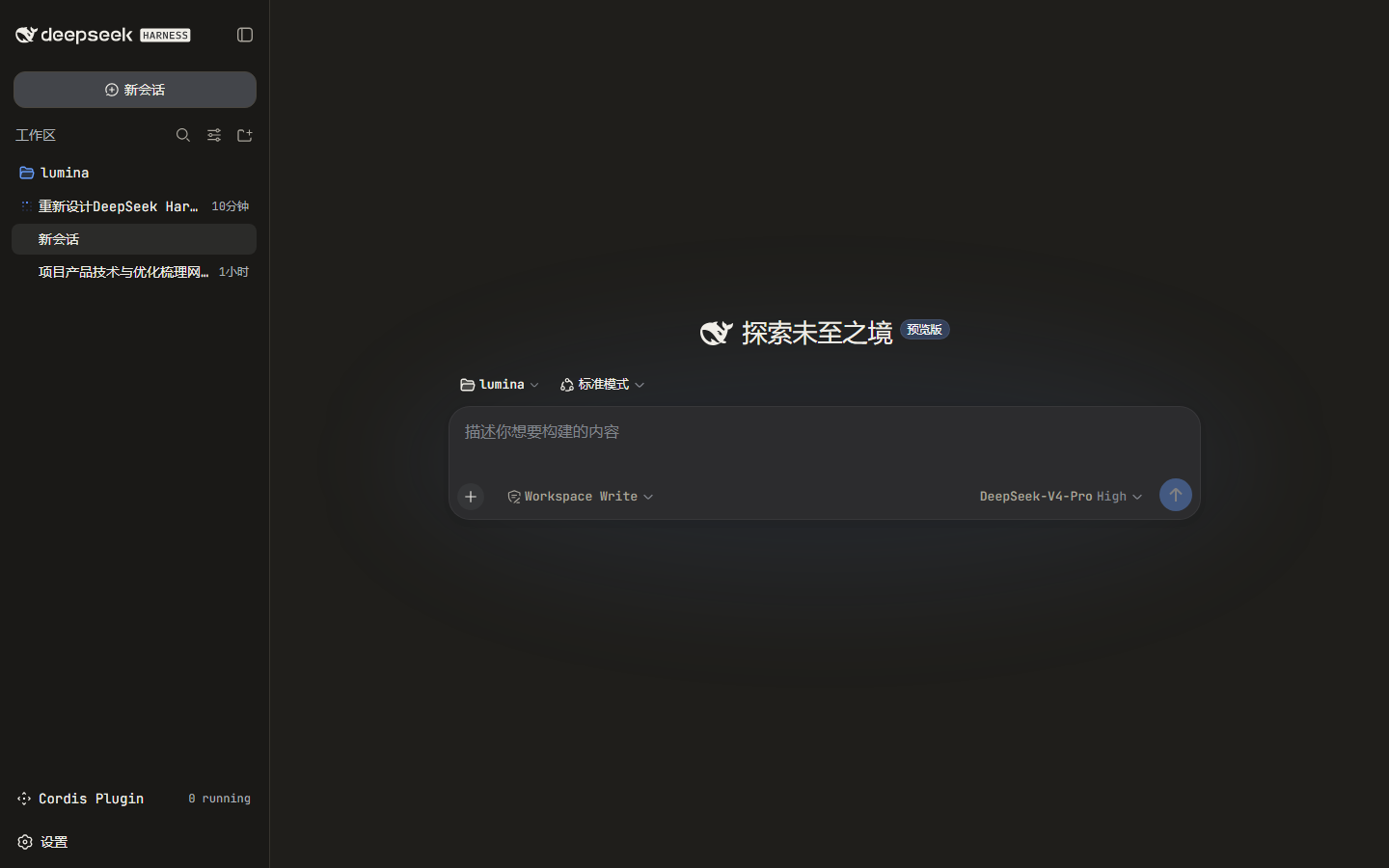 | 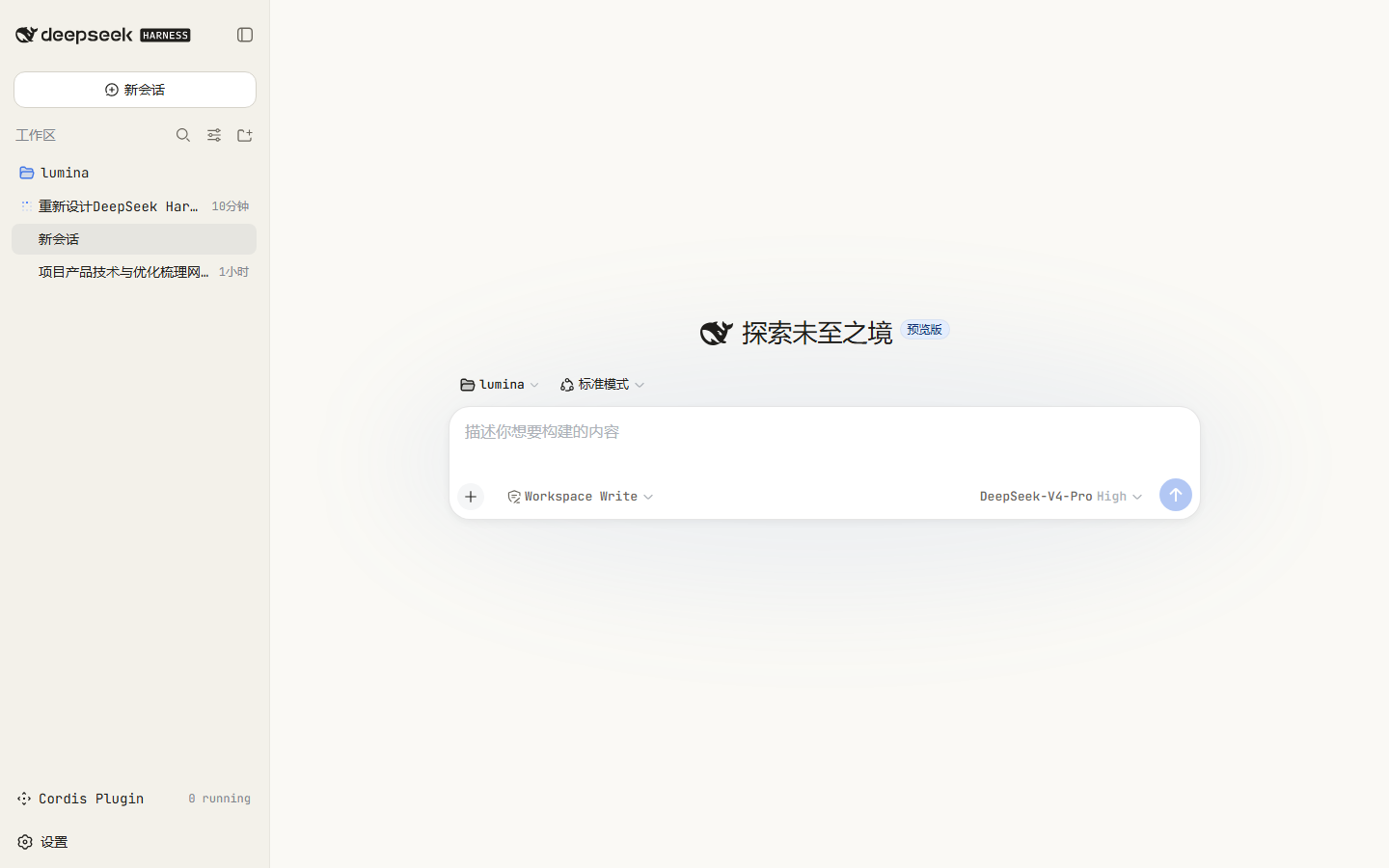 |
Install
The package is a DSH bundle: its package.json declares dsh.bundle.patch,
so dsh plugin add installs it and auto-registers it as a profile layer.
No cordis.patch.yml editing is required.
dsh plugin --profile web add dsh-skin-claude-code
dsh web
To target a different profile, change --profile. A convenience wrapper also
ships in the repo:
./install.sh # optional profile name, defaults to "web"
Why no manual patch edit
dsh plugin add forwards to pnpm inside the profile, then reconciles the
profile's dsh.profile.bundles list: a dependency whose package.json
declares dsh.bundle.patch is appended to that list automatically. On boot,
the loader applies each bundle's own cordis.patch.yml (which inserts the
skin's row), so the plugin mounts with no manual composition edits.
Uninstall
dsh plugin --profile web remove dsh-skin-claude-code
dsh web
How it works
package.jsondeclares two things:dsh.bundle.patch→cordis.patch.yml, which inserts the plugin row;dsh.client(platform: web,injecton@deepseek-ai/dsh-client-ui-theme), which serves the browser half.
lib/index.jsis the no-op host half (client-only plugins still export a host entry so the composition loader can resolve the row).lib/client.jsregisters withwindow.__ModuleLoader__, then on activation:- calls
ctx.theme.overrideTokens("dsh-skin-claude-code", TOKENS)— a reversible token layer over the active theme, with light/dark values; - injects a
<style>element for the monospace/terminal chrome, owned by the Cordis fiber so stop/update/remove cleans it up.
- calls
No product DOM selectors are used — only the public --dsw-alias-* theme
tokens and generic elements — so the skin degrades safely across harness
updates.
Customize
Edit the TOKENS map and CSS template in lib/client.js, then republish (or
install from your clone). The files under lib/ are hand-written build
artifacts, so no bundler step is required to iterate.
License
Related plugins
dsh-deep-whale (maid-atelier)
small-tailqwq/dsh-deep-whale
dsh-deep-whale
small-tailqwq/dsh-deep-whale
dsh-wallpaper-engine
elysia395/dsh-wallpaper-engine
open-sea-skin
d-dev0101/open-sea-skin