L
dsh-answer-style
luoqiaocong/dsh-answer-style
Restyles only the model answers in the DSH Web UI: font family, body and heading weight, and a color for bold runs, with a one-click reset. Its HTTP routes have no DSH access check, so a web page open in your browser could call them.
Install
dsh plugin --profile web add github:luoqiaocong/dsh-answer-styleREADME
dsh-answer-style · 回答字体
English | 中文
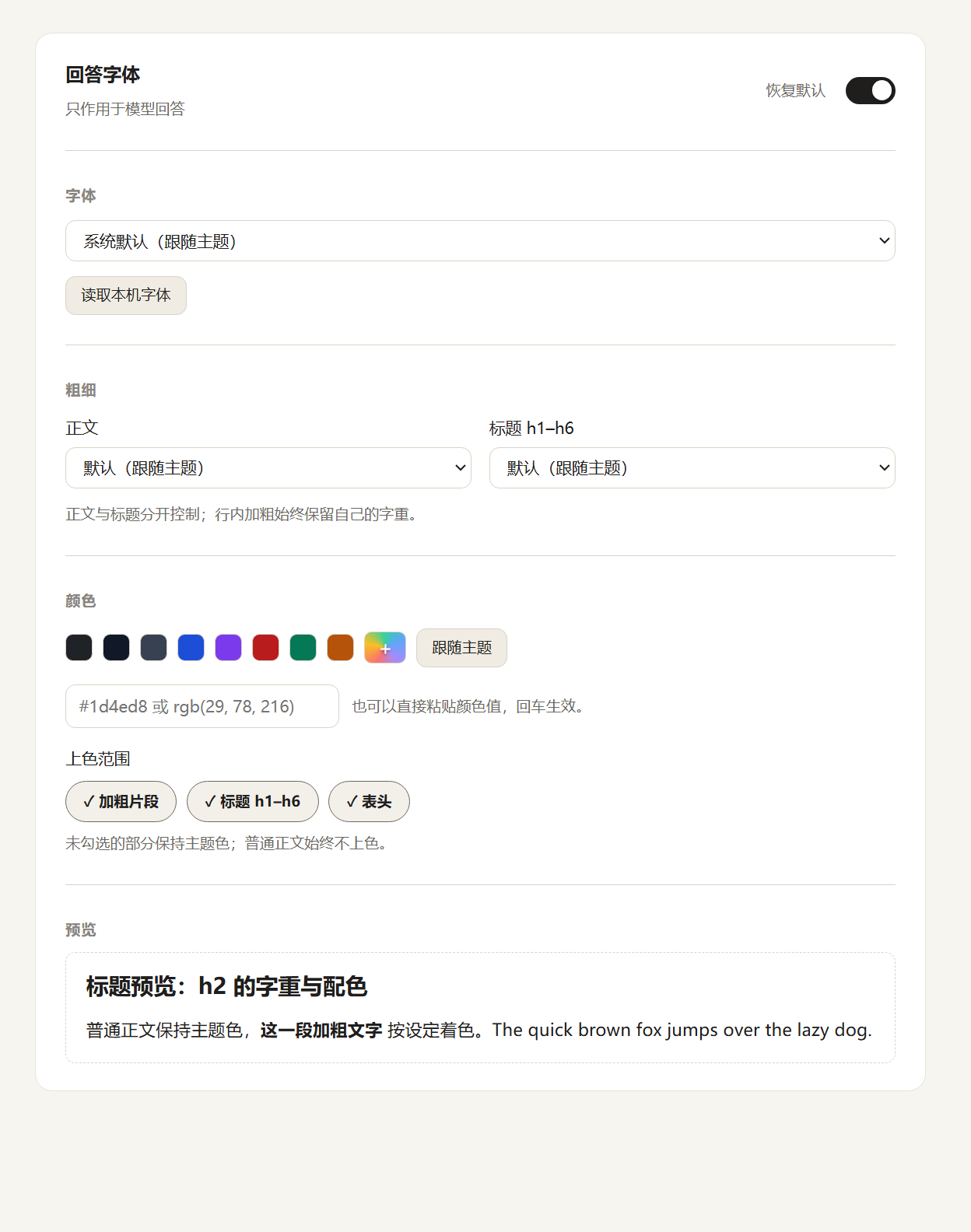
只改 DeepSeek Harness(DSH) 里「模型回答」的排版:字体、正文与标题字重、文字颜色(可选上色范围),随时一键恢复默认。你的消息、工具行和界面控件不受影响。




截图
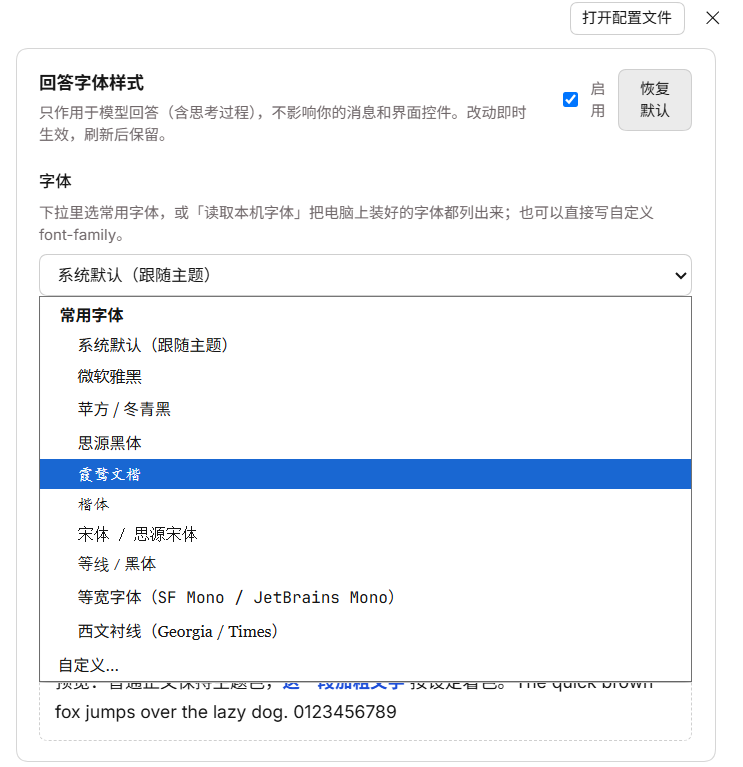
| 设置页 | 字体下拉 |
|---|---|
 |  |
功能
| 设置 | 说明 |
|---|---|
| 字体 | 分组预设:中文系统字体、西文系统字体、等宽、需自行安装的开源字体;也可读取本机已装字体,或自定义 font-family |
| 字重 | 正文与标题 h1–h6 各自独立,默认跟随主题 |
| 颜色 | 预设色块、系统取色器,或直接填 #1d4ed8 / rgb(…);上色范围可勾选:加粗片段、标题、表头 |
| 开关 | 一键启用/停用;「恢复默认」清空全部偏好并移除注入样式 |
作用范围是模型回答的正文(含思考过程、列表与表格),改动即时生效,偏好保存在 Host,所有浏览器与桌面端共用。
安装
# Web(推荐)
dsh plugin --profile web add dsh-answer-style

# DSH Desktop
dsh plugin --profile desktop add dsh-answer-style

# 或直接从 GitHub 装
dsh plugin --profile web add github:Luoqiaocong/dsh-answer-style
装完刷新页面;设置里没有「回答字体」就重启一次 dsh web。手动安装见 开发文档。
使用
- 打开 设置 → 回答字体
- 选字体、调正文与标题字重、给需要强调的部分挑颜色
- 想回到原样点「恢复默认」;单项还原用「跟随主题」/「默认」
兼容性
| 项目 | 说明 |
|---|---|
| DSH | 0.2.2-rc.1 及以上(写在 dsh.engines.dsh,安装时校验),0.2.x 系列 |
| 平台 | Web(Chrome / Edge / Firefox / Safari)与 DSH Desktop |
| 系统 | Windows / macOS / Linux,字体以本机已安装的为准 |
| 依赖 | 无运行时依赖;不打包字体、不联网、不采集数据 |
原理
- 只作用于聊天中
[data-chat-flow-kind="assistant-step"]这一行,所以用户消息与界面控件天然不受影响; - 改动通过一个
<style>注入,恢复默认 = 删除它,不留残留; - 偏好由 Host 写在
~/.dsh/answer-style.json(设置了$DSH_HOME就用它),多浏览器与桌面端共用; - 代码块保留自己的等宽字体与颜色,不会被覆盖。
实现细节(选择器、配置文件结构、配置路由)见 设计说明。
限制
- 只覆盖模型回答,界面其他部分不变;
- 字体必须是本机已安装的字体;
- DSH 若调整聊天锚点或 Markdown 类名,需要同步改
lib/client.js里的选择器。
开发
无需构建,改 lib/client.js 即可;npm run check 跑语法检查与零依赖冒烟测试。发布走 GitHub Actions(推 v* 标签)。详见 开发文档。
License
Related plugins
Z
dsh-web (dsh-task-board)
zhu1090093659/dsh-web
10.5k10 hours agoUI EnhancementsApache-2.0
Z
dsh-web (dsh-web-all)
zhu1090093659/dsh-web
10.5k10 hours agoUI EnhancementsApache-2.0
C
dsh-TUI
ccch1mneyyy/dsh-tui
7.9k5 hours agoUI EnhancementsMIT
Z
dsh-web-ui (dsh-task-board)
zhu1090093659/dsh-web-ui
6.3k3 months agoUI EnhancementsApache-2.0