dsh-archive-delete
qwqbig/dsh-archive-delete
Archived-session trash with batch move, restore and permanent deletion, plus DSH and workspace storage usage, file types and large-file views.
Install
dsh plugin --profile web add github:qwqbig/dsh-archive-deleteREADME

dsh-archive-delete
简体中文 · English
Batch archive cleanup, recoverable trash, and file and folder usage inside DeepSeek Harness.
@qwqbig/dsh-archive-delete · v0.0.2 · macOS / Windows · DSH Desktop 0.2.1-rc.3 / 0.2.1-rc.5, JSONL storage · Apache-2.0
Install
Open Plugins → Add plugin in DSH Desktop and paste:
https://github.com/QwQBiG/dsh-archive-delete/releases/download/v0.0.2/qwqbig-dsh-archive-delete-0.0.2.tgz
The package includes compiled files and is ready to install. Installation guide
Features
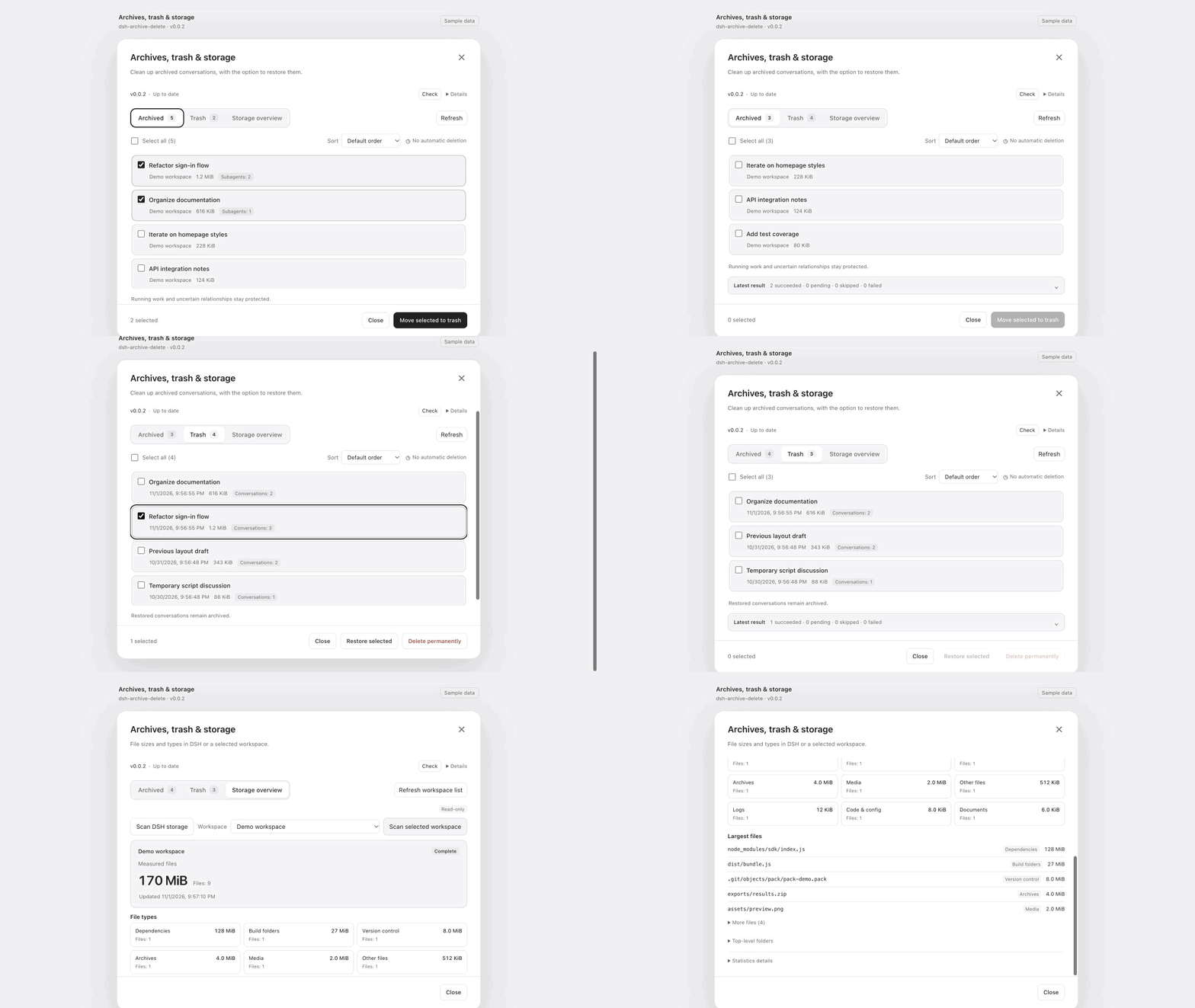
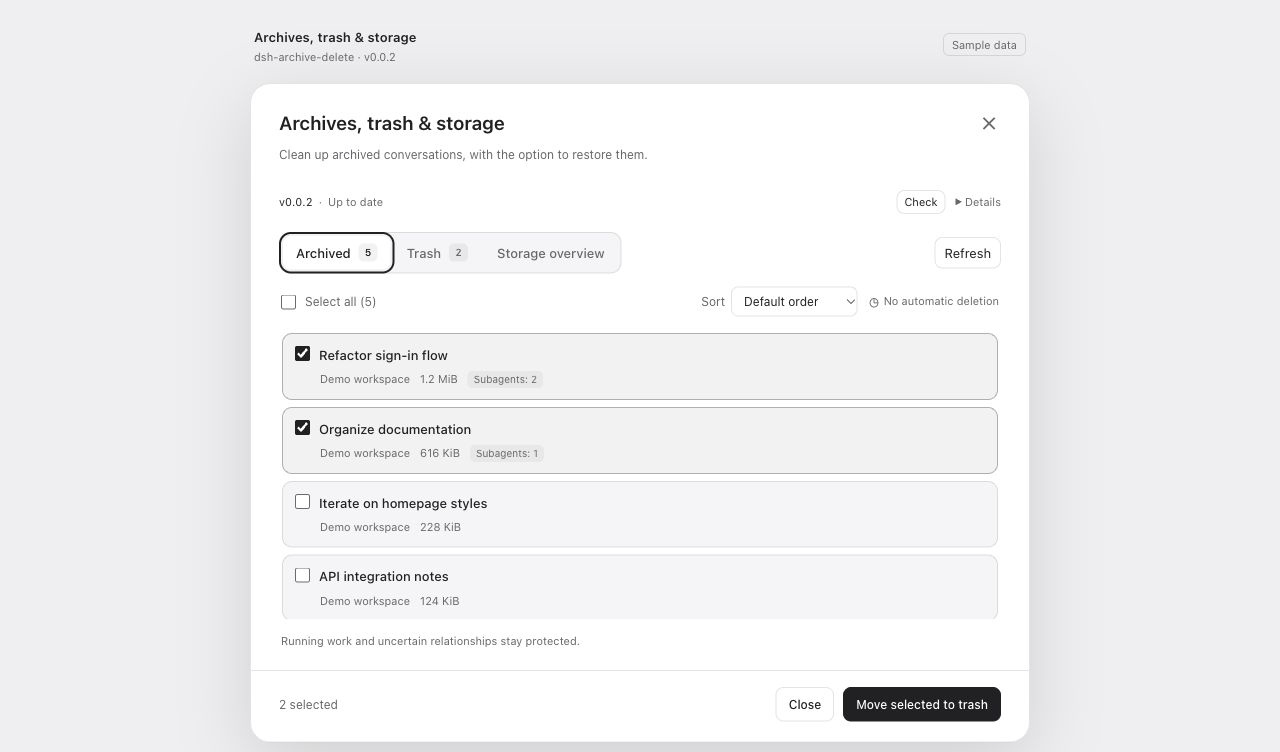
- Move archived conversations and their dedicated subagents to trash. Idle sessions can be processed immediately.
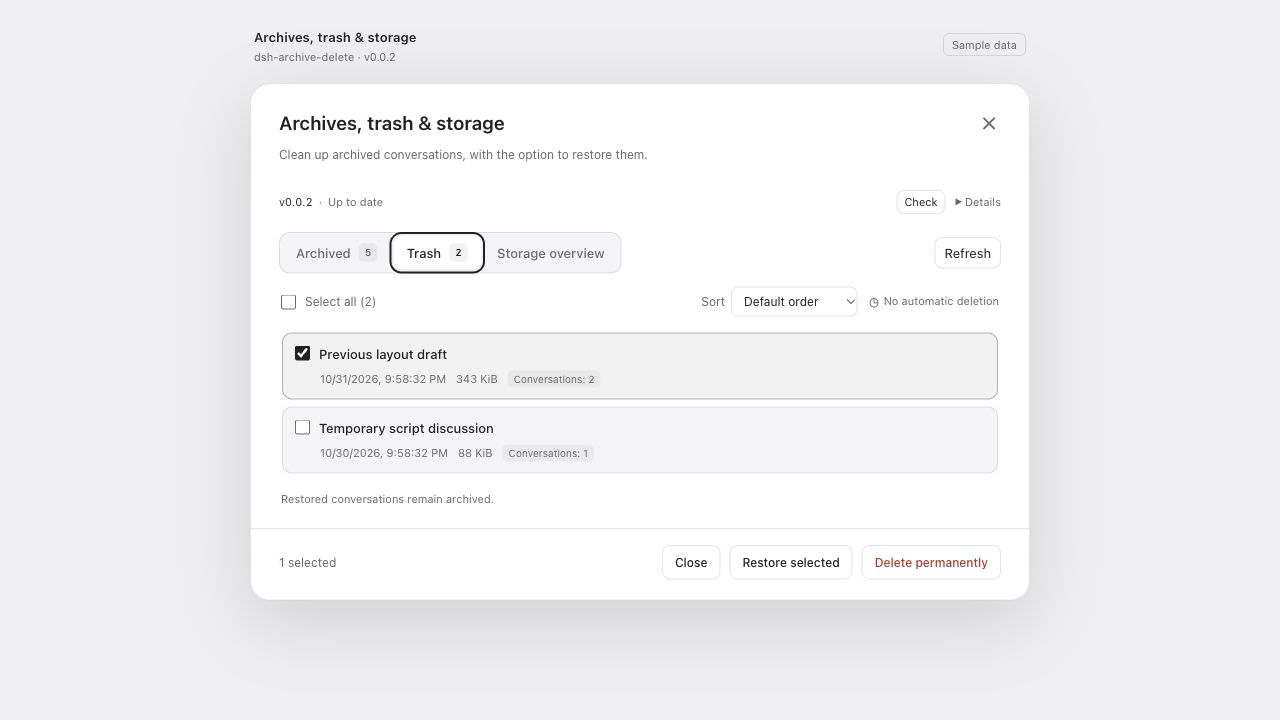
- Restore conversations to their original workspace, or permanently delete selected trash after confirmation.
- Batch selection, largest-first sorting, per-item results and retries.
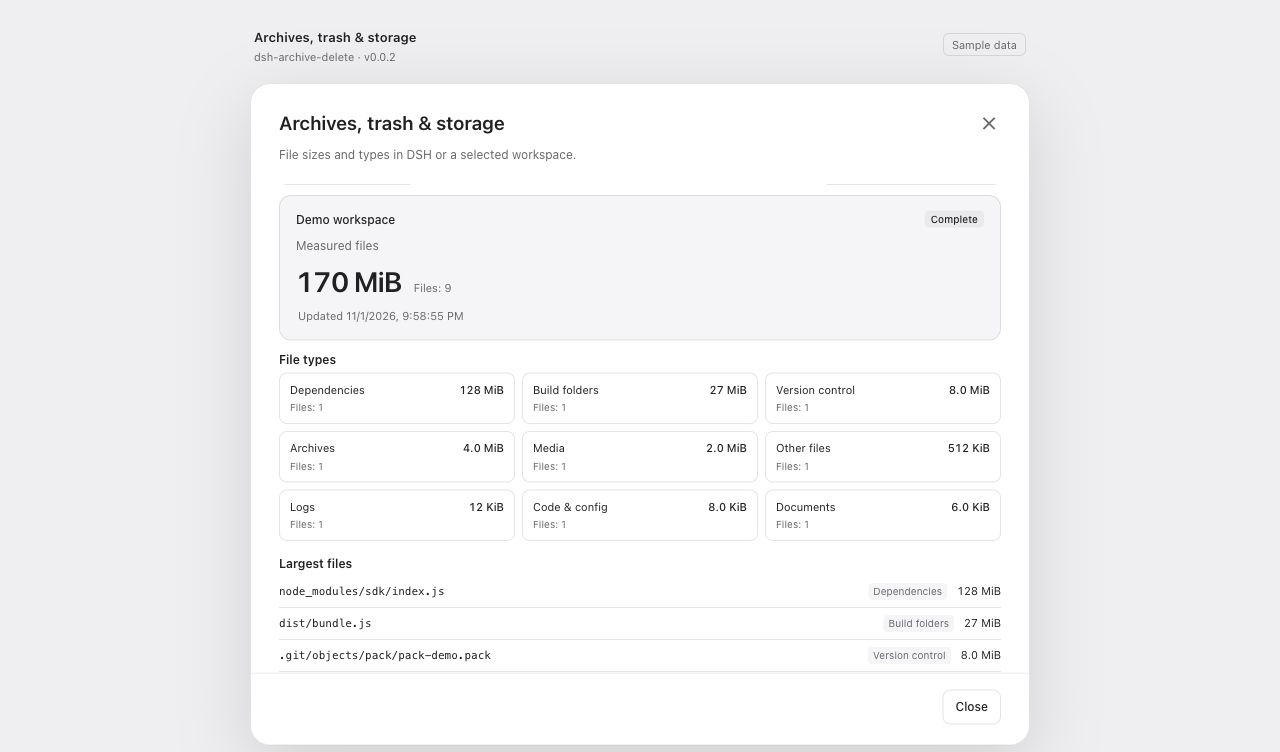
- Storage categories, file types, large files and folder sizes for DSH and a selected workspace.
- In-app GitHub update checks and confirmed upgrades.
Preview
Archived conversations, trash and storage overview with sample data.
Screenshots
Batch archive cleanup
Restore or clear selected trash
File types and large files
Use
- Archive a conversation in DSH, then choose Move to trash from its menu. Open Manage archives, trash and storage in plugin details for batches.
- Review the targets and confirm. Trash contains restore and permanent-delete actions. Trash stays until you remove it; uninstalling preserves it.
- Open Storage overview and start a DSH or workspace scan. Categories and file types show where the measured bytes are. Rescanning the same scope keeps the previous result visible until the new one arrives.
A pending move stays in Archived. Cancel waiting and review opens a new confirmation to try again. Permanent deletion removes the selected trash logs and recovery records and cannot be undone.
Updates
For v0.0.1, paste the installation URL above into Add plugin once to upgrade to v0.0.2.
The version row checks GitHub daily. Choose Review update, then Confirm upgrade. When prompted, fully quit DSH and reopen it to load the installed version. You can also add a newer Release URL through the same plugin manager.
Development
Use Node 24+ and the pinned pnpm version:
pnpm install --frozen-lockfile
pnpm verify
pnpm pack --pack-destination artifacts
node scripts/release-artifacts.mjs artifacts
node --import tsx scripts/check-update-package.mjs artifacts
Contributing · Architecture · Operation recovery · Verification · Changelog
Related plugins
dsh-web-ui (dsh-chat-recovery)
zhu1090093659/dsh-web-ui
billion-context
ranxianglei/billion-context
dsh-synapse
liangmianya/dsh-synapse
dsh-archive-manager
michengai/dsh-archive-manager