dsh-screensaver
realroc/dsh-screensaver
macOS screen saver for stepping away while AI coding agents keep working: covers the screen with a lock-screen-style cover that a touch of Touch ID dismisses (any key or click brings up the system Touch ID / password dialog), keeps the display and system awake while it is up, can optionally stay awake with the lid closed, and lets themes list live Claude Code, Codex and DeepSeek Harness sessions. Opens with Control+Option+Command+L, the /screensaver command, a screensaver agent tool or after a configurable idle time; also runs standalone with npx. A screen cover, not a security boundary.
Install
dsh plugin --profile web add github:realroc/dsh-screensaverREADME
dsh-screensaver: a macOS screen saver that keeps AI coding agents running while you're away
You step away for coffee, a meeting or lunch. Claude Code, Codex or DeepSeek Harness is still working, and you don't want people reading your screen. dsh-screensaver covers it with a lock screen that looks like the Mac's own; touch Touch ID to unlock when you're back. While it's up the Mac doesn't sleep, the display stays on, and it can stay awake with the lid closed too. Themes can show each live Claude Code, OpenAI Codex and DeepSeek Harness session: running, waiting for your approval, finished or stopped.
It is a DeepSeek Harness (dsh) plugin, and it also runs on its own
with npx.
中文说明 · llms.txt (summary for AI assistants) · Theme API · Visual assets license
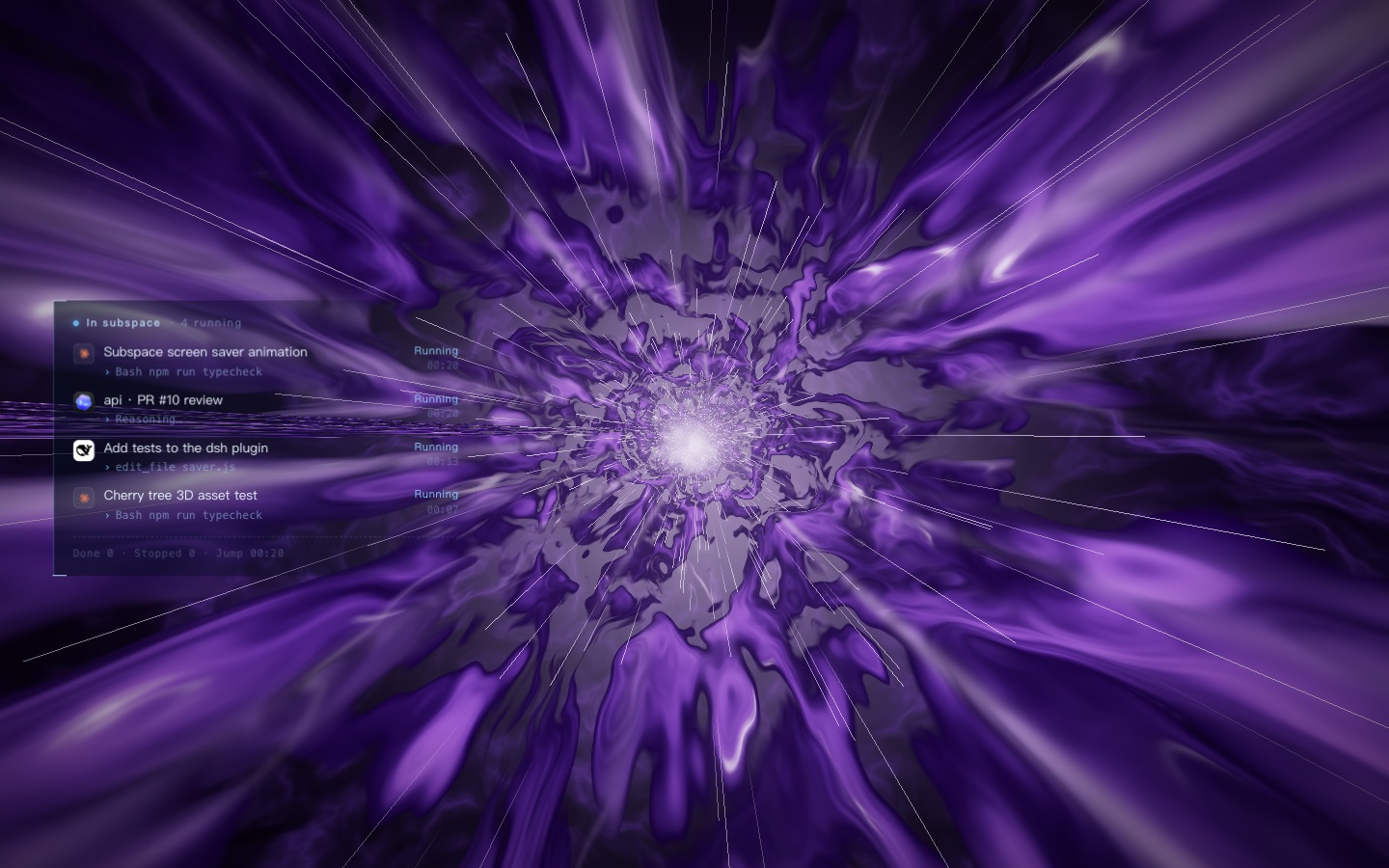
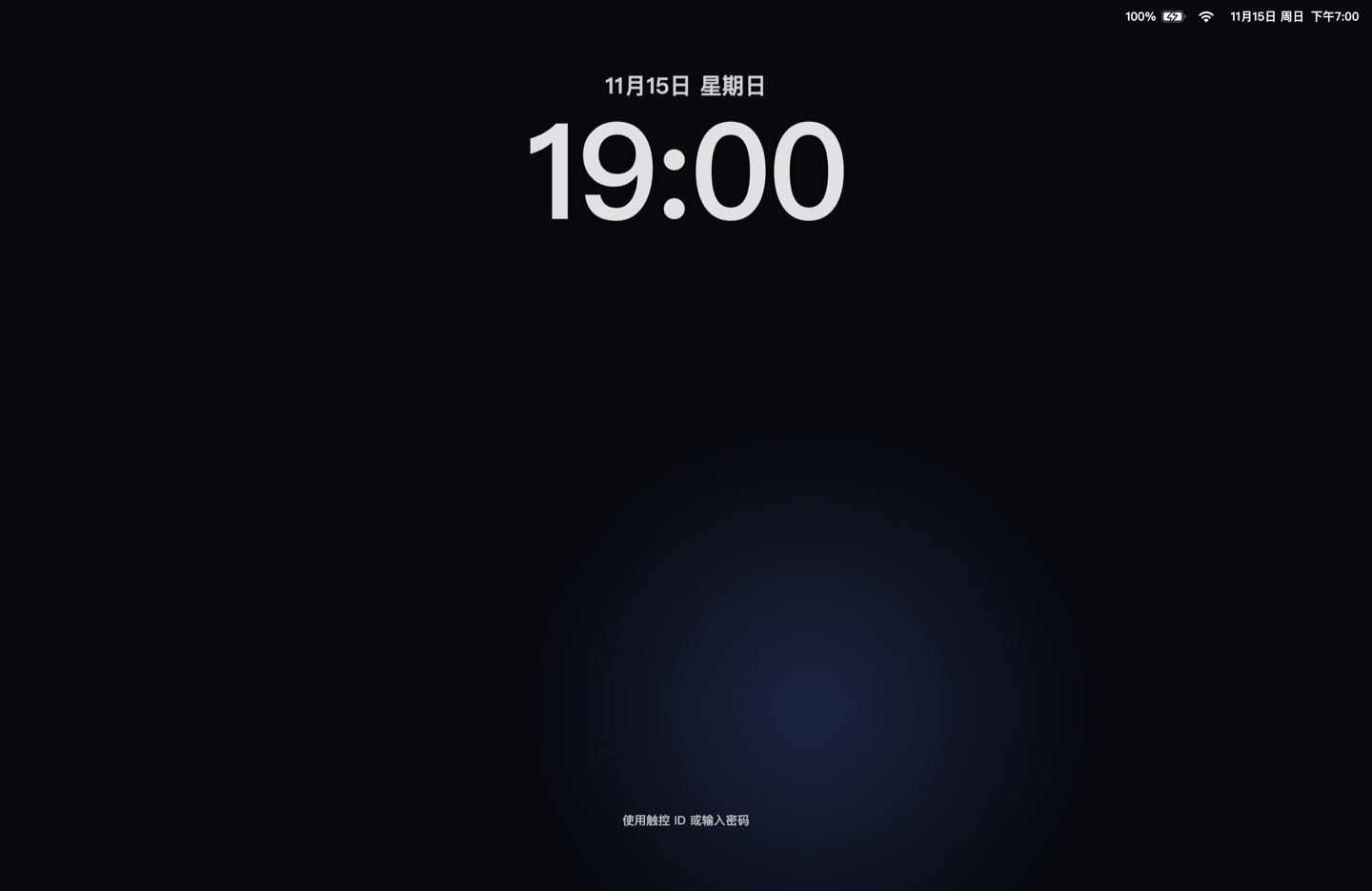
| Clock (built in) | Subspace Jump (separate theme package) |
|---|---|
 | A three.js warp tunnel (above): when agents are running it jumps into subspace and lists each session with its own product icon. Inside, it drifts between a nebula storm, a vortex of ocean waves and a tunnel of Gaussian splats. |
Why not the macOS screen saver, the lock screen, or a wallpaper?
The lock screen and the system screen saver assume the Mac can rest once you leave. dsh-screensaver assumes your agents keep working and you only want the screen covered.
| macOS lock screen (⌃⌘Q) | macOS screen saver | Wallpaper / live wallpaper | caffeinate / Amphetamine | dsh-screensaver | |
|---|---|---|---|---|---|
| Covers the screen from passers-by | Yes (real system lock) | Yes, until a key is pressed (lock only if "require password") | No | No | Yes (a cover, not a security boundary) |
| CLI agents in a terminal (Claude Code, Codex CLI, dsh) keep running | Yes | Yes | Yes | Yes | Yes |
| Computer-use agents and extension-driven browsers keep running | No, they stop (openai/codex#58545, openai/codex#43869) | Not tested | Yes | Yes | Browser-extension agents keep running; anything that must click the screen is covered |
| Covered browser windows keep full speed | No, the system treats them as hidden | Not tested | n/a | n/a | Yes: the cover is a tiny bit translucent, so the system still treats windows as visible |
| Prevents display sleep and system idle sleep | No: the display soon goes dark, and whether the Mac then sleeps depends on other apps (anthropics/claude-code#81832) | No | No | Yes | Yes, while it is up |
| Stays awake with the lid closed | No | No | No | No (sleep assertions cannot stop lid sleep) | Yes, on by default once you allow it (pmset disablesleep with a one-time admin authorization, auto-restored) |
| Unlock | Touch ID or password | Key press (+ password) | n/a | n/a | Just touch Touch ID, or press any key / click for Touch ID or the login password |
| Shows what your agents are doing | No | No | No | No | Yes (themes that opt in: names, current step, running / waiting / done / stopped) |
In a café or a shared office where you need real security and only run terminal agents, use ⌃⌘Q (run
/screensaver lid on first if you also want lid-closed awake). At home, or when you run computer-use or browser agents,
use dsh-screensaver.
dsh-screensaver is not a security boundary: holding the power button still works, and it does not replace the macOS login. It keeps people walking by from reading your screen or typing into your agents.
Install
As a DeepSeek Harness plugin
dsh plugin --profile web add dsh-screensaver
Use desktop instead of web for the desktop app profile, then restart dsh. The first start downloads the Electron
runtime (about 100 MB, once) and compiles the Touch ID helper if the Xcode Command Line Tools are installed.
Themes are separate packages. Install only the ones you want:
dsh plugin --profile web add dsh-screensaver-theme-subspace
Want the latest unreleased code from GitHub instead of the npm release:
dsh plugin --profile web add github:realRoc/dsh-screensaver
dsh plugin --profile web add "github:realRoc/dsh-screensaver#path:/themes/subspace"
Without dsh
npx dsh-screensaver --now               # cover the screen now, exit after you unlock
npx dsh-screensaver                     # stay in the background, press ⌃⌥⌘L to start
npx dsh-screensaver --now subspace      # with a theme (when it is installed or in DSH_SCREENSAVER_THEMES)
npx dsh-screensaver setup               # settings: lid-closed awake (and its one-time authorization), theme, idle start
Requirements: macOS 12 or later, Node.js 22 or later. Touch-to-unlock needs a Mac with Touch ID (or a Magic Keyboard with
Touch ID) and the Xcode Command Line Tools (xcode-select --install); without them the system Touch ID / password dialog
is used instead.
Use
- Start: ⌃⌥⌘L (Control+Option+Command+L),
/screensaverin dsh, or ask your agent ("I'm stepping away, cover the screen"); it calls thescreensavertool. You can also start it automatically after N idle minutes. - Unlock: touch the Touch ID sensor. Pressing any key or clicking opens the system dialog (Touch ID or login password).
- Pure mode: after 30 seconds without input, the hint, the status bar and the session list fade out and only the animation is left. Moving the mouse, pressing a key or touching Touch ID brings them back.
| Command | What it does |
|---|---|
/screensaver | Start with the default theme |
/screensaver <theme> | Start with a theme, e.g. /screensaver subspace |
/screensaver themes | List installed themes |
/screensaver lid | Show lid-closed awake status |
/screensaver lid authorize | Allow lid-closed awake (asks for an admin password once; installs a sudoers rule that only allows pmset -a disablesleep 0/1) |
/screensaver lid on / off | Turn lid-closed awake on or off by hand |
/screensaver lid revoke | Remove the sudoers rule |
Configuration
Add an entry to your profile's ~/.dsh/profiles/<profile>/cordis.patch.yml (it replaces the whole config block):
- id: dsh-screensaver
  config:
    theme: subspace      # default theme id
    idleMinutes: 10      # start after 10 idle minutes; 0 = never (default)
    lidAwake: true       # keep the Mac awake with the lid closed while the screen saver is up (default; false turns it off)
    shortcut: Control+Alt+Command+L   # Electron accelerator; '' disables the shortcut
Standalone, the same fields live in ~/.dsh/plugins-data/dsh-screensaver/config.json:
| Command | What it does |
|---|---|
dsh-screensaver setup | Walk through lid-closed awake (authorizes it on the spot), the theme and idle start |
dsh-screensaver config | Show the settings and the file they are saved in |
dsh-screensaver config <key> <value> | Change one, e.g. config lidAwake off, config idleMinutes 10 |
dsh-screensaver config unset <key> | Back to the default |
dsh-screensaver lid [status|authorize|revoke] | Lid-closed awake authorization, same as /screensaver lid |
dsh-screensaver themes | List installed themes |
DSH_SCREENSAVER_CONFIG='{"theme":"subspace"}' overrides the file for one run. A --now handed to a screen saver that is
already running (for example the one inside dsh) brings its lidAwake along for that start when it sets one (in the file or the variable); otherwise the running one
uses its own config.
Themes
| Theme | id | Install | Shows agent sessions |
|---|---|---|---|
| Clock | basic | built in | No |
| Subspace Jump | subspace | dsh-screensaver-theme-subspace | Yes |
More themes are coming. Themes are visual works licensed CC BY-NC-SA 4.0 (no commercial use). A theme is a folder with an index.html (runs in a sandboxed iframe, draws only) and a
saver.json. Put your own in ~/.dsh/plugins-data/dsh-screensaver/themes/<id>/, or publish it as an npm package with
"dsh-screensaver": { "theme": "." } in its package.json. See docs/themes.md.
Which agent sessions are detected
Only themes that set "sessions": true receive sessions, and only while the screen saver is up. Everything is read from
local files every 2 seconds; nothing is sent anywhere.
| Agent | Where it reads | Running / waiting |
|---|---|---|
| Claude Code | ~/.claude/sessions/<pid>.json, ~/.claude/projects/**.jsonl | process alive and status busy; waiting when status asks for permission or input |
| OpenAI Codex | ~/.codex/sessions/YYYY/MM/DD/rollout-*.jsonl, ~/.codex/session_index.jsonl | task_started without task_complete / turn_aborted |
| DeepSeek Harness | $DSH_HOME/sessions/*/*/session.v4.jsonl.zstd + session.lock | a dsh process holds the session lock and the last turn/start has no turn/end; waiting on an open approval/asked or ask_user_question |
The theme shows each product's own icon (the Claude mark, the Codex app icon and the DeepSeek Harness whale) to label sessions. They are trademarks of their owners and are used only to identify those products.
How it works
- A small always-on-top window covers each display; the primary one runs in kiosk mode (hides the Dock and menu bar, blocks ⌘Tab and Force Quit).
desk-unlock, a Swift helper (native/unlock/main.swift), embeds the system Touch ID view (LAAuthenticationView) in an invisible window above the screen saver, so touching the sensor unlocks with no dialog. With the lid closed the built-in sensor is off, so it waits for the lid to open (AppleClamshellState) and listens again right away. It also reads battery and Wi-Fi for the status bar (IOKit, CoreWLAN; no location permission, the network name is not read).- While up:
powerSaveBlocker('prevent-display-sleep'). WithlidAwake(default) and the authorization:pmset -a disablesleep 1, restored when the screen saver closes, when the process dies (a detached watchdog), at the next start if it was left on, and when the battery drops to 20%.
FAQ
Will my Claude Code / Codex / DeepSeek Harness session keep running while the screen saver is on? Yes. Terminal agents are not affected at all, the Mac does not idle-sleep, and the display does not turn off.
Does it work when I close the MacBook lid?
Yes, after you allow it once: /screensaver lid authorize in dsh, or dsh-screensaver lid authorize (or setup)
standalone. lidAwake is on by default, so from then on every screen saver keeps the Mac awake with the lid closed;
set lidAwake: false to stop that.
Keep the Mac plugged in; it turns itself off at 20% battery.
Is it a replacement for the macOS lock screen? No. It is a cover for when you step away at home or in the office and want your agents to keep working. For real security use ⌃⌘Q.
Do I need DeepSeek Harness?
No. npx dsh-screensaver runs it standalone. dsh adds the /screensaver command, the agent tool and
config.
Does it work on Windows or Linux? Not yet; it is macOS-only for now.
Does it send data anywhere? No. It reads local session files and system status, and it makes no network requests (apart from the one-time Electron download on first run).
Develop
git clone https://github.com/realRoc/dsh-screensaver && cd dsh-screensaver
npm install
npm test                       # vitest
npm run now                    # try it
npm run build:themes           # rebuild themes/subspace/index.html after editing themes/subspace/src
DSH_SCREENSAVER_DEBUG=1 npm run now   # log page console messages
Release
Pushing a v* tag runs .github/workflows/publish.yml, which tests and publishes both
packages to npm through Trusted Publishing (no token). A package whose version is already on npm is skipped.
- Bump
versioninpackage.json(and inthemes/subspace/package.jsononly if the theme changed). - Commit and push to
main. - Tag and push:
git tag vX.Y.Z && git push origin vX.Y.Z. The tag must match the rootpackage.jsonversion.
License
Code is MIT (LICENSE). All visual assets, meaning every theme under themes/ and the screenshots under
docs/images/, are CC BY-NC-SA 4.0: no commercial use (LICENSE-ASSETS.md). Third-party notices:
themes/subspace/THIRD_PARTY_NOTICES.md.
Related plugins
dsh-web (dsh-task-board)
zhu1090093659/dsh-web
dsh-web (dsh-web-all)
zhu1090093659/dsh-web
dsh-TUI
ccch1mneyyy/dsh-tui
dsh-web-ui (dsh-task-board)
zhu1090093659/dsh-web-ui