dsh-quote-side-chat
sleepray/dsh-quote-side-chat
Quotes selected text into a tray above the composer, keeps one reply box under each quote, sends every quote and reply together as a single message, and runs a side chat that keeps answering while the main turn is busy. Its HTTP routes have no DSH access check, so a web page open in your browser could call them.
Install
dsh plugin --profile web add github:sleepray/dsh-quote-side-chatREADME
dsh-quote-side-chat
中文说明见 README.zh.md
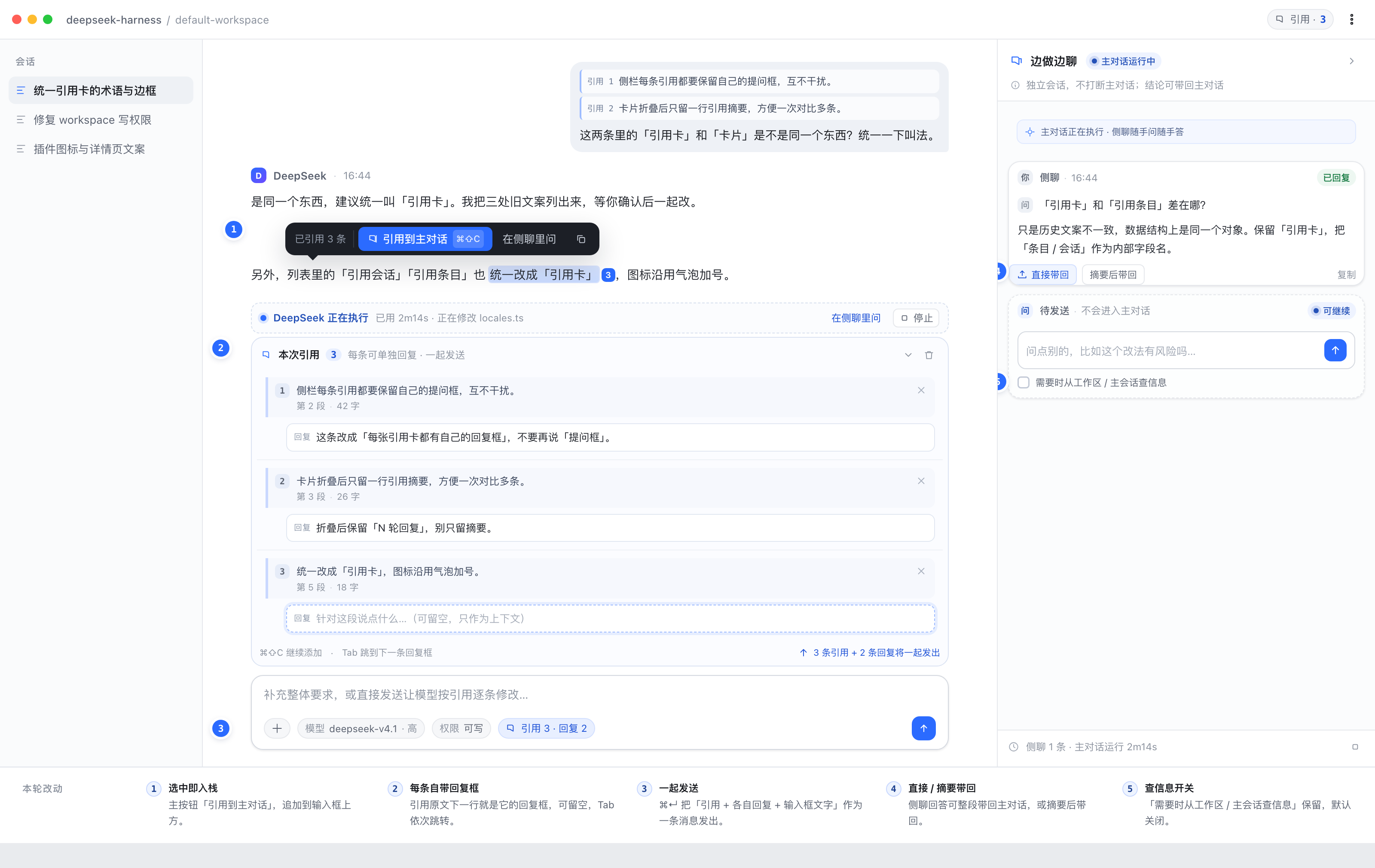
Quote text from a conversation into a tray above the composer, reply to each quote inline, and send them all in one message — while a side chat keeps working next to the main turn.
在对话里选中文字 → 引用到输入框上方的托盘 → 每条引用下面写一句回复(可留空) →
⌘↵把「引用 + 各自回复 + 你打的字」作为一条消息发出。 主对话在跑的时候,旁边还能开一个侧聊继续问,结论可以再引回托盘。
Features
- Quote tray above the composer. Select text, press
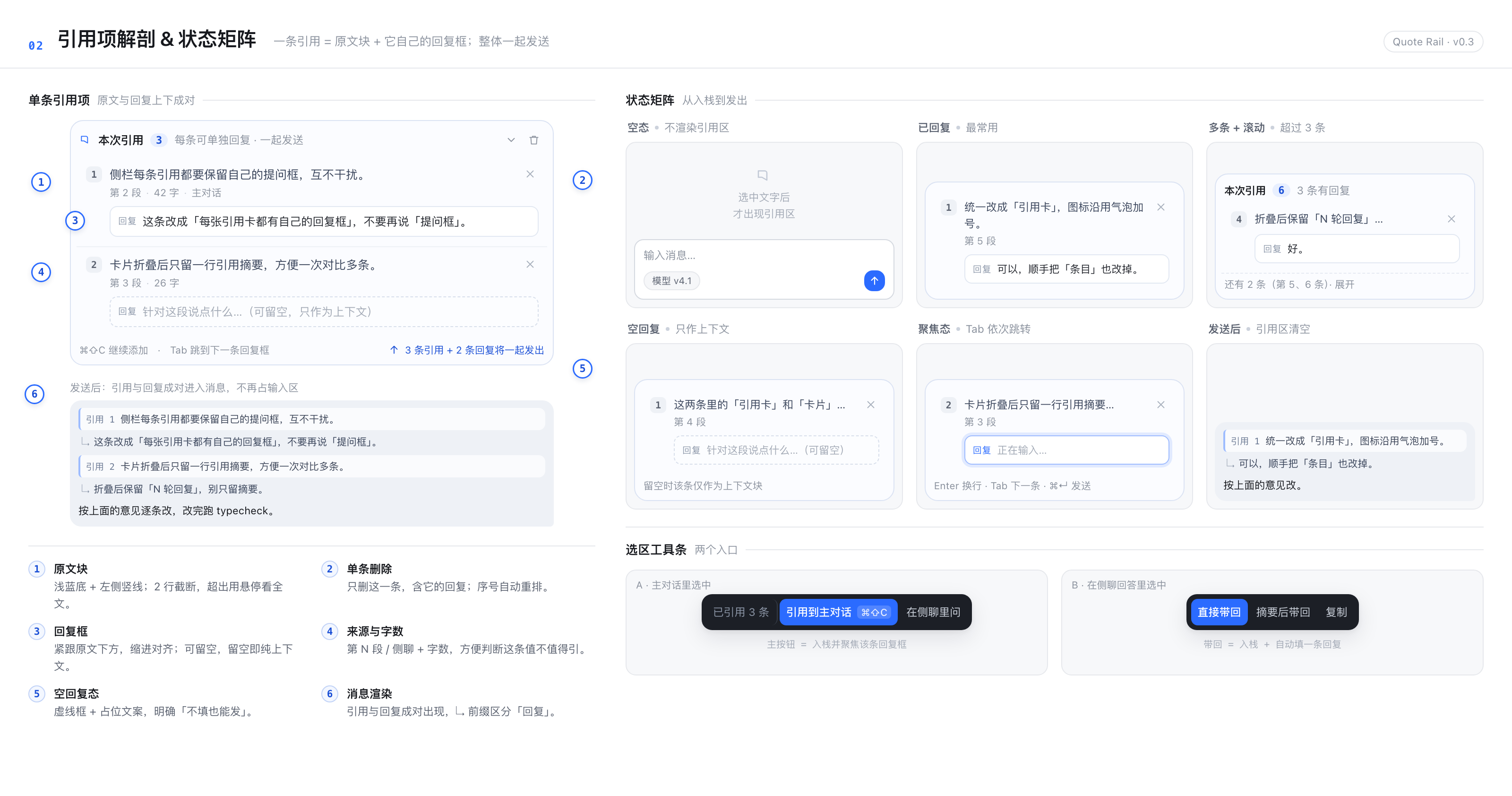
⌘⇧C(or the floating button). Quotes stack up; each one keeps its own reply box. - Send together. One send delivers every quote plus its inline reply plus the text already in the composer, as a single user message.
- Empty reply is fine. A quote without a reply is pure context.
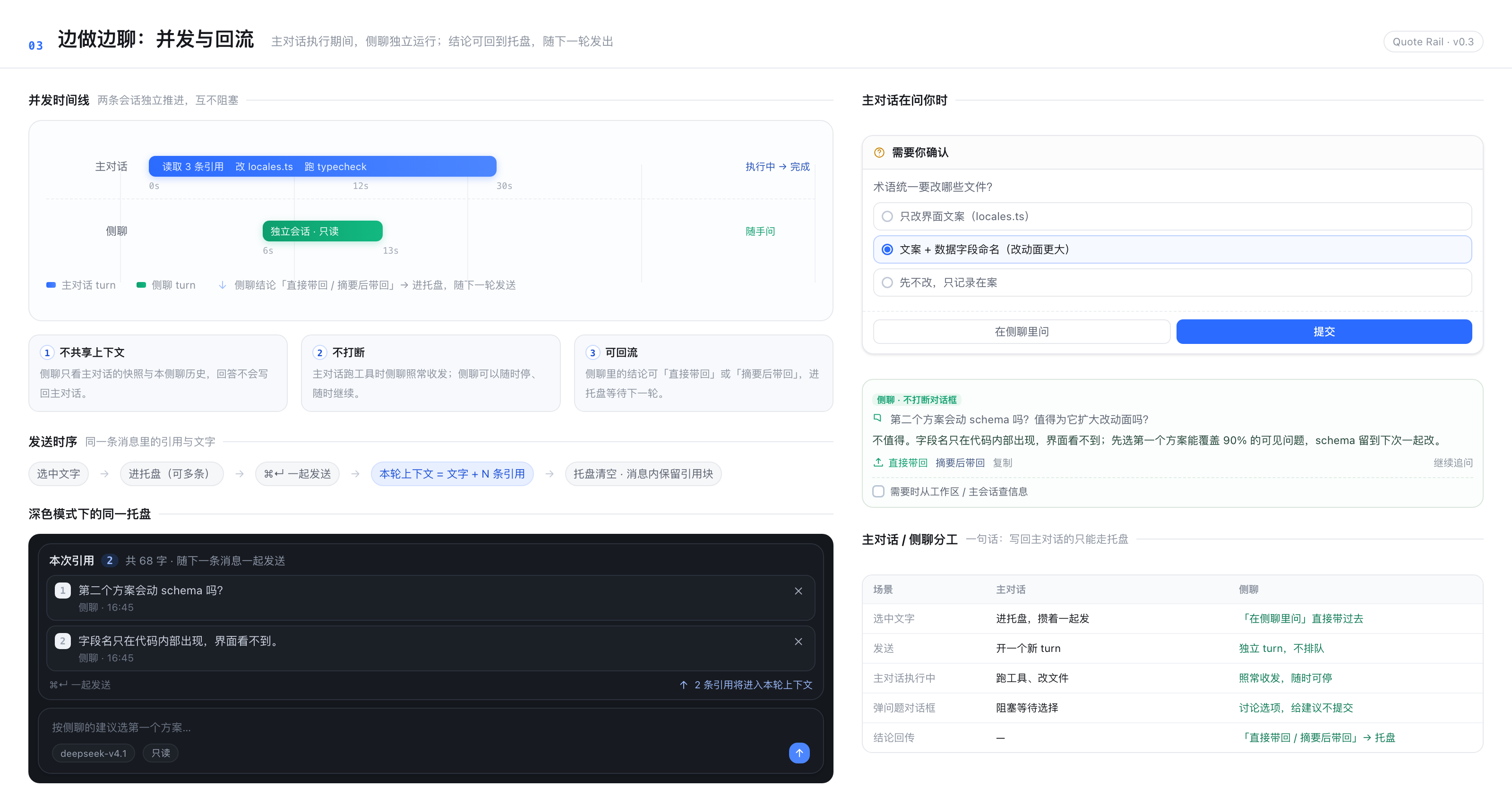
- Side chat that does not block. A small panel keeps its own hidden session so you can ask something else while the main turn is still running; any answer can be quoted back into the tray.
- Theme native. Colors come from
--dsw-alias-*tokens; light and dark both work.
Install
From a checkout:
dsh plugin install /absolute/path/to/dsh-quote-side-chat
Or from npm once published:
dsh plugin install dsh-quote-side-chat
Then open Plugins, confirm the row is enabled, and start a new session.
Usage
| Action | How |
|---|---|
| Quote the selection | Select text → 引用到主对话, or ⌘⇧C |
| Reply to one quote | Type in the box under that quote |
| Move between reply boxes | Tab |
| Send everything | ⌘↵ or 一起发送, with your message typed in the normal composer |
| Ask in the side chat | Select text → 在侧聊里问 |
| Quote the side-chat answer back | 引用到主对话 in the side panel |
How sending works
The tray composes quote → reply blocks and posts them to the plugin's host
route, which delivers one user message to the live agent of the current
conversation. If that path is unavailable, the same composed text is written
into the composer draft instead, so nothing is lost.
Limitations (v0.1)
- The side chat is a floating panel owned by the plugin; it has no model or permission picker yet and inherits the parent conversation's model.
- Side sessions are archived so they stay out of the session list; a turn is briefly un-archived while it runs.
- Sending relies on
agent.followup(); if the conversation is mid-turn the message queues behind the running turn.
License
MIT
Related plugins
dsh-web (dsh-task-board)
zhu1090093659/dsh-web
dsh-web (dsh-web-all)
zhu1090093659/dsh-web
dsh-TUI
ccch1mneyyy/dsh-tui
dsh-web-ui (dsh-task-board)
zhu1090093659/dsh-web-ui