dsh-pretty-cool
taotao7/dsh-pretty-cool
Compact interface with borderless messages, a light queue, composer controls, and adjustable corners. Built for DSH 0.2.1-rc.2 only; while enabled it replaces the stock sidebar module, and removing it restores the original.
Install
dsh plugin --profile web add github:taotao7/dsh-pretty-coolREADME
DSH Pretty Cool
A compact interface for DeepSeek Harness. Ordinary messages, the queue, and task status are tightened so there are fewer borders, fewer stacked layers, and the information stays within reach.
DSH 0.2.1-rc.2 · standalone Cordis bundle · uninstall restores the original UI
Preview
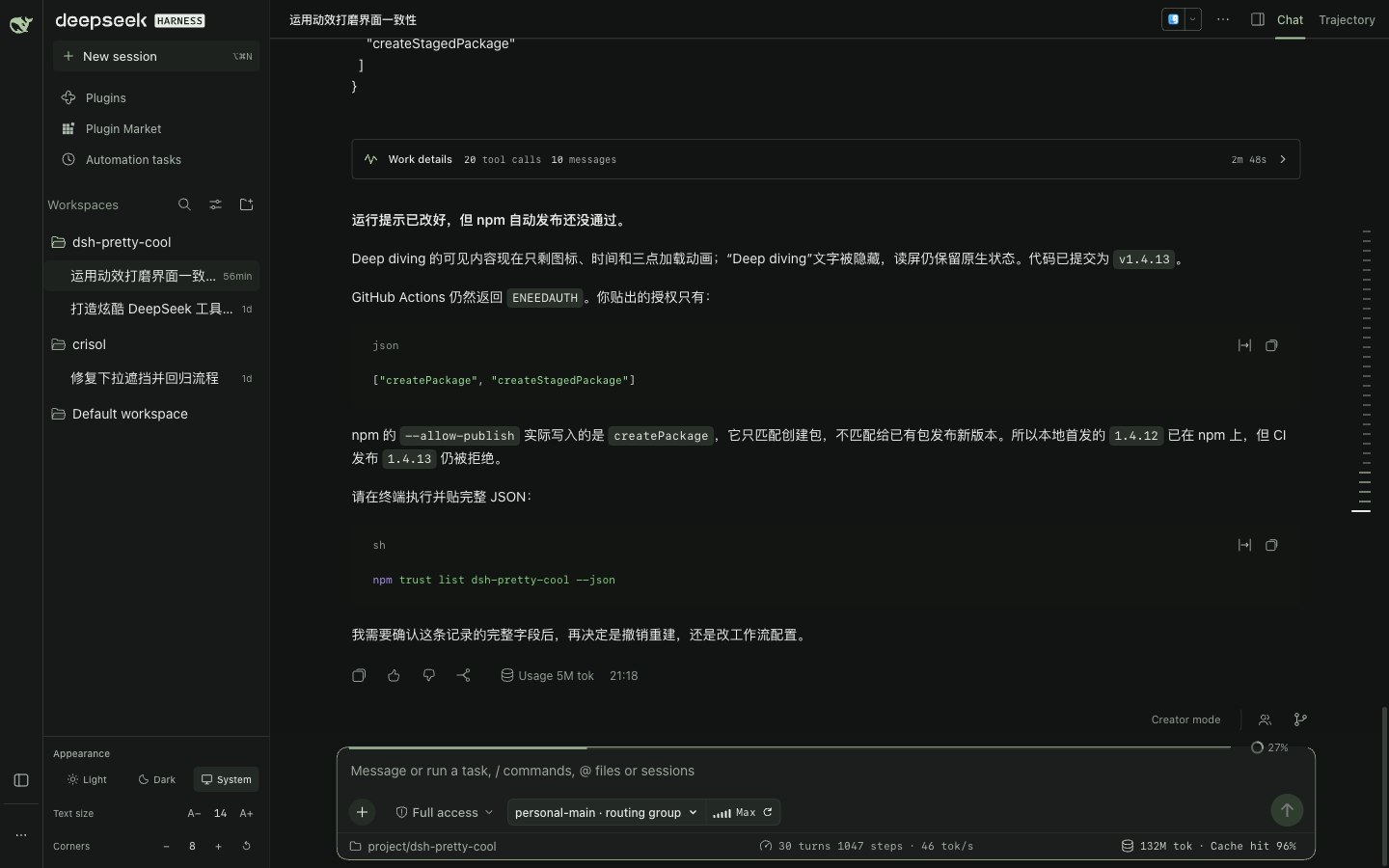
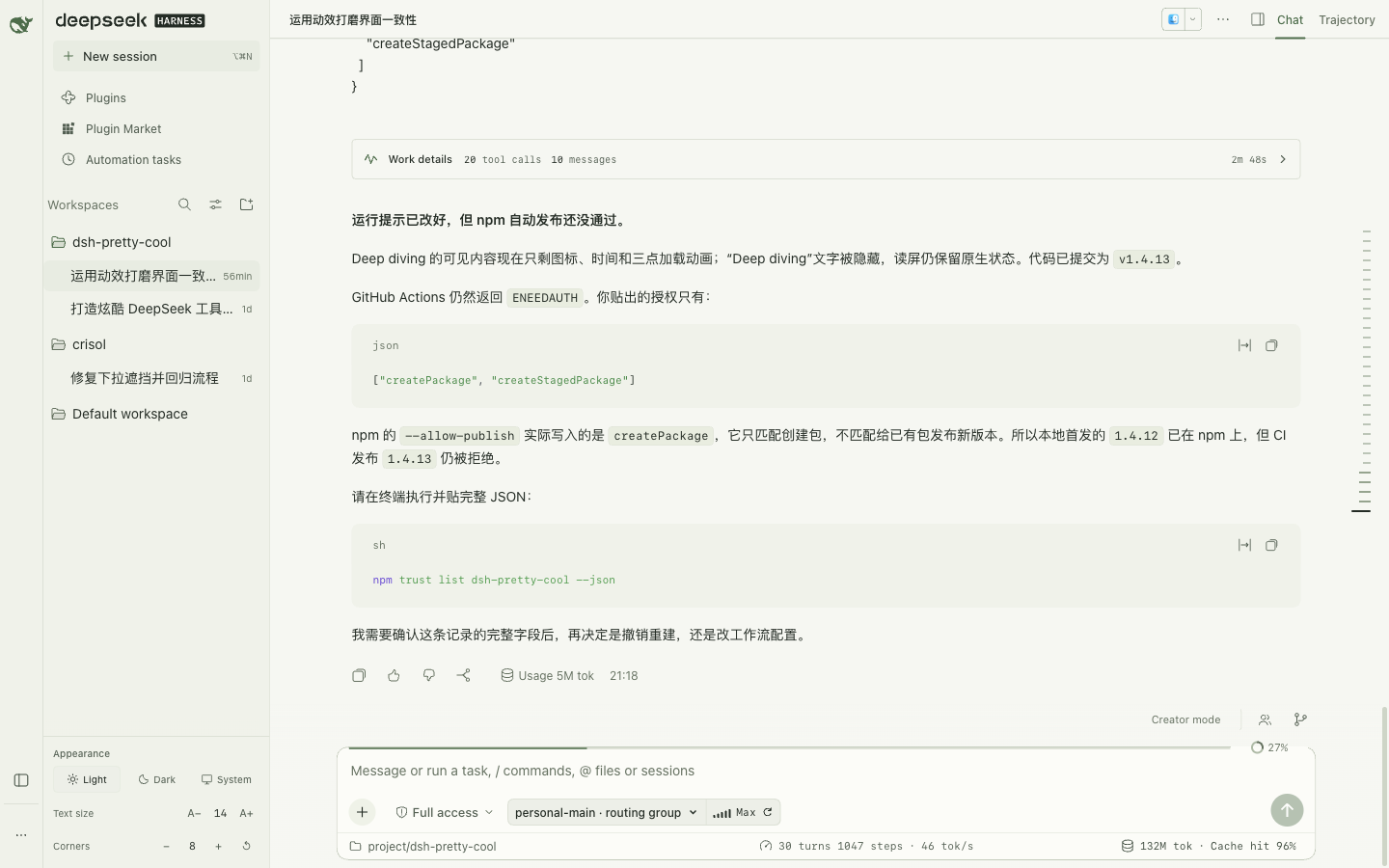
What the interface actually shows: a light goal bar, a transparent context readout, and status tucked along the top edge of the composer. Screenshots are from a real session.
Dark
Light
Interface
- Sessions: ordinary messages have no card border. Copy is supported, reasoning expands on a thin rule, and the process summary collapses to one line.
- Composer: model search, one-click cycling of thinking levels, the working directory, context usage, and native statistics sit around the input. The context ring is set into the top edge on a transparent background.
- Tasks: Goal, to-dos, sub-agents, background tasks, and Creator mode sit above the composer. The queue is a thin-divider list; edit, delete, and send stay native actions.
- Running indicator: Deep diving keeps the native copy and timer, with steady text and a rotating three-dot mark. It stays still when the system requests reduced motion.
- Appearance: Light, Dark, System, font size, and a global corner radius (0–16, default 6). Buttons, inputs, menus, and panels scale together.
- Native behavior: the editor, streaming, attachments, permissions, commands, sessions, workspace, and task actions stay native. Removing the whole bundle restores the original interface.
Install
Install from npm with the official DSH profile plugin command:
dsh plugin --profile web add dsh-pretty-cool
For another profile, replace web with its name. If the old package @local/dsh-linear-ui is installed, remove it before adding the new name:
dsh plugin --profile web remove @local/dsh-linear-ui
dsh plugin --profile web add dsh-pretty-cool
Restore the native interface:
dsh plugin --profile web remove dsh-pretty-cool
Disabling or removing the whole bundle restores the native interface and does not modify official install files. Sidebar entries registered by other plugins still appear above the session list.
Development
npm ci
npm run check && npm test
npm run build && npm run verify
npm pack
DSH_ROOT may point at a local DSH install for extra checks against native interfaces. Those checks are skipped, and reported as skipped, when it is unset.
Plugin market
After enabling “Custom plugin markets” in DSH, add this author-maintained index in Discover:
https://raw.githubusercontent.com/taotao7/dsh-pretty-cool/main/market.json
The index is pinned to a git commit of the prebuilt code, so installation does not build it. This is a community plugin and is not an official DSH endorsement. Compatibility remains 0.2.1-rc.2.
The composer takes its cue from oh-my-pi. You may download, build, install, run, and modify it for your own use. This is not an MIT grant; see LICENSE. Third-party sources and licenses are in THIRD_PARTY_NOTICES.md.
Related plugins
dsh-web (dsh-task-board)
zhu1090093659/dsh-web
dsh-web (dsh-web-all)
zhu1090093659/dsh-web
dsh-web-ui (dsh-task-board)
zhu1090093659/dsh-web-ui
dsh-web-ui (dsh-web-ui-all)
zhu1090093659/dsh-web-ui