dsh-docdesk
wei238982377/dsh-docdesk
An add-only Markdown library for DeepSeek Harness with a workspace file picker, fixed non-overlapping icon grid, marquee selection, virtual folders, full-screen tabs, GFM tables, and local Mermaid/chart rendering.
Install
dsh plugin --profile web add github:wei238982377/dsh-docdeskREADME
dsh-docdesk · 资料区
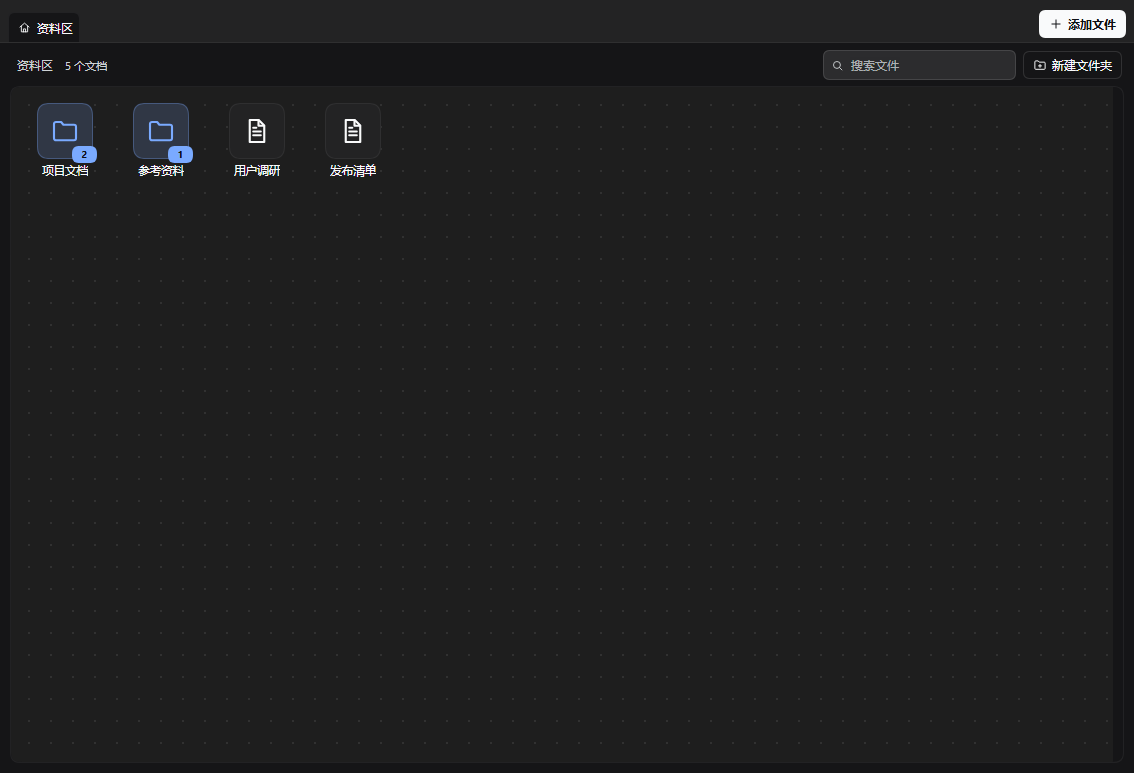
An add-only Markdown library for DeepSeek Harness. The library starts empty: you pick the documents that matter from your workspaces, place their icons on a fixed non-overlapping desktop grid, marquee-select several at once, and read them full-screen with browser-style tabs, GFM tables, chart blocks and Mermaid diagrams rendered inline.
Why
DSH agents write notes, plans, research and reports as .md files. The files stay in the workspace, but the conversation that produced them scrolls away. 资料区 keeps the documents you choose in one place without turning your whole workspace into a list:
- Nothing is imported automatically. You decide what enters the library.
- Icons sit on a fixed desktop grid. Two icons never share a slot; icons can be placed anywhere in the visible first screen, and the desktop only grows or scrolls after that first screen is full.
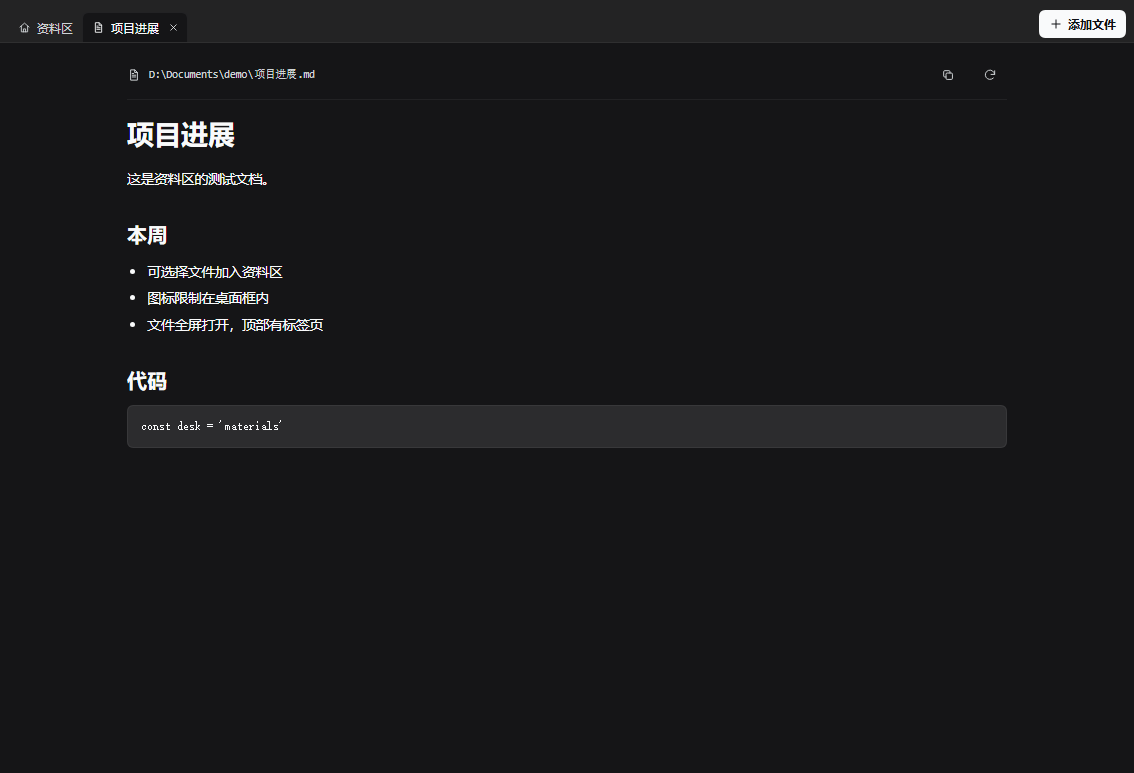
- A document opens as a full-screen reader with tabs, not a cramped side drawer.
The plugin never moves, renames or deletes anything on disk.
Features
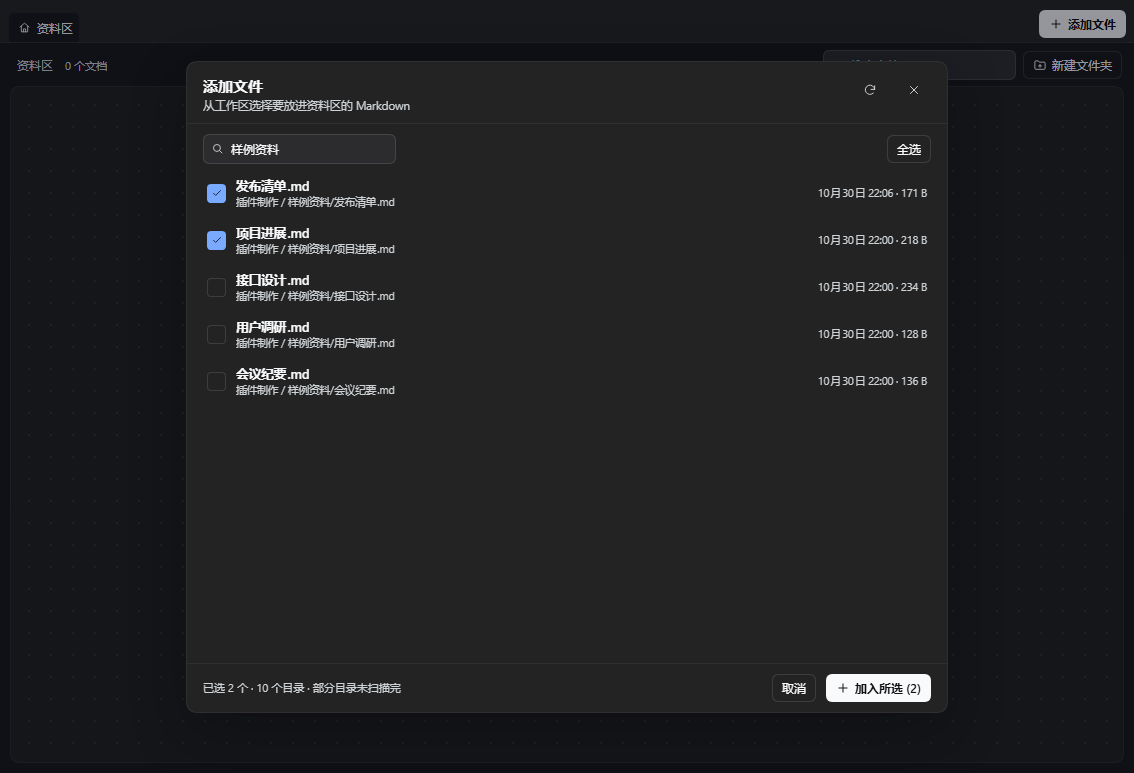
- Add files explicitly. The Add files button opens a workspace picker with search and multi-select. Documents already in the library are marked and cannot be added twice.
- Add from a file card. A delivered Markdown file card gains an Add to library action; right-clicking the card opens a small menu with the same action. If your host does not render deliverable file cards, the picker is always available.
- A fixed, non-overlapping desktop grid. Icons snap to slot positions inside the desktop frame. Dropping one onto an occupied slot swaps the two icons, and new icons fill the first free slot. Before the first screen is full, any visible slot can be used; once it is full, adding another icon opens a new row and the desktop scrolls.
- Marquee selection and bulk actions. Hold the right mouse button and drag on empty desktop space to draw a selection box. Drag any selected icon to move the whole selection as a grid block. Remove the selection with Delete / Backspace, the selection pill in the toolbar, or the right-click menu. A multi-selection can also be put into a folder at once: right-click a selected item and choose a destination under Put N items into, or drag the selection onto a folder icon. The files on disk are never touched.
- Markdown charts. Fenced
chartblocks are rendered into SVG bar, line, area, pie and donut charts. Data can be JSON or simplelabel,valuelines. Rendering is local and does not execute arbitrary code. - Mermaid diagrams and GFM tables. Fenced
mermaidblocks render through a bundled Mermaid 12.2.0 runtime: Gantt timelines,xychart-betacharts, flowcharts, sequence/class/state/ER diagrams and more. GitHub-style pipe tables render as real tables. Mermaid is lazy-loaded from the plugin host, not a CDN, and runs with its strict security level. - Virtual folders. Create folders and drag documents onto a folder icon. Folder badges show how many items are inside. Folders can be nested.
- Rename anything. Use the context menu or F2. The label in the library changes; the file on disk does not.
- Full-screen reading with tabs. Double-click a document to open it full-screen. The top row is a browser-style tab strip with a Home tab and one tab per open document; tabs can be switched and closed.
- Immersive reading — from the library or a document. On the home page click 沉浸 / Immersive in the toolbar, or in a document click the expand icon in the path bar; press F as a shortcut. The panel becomes a fixed 100vw × 100vh layer at z-index 9999. The host sidebar is collapsed through
layout.toggleSidebar()and native Fullscreen is requested when available; a native fullscreen exit is synchronized with the plugin state. Press Esc or the floating Exit immersive button to leave; the sidebar state, scroll locks and panel geometry are restored. Switching to the Home tab while immersive keeps the mode active. - Sidebar handle. A slim handle at the middle of the left edge collapses the sidebar and stays available to bring it back. It uses the host's own sidebar toggle, so it collapses to the host's icon rail.
- Search and remove. Filter the current page by label or path; remove an entry from the library without touching the file.
- Bilingual UI and theme-aware styling. Chinese and English follow the Harness locale; colors come from the host theme tokens.
Install
From the plugin market
Once the entry is merged into awesome-dsh-plugin, open Plugins → Discover, search for 资料区 or Materials, and install it. The market installs from this repository; npm publication is optional.
From GitHub
dsh plugin --profile <your-profile> add https://github.com/wei238982377/dsh-docdesk
In DSH Desktop you can also open Plugins → Add and paste the repository URL. The bundle is a source package: the root package.json declares dsh.bundle and cordis.patch.yml.
After installation, refresh the browser tab once so the client plugin loads.
Use
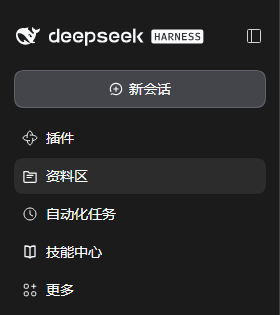
- Open 资料区 in the left sidebar.
- Click Add files (top-right). Search if needed, tick one or more documents, then click Add selected.
- Drag an icon to move it; it snaps to a fixed slot. Dropping it onto an occupied slot swaps the two icons. New icons fill the first free slot. You can drop icons anywhere in the visible first screen; a new row and scrolling appear only after the screen is full.
- Hold the right mouse button on empty desktop space and drag to marquee-select icons. Drag any selected icon to move the whole group, or press Delete / use the selection pill to remove the group from the library (files on disk stay). With a multi-selection, right-click a selected item and choose a folder under Put N items into, or drag the selection onto a folder icon, to move all selected items into it.
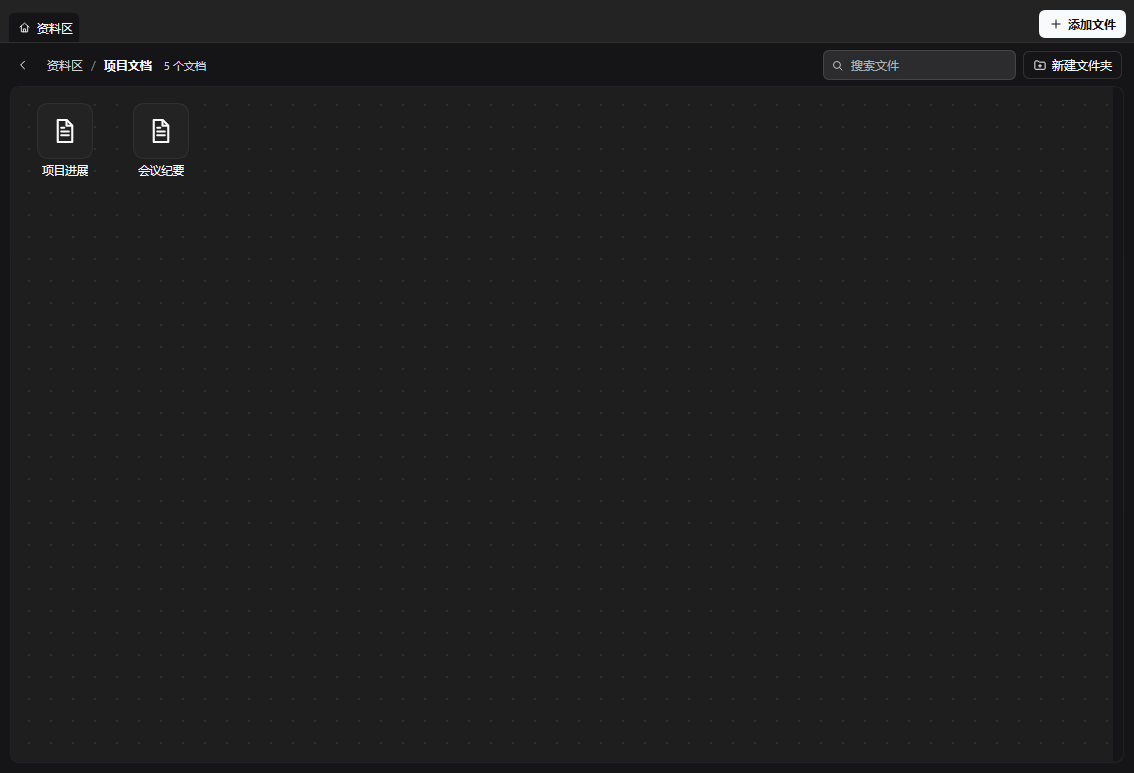
- New folder creates a folder in the current page. Drag a document onto a folder icon to file it; double-click the folder to open it.
- Right-click an icon for Open, Rename, Copy path, Move to folder and Remove from library. Folders also offer Delete folder, which moves their documents back to the parent instead of deleting files.
- Double-click a document to open it full-screen. Use the 资料区 tab to return to the desktop, click another tab to switch documents, and use the × on a tab to close it.
- From the library home page (toolbar 沉浸 / Immersive) or a document (path-bar expand icon), press F to enter immersive reading. Press Esc or the floating Exit immersive button to return; the host sidebar and layout snap back.
- The middle-left handle toggles the sidebar. The host collapses it to its icon rail; click the handle again to restore it.
Charts
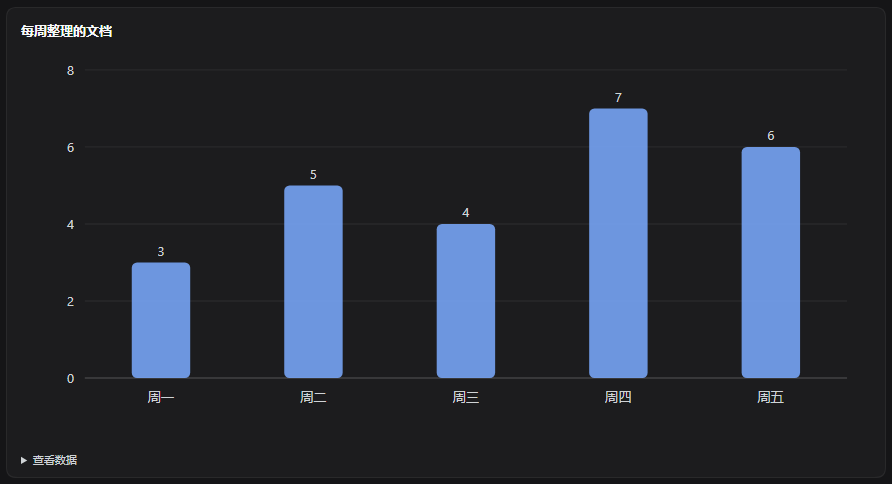
Fence a code block with chart (or chart:bar, chart:line, chart:area, chart:pie, chart:donut) and the reader renders it as an SVG chart. JSON is the most explicit form:
```chart
{
  "type": "bar",
  "title": "Weekly documents",
  "unit": "docs",
  "data": [
    { "label": "Mon", "value": 3 },
    { "label": "Tue", "value": 5 },
    { "label": "Wed", "value": 4 }
  ]
}
```
Simple label,value lines work too:
```chart:line
W1,2
W2,4
W3,3
```
The chart is drawn by the client from the block's data; no external script, network request, or user code is executed. An unparsable chart block shows the raw code with a short note.
Mermaid diagrams
Fence a block with mermaid and the reader renders it with the bundled Mermaid runtime. Gantt timelines, xychart-beta, flowcharts, sequence diagrams, class/state/ER diagrams and the other Mermaid kinds are supported by Mermaid 12.2.0.
```mermaid
gantt
    title Four-year plan
    dateFormat YYYY-MM-DD
    section Study
    Semester 1 :a1, 2026-09-01, 2027-02-28
    Semester 2 :a2, 2027-03-01, 2027-08-31
```
The Mermaid bundle is vendored in vendor/mermaid.min.js (MIT) and served from the plugin host at /api/dsh-docdesk/mermaid.js; it is loaded only when a document contains a Mermaid block, and no CDN or external network request is involved. Mermaid runs with securityLevel: 'strict'. Wide Gantt timelines scroll horizontally inside their figure; xycharts size to their content so axis labels stay visible.
GFM pipe tables in the Markdown are rendered as real tables too, with optional :---, :---: and ---: alignment.
How it works
The bundle has two halves:
- Host half (
index.js) scans registered workspaces, the profile's default working directory and live agent working directories for.md,.markdownand.mdxfiles. It exposes three read-only JSON endpoints:GET /api/dsh-docdesk/list— candidate files for the pickerGET /api/dsh-docdesk/read?path=<absolute path>— one document's contentGET /api/dsh-docdesk/resolve?sessionId=…&seq=…&index=…— resolve a delivered file card's durable coordinates to a path
- Client half (
client.js) registers the 资料区 sidebar entry, the panel, the middle-edge sidebar handle and the delivered-file action. It renders the desktop, the picker, folders and the tabbed reader.
Data and limits:
- The library (documents, display names, folders, positions, open tabs) is stored in the browser under
dsh-docdesk.library.v2; it is per browser profile and is not synced between devices. - The Markdown files remain the source of truth. If a file is moved or deleted outside the plugin, opening it reports the error and lets you remove the entry.
- Marquee selection, group dragging and bulk removal are client-side state only. Removing an entry from the library never deletes or moves a file.
chartcode blocks are parsed and drawn locally as SVG. Only the block's data is used; no arbitrary JavaScript, external chart library or network request is involved.- Mermaid diagrams are rendered by the vendored Mermaid 12.2.0 bundle, served by the host route
/api/dsh-docdesk/mermaid.jsand lazy-loaded only when amermaidblock is opened. The runtime uses Mermaid's strict security level; diagram code is not executed as JavaScript. - GFM pipe tables and the two fenced-block formats are handled by the client-side Markdown renderer; no extra document preprocessing is written back to disk.
- Both the list and read endpoints sit behind the same loopback / paired-device fence used by the bundled management pages and reject forwarding headers. Reads are confined to scanned roots and Markdown extensions; a preview is capped at 2 MB.
- The scan skips
node_modules,.git, build output and virtual environments. Current caps are 3,000 documents, 4,000 directories per workspace, 16,000 directories in total and 6 levels of depth. - The sidebar handle calls the host's
layout.toggleSidebar(). The collapsed state is the host's rail, not a custom zero-width column.
Screenshots
| Panel | Add files | Full-screen document |
|---|---|---|
| | |
| Folder | Sidebar entry |
|---|---|
 |  |
| Charts |
|---|
|
Project layout
dsh-docdesk/
├── index.js              # Host half: scan, read, resolve delivered-file coordinates
├── client.js             # Browser module: sidebar entry, panel, tabs, picker, file action
├── cordis.patch.yml      # Bundle patch that mounts the plugin row
├── package.json          # Manifest: dsh.bundle, dsh.client, exports, files
├── locale/
│   ├── en.json           # Plugin manager metadata (English)
│   └── zh.json           # Plugin manager metadata (Chinese)
├── icon.svg              # Bundle icon (used by the plugin manager)
├── vendor/               # Vendored Mermaid runtime and its MIT license
├── screenshots.json      # Market screenshot list
├── docs/
│   ├── icon.png          # Raster icon used by the market listing
│   ├── market-entry.yml  # Registry entry submitted to awesome-dsh-plugin
│   └── screenshots/      # README and market screenshots
├── CHANGELOG.md
├── LICENSE
├── README.md
└── README.zh.md
Development
There is no build step. index.js is a plain ESM Cordis plugin; client.js is a browser module registered through window.__ModuleLoader__.load with the package name as its id. Edit either file, then refresh the browser tab. For a host-half change, reinstall the bundle (or restart the host) so the new module generation is loaded.
dsh plugin --profile <your-profile> add /absolute/path/to/dsh-docdesk
The only runtime imports are Node built-ins (node:fs, node:path) on the host and react from the host module table on the client. There are no npm dependencies to install.
License
MIT. See LICENSE.
Related plugins
archify (deepseek-harness)
tt-a1i/archify
WeKnora (dsh-weknora)
tencent/weknora
weknora
tencent/weknora
BrowserSkill (dsh-plugin-browserskill)
tencent/browserskill