Mebular (dsh-plugin)
windsander/mebular/packages/dsh-plugin
Decentralized, offline-first graph memory and task graph for DSH, with signed facts, multi-device sync, and the shared Mebular Console embedded in a sidebar panel. Requires a running Mebular daemon (the Mebular desktop app, or mebular serve from @mebular/core); this plugin only attaches its memory tools and Console panel to it.
Install
dsh plugin --profile web add github:windsander/mebularThis plugin lives in the packages/dsh-plugin subdirectory of the repository.
README

One memory. Every assistant. Every device.
A distributed memory network for your AI assistants.
Memory and tasks stay on your devices; devices sync directly.


Start in 5 minutes · How it works · Website · 中文
No hosted account · No central coordinator
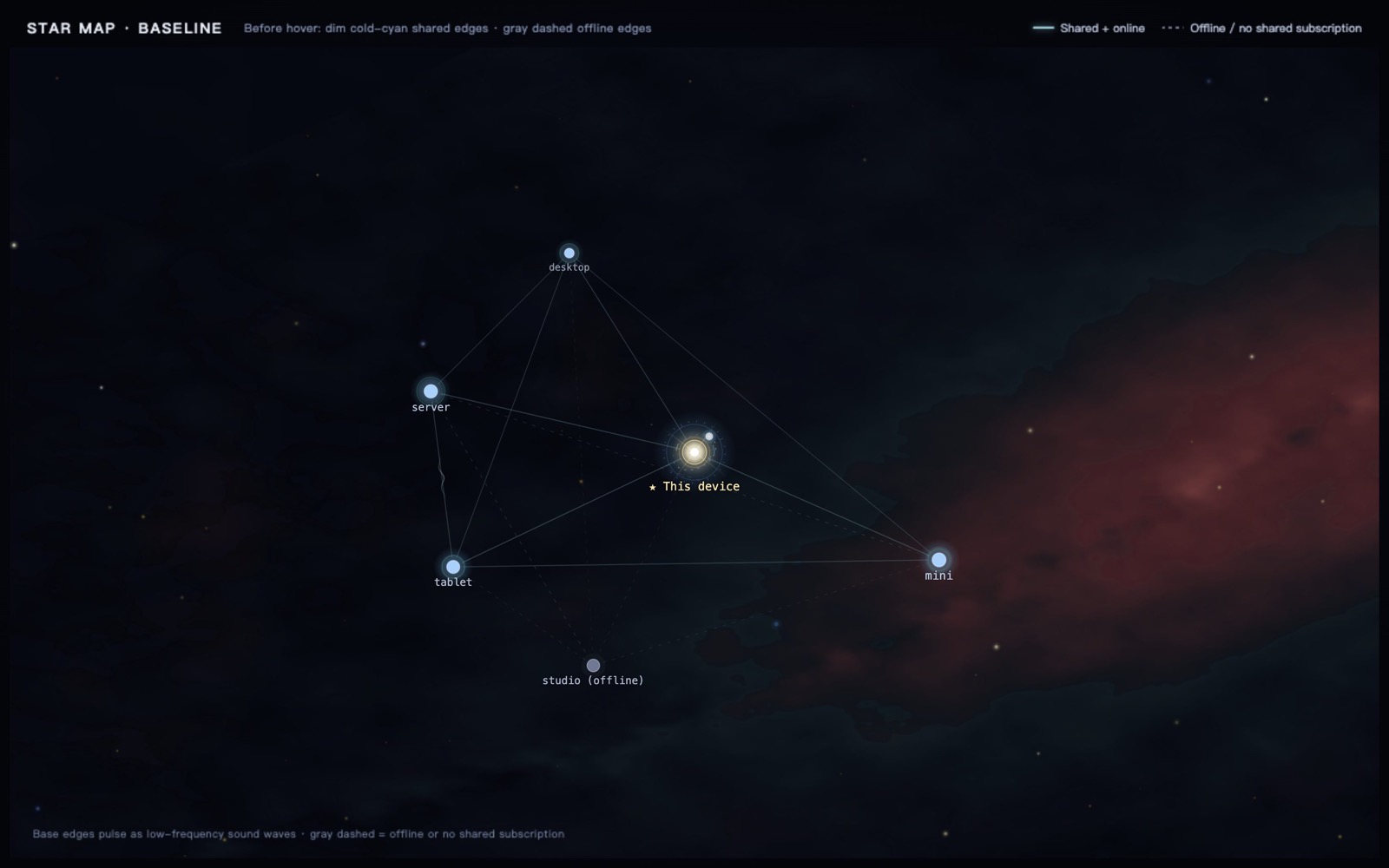
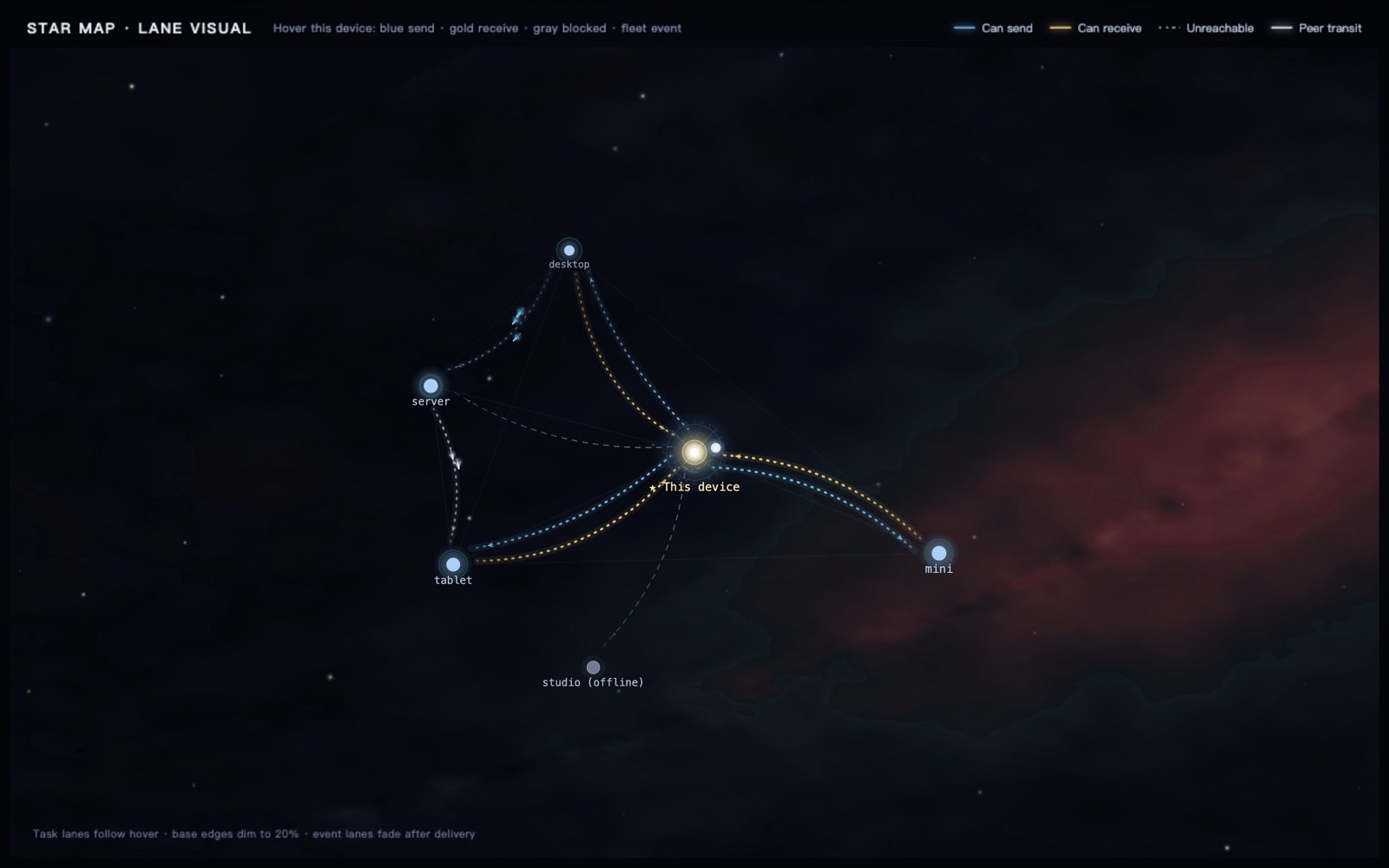
The map at rest: devices and their shared-subscription edges. · On hover: task-domain lanes plus live fleet traffic.
Blue and gold show this device's two-way task-domain reachability, not peer-to-peer links.
One memory

Get started


| Desktop app · v0.1.2 | Download & first launch |
|---|---|
| Unsigned release macOS Universal · Windows x64 · Linux x64 |
Download from GitHub Releases Verify with SHA256SUMS.txt. macOS: right-click → Open. Windows: More info → Run anyway. Bundles Electron and its runtime. |
Or install the CLI and server:
npm install -g @mebular/core
mebular serve                                  # browser console
fleet quickstart --daemon                      # CLI start
mebular print-config --client opencode         # MCP config
How it works

Write with memory_write, hand off with task_submit — the same graph, from any assistant.

Docs
| Start | Learn | Run | Trust |
|---|---|---|---|
| Quickstart Install & pair |
Architecture Nodes & sync |
Console Local GUI |
Limitations Sensitive data |
| Agent skills Setup playbooks |
Fleet ops Multi-machine |
Release SOP Release steps |
Sealing docs Protocol rules |
| Changelog Release notes |
Contributing Quality gates |
Security Report a vuln |
Website Product site |
Use with DSH
Keep the Mebular app running, then install the plugin from npm into DSH's web profile:
dsh plugin --profile web add @mebular/dsh-plugin@0.1.2
A Mebular sidebar panel embeds the same Console through ?embed=dsh (loopback only), and the official MCP client reaches the same graph. The plugin discovers the daemon by daemonUrl > MEBULAR_HTTP_PORT > runtime.json > 7331, so custom ports follow automatically. The plugin is an independent adapter with its code isolated in packages/dsh-plugin; it is published by its own npm job, while its version follows the unified release train, so all six npm packages share one version. For plugin development, install from packages/dsh-plugin instead.
Listed on awesome-dsh-plugin under memory.
DSH plugin guide → · Integration notes →
Who does what
| Who | Handles |
|---|---|
| You | One-time pairing, Cloud choice, invites, subscriptions. |
| Your assistant | Memory reads and writes, task claim and completion. |
| Mebular | Discovery, direct / relay / hole-punch, retries, certificates, service autostart. |
Use it from code
import { Mebular } from 'mebular';

const mebular = new Mebular({
  storagePath: './store.jsonl',
  deviceId: 'device-a',
  network: { enabled: false },
});

await mebular.initialize();
Runnable examples: examples/quickstart writes and recalls a preference; examples/two-devices demonstrates offline sync.
v0.1.2 · early · MIT · © 2026 Sobert Li