dsh-quota-cordis
wxys1209/dsh-quota-cordis
Multi-provider quota and usage dashboard for DSH: DeepSeek balances, GLM, MiniMax, OpenCode and Codex subscription windows, and OpenAI organization spend, plus a Models tab that edits providers, model catalogs and reasoning-effort settings on top of the official DSH model settings. Registers the provider_quota, quota_color_settings and provider_company_rules agent tools.
Install
dsh plugin --profile web add github:wxys1209/dsh-quota-cordisREADME

DSH Quota+
For DeepSeek Harness Desktop: a multi-provider quota and usage dashboard with balances, subscription quotas and OpenAI organization spend, plus multi-provider model management that extends DSH’s official authorization, model selection and reasoning-effort settings. No npm runtime dependencies or install scripts.


Install
This documentation covers 0.7.5. The declared DSH range remains >=0.2.2-rc.1 <0.2.3-0; the recommended and source-audited baseline is 0.2.2-rc.5, not a re-test of every earlier RC.
dsh plugin --profile desktop add dsh-quota-cordis
# or a local checkout
dsh plugin --profile desktop add /path/to/checkout
After updating plugin code, restart DSH and fully refresh the page. The form's Reload button refreshes data, not code.
Features
The settings page is titled DSH Quota+, with Models, Quotas and Settings tabs:
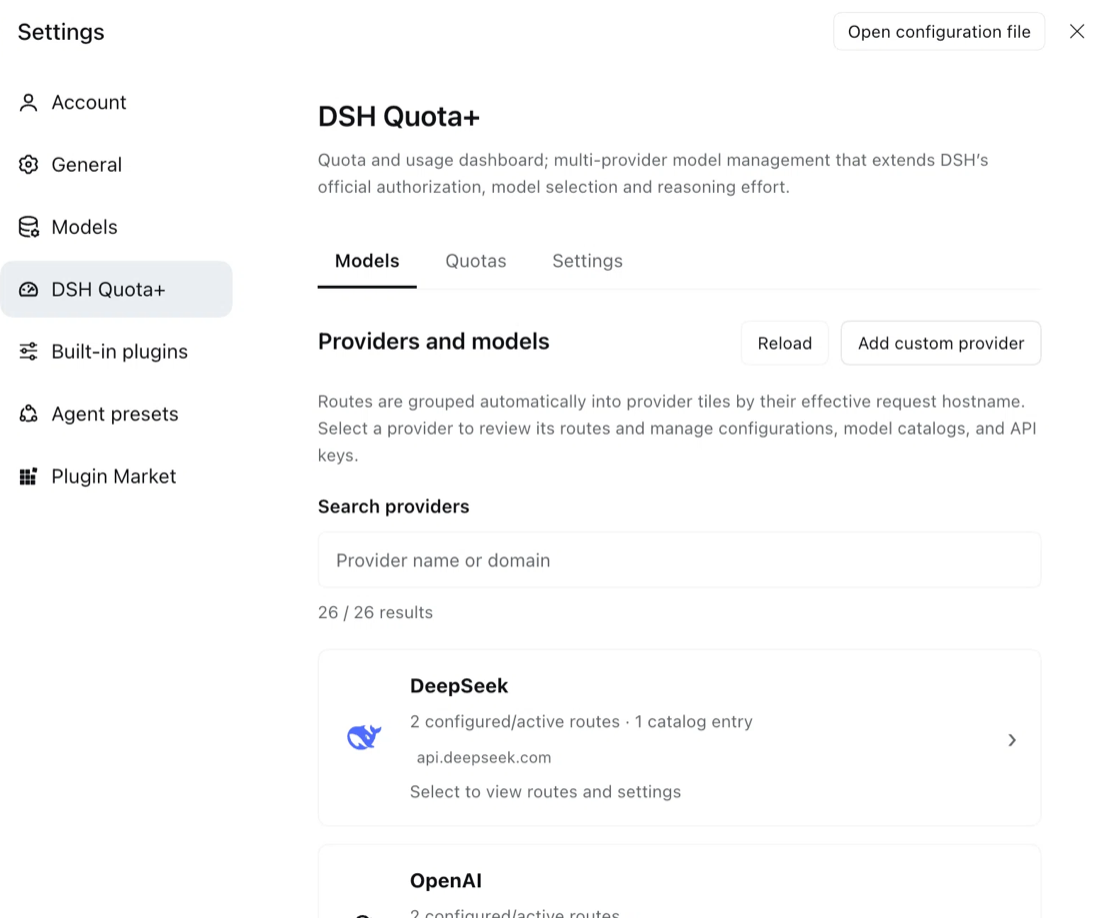
- Models: multi-provider grouping/search; edit providers and models on top of DSH’s official model settings, discover models, manage custom API routes, and set authorization, model selection and reasoning effort; unsupported editors remain read-only.
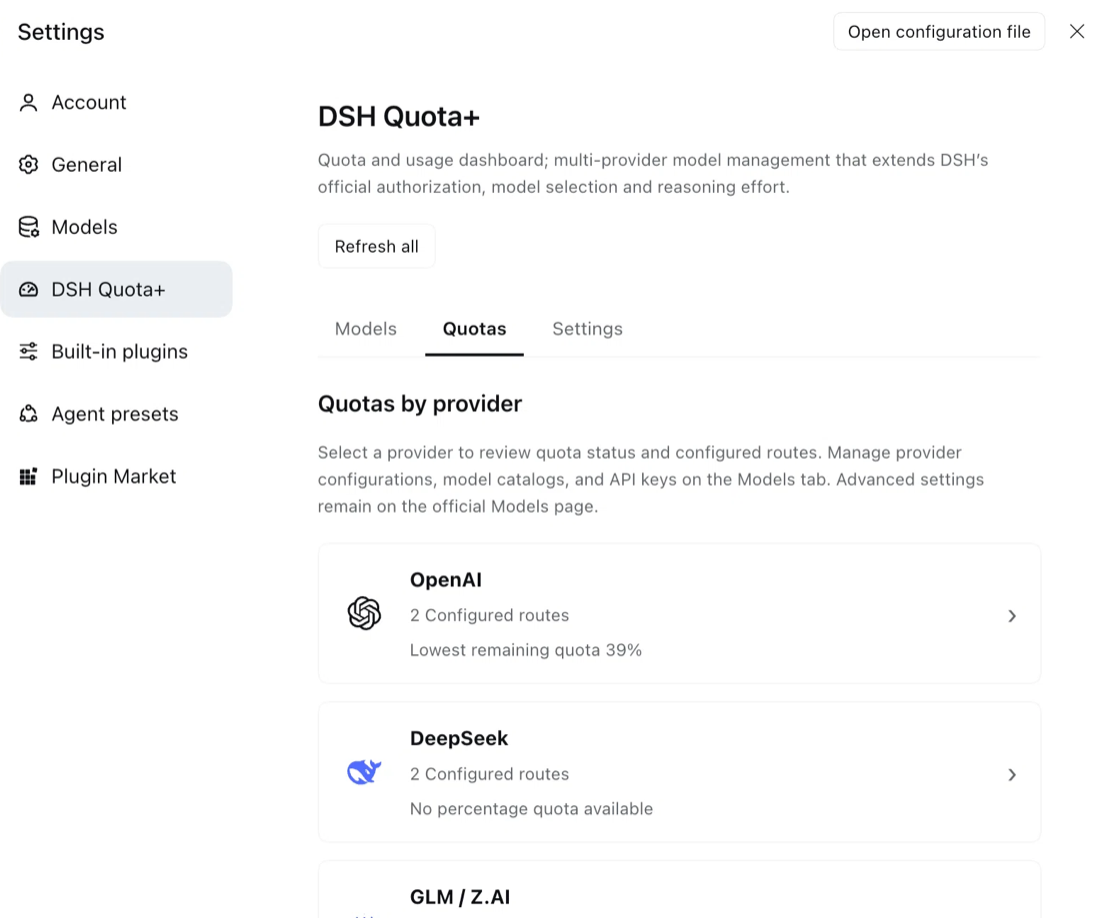
- Quotas: dashboard for multi-provider balances, subscription quotas and OpenAI organization spend.
- Settings: configurable remaining-quota thresholds.
- Composer summary: compact current-provider status with an upward popup.
- Agent tools:
provider_quota,quota_color_settingsandprovider_company_rules.
Screenshots
Quotas — provider cards with balances and subscription windows.
Models — provider grouping, route management and model catalogs.
Composer summary — the current provider's windows in the composer bar.

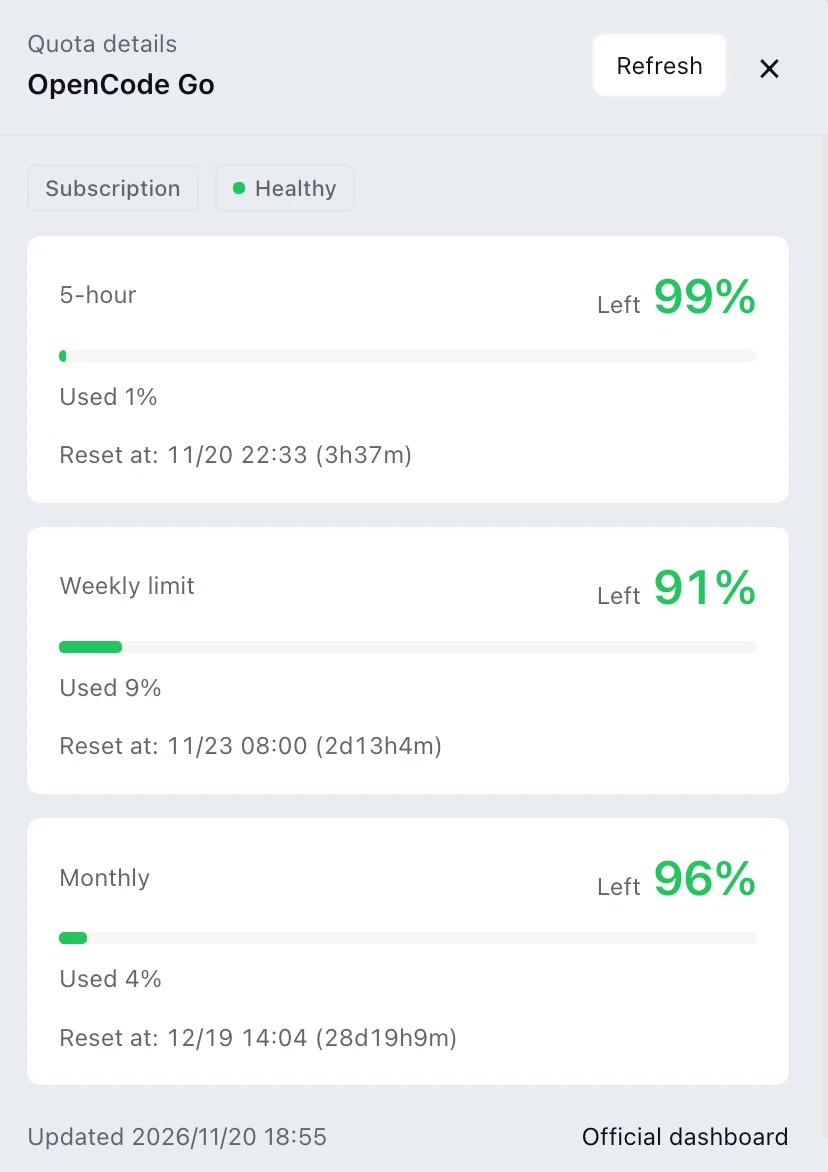
Quota details — the upward popup with per-window usage and reset times.
Provider support
| Provider | Display | Status |
|---|---|---|
| DeepSeek API | Available, recharge and granted balance | Accepted |
| DeepSeek account | Separate recharge and bonus wallets | Accepted |
| GLM Coding Plan — China | Subscription windows | Accepted |
| GLM Coding Plan — Global | Subscription windows | Preview |
| GLM Standard API — China | CNY balance and resource packages | Preview |
| Z.AI Standard API — Global | Detection/status only | No balance query |
| OpenAI API | Organization spend: UTC today, yesterday, 7d/30d; API-key breakdown | Accepted |
| OpenAI Codex | Subscription windows and reported Credits | Windows accepted; Credits preview |
| OpenCode Go | Reported 5-hour/weekly/monthly windows | Preview |
| MiniMax China M Plan | Remaining quota | Accepted |
| Other providers/relays | Status and reason | No quota adapter |
Missing data is not shown as zero; Credits are usage units, not an API cash balance.
Usage notes
- OpenAI spend needs a separate organization Admin key, not an inference key. Enter it in OpenAI details; cost data may arrive late or be revised.
- Providers follow the actual Host-resolved endpoint first. If no route endpoint exists, a version-matched built-in catalog with a single model hostname can supply a separately labelled grouping hint; it does not change the request endpoint. Saved user settings or configured authentication sort first, then localized names; unknown endpoints stay last. Merely enabling a default entry does not count. Edit expands inside its card; discovery uses a dialog and explicit selection. Final Save persists changes; editing does not switch the selected/default model.
- Reasoning efforts can be inherited, disabled, or configured per editable model where the Host schema supports them. Blank platform values use the selected level's name, except a supported blank
offuses the protocol default. Choose the effort for a conversation in DSH's native model selector. - Fetch available models tries the platform first on supported listing routes (OpenAI-compatible, Anthropic and Gemini). The dialog labels live results and their credential scope. If live listing fails or is unsupported, it uses the existing DSH catalog when that fallback is safe, without retrying a failed custom endpoint. A successful empty list is not replaced. Fixed platform endpoints follow the DSH Host's outbound proxy settings; custom endpoints need direct public HTTPS access. OpenAI live listing uses an API key, not ChatGPT subscription authorization. Codex uses the DSH built-in catalog.
- Codex login is built into this plugin using DSH native authorization; no extra OAuth UI plugin is required. Login starts only on an explicit click and is safely unavailable if the native capability is missing. Existing native-grant quota/Credits queries remain independent of signing in here. The new login integration has source/synthetic coverage, not a new live-account OAuth acceptance.
Privacy and maintenance
Credentials stay on the local Host and never enter quota results. Quota queries are read-only, use fixed official HTTPS destinations and reject redirects. Native DeepSeek endpoint checks fail closed on invalid, uncertain or relay addresses; no official balance probe or stale official balance is substituted. The quota adapter does not read CLI credentials, cookies or refresh tokens, and does not refresh grants or run inference.
See security boundaries and provider-rule coverage/maintenance for endpoint precedence, private-state handling and rule updates.
Development
index.js/client.js— Host and browser entry points.src/— runtime modules; bundled data lives insrc/data/.company-rules.json— published provider-rule data, also fetched online at runtime, so it stays at the repository root.locale/,icon.png,cordis.patch.yml— package resources.test/,scripts/,docs/— tests, maintenance scripts and documentation.
npm run check
npm test
npm run test:company-coverage
Tests do not replace real-browser/provider acceptance. Release notes: Changelog.
Related plugins
DeepSeek-Balance-Whale-Widget
meteornox/deepseek-balance-whale-widget
dsh-context
bowenliang123/dsh-context
dsh-cost-meter
han-1413141/dsh-cost-meter
dsh-damage-pulse
wssfk12138/dsh-damage-pulse