X
dsh-conversation-title
xiaomao361/dsh-conversation-title
Organize unarchived conversations in batches and share named title templates across workspaces.
Install
dsh plugin --profile web add github:xiaomao361/dsh-conversation-titleREADME
会话标题 · DSH Conversation Titles

为 DeepSeek Harness 整理会话标题。按当前工作区规则生成标题,批量整理未归档会话,并让多个工作区共用一套命名模板。
适配 DSH 0.2.2-rc.3。 详细使用说明 · English
安装
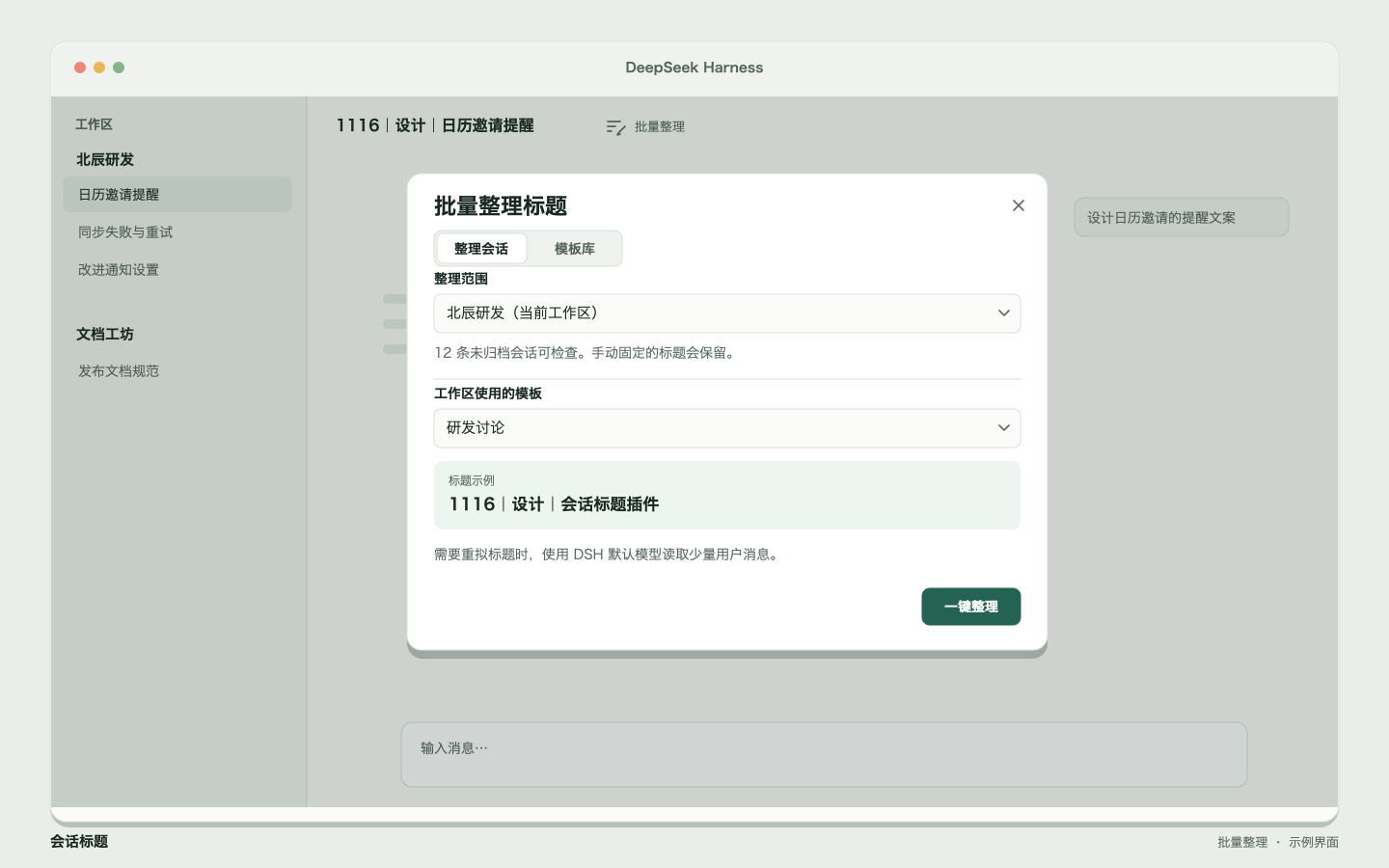
安装后从任一会话顶栏进入 批量整理。已有本地链接开发版时,继续用该链接即可。
从 npm 安装到 Desktop profile
dsh plugin --profile desktop add dsh-conversation-title --registry=https://registry.npmjs.org
如果终端找不到 dsh,macOS 上可使用 Desktop 的内置 CLI:
"/Applications/DeepSeek Harness.app/Contents/Resources/runtime/cli/bin/dsh" plugin --profile desktop add dsh-conversation-title --registry=https://registry.npmjs.org
安装完成后重新打开 DSH。使用其他 profile 时,把 desktop 换成对应名称。也可以使用 GitHub 源码 安装。
本地链接与打包安装
在本仓库运行 npm ci,再使用绝对路径注册本地包:
dsh plugin --profile desktop add "link:$(pwd)"
分发压缩包时,在仓库运行 npm pack,再执行:
dsh plugin --profile desktop add "/path/to/dsh-conversation-title-0.3.1.tgz"
开始使用
- 日常对话。自动整理默认开启。助手在完成有明确主题的任务时会尝试按工作区模板拟题,默认格式为
MMDD|类型|主题。 - 历史会话。在顶栏点「批量整理」,确认当前、其他或全部工作区,再点「一键整理」。在本次结果面板里可以查看改名前后与撤销。
- 模板库。选择「Skill 默认」可查看内置格式和八种类型。以任意模板为起点新建并命名。在「整理会话」中选择工作区,应用已保存的模板。
| 模板库 | 编辑模板 |
|---|---|
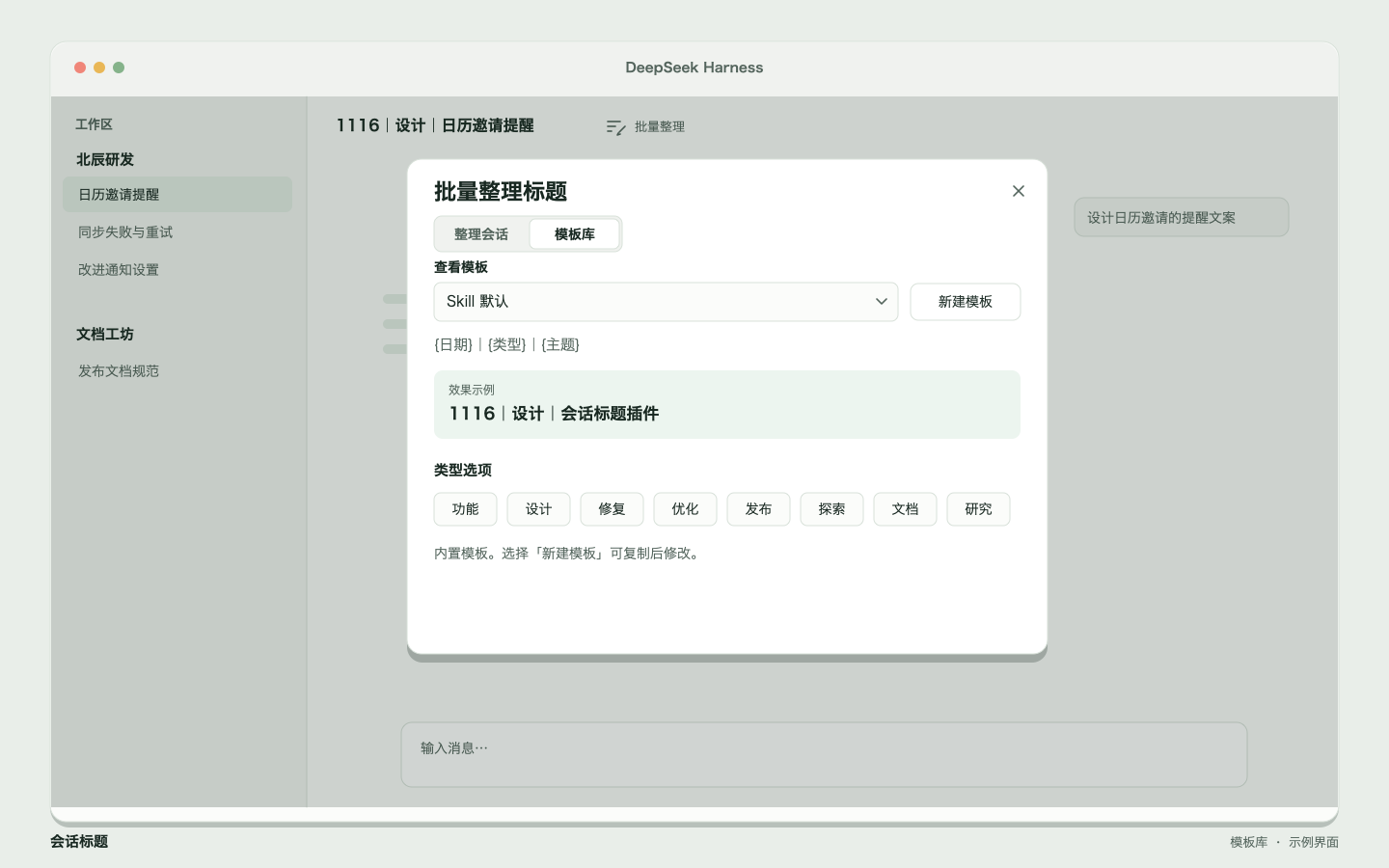 | 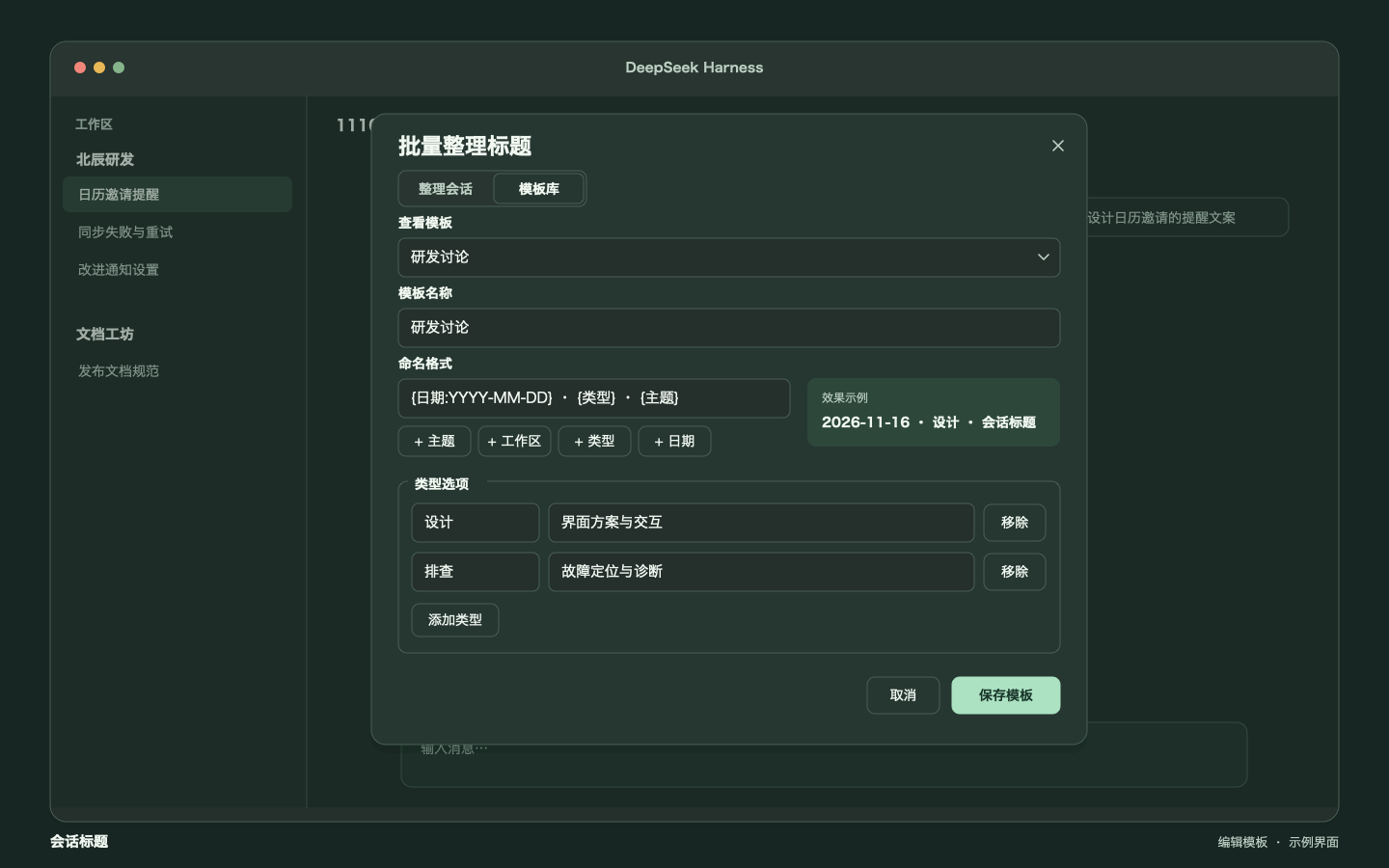 |
配图以示例工作区和标题复现插件界面。
开发
npm ci
npm run check
npm test
npm pack --dry-run
维护市场资料时更新根目录的 screenshots.json。DSH 界面图标使用 icon.svg,公开卡片也可使用 512 × 512 PNG。
Related plugins
R
billion-context
ranxianglei/billion-context
7.8kyesterdaySessions & Messages
Z
dsh-web-ui (dsh-chat-recovery)
zhu1090093659/dsh-web-ui
6.2k3 months agoSessions & MessagesApache-2.0
L
dsh-synapse
liangmianya/dsh-synapse
72915 days agoSessions & MessagesMIT
M
dsh-archive-manager
michengai/dsh-archive-manager
37519 hours agoSessions & MessagesApache-2.0