dsh-glass-effect
yinhefuluoye/dsh-glass-effect
A glass-material appearance for DSH: translucent composer, dialogs, menus and code blocks — one switch in Settings, off restores the stock look exactly.
Install
dsh plugin --profile web add github:yinhefuluoye/dsh-glass-effectREADME
Glass Effect (dsh-glass-effect)
English | 简体中文
A unified translucent glass material for the DSH interface: the composer, dialogs, menus, cards and code blocks share one material, tuned separately for the light and dark themes.
Features
- One translucent material across the composer, dialogs, menus, code blocks, task panels and the right sidebar;
- Top highlight, edge reflection and background blur, set per theme;
- A single switch in Settings; turning it off restores the stock appearance exactly — no attribute written by the plugin is left behind.
Install
DSH ships a graphical installer, so no command line is needed.
Option 1 · Install from GitHub (recommended)
- Open Settings → Plugins → Add plugin;
- Enter this in the package name or address field:
https://github.com/Yinhefuluoye/dsh-glass-effect - Click Install, then restart DSH.
Option 2 · Install from a Release (no git required)
- Download
dsh-glass-effect-0.2.0.tgzfrom Releases, or copy its download URL; - Open Settings → Plugins → Add plugin and paste that address into the same field;
- Click Install, then restart DSH.
A GitHub address or a
.tgzlink is not fetched through an npm registry: the machine must reach it directly, or through a proxy.
Option 3 · Install from source (developers)
Clone the repository and install the local directory with the profile's pnpm (file: path). The client half loads at the next start of DSH; after editing the source, reinstall with remove + add so the copy inside the profile is refreshed.
The desktop app binds no reload shortcut (
Ctrl+Rdoes nothing); restart the app instead.
Usage
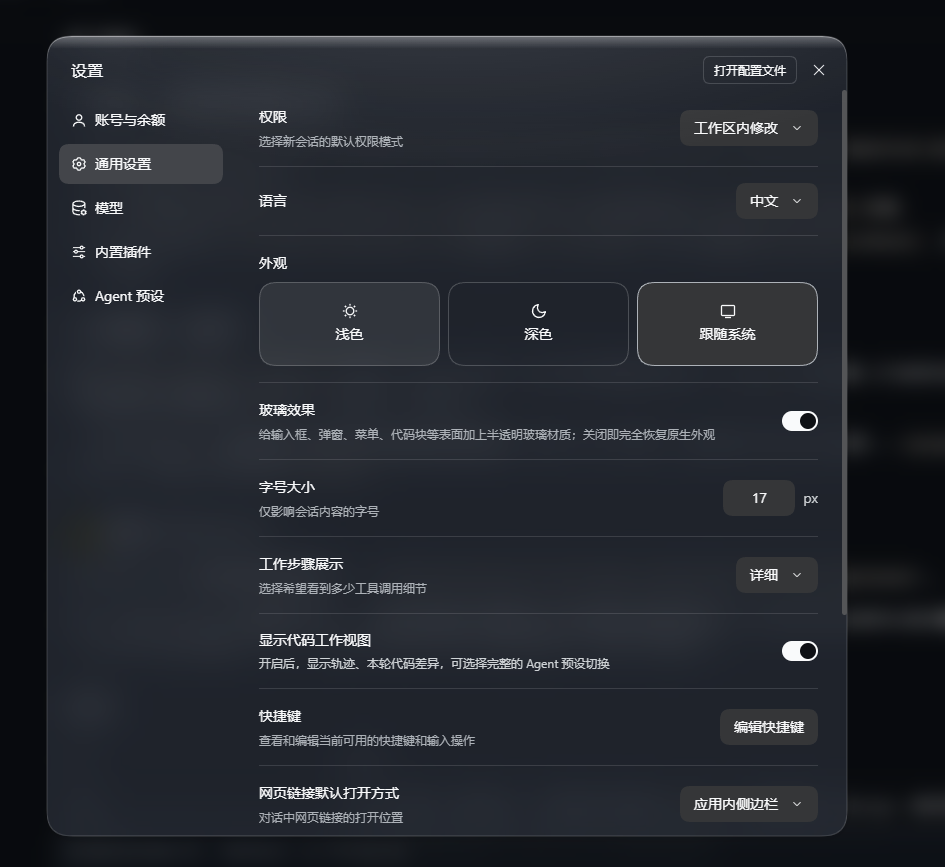
Settings → General → Appearance — the switch sits directly below the three theme options:
| State | Effect |
|---|---|
| On | Apply the glass appearance |
| Off | Identical to the stock appearance |
There is no shortcut and no other entry point.
Uninstall
Remove "dsh-glass-effect" from dsh.profile.bundles in the profile's package.json, run pnpm remove dsh-glass-effect, and restart. To restore the stock look only temporarily, use the switch instead.
Compatibility
- Works on both the desktop app (Electron) and the web client (
dsh web), which share one web client; - The switch state is stored per origin, so the two do not affect each other;
- Requires DSH 0.2.x (it uses the
settings.general.itemslot andSwitchfromui-primitives).
Scope
- No network access: no fetch, XHR or WebSocket request;
- No data collection: it never reads cookies, session data or credentials;
- No change to the application source: it injects one stylesheet, marks attributes on
body, overrides one token layer through the theme service, and registers one settings row — all of it released on uninstall; - Writes only its own localStorage keys;
- Registers no global shortcut.
lib/client.js is a single hand-written file with no build step, so it can be read directly. tools/verify.mjs is an offline self-check (43 assertions, including a static guard against network access and session-data reads).
License
MIT. The glass technique is based on 394804078-pixel/dsh-liquid-glass (also MIT); the attribution is kept in LICENSE.
Related plugins
dsh-deep-whale (maid-atelier)
small-tailqwq/dsh-deep-whale
dsh-deep-whale
small-tailqwq/dsh-deep-whale
dsh-wallpaper-engine
elysia395/dsh-wallpaper-engine
open-sea-skin
d-dev0101/open-sea-skin