Catppuccin-dsh-theme
zhijun-dai/catppuccin-dsh-theme
🐱 Catppuccin theme plugin: the lively, relaxing official 26-color pastel palette — 🌻 Latte / 🪴 Frappé / 🌺 Macchiato / 🌿 Mocha — with one-click switching; the whole UI is tinted from the palette and hover interactions glow in the theme accent.
Install
dsh plugin --profile web add github:zhijun-dai/catppuccin-dsh-themeREADME

 Catppuccin for DeepSeek Harness





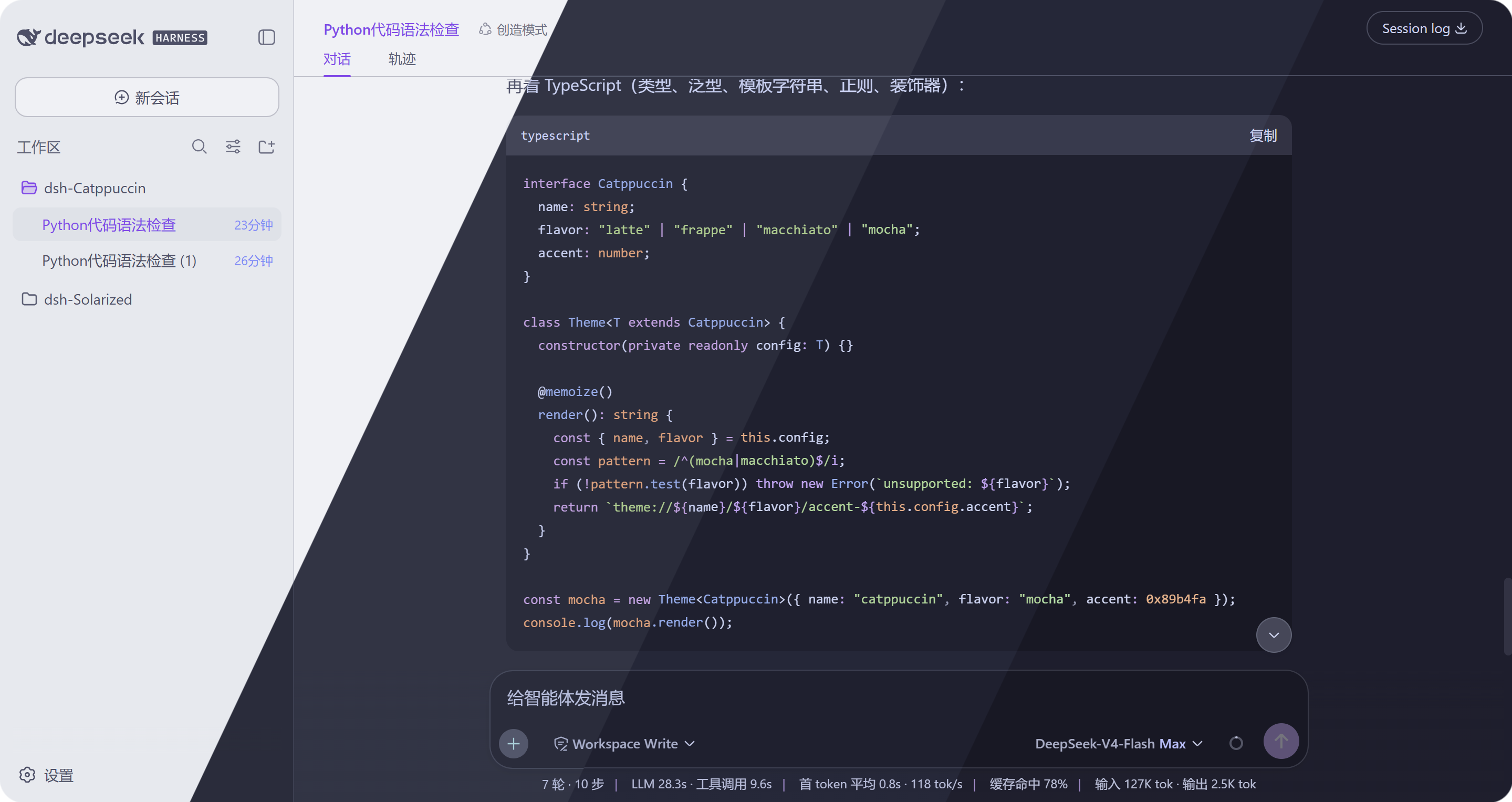
Table of Contents
Intro
🐱 A Catppuccin theme plugin for
DeepSeek Harness — one
package that covers Web GUI (dsh web), DSH Desktop and
dsh-TUI:
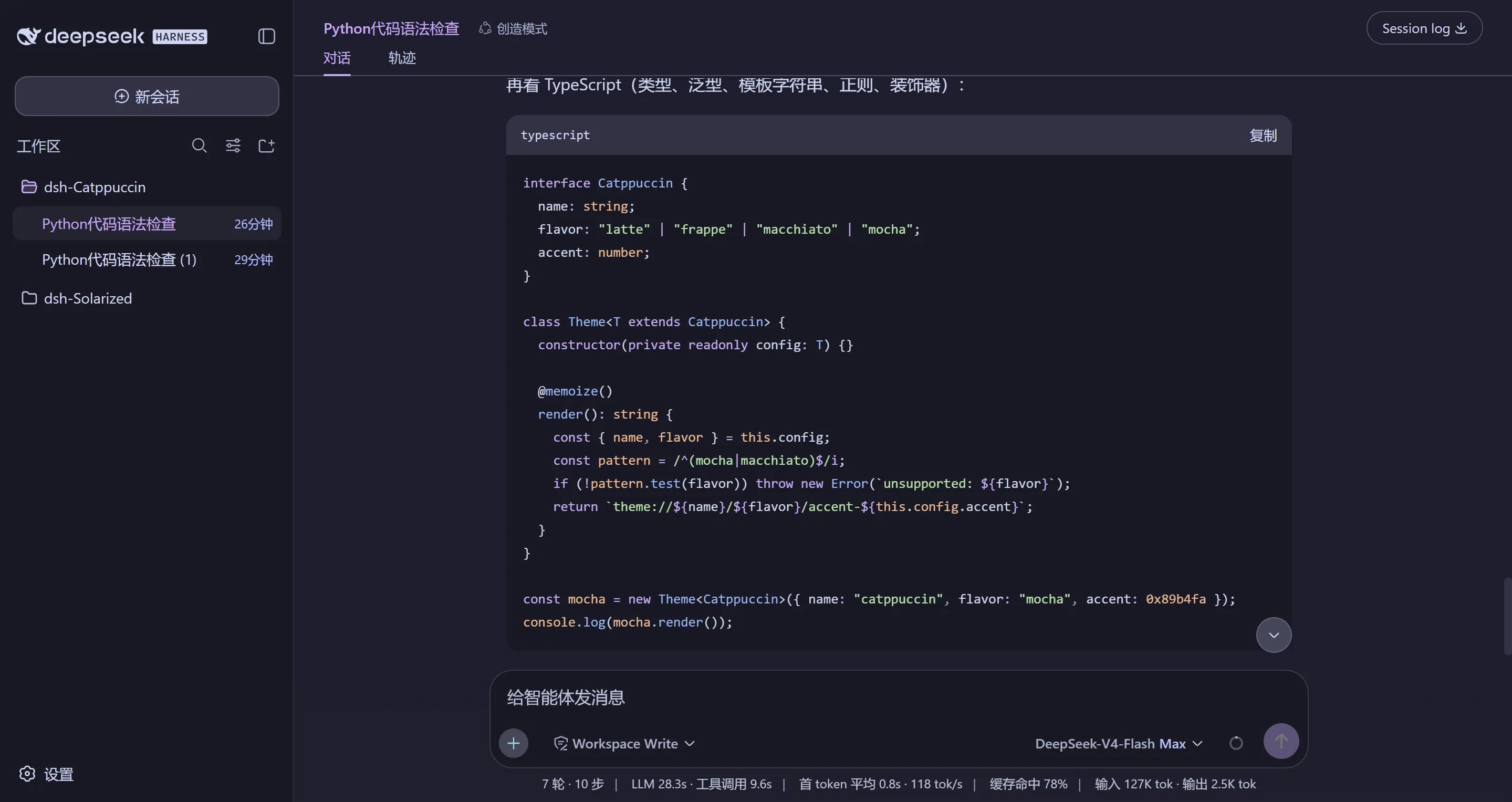
- Web / Desktop: the whole UI re-skinned with the official 26-color pastel palette — every component, not just a few accents.
- dsh-TUI: four official theme palettes auto-synced to
~/.dsh-tui/themes/on install.
The four flavors — Latte, Frappé, Macchiato, Mocha — plug into the built-in theme system on a level with the light/dark/system choices, with a one-click switch row in Settings → General. Your choice is saved automatically and restored on restart, and switching back to Default restores the built-in appearance pixel-perfectly — no leftovers.
Features
- 🎨 Full palette coverage — every value is a Catppuccin palette color (or a mix of palette colors); the default DeepSeek blue-gray never shows through.
- 🖱️ Component-level accents — message bubbles, tool-call rows, code tags, timestamps and hover interactions are tinted from the palette; hover glows in the theme accent, and the empty-workspace headline reads in brand mauve.
- 💻 dsh-TUI themes — one install command drops the four themes into your terminal client; they auto-sync on every start. See Install · dsh-TUI.
- 🔄 Update check — Settings silently checks npm for a newer release (with a manual button too) and shows a copyable upgrade command.
- 🧠 Choice remembered — persisted across restarts and re-applied even when the host re-asserts its own preference; turning it off restores the built-in light/dark choice you had before, not a forced "system".
- 🗄️ Durable state — flavor choice survives DSH Desktop's random per-launch port where browser localStorage starts empty.
- ⚙️ Zero intrusion — switching to Default restores the built-in appearance pixel-identical; uninstall leaves nothing behind.
Previews
The four flavors in DeepSeek Harness (headline image above is the catwalk composite; each flavor below in full):
🌻 Latte
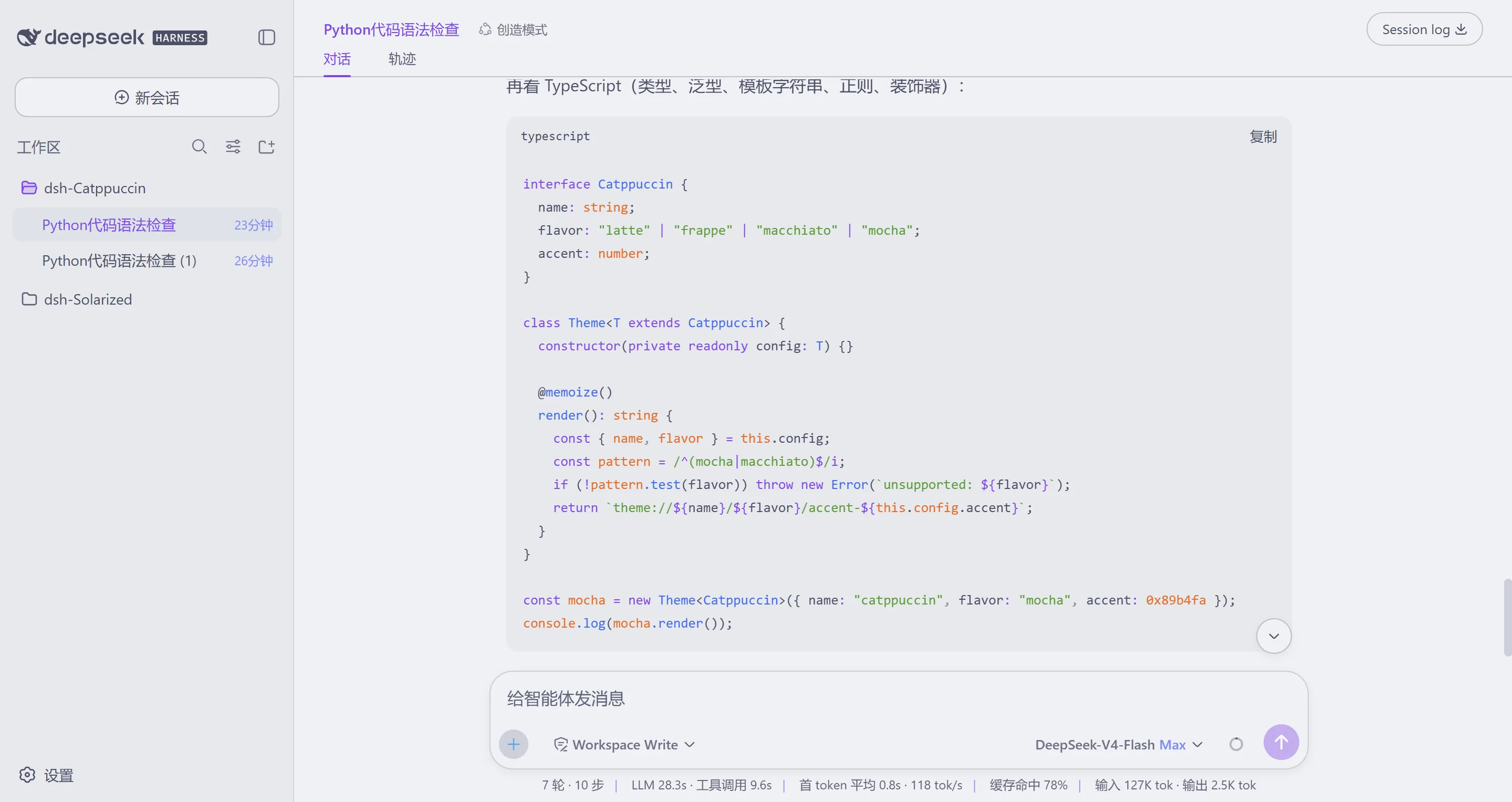
🪴 Frappé
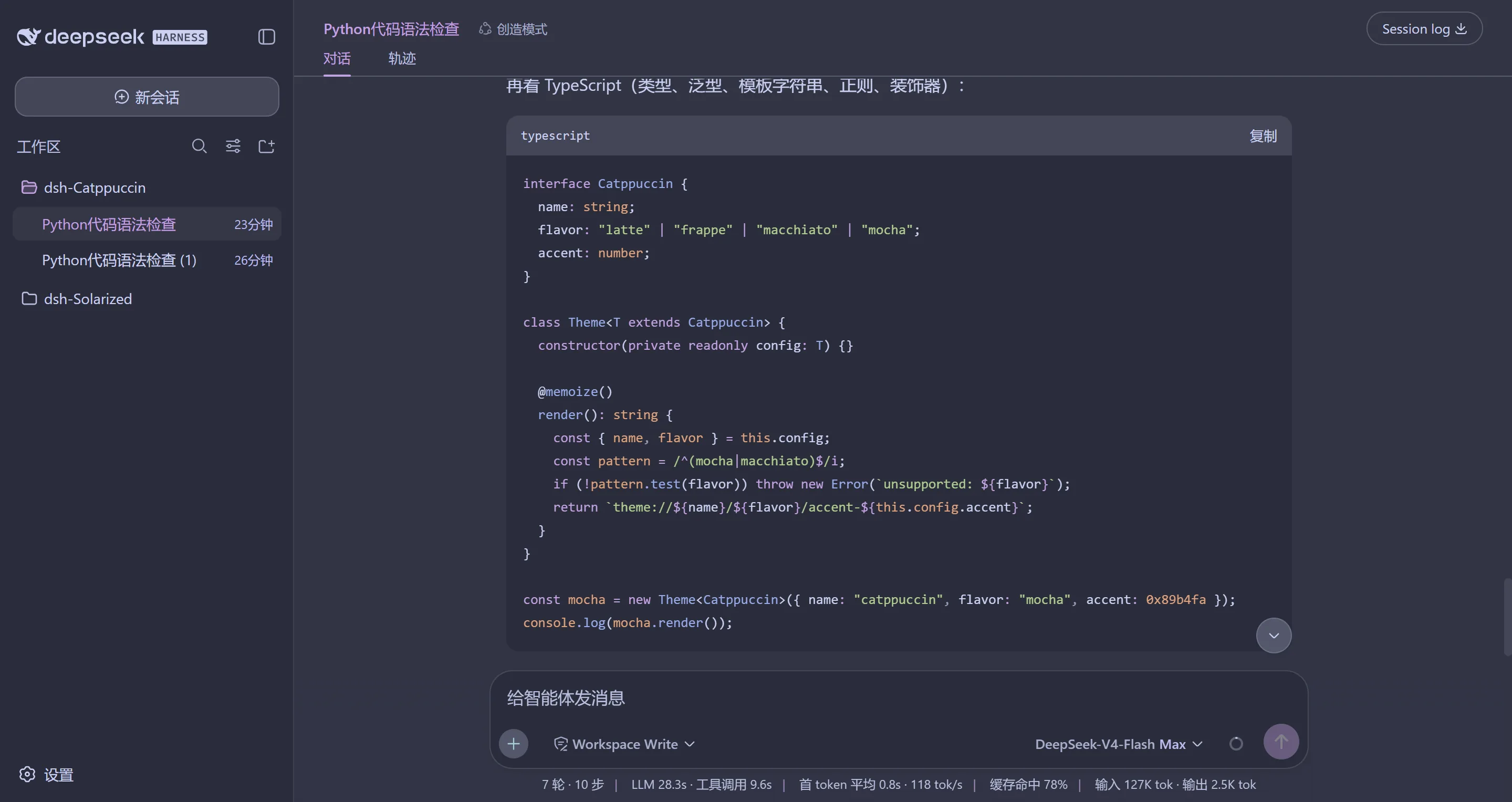
🌺 Macchiato
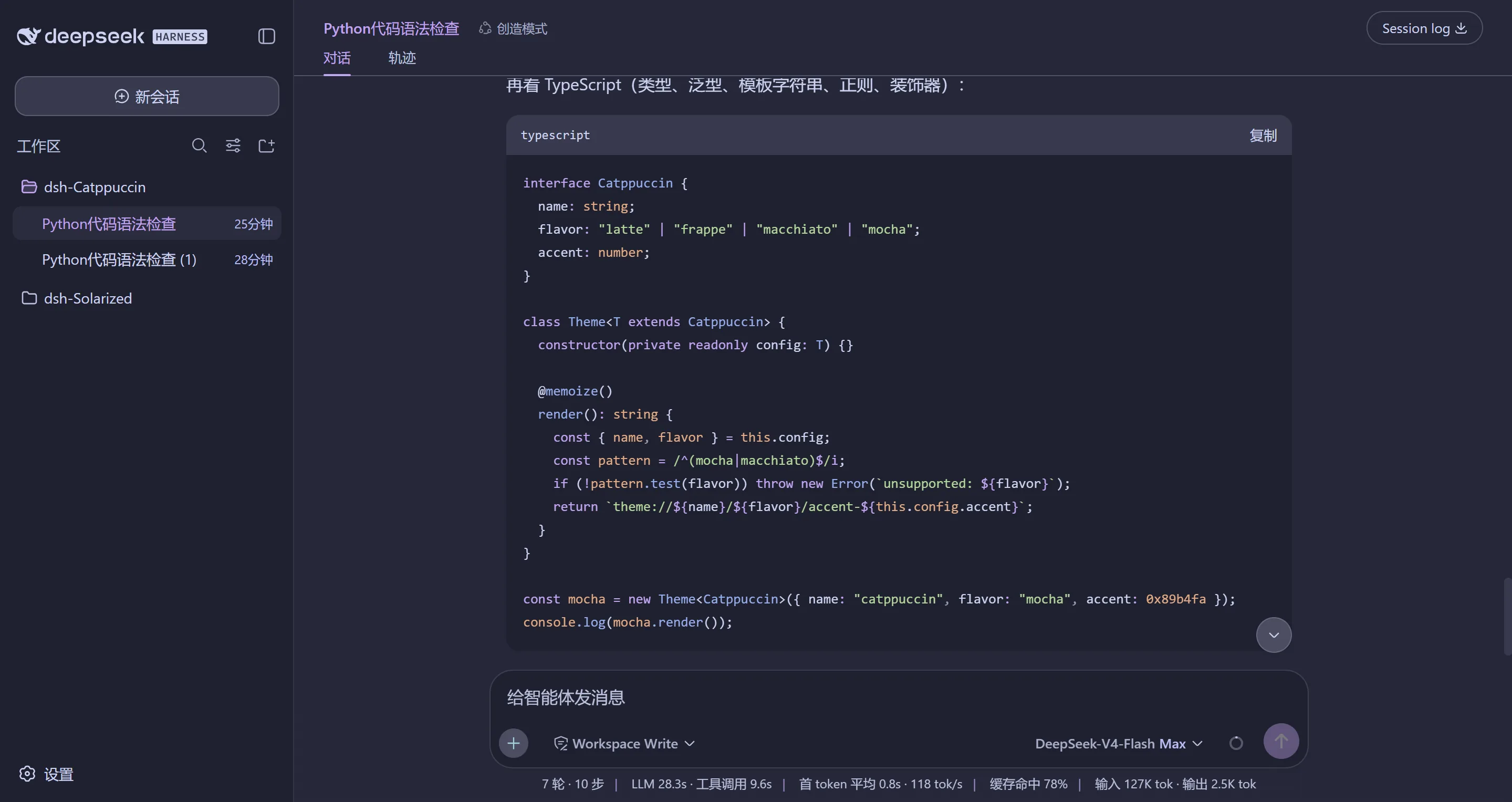
🌿 Mocha
Install
From GitHub (recommended — always the latest):
dsh plugin --profile web add github:zhijun-dai/Catppuccin-dsh-theme
From npm:
dsh plugin --profile web add dsh-catppuccin
💡 The npm release may lag slightly behind GitHub. For the very latest, use the GitHub install above (pin a branch with
#branch-name).
For DSH Desktop, target the desktop profile:
dsh plugin --profile desktop add dsh-catppuccin
dsh-TUI (terminal themes)
The same package also syncs the four Catppuccin themes into your dsh-TUI. Install into the TUI profile and they land on the first start:
dsh plugin --profile dsh-tui add dsh-catppuccin
Then pick a theme inside the TUI: /theme catppuccin-mocha.
💡 Installed into a web/desktop profile of a user who also runs dsh-TUI, the themes stay in sync on every web start — no second install needed. No
~/.dsh-tuion disk? Strict no-op, nothing is created.
Restart the web server afterwards:
dsh web
Usage
Open the web UI, go to Settings → General, and pick one of the four Catppuccin flavors (or Default to follow the built-in appearance). Choice is saved per browser and restored at boot.
FAQ
Q: I installed the plugin but don't see the themes in Settings.
Make sure the profile you installed into is the one dsh web runs
(--profile web above), and restart dsh web after installing.
Q: How is my choice remembered?
It lives in browser localStorage (instant) and, for Desktop users, in a
small durable file under $DSH_HOME — so it survives restarts, model
switches and Desktop's per-launch port changes. Your explicit
light/dark/system pick in the built-in Appearance row always wins.
Q: How do I upgrade?
Re-run the install command (it fetches the newest release), or check the
Settings row — it silently tells you when a newer version exists and shows
the copyable upgrade command. Then restart dsh web.
How it works
The theme definitions are generated from the official
catppuccin/palette palette.json
(never hand-edited). scripts/gen-themes.mjs maps the 26 Catppuccin colors
per flavor onto the --dsw-alias-* token directory from dsh's
@deepseek-ai/dsh-client-ui-theme stylesheets (including the --shiki-*
syntax palette and the leaked --dsw-static-deepseek-* static colors),
writes the per-flavor token tables to themes/, and embeds them into the
browser bundle lib/client.js. The dsh-TUI themes come from
scripts/gen-tui-themes.mjs.
💝 Thanks to
- zhijun-dai
- Catppuccin
- KinGao294/dsh-skin — the reference theme plugin this port is modeled on
- DeepSeek
🏆 Listed on Awesome DSH Plugin

Copyright © 2026-present zhijun-dai

Related plugins
dsh-deep-whale (maid-atelier)
small-tailqwq/dsh-deep-whale
dsh-deep-whale
small-tailqwq/dsh-deep-whale
dsh-wallpaper-engine
elysia395/dsh-wallpaper-engine
open-sea-skin
d-dev0101/open-sea-skin