Z
dsh-add-to-chat
zoenghao-gif/dsh-add-to-chat
Right-click any selected assistant reply and add it to the composer as a removable quote chip. The selected text is delivered to the model as hidden context, so your message bubble keeps only your own words.
Install
dsh plugin --profile web add github:zoenghao-gif/dsh-add-to-chatREADME
dsh-add-to-chat
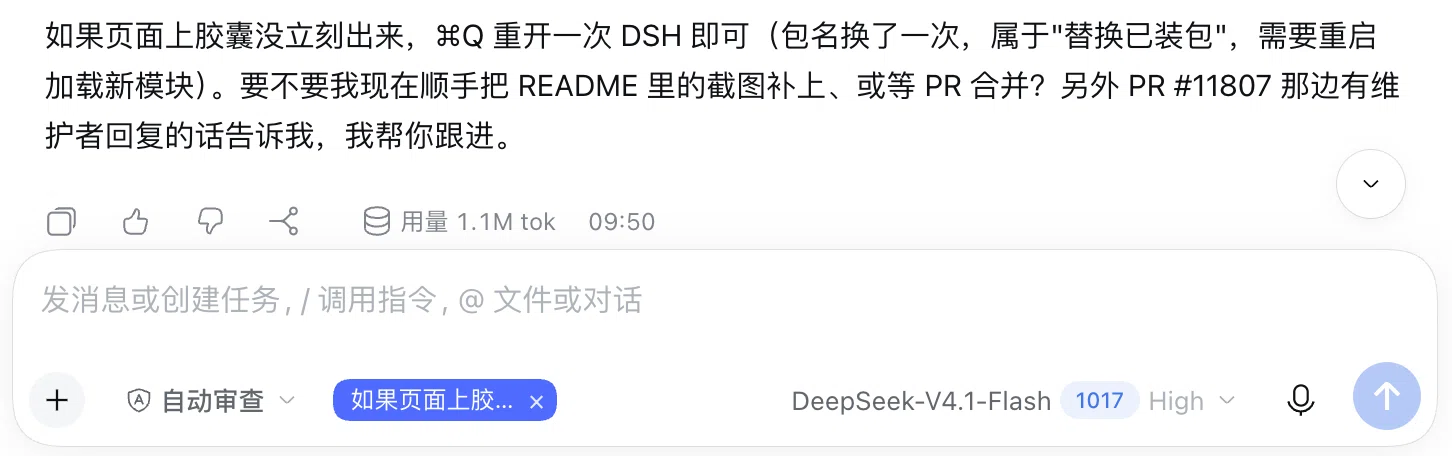
选中我(助手)回复里的一段文字,右键「加入对话」,这段原文会以可移除的引用胶囊出现在输入框里;发送后原文作为隐藏上下文交付给模型,你的消息气泡里只显示你自己打的字。
用法
- 在任意一条助手回复里选中一段文字。
- 右键,菜单里除了「复制」还有「加入对话」。
- 输入框内出现蓝色的引用胶囊(只显示前 6 个字,悬停看全文;点 × 可撤掉)。
- 补上你自己的意见并发送——模型会收到你选中的完整原文,消息里只保留你自己的话。
说明
- 胶囊位于输入框内的工具行,发送一次后自动消失。
- 选中内容通过模型的提示上下文通道投递,不写进用户消息,也不会污染会话记录。
安装
dsh plugin --profile <profile> add dsh-add-to-chat
或在 DSH 的插件市场 / 发现页搜索 dsh-add-to-chat。
许可
MIT
Related plugins
Z
dsh-web (dsh-task-board)
zhu1090093659/dsh-web
10.1k6 hours agoUI EnhancementsApache-2.0
Z
dsh-web (dsh-web-all)
zhu1090093659/dsh-web
10.1k6 hours agoUI EnhancementsApache-2.0
C
dsh-TUI
ccch1mneyyy/dsh-tui
7k4 hours agoUI EnhancementsMIT
Z
dsh-web-ui (dsh-task-board)
zhu1090093659/dsh-web-ui
6.3k2 months agoUI EnhancementsApache-2.0