dsh-codex-appearance
aaronkate/dsh-codex-appearance
Adds an appearance settings page to DeepSeek Harness: five eye-comfort light themes, each with its own accent and link colours, plus controls for the accent and background colours, UI and code fonts and sizes, font styles, content width, contrast and reduced motion.
Instalar
dsh plugin --profile web add github:aaronkate/dsh-codex-appearanceREADME
DeepSeek Harness 护眼外观插件
在设置中增加「外观」页,提供五套护眼主题(暖白、米纸、豆沙绿、雾蓝、石墨),以及跟随系统/浅色/深色模式、强调色与背景色、界面与代码的字体和字号、字体样式、内容宽度、对比度、纸张质感和减少动态效果等设置。每套主题各自带有匹配的强调色与链接色,并覆盖消息气泡、轮次预览、输入框、改动文件卡片等界面区域;深色模式保持蓝灰。字体下拉会列出本机安装的全部字族(由插件主进程读取系统字体清单,读不到时回退到内置候选探测),可分别设置界面、内容与代码字体。纸张质感在内容区、侧栏、输入框和卡片上叠一层极淡的纸纤维颗粒,强度可调;纹理自带主题底色,不改变原有色温,也不触碰原生标题栏。输入框在鼠标移入时轻微上浮、聚焦输入时落回原位。通过 Harness 的主题 token 和设置 section 扩展点工作;设置保存在当前桌面应用的本地浏览器存储中。
Eye-comfort appearance controls for DeepSeek Harness: five light themes, accent and background colours, typography, content width, contrast and motion. This is an independent community plugin, not an official Codex or DeepSeek product.
已在 Windows 上 DeepSeek Harness 0.2.0-rc.2 中验证安装、设置界面与浅色/深色主题效果。字体清单通过主进程调用系统接口读取(Windows 用 GDI+,macOS 用 system_profiler,Linux 用 fc-list),不修改系统设置。
截图
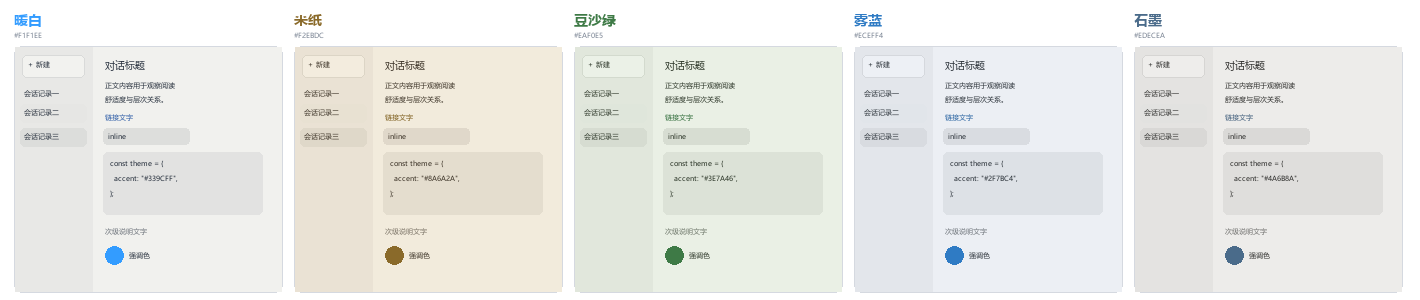
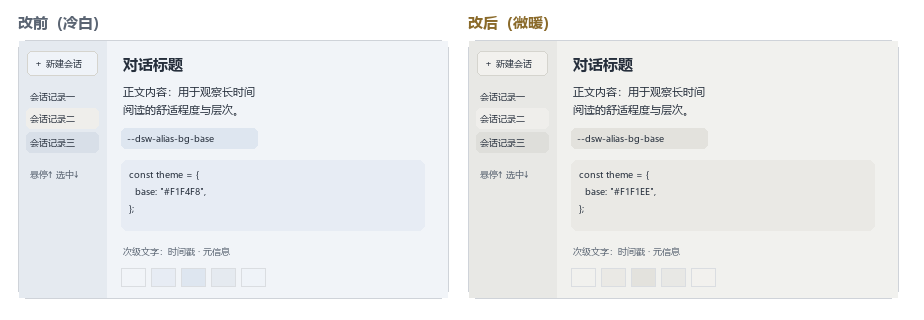
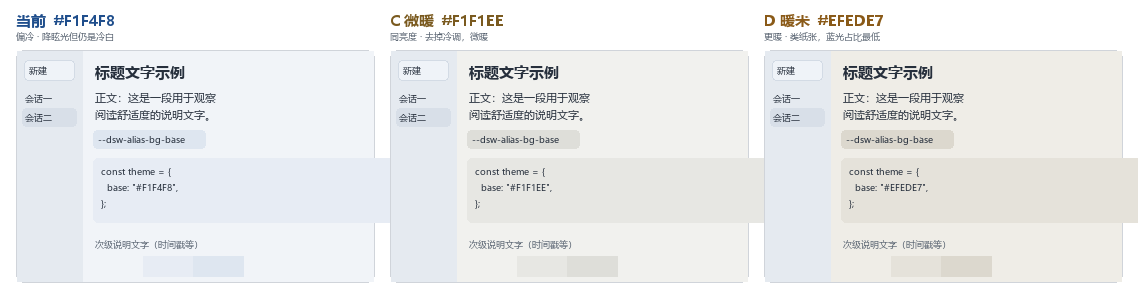
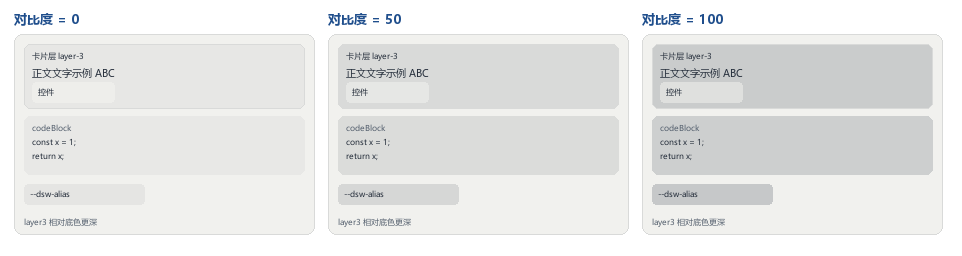
安装
从 Releases 下载 dsh-eye-comfort-0.3.9.tgz,执行:
dsh plugin --profile desktop add ./dsh-eye-comfort-0.3.9.tgz
本地开发可在仓库根目录 npm pack 后从 dist/ 安装打包产物。
重启 DeepSeek Harness,在「设置 → 外观」中调整。Windows 上 PowerShell 同样使用以上命令;路径可改为下载文件的绝对路径。要求 DeepSeek Harness 版本包含 ui-theme 和 settings.section 插件接口。
从
dsh-codex-appearance改名为dsh-eye-comfort。若你装过旧版本,请先执行下方卸载命令移除旧包,再按上面的方式安装新包;外观设置保存在浏览器存储中,与包名无关,重装后不会丢失。
卸载
dsh plugin --profile desktop remove dsh-eye-comfort
此插件不修改应用安装包或签名。与其他主题插件同时启用时,最后注册的 token 覆盖层决定同名颜色。当前版本的设置属于本机当前桌面应用,不跨设备同步。
Plugins relacionados
dsh-deep-whale (maid-atelier)
small-tailqwq/dsh-deep-whale
dsh-wallpaper-engine
elysia395/dsh-wallpaper-engine
dsh-deep-whale
small-tailqwq/dsh-deep-whale
open-sea-skin
d-dev0101/open-sea-skin