dsh-archive-manager
ggquanta528/dsh-archive-manager
Plugin Web do DSH instalável via npm para gerenciar sessões arquivadas.
Instalar
dsh plugin --profile web add github:ggquanta528/dsh-archive-managerREADME
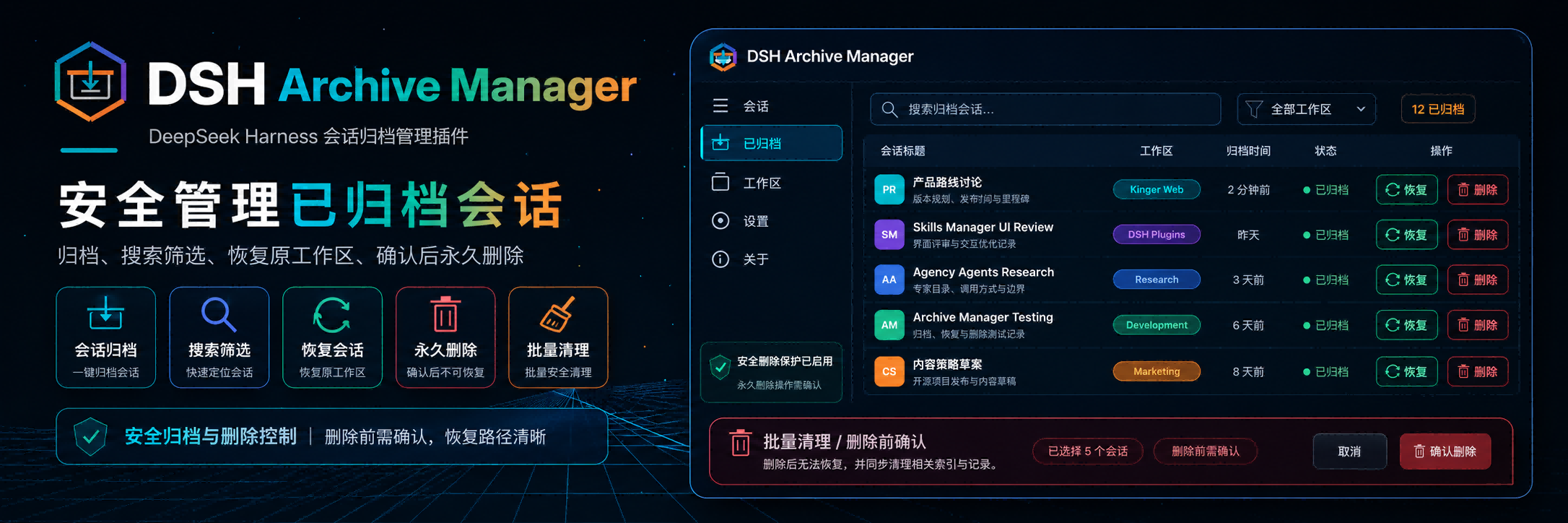
DSH Archive Manager
Safely manage archived sessions in DeepSeek Harness
简体中文 · Changelog · Apache-2.0





DSH Archive Manager is a community-maintained DeepSeek Harness (DSH) plugin, not an official DeepSeek AI product.
Fork of @michengai/dsh-archive-manager. This fork removes the "Delete Session" option from the workspace sidebar to prevent accidental deletion; permanent deletion is still available through Settings → Archived. All other functionality is preserved.
Features
- Archive a session from the sidebar session menu.
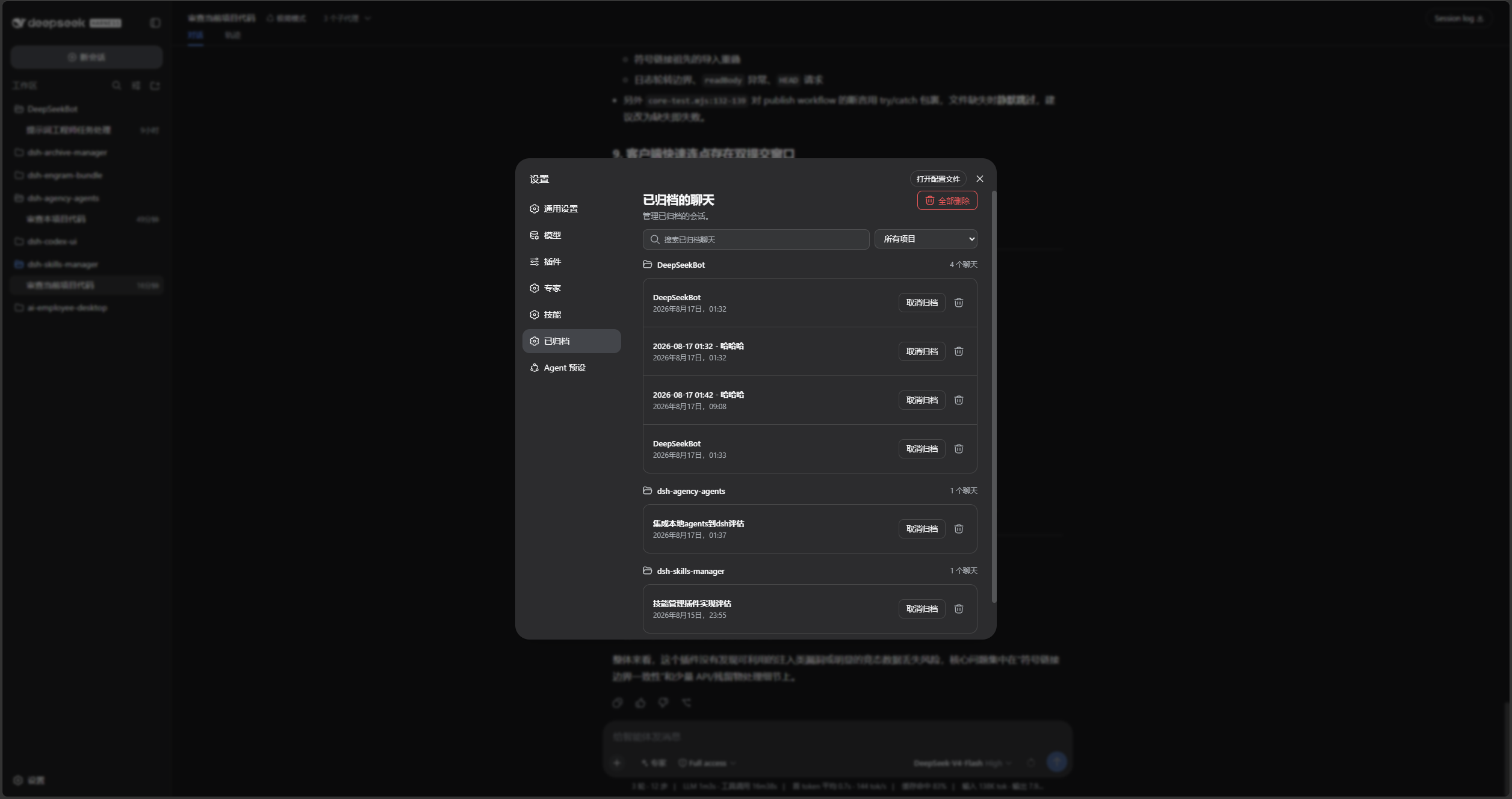
- Search archived chats, sort them by update time, creation time, or title, and filter them by workspace in Settings → Archived.
- Restore a session to its original workspace with Unarchive.
- Restore or permanently delete every archived chat in a project group.
- Restore all archived chats from the page header.
- Permanently delete a confirmed session, its workspace association, archive marker, and projection cache.
- Delete all archived chats after confirmation, including child agents.
- Remove unloaded deleted sessions from connected sidebars immediately.
- Fork difference: The "Delete Session" option is removed from the workspace sidebar to prevent accidental deletion. Permanent deletion is still available through Settings → Archived.
Screenshots
Search, sort, filter by project, unarchive, or permanently delete chats in Settings → Archived:
DSH product ecosystem
This product can be installed independently or used through the desktop app or Web suite. They share the same DSH core but serve different ways of working:
| Product | Relationship to this product |
|---|---|
| DeepSeek Harness | The host runtime that provides models, sessions, tools, and the plugin system |
| DSH Codex Desktop | A ready-to-install desktop product with this product and the other five feature products built in |
| DSH Codex Suite | A one-click suite for existing DSH Web environments that installs this product and the other five feature products |
| Six feature products | Codex UI · IM Connect · Automation · Skills Manager · Archive Manager · Agency Agents |
Prerequisites
- A working DeepSeek Harness Web installation with
dshavailable in PowerShell. - Examples use the
webprofile; replace it with the target profile. - Development requires Node.js 22+ and pnpm.
Installation
Install from npm (recommended)
[Console]::OutputEncoding = [System.Text.Encoding]::UTF8
$OutputEncoding = [System.Text.Encoding]::UTF8
dsh plugin --profile web add @ggtec528/dsh-archive-manager
dsh --profile web --dump-config
Restart DSH Web and hard-refresh the browser. The configuration output should contain workspace-archive-manager and ui-workspace-archive-manager.
Install from source
Clone the repository and install it as a local plugin:
[Console]::OutputEncoding = [System.Text.Encoding]::UTF8
$OutputEncoding = [System.Text.Encoding]::UTF8
git clone https://github.com/ggquanta528/dsh-archive-manager.git
Set-Location .\dsh-archive-manager
pnpm install --frozen-lockfile
pnpm build
dsh plugin --profile web add .
dsh --profile web --dump-config
Install from local directory (for development)
[Console]::OutputEncoding = [System.Text.Encoding]::UTF8
$OutputEncoding = [System.Text.Encoding]::UTF8
Set-Location /path/to/dsh-archive-manager
pnpm install --frozen-lockfile
pnpm build
dsh plugin --profile web add .
dsh --profile web --dump-config
If dsh is not on PATH, replace the leading dsh with npx --yes @deepseek-ai/dsh.
Usage
- Open the sidebar session menu and choose Archive session.
- Open Settings → Archived to inspect sessions by workspace.
- Search by title, sort by update time, creation time, or title, or filter the list by project.
- Select Unarchive to restore one session, or select Restore all in the page header.
- Open a project heading's action menu to restore or delete all of that project's archived chats.
- To permanently delete a session, go to Settings → Archived, find the session, and use the delete icon. It cannot be undone.
If the entry is missing after installation or upgrade, restart DSH Web and hard-refresh the browser. It is located directly after Connectors in Settings.
Data handling limits
- Deletion always requires confirmation.
- It removes the session directory, workspace records, archive set, and projection cache.
- A live session finishes writing before cleanup to prevent data truncation.
- The plugin replaces DSH’s default workspace and projection services. Install through the DSH profile instead of manually composing the patch.
Secondary development
This repository has no src directory. lib is directly maintained runtime source, which is its current layout rather than the recommended layout for new plugins. New plugins should prefer src built to lib.
- lib\index.js: host service entry point.
- lib\workspace.js: archived-session and workspace service.
- lib\projcache.js: session projection cache.
- lib\client.js: Settings page and archive UI.
test\*.test.mjs: host, client, Remote, and styling coverage.
After changing the runtime source, validate, test, and install from the local directory:
[Console]::OutputEncoding = [System.Text.Encoding]::UTF8
$OutputEncoding = [System.Text.Encoding]::UTF8
pnpm build
pnpm test
pnpm pack:check
dsh plugin --profile web add .
pnpm build validates package integrity; it does not compile lib into another directory.
Validation
[Console]::OutputEncoding = [System.Text.Encoding]::UTF8
$OutputEncoding = [System.Text.Encoding]::UTF8
pnpm build
pnpm test
pnpm pack:check
prepublishOnly runs the build check and tests before publishing.
License
Licensed under Apache License 2.0.
Changelog
See CHANGELOG.md for retained release notes.
Acknowledgments
Thanks to @michengai/dsh-archive-manager for the original repository that this project was forked from.
Plugins relacionados
dsh-web-ui (dsh-chat-recovery)
zhu1090093659/dsh-web-ui
billion-context
ranxianglei/billion-context
dsh-synapse
liangmianya/dsh-synapse
dsh-archive-manager
michengai/dsh-archive-manager