deepseek-whale-wallpaper
heshen-1/deepseek-whale-wallpaper
Papel de parede de baleia em matriz de pontos ao vivo para a interface web DSH: ~1.750 partículas WebGL2 respirando com vórtices líquidos do ponteiro, temas claro/escuro e fallback Canvas2D.
Instalar
dsh plugin --profile web add github:heshen-1/deepseek-whale-wallpaperREADME
🐋 Harness Whale Wallpaper



A live wallpaper plugin for the DeepSeek Harness web UI — the dot-matrix whale you know from DeepSeek, rebuilt as ≈1,750 breathing WebGL2 particles that slowly turn in the mist and swirl around your pointer like liquid. Light and dark themes both included. No branding, no particle connection-lines, no clutter.
📣 Listed in awesome-dsh-plugin — the curated DeepSeek Harness plugin list.
✨ Demo
Both themes are live wallpapers: the whale keeps breathing and turning, mist drifts, and when your pointer crosses the whale, nearby particles swirl around it like a liquid vortex (motion only — no glow or ring) and softly settle back (~800 ms). GIFs below run at exactly 2× speed — 18 frames of 100 ms of animation each, captured through a deterministic clock rather than a screen recorder, so no frame is a time lapse and the real pace is calmer. Try the live preview →
Dark mode

Light mode

Inside the real Harness UI
Captured from a live DeepSeek Harness web client. The wallpaper layer sits beneath the app frame — sidebar, conversation canvas and input area keep working, particles swirl behind the interface.
| Light UI | Dark UI |
|---|---|
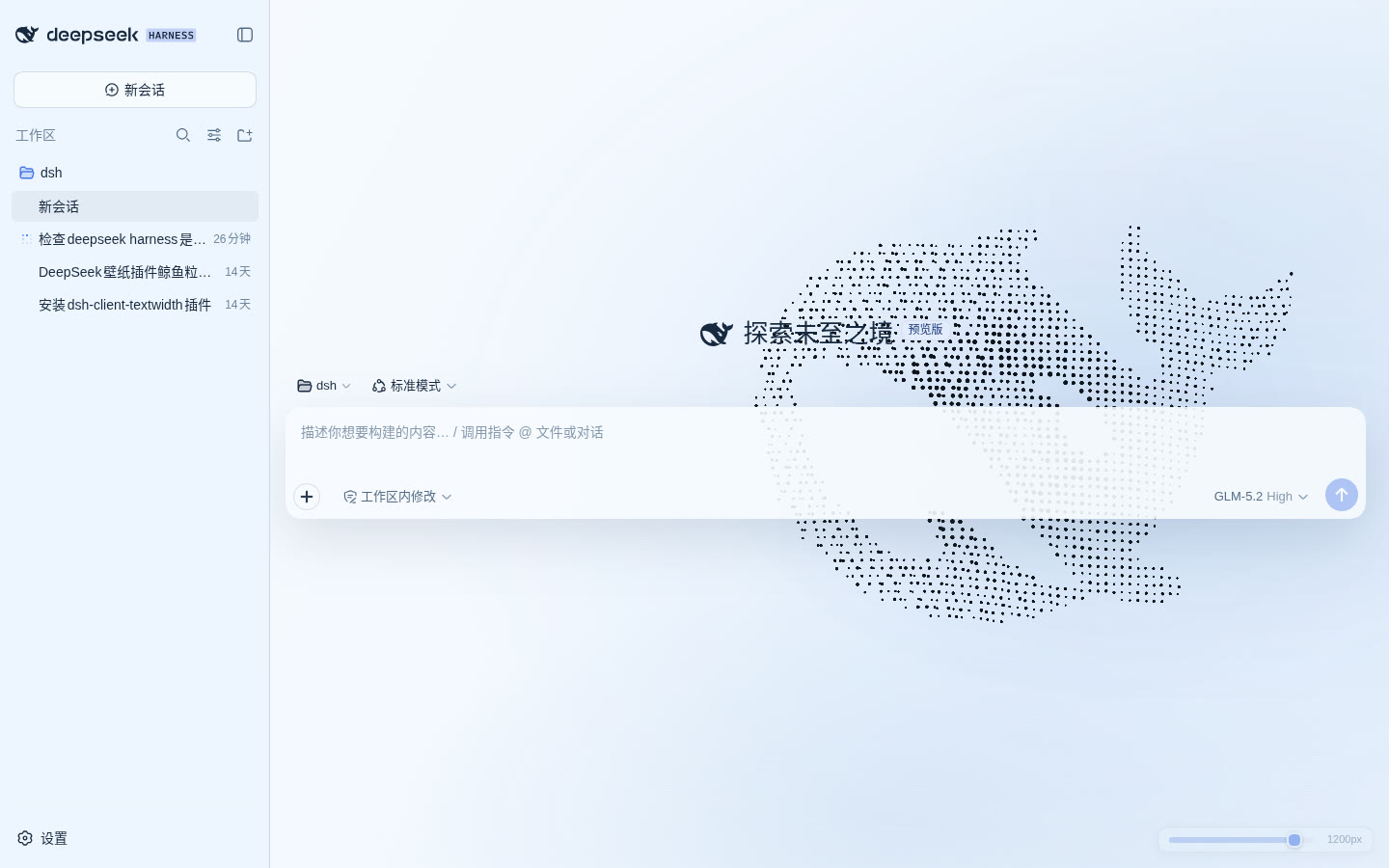 | 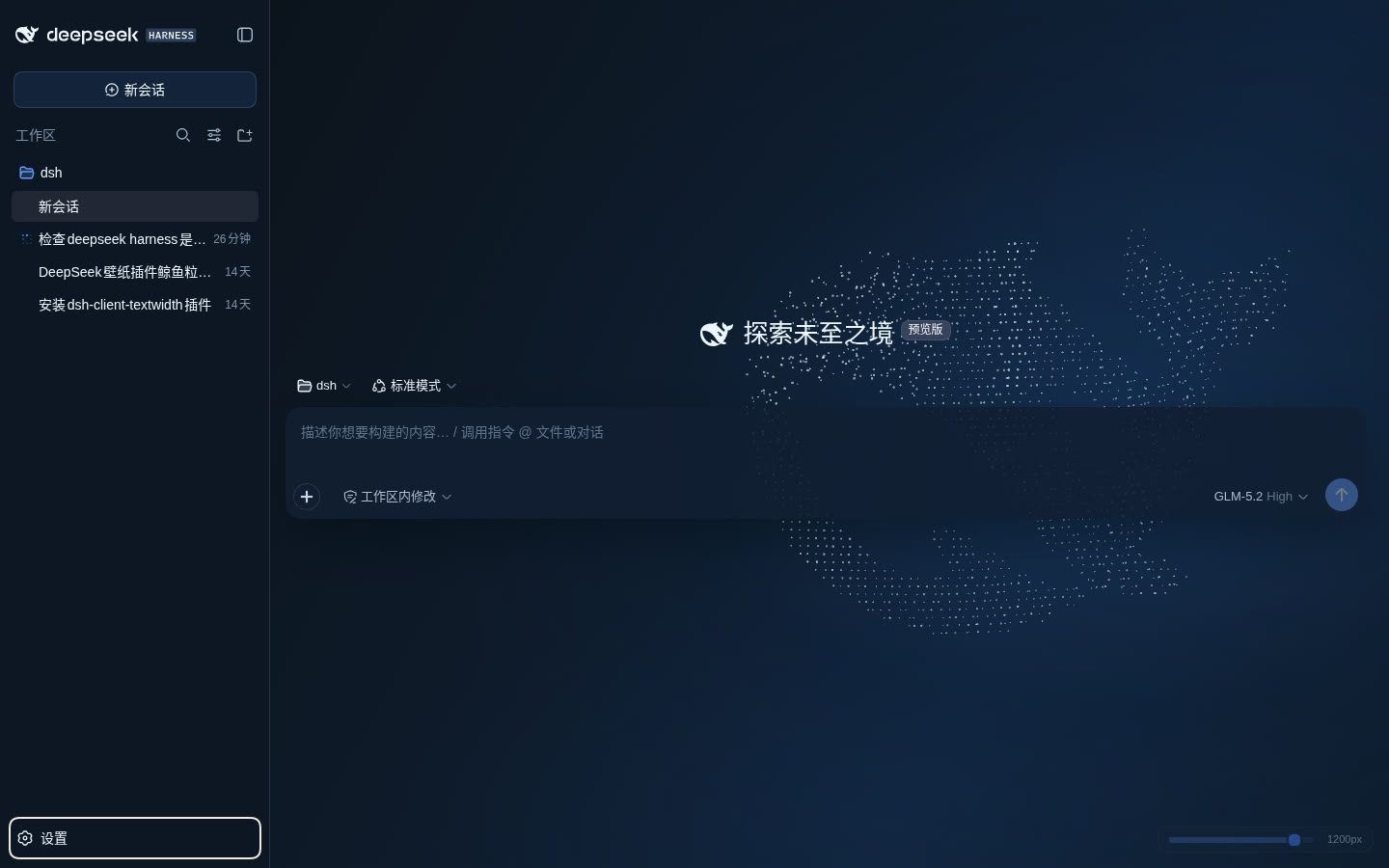 |
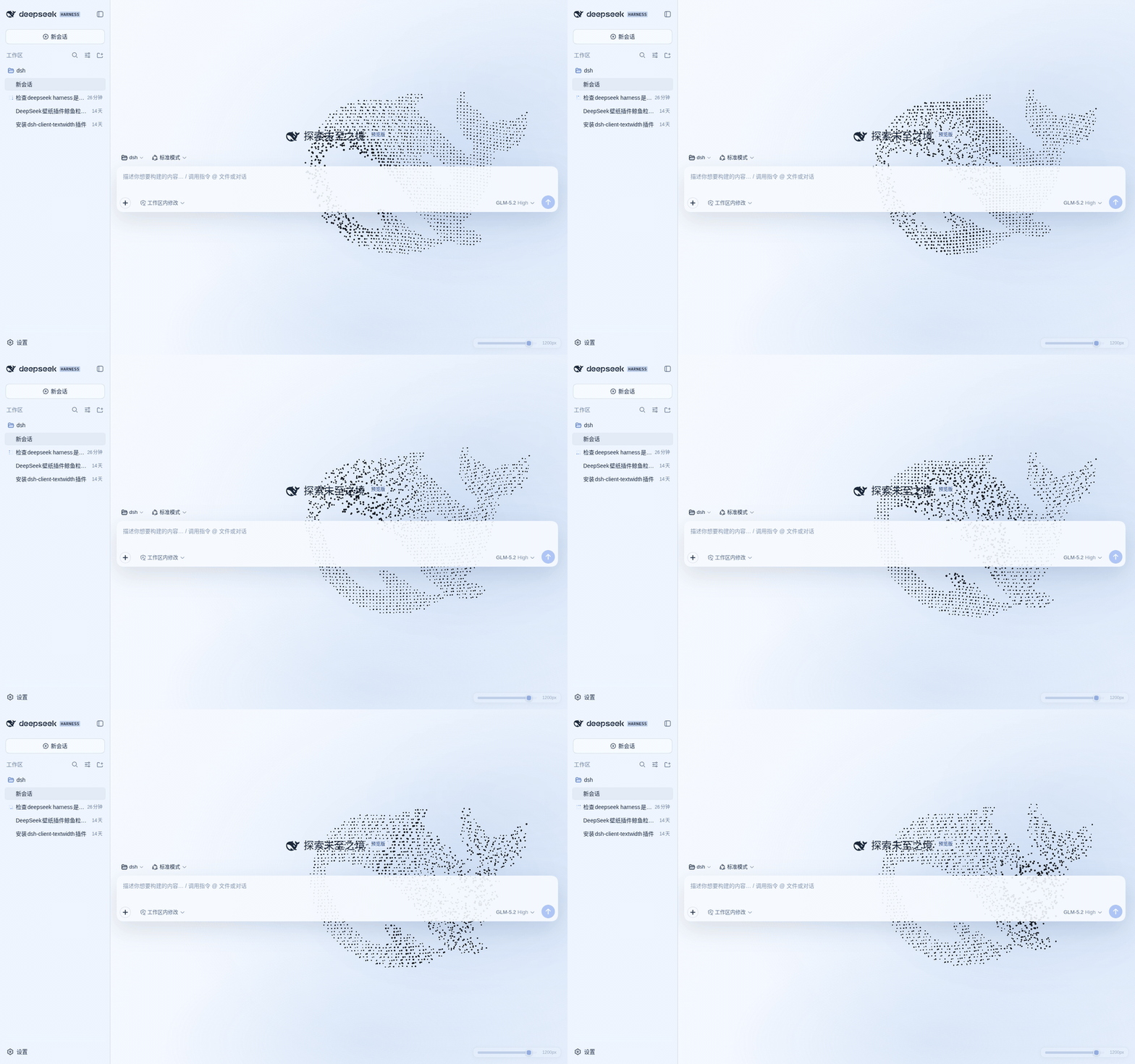
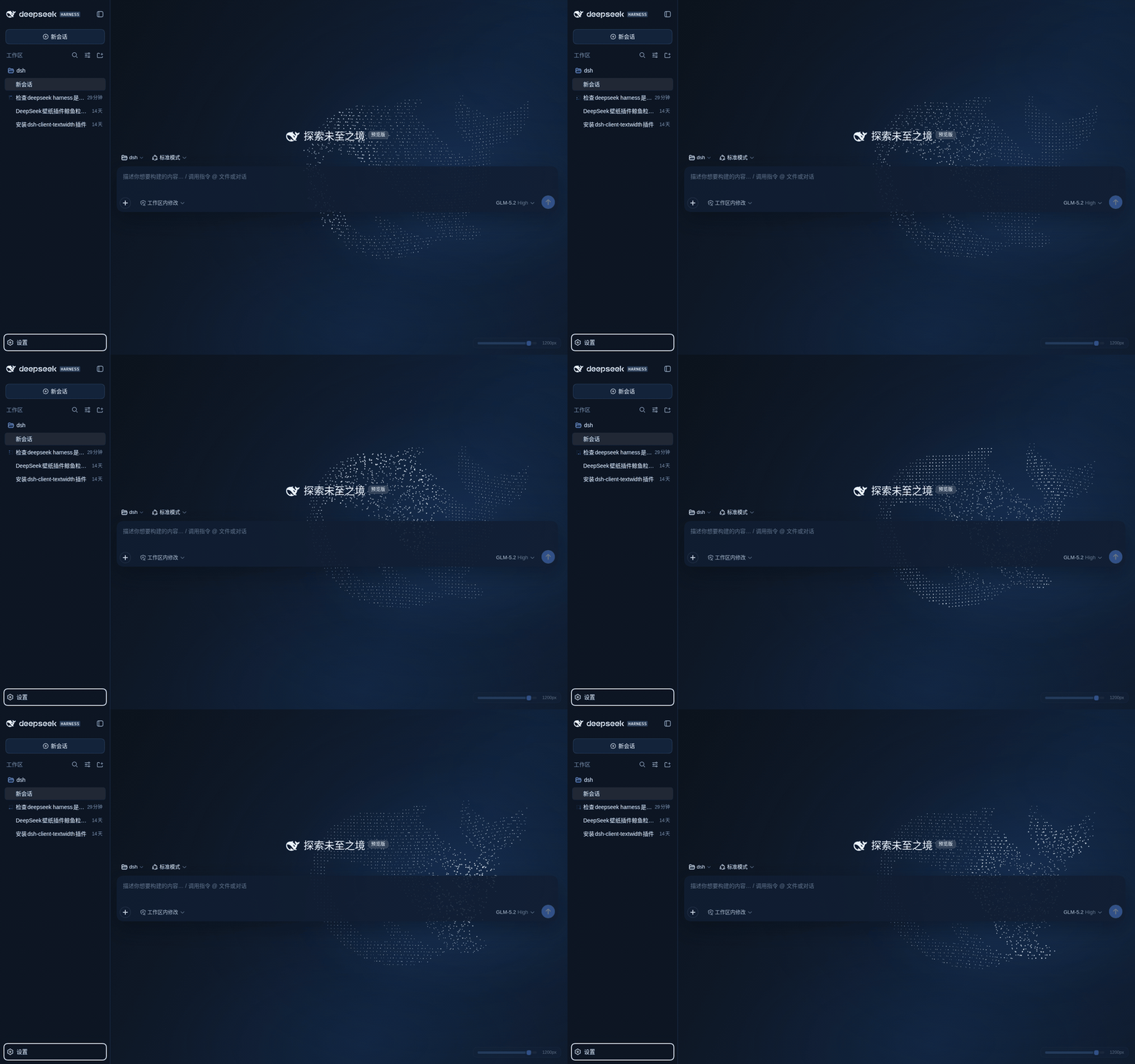
📦 Install
Requires the DeepSeek Harness dev-preview (@deepseek-ai/dsh) with its web profile.
A. From a release tarball
-
Download
dsh-plugin-harness-whale-<version>.tgzfrom Releases and extract thepackage/folder to:~/.dsh/profiles/node_modules/dsh-plugin-harness-whale -
Register it in the
insertlist of~/.dsh/profiles/web/cordis.patch.yml:- insert: - id: harness-whale-wallpaper name: dsh-plugin-harness-whale config: enabled: true quality: auto brightness: 0.9 scale: 1 interactionStrength: 1 activeDimming: 0.22 -
Restart
dsh weband refresh http://127.0.0.1:3080 — the whale appears behind the app. Tweak the values above for a non-default look.
B. Look before you leap
Open the online preview — the same render kernel as the plugin, no install needed.
⚙️ Configuration
Override per-profile via cordis.patch.yml; defaults live in the plugin's own cordis.patch.yml:
| Field | Default | Meaning |
|---|---|---|
enabled | true | Enable wallpaper + theme overrides |
quality | auto | auto / low / medium / high |
brightness | 0.9 | Whale brightness, 0.35–1.4 |
scale | 1 | Whale size, 0.72–1.25 |
interactionStrength | 1 | Parallax and vortex strength, 0–1.5 |
activeDimming | 0.22 | Opacity while typing/running, 0.12–0.6 |
Values are validated host-side by Schemastery and served to the client through a same-origin read-only endpoint. If public slots or required services are missing in your Harness build, the plugin logs a clear error and stops safely.
🌊 Behavior
- The whale outline is sampled directly from the
favicon.svgpath in this repo — WebGL2 renders ≈1,750 regular grid points. - ~11 s vertical breathing, a ~29 s slow turn, plus tail-fin motion and gentle buoyancy; the pointer adds ~6° parallax and a positional offset.
- Inside the whale, particles within ~200 px of the pointer form a continuous liquid vortex (motion-only feedback, no brightness or size change); after the pointer leaves they settle back softly in ~800 ms. The base dot matrix is never modified.
- Follows the Harness appearance setting (light / dark / system): dark keeps white→ice-blue particles over a deepened pool, light switches to high-contrast ink
#050b14over a brightened pool, with matching semantic tokens, mist layers and background. - Both themes expose the full-screen base layer behind the app frame; sidebar, inputs, conversation content and settings windows keep their own surfaces — no full-screen veil washing out the dots. The reading scrim covers the measured text blocks only, not the whole column, so the ink keeps its near-black (light) / white (dark) value in every margin no glyph touches.
- Full brightness with no session open; ~78 % once a session opens; at least 50 % while typing or a task runs (still honors a stronger
activeDimming), ~600 ms transitions. - Pauses when the page is hidden; completely still under
prefers-reduced-motion: reduce. - DPR capped at 1.5;
autosteps down high → medium → low after sustained frame drops. - Without WebGL2, a static Canvas2D dot-matrix whale is rendered automatically.
- On disable or hot-swap, every DOM node, style, listener and animation is removed and the original Harness theme is restored.
🧩 Architecture & ecosystem
This is one of the first third-party client plugins for DeepSeek Harness. It participates in the lifecycle through the public shell.overlay slot: the wallpaper canvas is prepended beneath the app frame and never blocks Harness controls.
src/
├── index.ts        host entry — config route via webServer inject
├── client.tsx      client entry — mounts through shell.overlay slot
├── renderer.ts     the single WebGL2 render kernel (shared with the preview)
├── theme.ts        semantic token overrides + injected CSS
├── reading-zone.ts measures the text blocks the scrim and dot softening cover
├── self-check.ts   re-validates the shell surfaces after a Harness update
├── activity.ts     session/input/run focus dimming
├── whale-path.ts   samples the favicon.svg outline into grid points
└── config.ts       Schemastery schema + defaults
Zero runtime dependencies; three devDependencies (esbuild, typescript, schemastery). lib/ and preview.js are build artifacts produced by pnpm build.
🔧 Development
pnpm install
pnpm build     # rebuild lib/ + preview.js
pnpm check     # bundle, shell-contract and palette checks
pnpm compat    # does the installed Harness still expose every hook?
pnpm shots     # re-shoot the README stills + GIFs from the preview

# standalone preview (same renderer as the plugin)
python3 -m http.server 4173   # then open http://127.0.0.1:4173/
pnpm shots drives the preview through scripts/demo-clock.js instead of
recording wall time: every captured frame advances exactly 100 ms of animation
in 60 Hz slices, and the 18 frames are assembled at 50 ms each — the 2× the demo
section promises. Recording wall time does not survive a screenshot loop (one
shot costs ~1 s, so the "100 ms apart" frames land ~1 s apart and the GIF becomes
a ~20× time lapse) and the renderer's slow-machine guards fire while it runs, so
the captured look drifts from the shipped one. The script needs agent-browser
on PATH and python3 with Pillow; --url captures an already-running page
instead (that is how the "inside the real Harness UI" shots are taken), and
--prefix renames the pair it writes.
The preview takes its state from the query string, so a specific look can be linked
or reloaded: ?theme=light|dark, ?preset=calm|vivid, ?brightness=0.35..1.4,
?quality=low|medium|high, and ?ui=0 to hide the control panel (used for the
screenshots above). The same panel is on the live preview.
❓ FAQ & troubleshooting
No whale after installing? Restart dsh web (the client bundle composes at boot), then refresh. Check that the insert entry exists in ~/.dsh/profiles/web/cordis.patch.yml. The page body should carry data-dsh-harness-whale="true".
Does dsh plugin --profile web add dsh-plugin-harness-whale install this? No — the npm registry still only carries the old 0.2.0, and 0.3.x is not published there. Use the release tarball.
Frame drops / fan noise? Set quality: low or medium, lower brightness, or reduce interactionStrength. auto already steps quality down under sustained drops.
No WebGL2 in your browser? The static Canvas2D fallback renders automatically — you get the still dot-matrix whale instead.
Uninstall. Remove the insert entry and delete ~/.dsh/profiles/node_modules/dsh-plugin-harness-whale; the original theme and layout come back after a restart.
Updating. Extract the new release over the old directory, then restart dsh web. Every version is kept in release/ for a one-command rollback.
🔭 Compatibility
Built against the browser web UI of @deepseek-ai/dsh, verified up to 0.1.6-alpha.1. The Harness is in dev-preview, so a release can move the DOM hooks this plugin leans on (it happened twice: the shell frame lost data-details-collapsed in 0.1.5, and the conversation slot was renamed to main.conversation).
Three guards exist for that, and none of them require reading this file first:
npm run compatchecks the installed Harness for every hook the plugin uses and names what a missing one would break. Run it after upgrading the Harness, before restarting the GUI.window.__harnessWhale.check()(anddocument.documentElement.dataset.hwwStatus) reports the live state: which surfaces are transparent, how much wallpaper survives at five sample points, andfailedif the plugin could not mount at all.- If a hook moved, the whale simply stops being visible — the shell is left exactly as it was, and docs/compatibility.md lists each hook, its Harness range, and the symptom.
release/*.tgzholds every previous build for a one-command rollback.
Every hook that turns out to be stale is now a build-time failure: npm run check refuses to ship a bundle whose selectors or ink constants drifted.
🗒️ Changelog
See CHANGELOG.md.
📄 License
Plugins relacionados
dsh-wallpaper-engine
elysia395/dsh-wallpaper-engine
dsh-deep-whale (maid-atelier)
small-tailqwq/dsh-deep-whale
dsh-deep-whale
small-tailqwq/dsh-deep-whale
dsh-claude-style
nwflower/dsh-claude-style