dsh-workroom
qinghuidaqzp/dsh-workroom
A 176×50 pixel room in the right sidebar that keeps an eye on your agent: the monitor types while a session runs, a sign flashes amber and the cat sits up when one waits for your approval, a green light means new results and red means the last turn failed, with an optional chime. Its WebGL2 glass knob switches the room between day, dusk and night and, through tools/pre-execute, sets how often the agent asks before acting (ask every step, normal, hands-off); git push, publish and sudo ask in every level.
Instalar
dsh plugin --profile web add github:qinghuidaqzp/dsh-workroomREADME
dsh-workroom · 小书房
English | 中文
DeepSeek Harness(dsh)右侧栏里一间会看 Agent 脸色的像素小书房。
- 房间替你盯着会话。 显示器在敲代码,说明有会话在跑;墙上灯牌闪黄、猫坐起来、旋钮外圈发光,说明有会话在等你确认;亮绿灯打对勾,是跑完了有新结果;变红,是上一轮出错了。可以打开提示音,需要你的时候响一声。不用一直切回对话看进度,瞄一眼房间就知道。
- 旋钮拨的是"放不放心"。 拨到白天是"每步确认",改文件、跑命令都先问你;黄昏是"常规",只在装依赖时问;深夜是"放手跑",不额外打扰你。推送、发布、
sudo这类高风险命令,任何一档都要你确认。
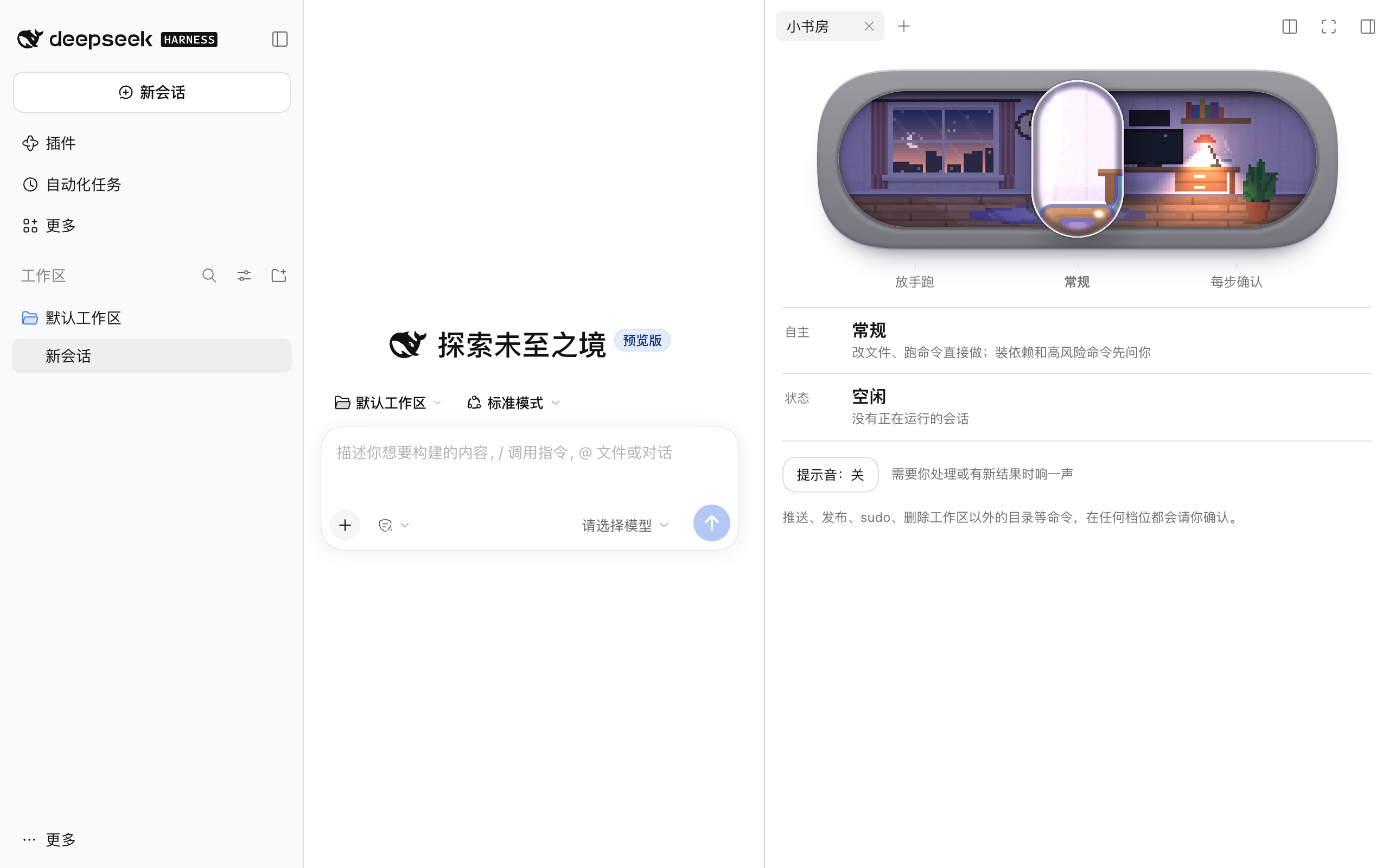
三个档位
| 档位 | 房间 | 会额外请你确认的操作 |
|---|---|---|
| 放手跑 | 深夜 | 只有高风险命令 |
| 常规(默认) | 黄昏 | 安装依赖或下载代码、高风险命令 |
| 每步确认 | 白天 | 修改文件、运行命令、安装依赖、改动本地 Git 历史、高风险命令、其他未归类的工具 |
| 放手跑 | 常规 | 每步确认 |
|---|---|---|
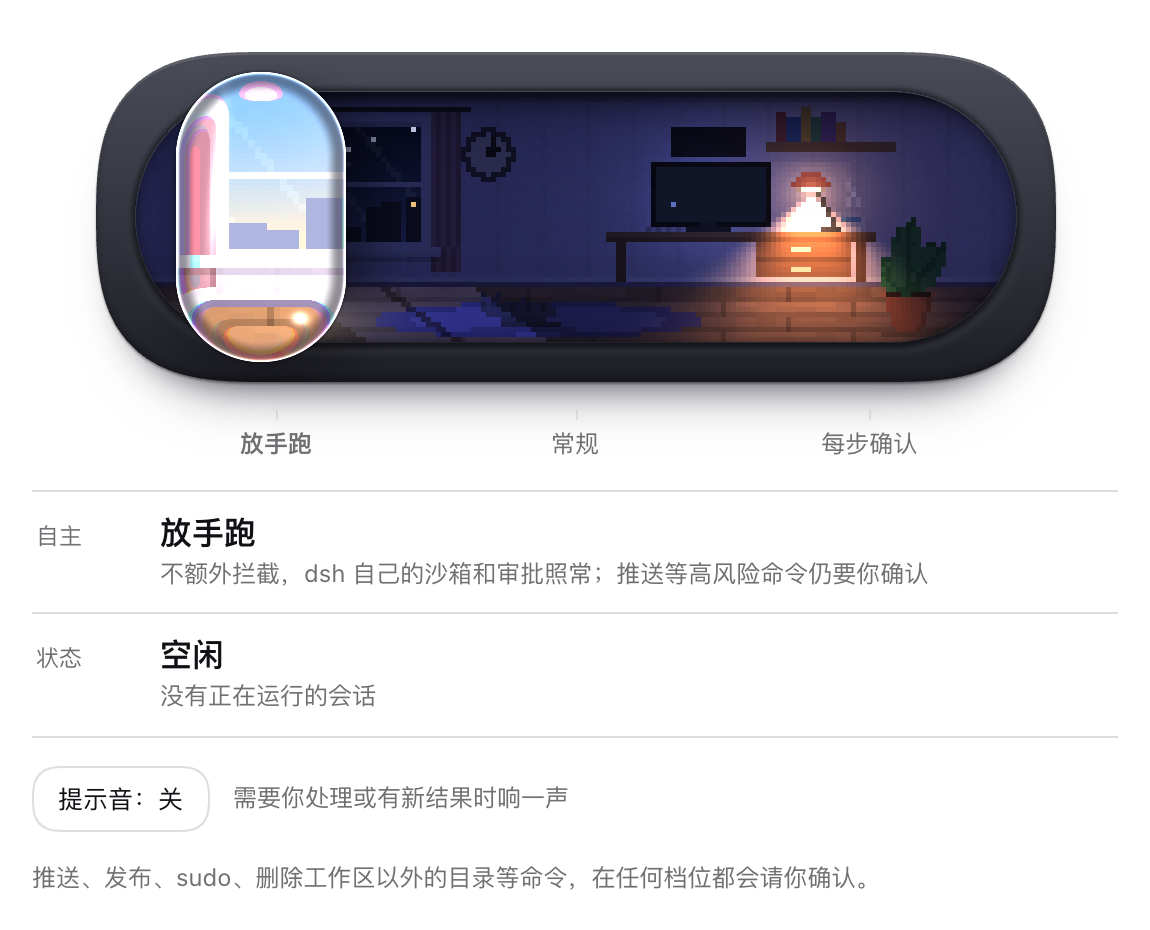 | 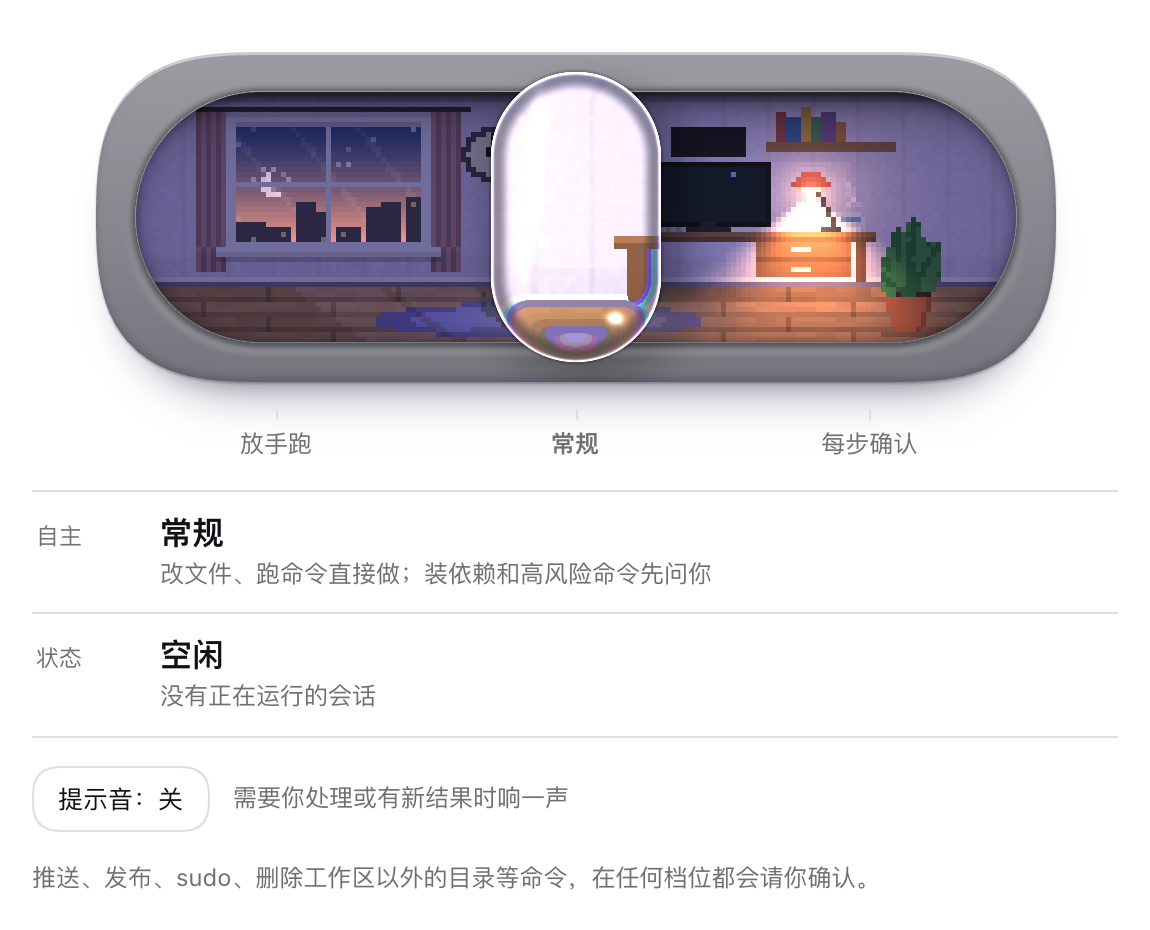 | 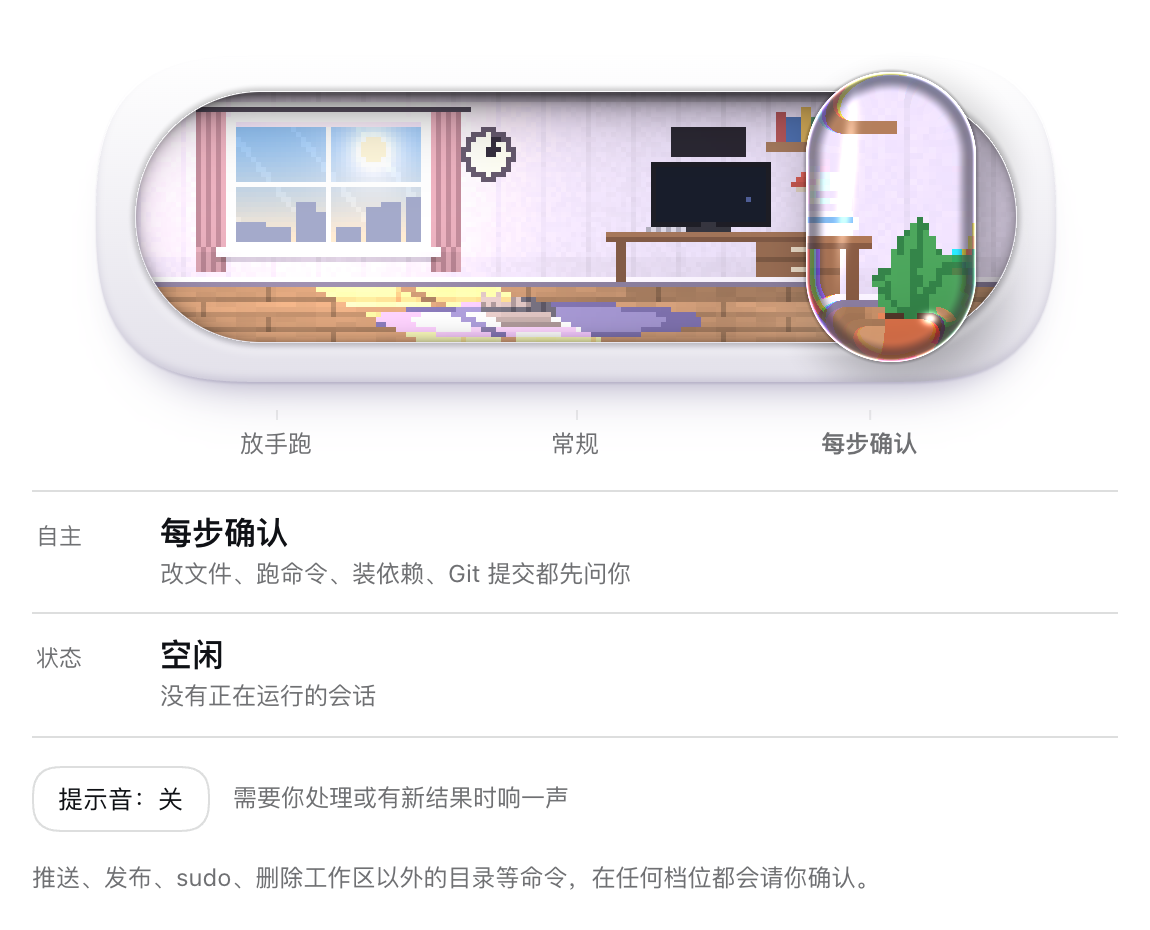 |
读取类工具(read、grep、glob、web_fetch 等)在任何档位都不会被拦。
这个插件只会"多问",不会"少问"。 每次工具调用先交给 dsh 自己的规则(沙箱、审批策略、其他插件)判断,只有原本会直接放行的调用,才可能按档位改成"请你确认"。dsh 本来就要问你或拒绝的操作,插件不会放行。所以"放手跑"等于 dsh 的默认行为,再加上对高风险命令的强制确认。
命令怎么归类
插件看工具名和 shell 命令的文本:
- 高风险(任何档位都问):
git push、npm/pnpm/yarn/bun publish、git reset --hard、git clean -f、git branch -D、对/、~、$HOME、..开头路径的rm -r、sudo、curl … | sh、chmod 777、mkfs、dd if=、shutdown/reboot、docker push、kubectl apply/delete…、terraform apply/destroy、gh pr merge / release create / repo delete…,以及你在配置里加的正则。 - 安装依赖或下载代码:
npm/pnpm/yarn/bun install|add|ci|update、npx、pnpm dlx、pip install、uv add、poetry add、cargo add/install、go get/install、brew install、apt install、gem install、composer require等。 - 改动本地 Git 历史:
git commit/merge/rebase/cherry-pick/revert/tag/stash、git checkout -b、新建分支。 - 修改文件:
write、edit、apply_patch等写入工具。 - 其余 shell 命令算"运行命令"。
归类基于命令文本匹配,是减少打扰的便利层,不是安全边界:比如一个脚本内部执行了 git push,插件看不到。真正的隔离仍然靠 dsh 的沙箱。
安装
需要 dsh ≥ 0.2.0,在 0.2.2-rc.1 上实测过。开关和房间只在 Web 界面(web profile,包括桌面版)里显示。
dsh plugin --profile web add github:qinghuidaqzp/dsh-workroom
装好后重启 dsh。在右侧栏的引导页里点 小书房 打开标签页。
档位保存在 profile 配置里(这一行的 level 字段),重启后保留,所有会话共用一个档位。
配置
- id: workroom
  config:
    level: normal              # away | normal | present,平时用开关改就行
    extraDangerCommands:       # 额外的高风险命令正则,任何档位都会问
      - 'make\s+deploy'
| 键 | 默认值 | 说明 |
|---|---|---|
level | 未设置时按 normal | 当前档位,开关会写这个字段 |
extraDangerCommands | [] | 额外的高风险命令正则 |
shellTools | bash, pwsh, shell, powershell, terminal, run_code | 参数 command 是 shell 命令的工具 |
writeTools | write, edit, apply_patch, … | 视为"修改文件"的工具 |
readTools | read, grep, glob, web_fetch, … | 永远不拦的只读工具 |
限制
- 在没有审批界面的场景(
dsh headless一次性任务、CI),"请你确认"会被 dsh 当作拒绝。在这些 profile 里不要装这个插件,或者把level设成away;但高风险命令仍然会被拒绝。 - 房间显示的是所有会话的汇总状态:只要有一个会话在等你,就显示"等你处理"。
- Web Audio 提示音只在页面打开、并且你点过一次开关或提示音按钮后才能响(浏览器限制)。
开发
npm test
集成测试走真实的 dsh 工具管线:在装了 @deepseek-ai/dsh 的目录里把本仓库放到 node_modules/dsh-workroom,然后运行 node node_modules/dsh-workroom/test/integration/policy.mjs。
许可证
MIT
Plugins relacionados
dsh-web-ui (dsh-pet)
zhu1090093659/dsh-web-ui
dsh-pet (dsh-pet)
pc2005-cloud/dsh-pet
dsh-tavern (dsh-tavern)
flizzywine/dsh-tavern
dsh-tavern (dsh-profile-bridge)
flizzywine/dsh-tavern