Pular para o conteúdo principal
S

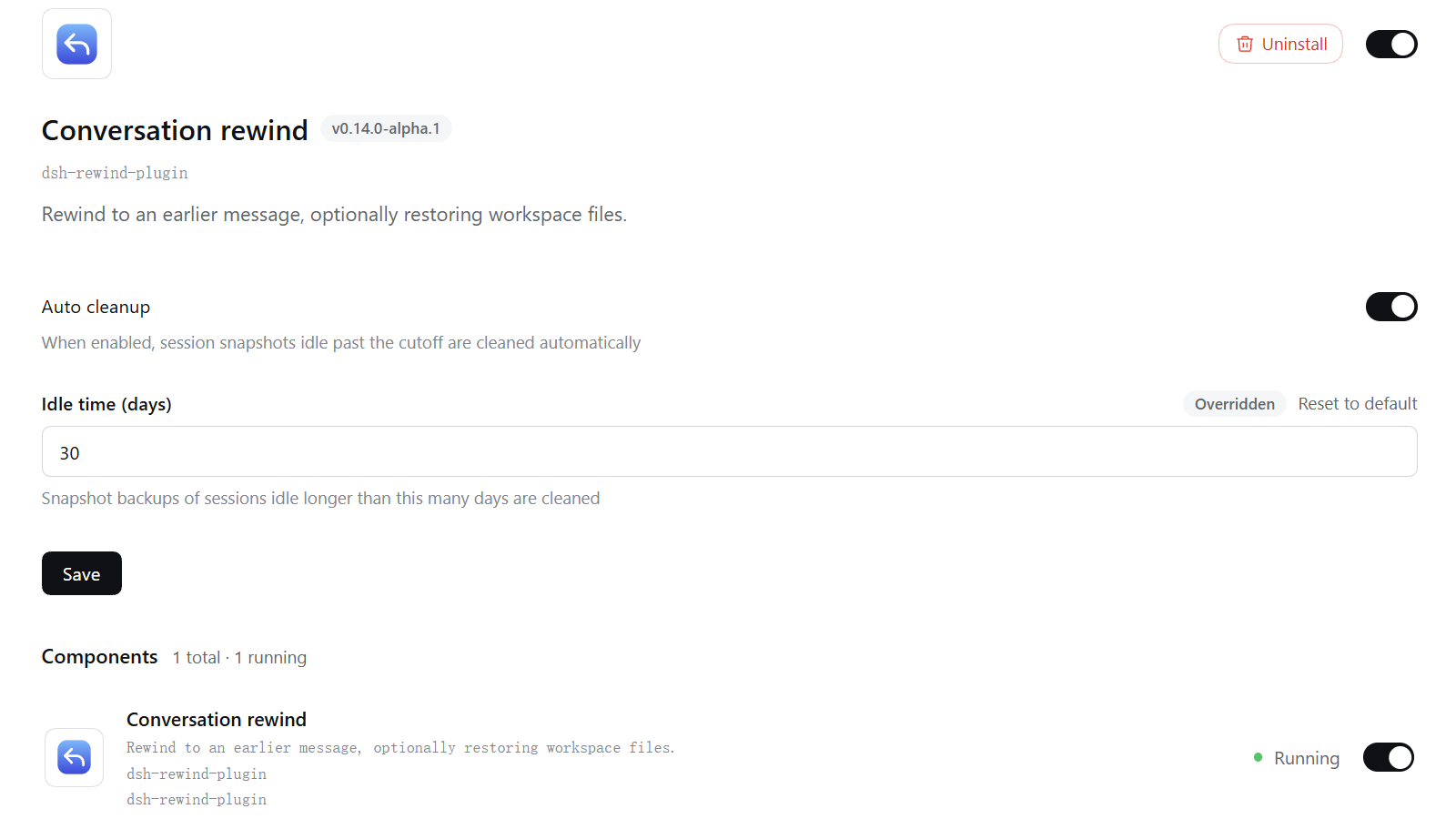
dsh-rewind

sirilee/dsh-rewind

In-place conversation rewind in the same session window without forking (Claude Code /rewind semantics): a per-message ↶ button cuts the model context back to any user message, with an optional Claude-Code-style file restore from disk-persisted before-backups.

Instalar

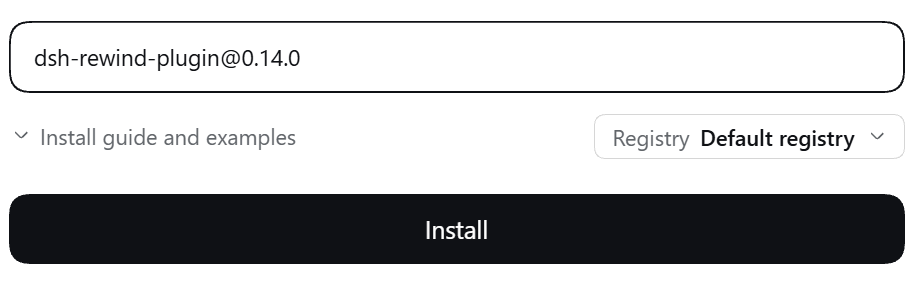
dsh plugin --profile web add github:sirilee/dsh-rewind

README

dsh-rewind

简体中文

In-place conversation rewind for DeepSeek Harness: the Claude Code /rewind semantics inside the same session window — cut the model context back to an earlier user message, and optionally restore workspace files from disk-persisted before-backups.

Status: published to npm (dsh-rewind-plugin, v0.2.3) via GitHub Actions Trusted Publishing + Sigstore provenance. Targets the web profile (dsh --profile web). Interaction mirrors Claude Code's rewind, adapted to dsh's real web UI.

npm version npm license

Table of contents

✨ Features

FeatureDescription
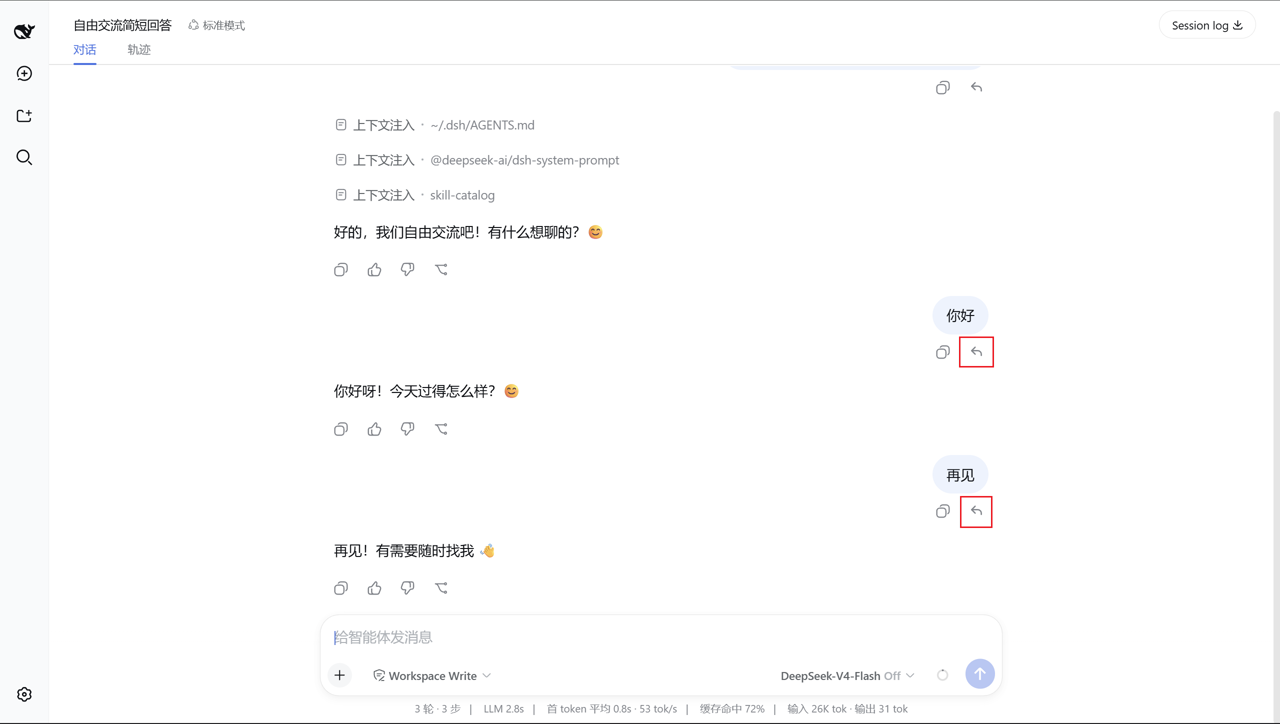
In-place rewindRewind to any user message from a per-message ↶ button: the target message and everything after it (agent replies, tool calls) are withdrawn from the model context and the rendered transcript — no new session, no window switch
Time-travel semanticsRewinding to a message withdraws that message too; its text is offered back in the composer so you can edit and re-send it
Claude-Code-style file restoreWrite-class edits are backed up before they happen and persisted on disk; "conversation and code" restores files to their pre-edit content and deletes files created after the target
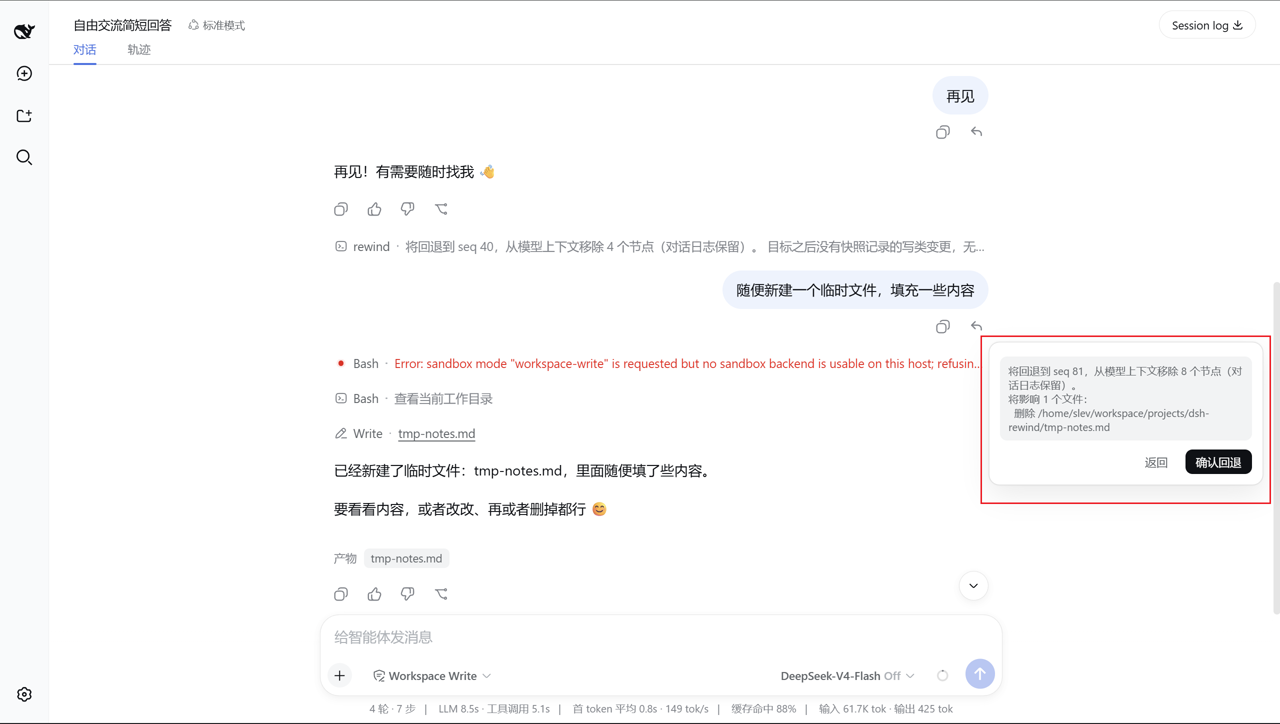
Impact preview"Conversation and code" first shows the exact restore / delete list for confirmation (the option is hidden when there are no tracked changes — like Claude Code's code-restore visibility)
Approval-plugin coexistenceCapture runs at the tools/execute around-dispatch stage, so another plugin's pre-execute approval short-circuit (e.g. dsh-edit-approval) cannot skip the backup, and a denied call never records
Paths resolved by session cwdRelative paths are backed up and restored against the real file using the fs-tools session-cwd rule; the resolved display path is what gets recorded
Restores write real filesRestore goes through plain node:fs directly to the filesystem; symbolic and hard links are skipped with a warning (no clobber through a shared inode)
Survives host restartBackups live on disk under ~/.dsh/rewind-snapshots/<session>/<anchor seq>/, newest 100 message groups per session
Localizedzh / en copy registered into the dsh locale system

📸 Screenshots

Per-message ↶ rewind button
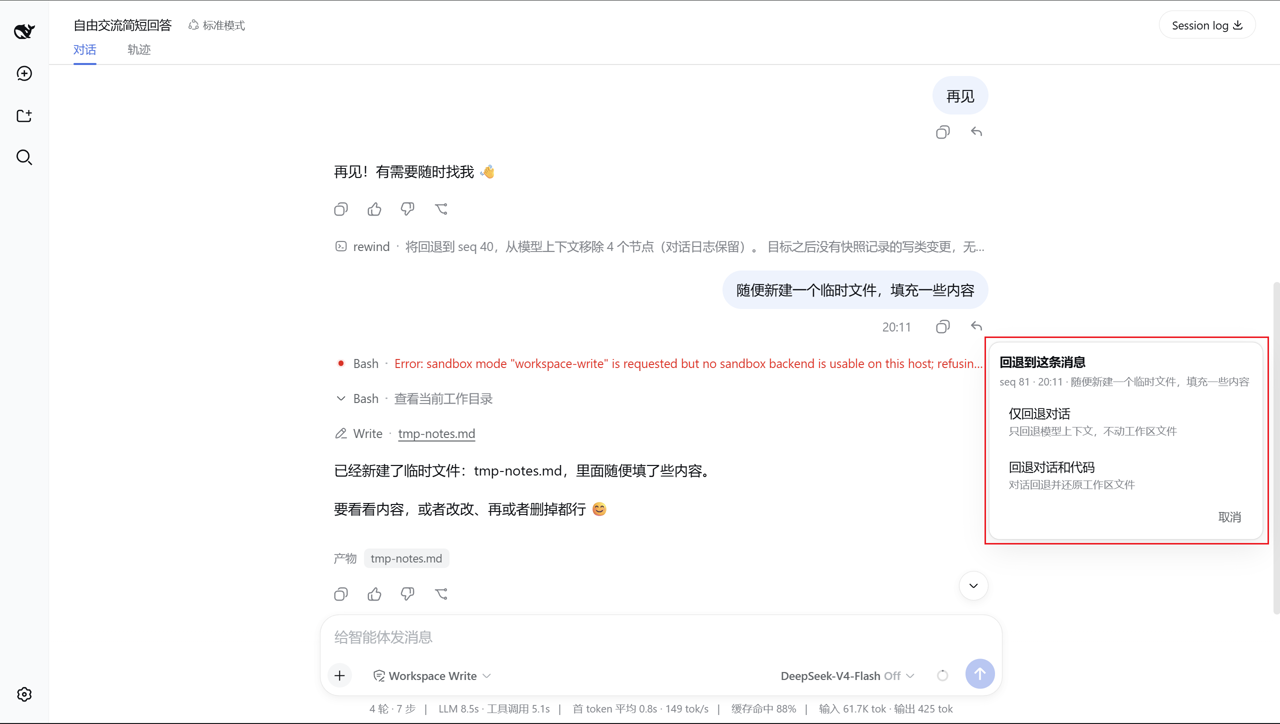
Mode-selection popover
Impact list
"Conversation and code" impact list
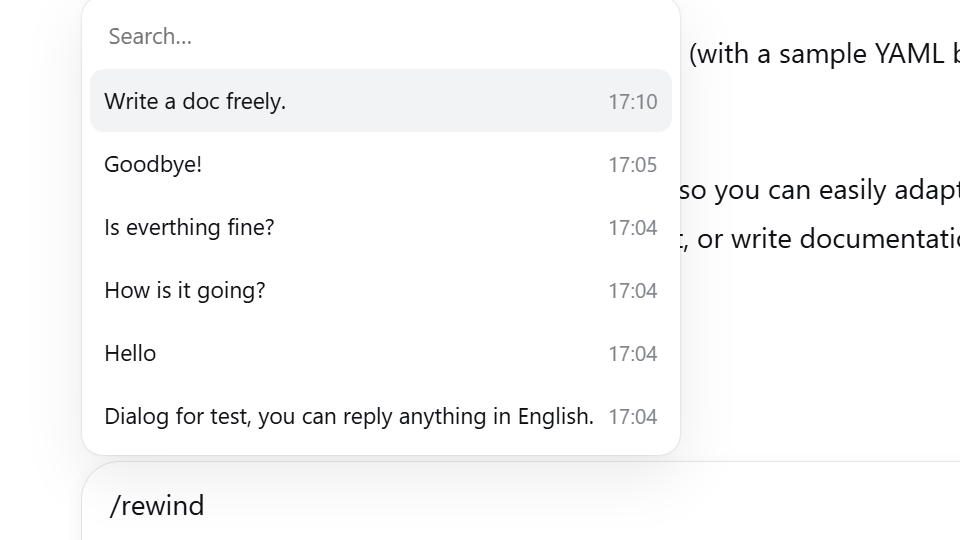
Manual /rewind guard hint

How it works

Two halves work together: the conversation rewind (in-place, same window) and the checkpoint file restore (Claude-Code-style before-backups).

1. Conversation rewind

The plugin appends an empty-content marker assistant/message into the session log whose surfaceOp: { op: 'replace', start, end } replaces every surface node after the target message with the marker:

  • The marker carries sourceEventSeqs covering every shadowed node, and the Session.append surface rules validate the cut (only a contiguous range on the current surface).
  • Because the marker is empty, the harness derives it to null — it never enters the model context and never renders as conversation content. The agent and the user both see the conversation exactly as it was at the target.
  • The append-only log is untouched — the audit trail keeps every withdrawn event; only the model-visible surface is cut, so the next request derives its context from the target onward.

A running turn (LLM thinking / streaming) is force-stopped first (cancel({ kind: 'user' })) and the rewind waits for quiescence; if it can't stop, the rewind is aborted with an error.

2. Checkpoint file restore

The plugin tracks the write-class tools — write, edit, str_replace_editor (mutating commands create / str_replace / insert):

  1. Before-capture at tools/execute (the around-dispatch stage): the target file is read and the resolved path + content are held in a pending map. This stage only runs after any pre-execute approval gate let the call through — so an ask short-circuit (dsh-edit-approval) cannot skip the backup, and a denied call never records.
  2. Disk commit at tools/post-execute: the before-backup is written under the turn's anchor message seq (~/.dsh/rewind-snapshots/<session>/<anchor seq>/<callId>.json).
  3. Restore (/rewind @<seq> both): every backup anchored at or after the target applies — modified files are written back to their earliest captured before-state, files created after the target are deleted, symbolic / hard links are skipped. Writes go through plain node:fs, independent of the fs service.
  4. A failed tool body that throws skips tools/post-execute; a tools/result safety net clears the pending capture so nothing leaks in memory.

Backups persist across host restarts, bounded to the newest 100 anchor groups per session.

📦 Install

Published to npm — the registry path is the recommended one. Restart dsh web (--profile web) after installing.

dsh plugin --profile web add dsh-rewind-plugin

Option B: local checkout (authors / contributors)

cd dsh-rewind
npm install      # devDeps come from the npm registry; no harness checkout needed
npm run build    # full build: lib/ (host ESM + client bundle + .d.ts)
dsh plugin --profile web add /path/to/dsh-rewind   # link install

Option C: GitHub (pin a commit for reproducibility)

dsh plugin --profile web add github:SiriLee/dsh-rewind#<commit-sha>

First run fails: pnpm blocks git dependencies from running build scripts. Follow the CLI hint to add an allowBuilds key to the profile's pnpm-workspace.yaml (e.g. $DSH_HOME/profiles/web/pnpm-workspace.yaml), then retry. pnpm then runs the plugin's prepare (full build) and installs it into the profile.

Usage

Rewind via the per-message button

  1. Hover any user message you sent — a ↶ rewind button appears in its action row.
  2. Click it. The target is that message (step one is done). A small popover opens (step two):
    • Rewind conversation only — cut the model context back to before the message; workspace files stay untouched.
    • Rewind conversation and code — same context cut, plus workspace files restored to their state before the message. An impact list (files to restore / delete) is shown first, then you confirm.
    • The "conversation and code" option is hidden when no tracked file changes exist after the target (matching Claude Code's behavior).
  3. The rewind executes as an in-session command; a result message confirms (e.g. "已撤回 seq N 及之后内容;还原 M 个文件"), and the withdrawn message's text is filled back into the composer for editing and re-sending.

Rewinds are time-travel

Rewinding to a message withdraws it and everything after it — the transcript and the agent's context both return to before the message. The command result says so, and the message's text is offered back in the composer.

Manual /rewind is blocked

/rewind exists only as the button's internal channel. Typing /rewind (bare or with arguments) into the composer is intercepted — submitting shows a transient hint pointing at the ↶ button.

Behavior details & limitations

  • Only write-class tools running while the plugin is active are tracked (write / edit / str_replace_editor). Changes made by bash, other tools, or external programs are not backed up and cannot be restored — the same limitation as Claude Code, which also defers such rollbacks to the user's git.
  • If a before-capture read fails (e.g. a permission error), that change is simply not backed up and a both rewind cannot restore it — the plugin logs a warning but does not block the write.
  • File restore/delete writes through the real local filesystem; under sandbox / remote backends path resolution may be restricted.
  • Symbolic links and hard links are not written through (they share the inode with another name; a restore would clobber both) — they are skipped and reported.
  • A rewind can itself be rewound (its marker enters the log), but the file-restore action is not re-backed up.
  • The ↶ button is injected on user messages rendered in the current session view; switch to another session before rewinding it.
  • When no tracked file changes exist after the target, the mode popover offers only "conversation only" (Claude Code hides code-restore options the same way).

Not included

  • Keyboard shortcuts (esc+esc to open the rewind menu) — planned as a follow-up.
  • /compact — provided by the harness.
  • Fork / branch rewind — the harness's built-in "branch in new chat".
  • Whole-tree / git-first snapshots covering bash and external edits — deliberately not implemented, in line with Claude Code's native rewind (which also defers such rollbacks to the user's git).

Compatibility

  • Node.js ^22.19.0 || >=24.0.0.
  • DeepSeek Harness web profile (dsh --profile web); peer @deepseek-ai/* packages are resolved by the harness at runtime.

[!WARNING] This project and DeepSeek Harness are both in developer preview. Pin exact versions in reproducible environments and review the behavior notes above.

Development

npm install            # devDeps from the npm registry
npm run typecheck      # tsc on both compilation surfaces (host + client)
npm test               # vitest: rewind / snapshot / hidden / session-cwd / integration (46 cases)
npm run build          # esbuild: lib/index.js (host ESM) + lib/client.js (loader closure) + .d.ts
node scripts/verify-host.mjs   # boot the BUILT host artifact end-to-end (18 checks)

prepare runs the full build, so git installs and npm pack / npm publish always produce a complete lib/ and the LICENSE.

Maintainers: see docs/harness-reference.md for the DeepSeek Harness interface reference (subsystem docs + key source index).

Publishing

Releases go out through GitHub Actions Trusted Publishing (OIDC, no stored NPM_TOKEN):

npm version patch && git push origin main --tags   # triggers .github/workflows/publish.yml
  • The workflow verifies the tag matches package.json, runs typecheck + tests + a full build + artifact verification, publishes with --provenance (Sigstore), and creates a GitHub Release. It is idempotent — an already published version is skipped. CI (.github/workflows/ci.yml) runs the same checks on every push / PR, plus a npm pack --dry-run sanity check that the tarball carries lib/ and LICENSE.
  • One-time npm-side configuration (cannot be done from this repo): open dsh-rewind-pluginsettings → Trusted Publisher → Add, with Provider GitHub Actions · Organization or user SiriLee · Repository dsh-rewind (the GitHub repo, not the npm name) · Workflow filename publish.yml · Environment empty · Allowed actions npm publish. Once configured, pushes of v<version> tags publish automatically.

Directory layout

src/index.ts            host plugin: /rewind command + checkpoint pipeline (tools/execute|post-execute)
src/rewind.ts           pure planning: target resolution, surface range, candidate listing
src/snapshot.ts         checkpoint store (disk before-backups, restore/preview, bounded prune)
src/session-cwd.ts      session-cwd resolution (fs-tools rule)
src/client/index.ts     client plugin: per-message ↶ button + manual /rewind guard
src/client/popover.ts   mode-selection popover (both-mode impact confirm)
src/client/hidden.ts    withdrawn-span computation (hiddenSeqsOf), pure
src/client/locales.ts   zh / en copy (LocaleNamespaceMap)
src/client/styles.ts    injected styles (dsh design tokens)
scripts/build.mjs       esbuild: lib/index.js (host ESM) + lib/client.js (loader closure) + .d.ts
scripts/verify-host.mjs end-to-end host verification (18 checks)
tests/                  vitest suites (rewind / snapshot / hidden / session-cwd / integration, 46 cases)
docs/harness-reference.md   maintainer docs: DeepSeek Harness interface reference
assets/screenshots/     UI screenshots
cordis.patch.yml        bundle patch (mounts the dual-face plugin row)
package.json            dsh.bundle + dsh.client manifests, optional peerDependencies

License

MIT

Plugins relacionados