dsh-local-markdown-notes
sisyphus1212/dsh-local-markdown-notes
Local Markdown notes panel: import any local folder, browse its Markdown tree in the sidebar, edit files with auto-save, and search across every imported folder. Shows read-only Git context for each file — status, diff against HEAD with per-line change bars, and line blame — and exposes six notes_* tools so the agent works on the same folders. Files stay where they are on disk; the plugin never commits, stages or checks out.
Instalar
dsh plugin --profile web add github:sisyphus1212/dsh-local-markdown-notesREADME
dsh-local-markdown-notes
A DeepSeek Harness (DSH) plugin that puts a folder of Markdown
files into a sidebar panel inside the Web UI: browse the tree, read, edit with auto-save, search
the whole folder — and keep the Git context of every file in view (status, diff against HEAD,
per-line blame) without ever touching the repository.
The panel is local-first: files stay where they are on disk, nothing is copied, synced or uploaded.
Features
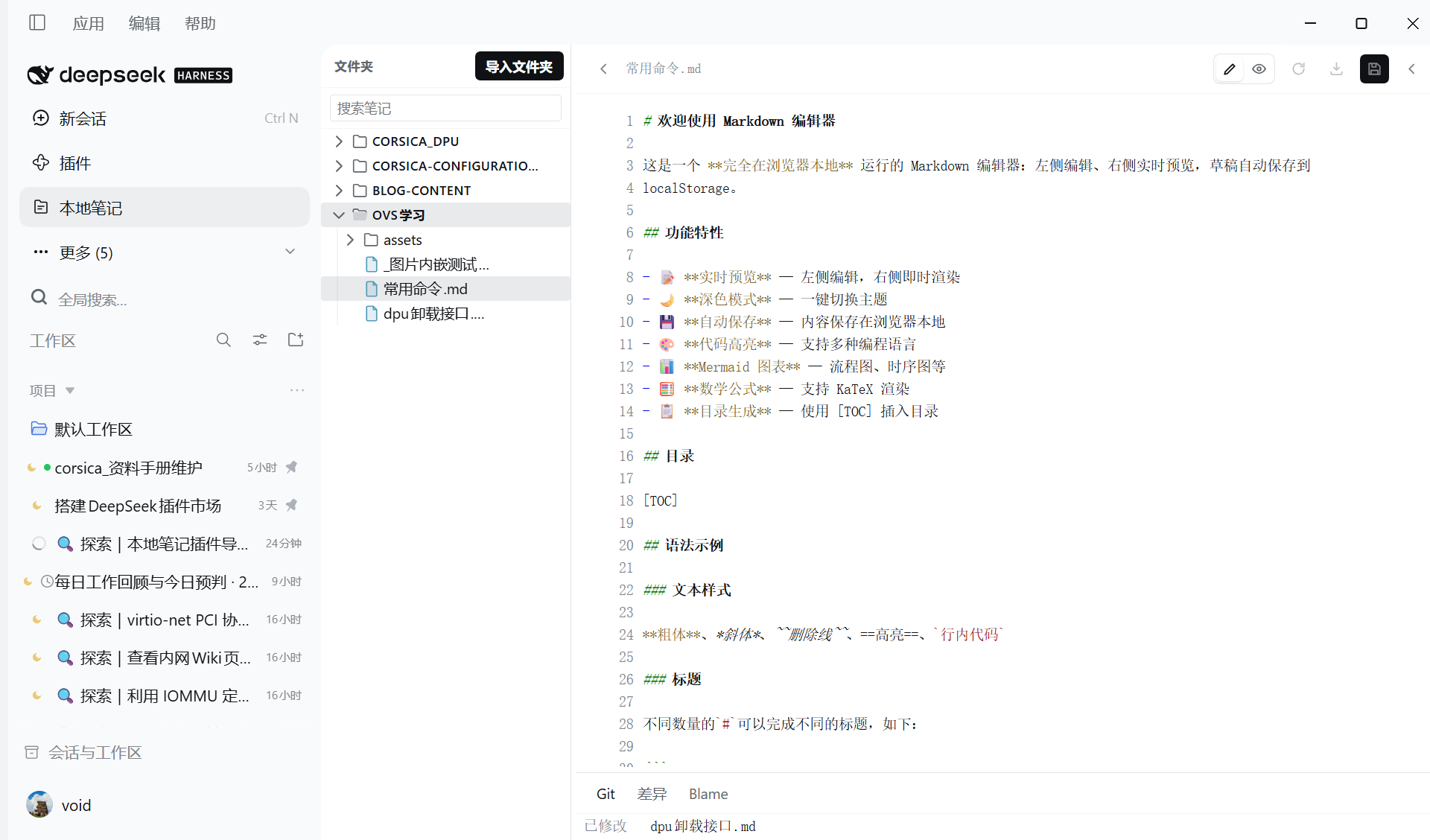
- Folder panel — import any number of local folders (a Git repo or a plain directory); a recursive tree lists every Markdown file, one click opens it next to the conversation.
- Edit with auto-save — the editor saves while you type, and keystrokes typed while a save is already in flight are not dropped (they are re-sent after the write settles).
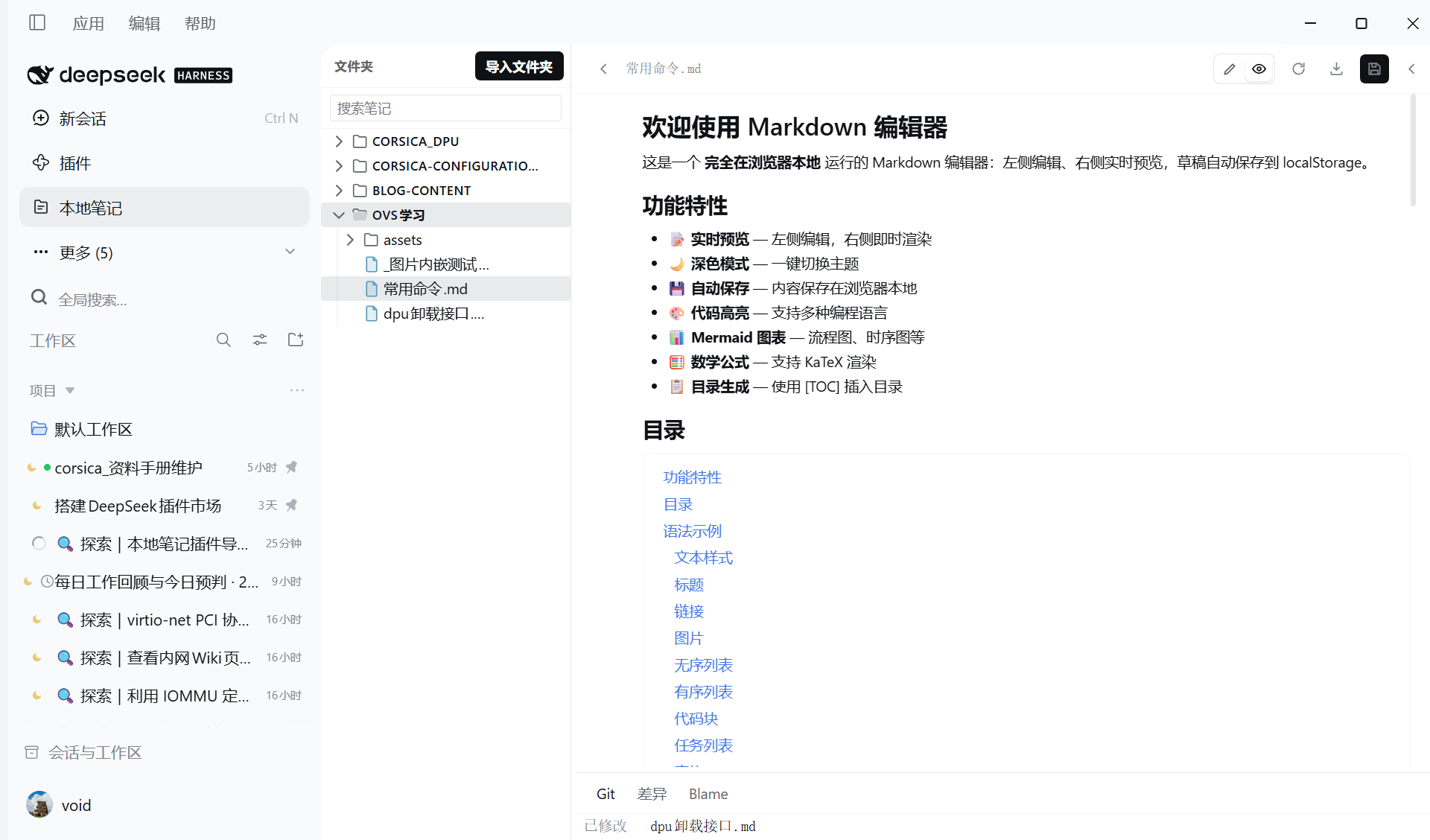
- Markdown rendering — headings, tables, lists, task lists, links, images, footnotes, callouts
(
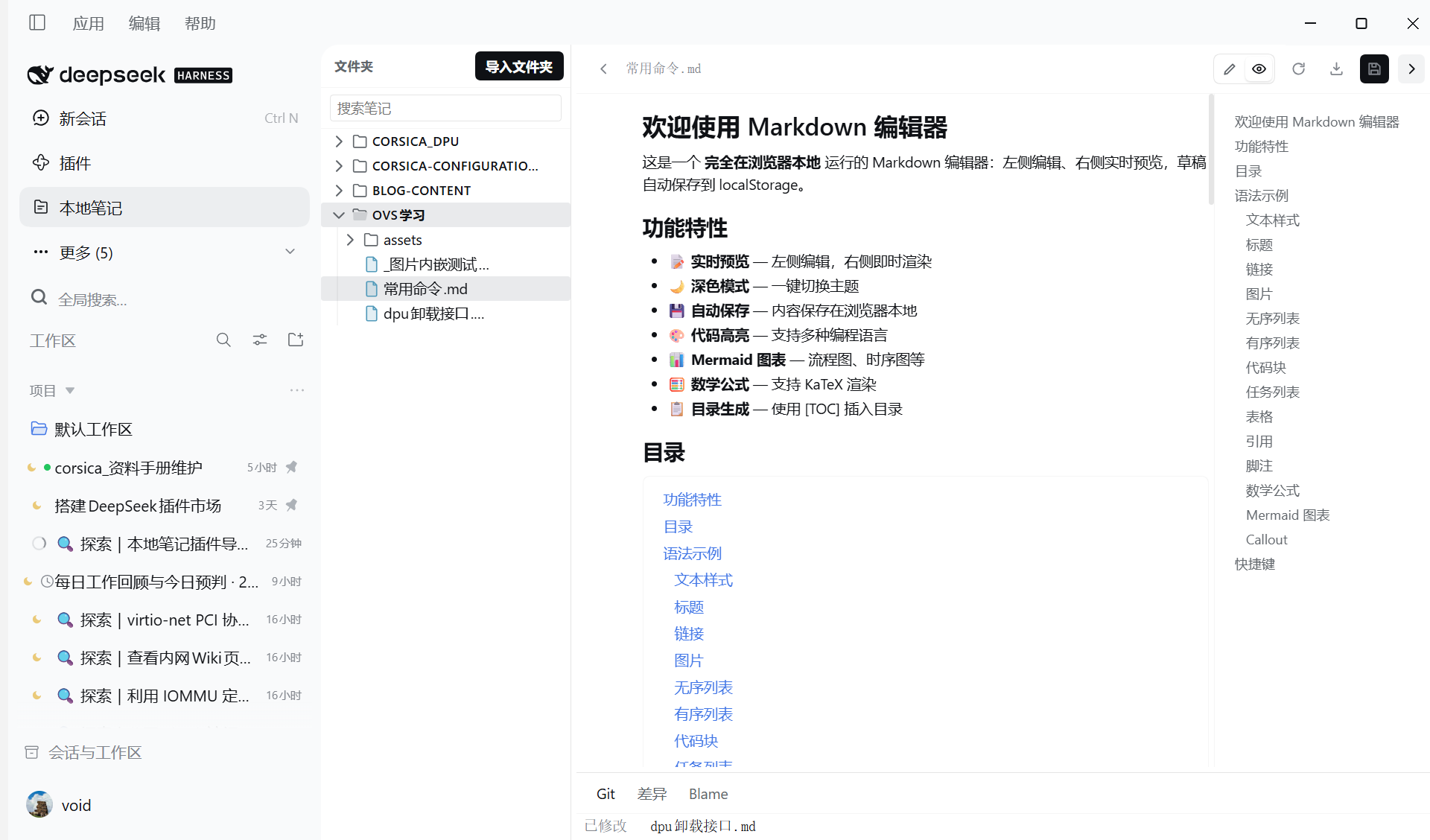
> [!NOTE]), strikethrough and fenced code blocks with syntax highlighting (shell, PowerShell, Python, JavaScript/TypeScript, Go, Rust, Java, C/C++, SQL, JSON, YAML and more). - Outline beside the preview — every heading is listed down the right edge and jumps to its
section on click; a
[TOC]line renders the same list inline. - Maths and diagrams, offline —
$…$and$$…$$are typeset with a bundled KaTeX, and```mermaidfences are drawn with a bundled Mermaid. Both ship inside the plugin as lazy chunks, so the preview works with no network at all. - Read-only Git context — a file's status against
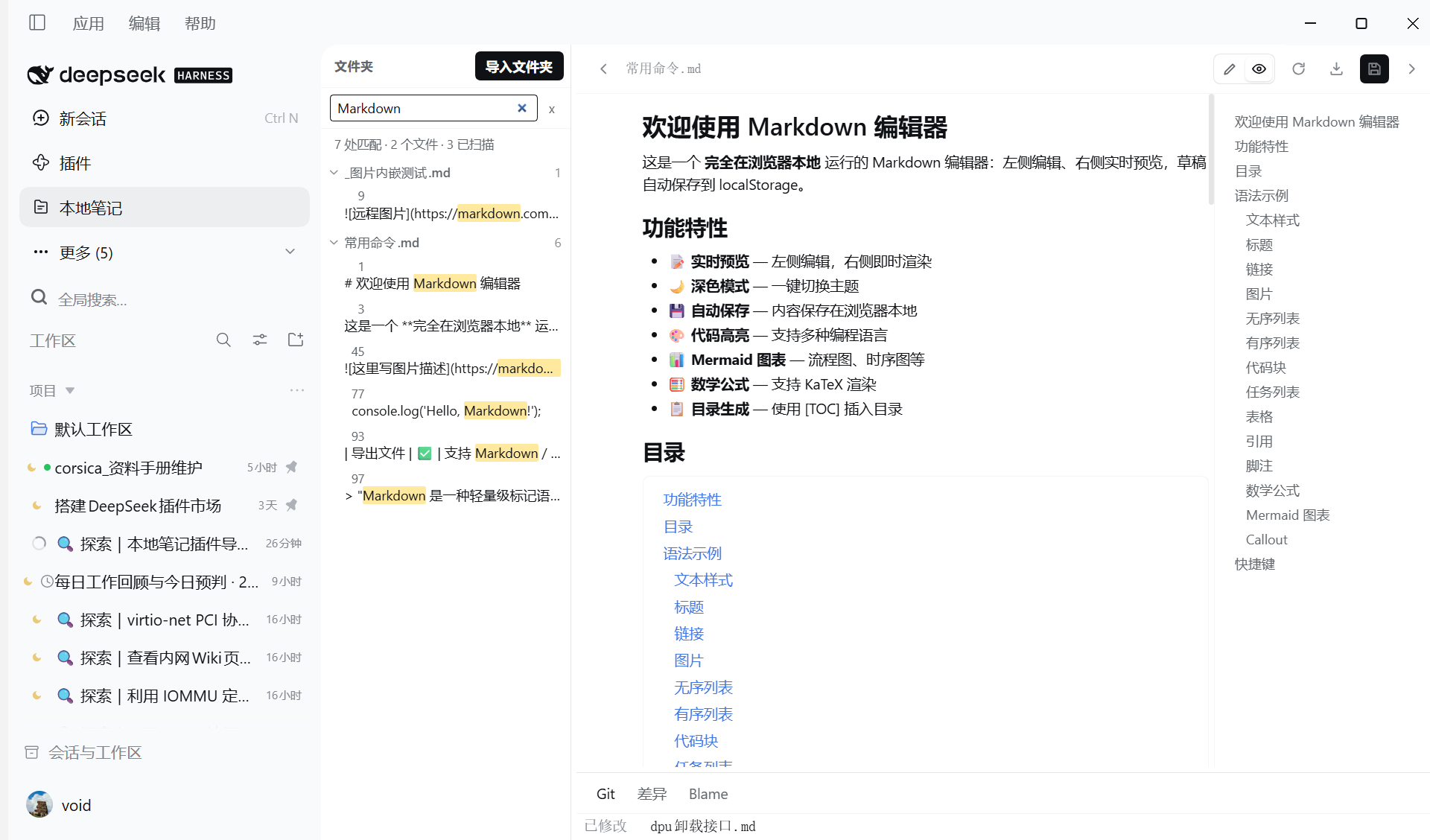
HEAD, a diff with per-line change bars, and line blame for the current file. The plugin only runsgit status,git diffandgit blame; it never commits, stages, checks out or rewrites history. - Search across folders — full-text search over every imported folder, with the hit list jumping straight to the matching line.
- Agent tools — the same content is available to the model through six tools:
notes_projects,notes_list,notes_read,notes_write,notes_append,notes_search.
Screenshots
| Preview, outline on the right | Search across every imported folder |
|---|---|
 |  |
| Outline rail for a long document | Maths and diagrams, typeset offline |
|---|---|
 | 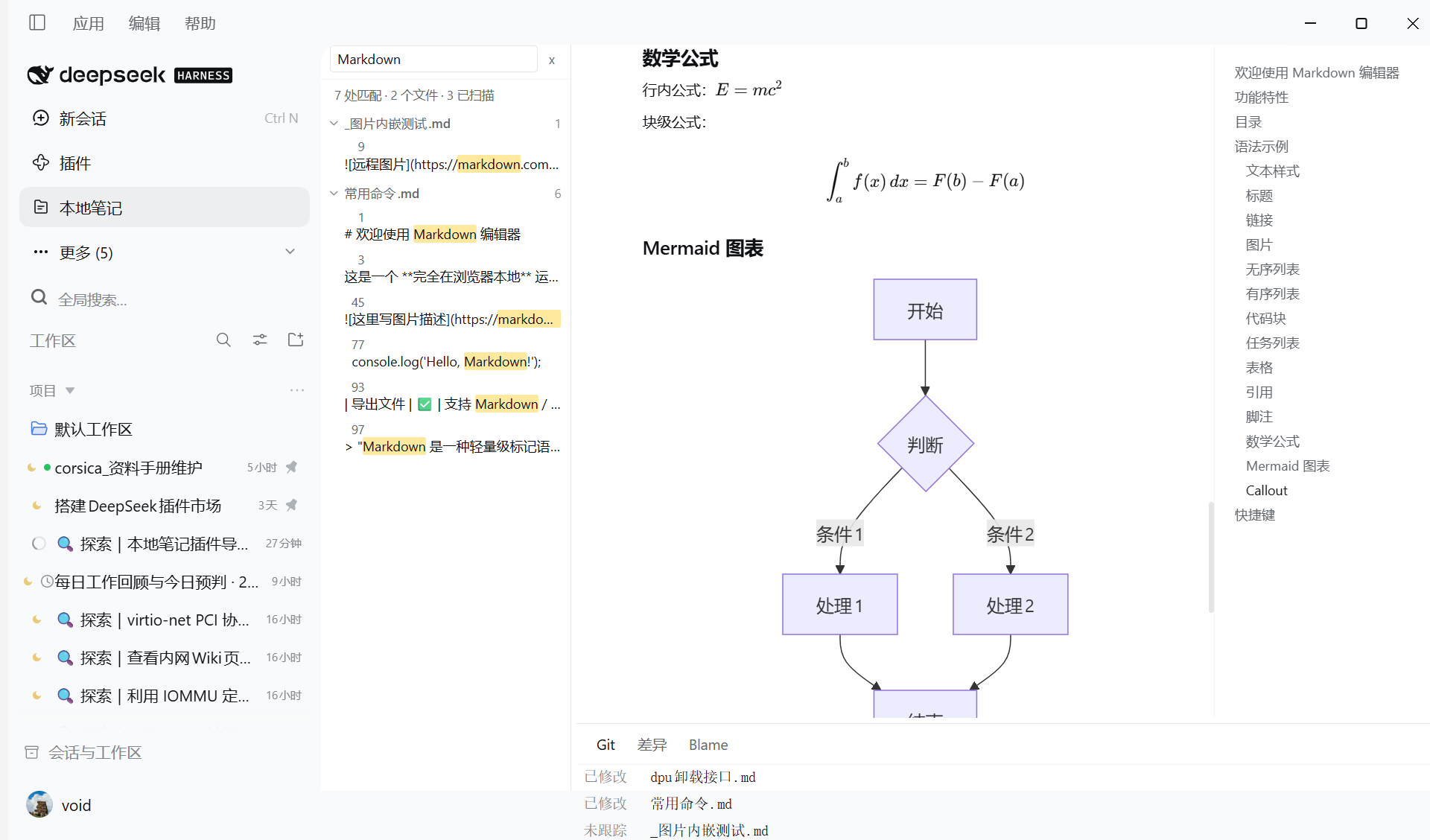 |
Install
# from GitHub (recommended while the package is not on npm)
dsh plugin --profile <your-profile> add github:sisyphus1212/dsh-local-markdown-notes
Then restart the app and its host (Help → Restart App and Host). A page reload is not enough: plugin bundles are rebuilt only when the application and the host process restart together.
Manual install: copy this directory into
~/.dsh/profiles/<your-profile>/node_modules/@local/local-markdown-notes and make sure
dsh.profile.bundles in that profile's package.json lists @local/local-markdown-notes.
Usage
- Open the Local Markdown Notes panel from the sidebar.
- Add a folder — any directory with Markdown files; if it is a Git repository the Git features light up automatically, otherwise the editor and search still work.
- Pick a file, edit it, and use the search box to find text across every imported folder.
Requirements
- DSH with Cordis 4.x (
@deepseek-ai/cordis ^4.0.1). gitonPATHfor the status/diff/blame features (optional — the panel works without it).
How it is built
- Host half —
index.jsandlib/*.js: registers the six tools and a storage domain through the host's existingdsh-storage-domainservice. It deliberately does not mount its own storage stack (mounting a seconddomainstorage throwsstorage form 'domain' is already mountedand takes the whole app down). - Browser half —
client.js: prebuilt and committed, declared throughdsh.clientinpackage.json. The two heavy engines ride along as package-local lazy chunks (client.katex.js,client.mermaid.js): they register through the host's module loader and are fetched only when a note actually contains a formula or a diagram. package.jsondeclaresdsh.bundle.patch→cordis.patch.yml, which inserts exactly one row (this plugin) and nothing else.
中文简介
把本机的 Markdown 文件夹做成 DSH 侧边栏里的笔记面板:树形浏览、就地编辑(自动保存)、全文检索,
并在不改动仓库的前提下显示 Git 状态、与 HEAD 的差异(逐行变更标记)和逐行 blame。
预览支持脚注、Callout、任务列表、图片、删除线、表格对齐;右侧列出全文目录(点条目跳转),
文档里写 [TOC] 会在原位生成同样的目录;公式用内置 KaTeX 排版、```mermaid 图用内置 Mermaid 绘制,
两者作为懒加载 chunk 随插件离线可用。
插件同时向模型提供 notes_* 六个工具,因此对话里也能直接读写这些笔记。
安装:dsh plugin --profile <profile> add github:sisyphus1212/dsh-local-markdown-notes,
然后「帮助 → 重启应用与 Host」。
Plugins relacionados
archify (deepseek-harness)
tt-a1i/archify
WeKnora (dsh-weknora)
tencent/weknora
next-ai-draw-io (dsh-plugin)
dayuanjiang/next-ai-draw-io
weknora
tencent/weknora