dsh-effort-menu
xuanfenglajiao/dsh-effort-menu
Replaces the composer model menu with a recent-models list, an all-providers flyout and a draggable reasoning-effort slider; a Manage models row at the bottom of the flyout opens the Models settings directly. It takes over the composer model slot, so install only one model-menu plugin.
Instalar
dsh plugin --profile web add github:xuanfenglajiao/dsh-effort-menuREADME
dsh-effort-menu
A replacement model menu for the DeepSeek Harness composer: pick a model and set its reasoning effort in the same popup.


English | 简体中文
In the shipped menu, effort lives in a submenu: after switching models, the "Effort" row opens a second list with Default, Low, High and Max. Following zcode's approach, this plugin puts the levels on a slider at the bottom of the menu instead. The slider has one node per level the current model supports, so the effort can be dragged right after picking a model.
The three most recent models sit at the top, and hovering the provider row opens every model in a flyout. Reads and writes go through the shipped per-session model directory, so the native selector and the /model popup share the same state.
Screenshots
The model menu, with the reasoning-effort slider at the bottom.
| Light | Dark |
|---|---|
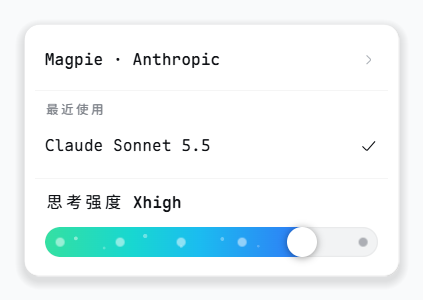 | 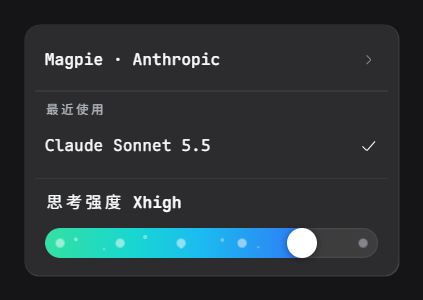 |
Hovering the provider row opens a flyout with every provider's models.
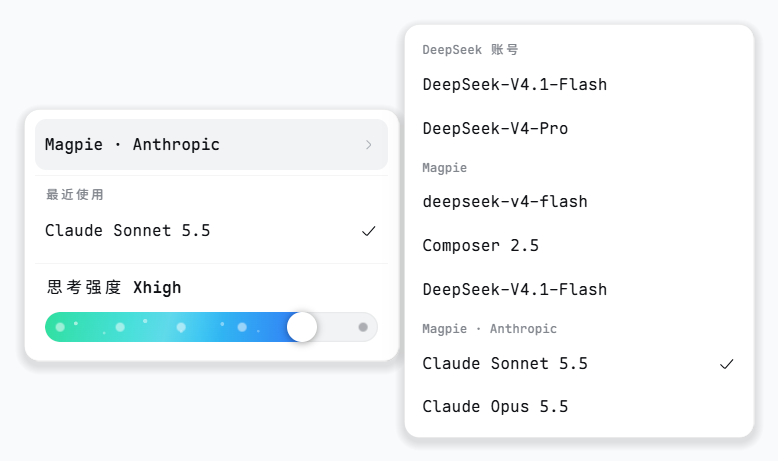
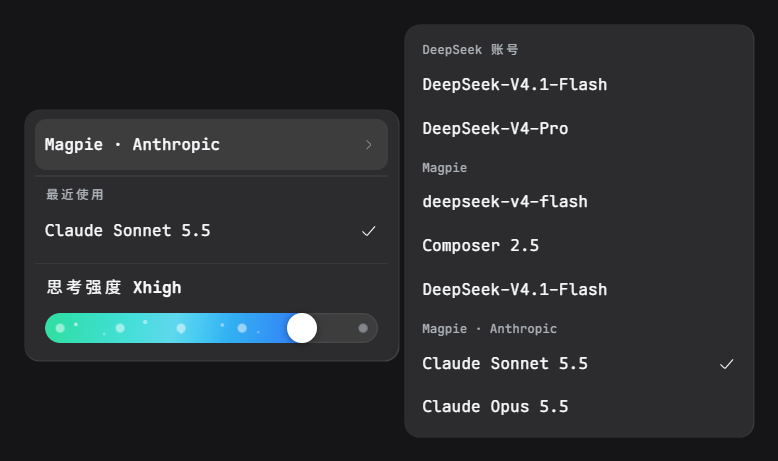
Features
- The current level carries over on a model switch; if the new model lacks it, its highest level is used.
- A model without its own default gets a leading "Default" node that leaves the choice to the provider.
- A model list that fails to load is reported in the menu with a retry button.
- Keyboard support. Arrow keys move between items and adjust the slider,
Esccloses the menu. - Follows the app's light and dark themes; interface text in English and Chinese.
Install
Requires DSH 0.2.2-rc.1 or newer, with a build that ships the dsh-client-ui-conversation, dsh-client-ui-model-selection and dsh-client-locale client packages (see Compatibility).
Web
With a CLI-managed profile, one command installs it into web.
dsh plugin --profile web add dsh-effort-menu
There is no build step. The browser half is the committed client.js. Restart dsh web, or reload the page.
Desktop
The desktop profile is managed by the app. Fully quit the app before using the CLI, or keep it running and install the checkout directory through Plugin Manager.
# CLI install, with the desktop app fully quit
dsh plugin --profile desktop add dsh-effort-menu

# Or clone it and point Plugin Manager at the directory
git clone https://github.com/xuanfenglajiao/dsh-effort-menu.git
Restart the app after installing.
Manual
If you would rather not use the CLI, edit the profile's own package.json.
Web profile. Edit ~/.dsh/profiles/web/package.json and add the package to dependencies.
"dependencies": {
  "dsh-effort-menu": "^1.0.0"
}
Then append it to the dsh.profile.bundles array.
"bundles": ["@deepseek-ai/dsh-base", "@deepseek-ai/dsh-web-app", "dsh-effort-menu"]
Run pnpm install in that directory and restart dsh web.
Desktop profile. Edit ~/.dsh/profiles/desktop/package.json and add the same entry to dependencies only. The desktop profile does not list plugins in bundles.
"dependencies": {
  "dsh-effort-menu": "^1.0.0"
}
Run pnpm install and restart the app.
Uninstall with dsh plugin --profile web remove dsh-effort-menu, or remove it in Plugin Manager on the desktop app.
Compatibility
- Supports DSH
0.2.2-rc.1and newer. Developed and tested on DeepSeek Harness Desktop 44.7.0 (DSH0.2.2-rc.1) on Windows 11; earlier DSH versions are not supported. - The current model must expose
reasoning.effortsfor the slider to have anything to show. Otherwise the menu says the model provides no levels. - Renders nothing in subagent sessions.
Known limitations
- One occupant of the model slot. The plugin takes over the single slot
conversation.input.modelat priority-1, shadowing the shipped selector. Another plugin that replaces the same slot competes for it, so install only one. Plugins that restyle the shipped selector from outside may not apply to this menu. - The model label sub-slot is not extensible.
conversation.input.model.labelis declared by the shipped model-selection package, and a second declaration makes the whole client entry fail to load. This plugin therefore renders model names itself, and labels that other plugins contribute to that sub-slot do not appear here. - No automated tests yet. Changes are checked by hand in a running app.
Plugins relacionados
dsh-web (dsh-task-board)
zhu1090093659/dsh-web
dsh-web (dsh-web-all)
zhu1090093659/dsh-web
dsh-TUI
ccch1mneyyy/dsh-tui
dsh-web-ui (dsh-task-board)
zhu1090093659/dsh-web-ui