dsh-icon-theme
yzke/dsh-icon-theme
Automatic and user-customizable Fluent-style icons for DSH Settings and sidebar actions, with offline SVG packs and original-icon preservation.
Install
dsh plugin --profile web add github:yzke/dsh-icon-themeREADME
dsh-icon-theme
English | 简体中文
Automatic, coherent, and user-customizable icons for DeepSeek Harness Settings and sidebar actions.
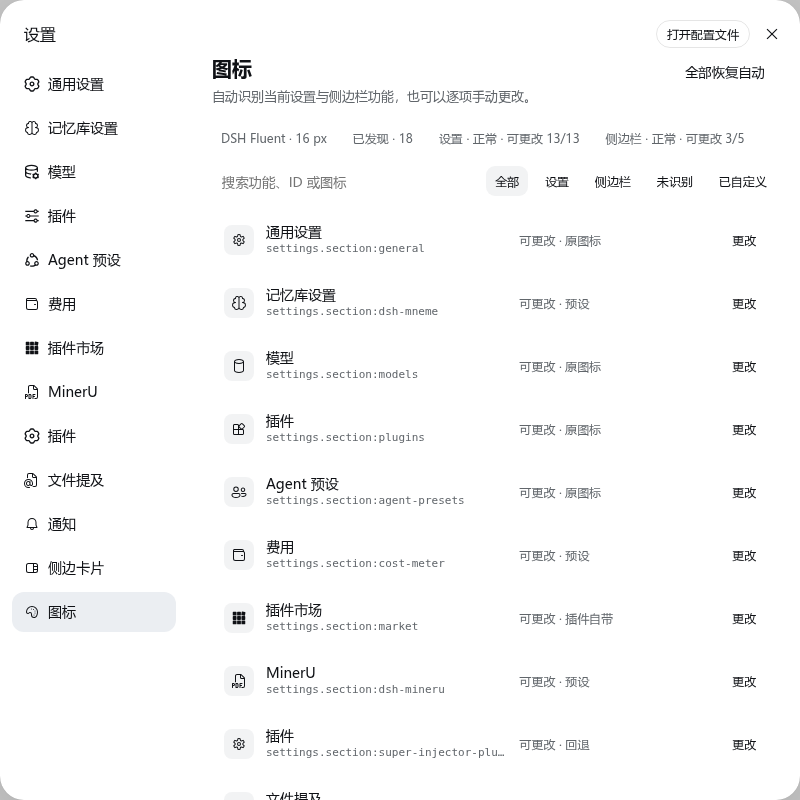
Screenshots use the Chinese locale; the plugin ships equivalent English labels.
Why this plugin
DSH 0.1.x settings contributions expose stable IDs and labels, but not an icon field. As a result, many third-party pages fall back to the same gear. dsh-icon-theme discovers the live slot ledger, preserves trustworthy original icons, fills recognizable gaps with a small Fluent-style pack, and lets the user override every supported target.
- Discovers live winning
settings.sectionandsidebar.footer.actioncontributions generically. Audited per-plugin records are used only when a sidebar is partially rendered and cannot be correlated by order. - Stores choices by stable key, such as
settings.section:market, never by translated labels or DOM position. - Ships 50 curated Fluent UI 16 Regular glyphs, 70 official DSH UI glyphs, and the audited monochrome dsh-market glyph (121 total).
- Uses no icon CDN, webfont, Iconify API, GitHub request, or package scanning at runtime.
- Restores every host SVG and owned DOM marker on unload or hot reload.
- Reports non-rendered contributions and non-icon cards instead of pretending they were changed.
- Falls back to the Settings gear when a target has neither a trustworthy match nor an original icon.
Install
dsh plugin --profile web add dsh-icon-theme
Restart dsh web, then open Settings → Icons.
To install from a source checkout instead:
git clone https://github.com/yzke/dsh-icon-theme.git
cd dsh-icon-theme
npm ci
npm run build
dsh plugin --profile web add link:"$PWD"
Supported DSH peer range: >=0.1.0-rc.6 <0.2.0-0 || >=0.1.1-rc.0 <0.2.0-0 || >=0.1.2-alpha.1 <0.2.0-0.
This includes the source-only dsh-v0.1.2-alpha.1 GitHub preview. Node.js 22 or newer is required for source builds.
Uninstall
dsh plugin --profile web remove dsh-icon-theme
Restart dsh web. The plugin restores every host SVG and removes all owned DOM markers and styles on unload.
Use
The page lists every discovered target, its stable key, its compatibility state, and the source of the current icon. Search by feature name, ID, or icon; filter Settings/sidebar/unrecognized/customized entries; choose a glyph; or restore one/all targets to automatic behavior.
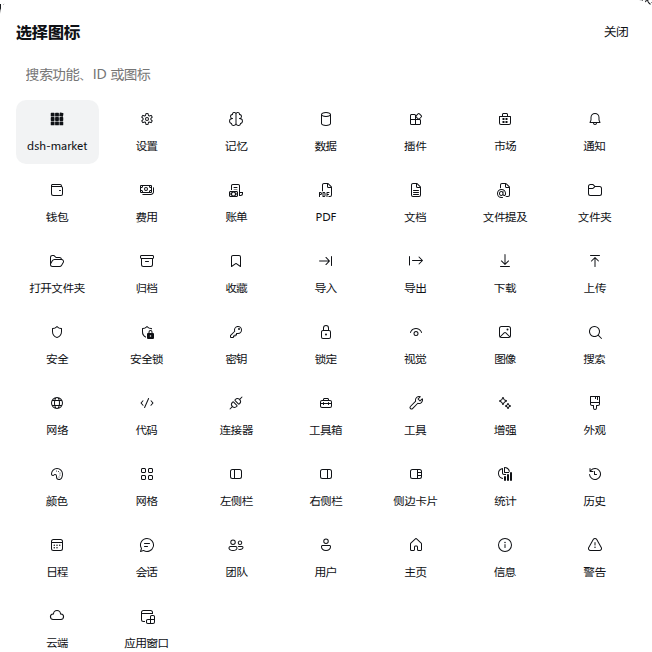
Resolution is deterministic:
- User override.
- Audited, bundled plugin glyph.
- Trustworthy DSH/plugin original.
- Exact stable-ID preset.
- Unambiguous stable-ID inference.
- Existing host fallback, or Settings gear when no original exists.
Localized labels are display and search text only. They never decide a persisted mapping.
Sidebar behavior
| State | Behavior |
|---|---|
| Rendered icon action | Changeable; the original is preserved by default. |
| Registered but not rendered | Listed as “can preset”; the override applies when it appears. |
| Non-icon card | Reported but deliberately left unchanged. |
| Unknown or changed DOM | Left untouched unless a unique audited compatibility record exists. |
The compatibility layer is intentionally narrow and reversible because DSH 0.1.x does not yet expose a public icon resolver. See the design note for the contract and upstream direction.
When dsh-better-sidebar is installed, its own Settings row icon is treated as a trusted original and preserved by default. It is replaced only when the user chooses replace-generic (or a manual override).
Ecosystem checks
Compatibility fixtures are pinned to real open-source registration excerpts, including dsh-full-remote, dsh-context, dsh-openpencil, dsh-approve-for-me, and dsh-composer-polish. They prove that an unknown Settings section is discovered generically, while contributions to unrelated surfaces are not misidentified. Details and pinned commits are in ecosystem compatibility. The sidebar fallback fingerprints are also pinned to upstream revisions and may need periodic updates if those plugins change their DOM.
Development and release gate
npm ci
npm run qa
npm run test:web
npm pack --dry-run
For the optional live-host smoke test:
DSH_E2E_URL=http://127.0.0.1:3080 npm run test:web -- -t @real-dsh
The full testing contract is documented in TESTING.md. Icon sources and licenses are recorded in THIRD_PARTY_NOTICES.md.
Privacy and security
Detection reads only DSH slot metadata and the two rendered UI surfaces. The plugin does not inspect user files or other plugins' bundles. Settings use a fixed-namespace, same-origin Host endpoint that accepts only overrides and originalPolicy; it cannot read or mutate another plugin's namespace.
MIT licensed.
Related plugins
dsh-deep-whale (maid-atelier)
small-tailqwq/dsh-deep-whale
dsh-deep-whale
small-tailqwq/dsh-deep-whale
dsh-wallpaper-engine
elysia395/dsh-wallpaper-engine
open-sea-skin
d-dev0101/open-sea-skin