dsh-session-dashboard
349840432m-dev/dsh-session-dashboard
Read-only session dashboard for DeepSeek Harness over the local ~/.dsh data: a sidebar overview of every session (tokens, estimated cost, turns, tool calls, model mix, daily activity, searchable and sortable session table) and an in-conversation Dashboard view that shows the current conversation turn by turn with per-turn tokens, cost, timing and tools. Zero dependencies, no network.
Установка
dsh plugin --profile web add github:349840432m-dev/dsh-session-dashboardREADME
dsh-session-dashboard — Session dashboard
A real DeepSeek Harness plugin that turns any local DSH session and conversation into a read-only dashboard.
- Sidebar entry “Session dashboard”: totals for every session — tokens, estimated cost, turns, tool calls, model mix, daily activity, plus a searchable/sortable session table.
- In-conversation “Dashboard” view: an extra View tab on any session with the live turn-by-turn timeline, per-turn tokens/cost/timing/tools, and model/tool breakdowns.
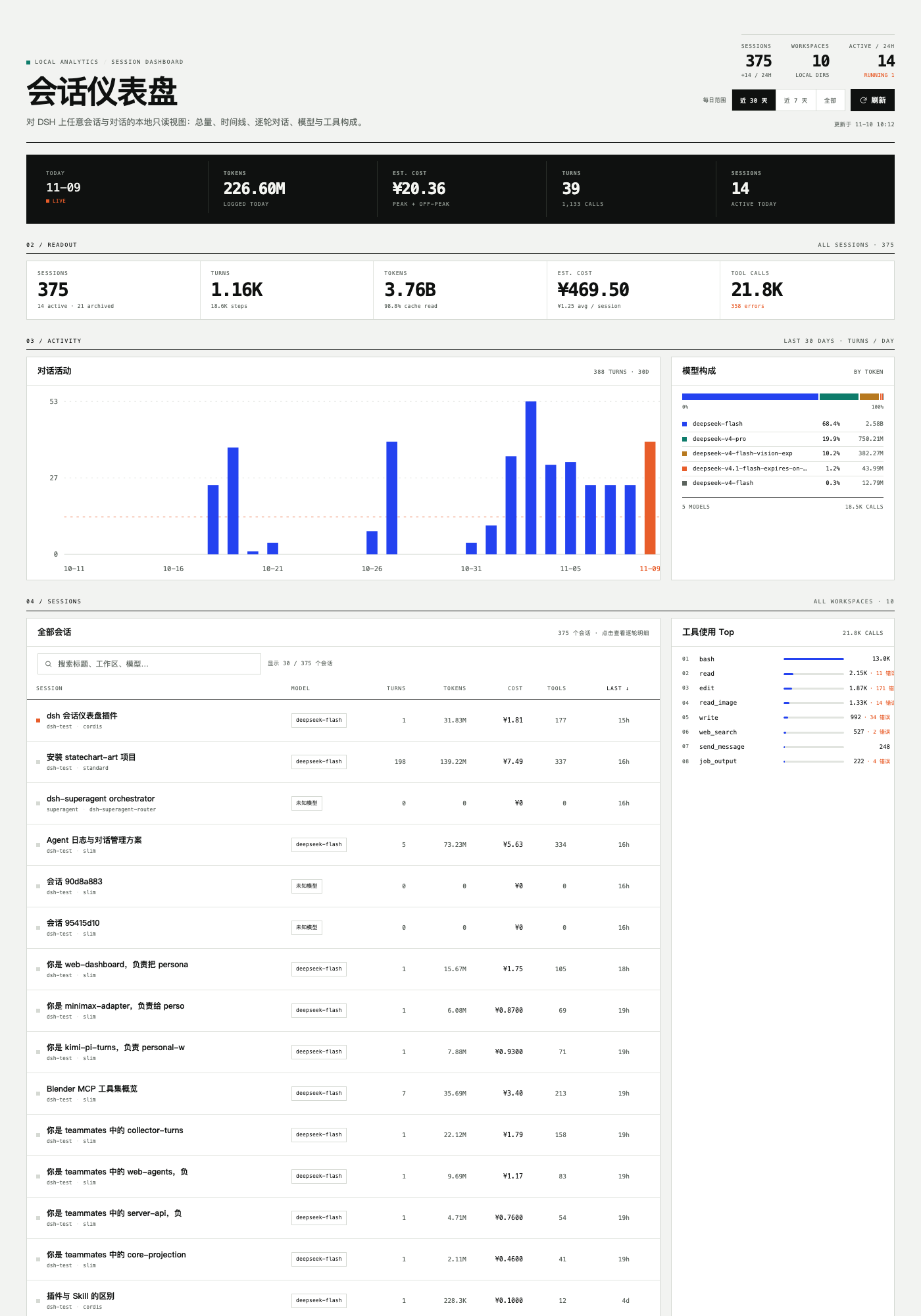
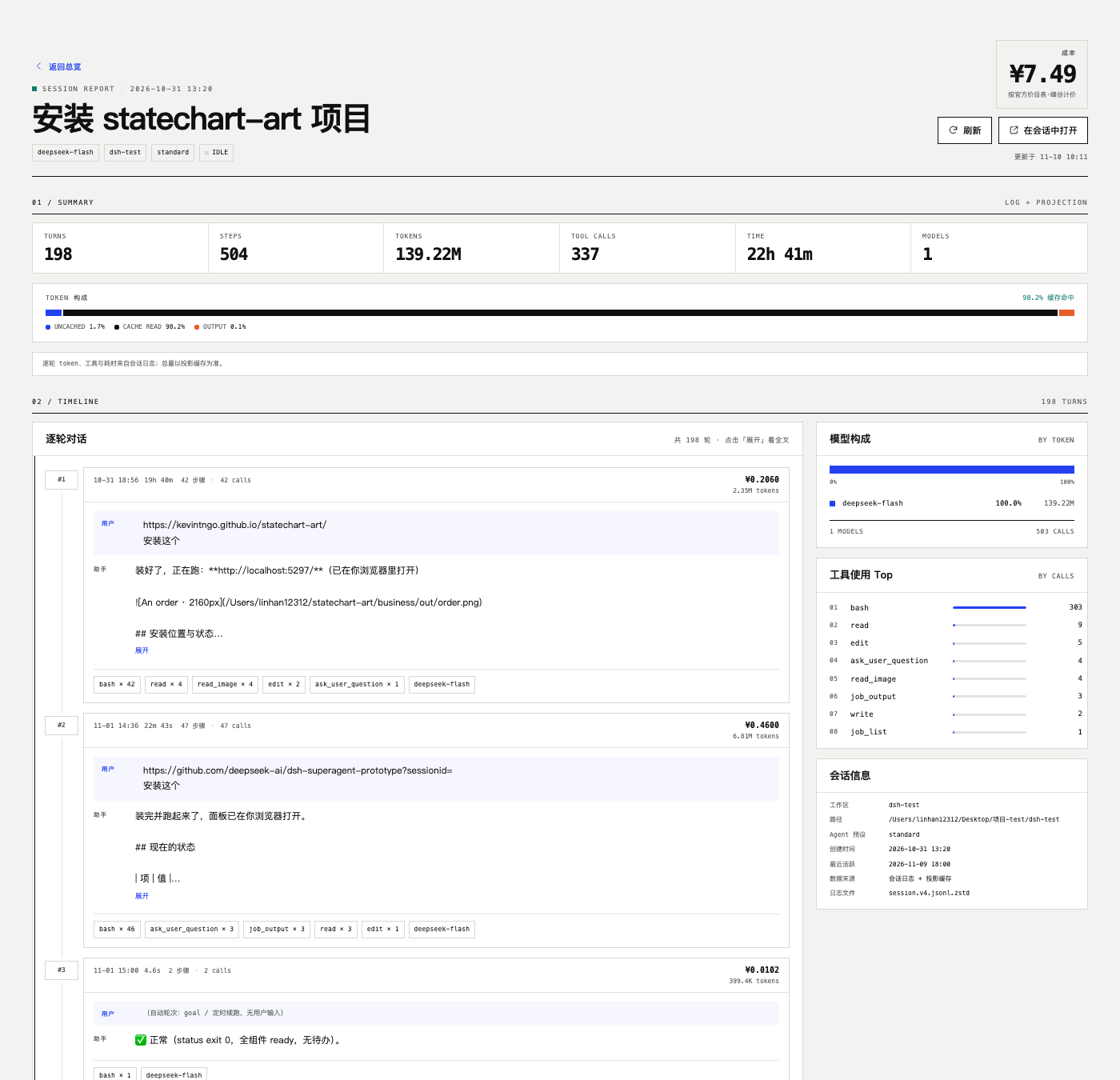
Data is read-only from local ~/.dsh (session projection cache + session logs). Nothing is written outside the plugin's own data/ cache, and there is no network access.
Install
Requires DeepSeek Harness >= 0.2.0 and Node >= 20 (verified on desktop 0.2.2-rc.1).
Install it from the Plugins page in DSH, or from a shell:
# from GitHub source
dsh plugin --profile web add github:349840432m-dev/dsh-session-dashboard

# or the prebuilt release tarball (no build step, no build approval)
dsh plugin --profile web add https://github.com/349840432m-dev/dsh-session-dashboard/releases/latest/download/dsh-session-dashboard.tgz

# or a local checkout
dsh plugin --profile <profile> add link:/absolute/path/dsh-session-dashboard
Restart DSH once so the Host half's JavaScript module is loaded fresh (the Web half only needs a page refresh). The sidebar then shows “会话仪表盘” and every conversation gains a “仪表盘” View tab.
On DSH Desktop the profile is managed by the app's own plugin manager — install from Settings → Plugins. A CLI install only writes into the profile you name.
Data & pricing
- Session projection cache supplies authoritative token totals, titles, models and turn counts.
- Session logs (multi-frame zstd) supply turn prompts/replies, per-call usage, tools, timing and daily buckets.
- Cost uses the official DeepSeek price table with peak/off-peak pricing based on each call's timestamp; sessions without logs are estimated from a machine-wide blended price and marked.
- The desktop host ships Node 24.21, whose
zstdDecompressSyncdecodes only the first frame; this plugin walks zstd frames per RFC 8878, so it works on both the host and standalone Node, and tolerates a partially written last frame.
Read-only endpoints
GET /session-dashboard-api/health, GET /session-dashboard-api/overview?range=7|30|all, GET /session-dashboard-api/session/<sessionId> — GET only, no CORS header, no writes.
Development
node build.mjs
node verify/engine.test.mjs
node verify/routes.test.mjs
node verify/client.test.mjs
See README.zh-CN.md for the full Chinese documentation.
License
MIT — see LICENSE.
Похожие плагины
billion-context
ranxianglei/billion-context
dsh-web-ui (dsh-chat-recovery)
zhu1090093659/dsh-web-ui
dsh-synapse
liangmianya/dsh-synapse
dsh-archive-manager
michengai/dsh-archive-manager