K
dsh-assembly.resume
kanchengw/dsh-assembly.resume
Импортирует беседы из локальных Codex CLI/Desktop, Claude Code CLI и Claude Desktop в DSH с группировкой по проектам, семантической историей и активностью инструментов; привязывает существующее или новое рабочее пространство и позволяет продолжить работу с агентом DSH.
Установка
dsh plugin --profile web add github:kanchengw/dsh-assembly.resumeREADME
dsh-assembly.resume
Bring an existing Codex or Claude Code conversation into DSH, then continue it with the DSH Agent.
DSH Compatibility
- Supported DSH version:
0.1.7-rc.2(Sep.24)
What It Does
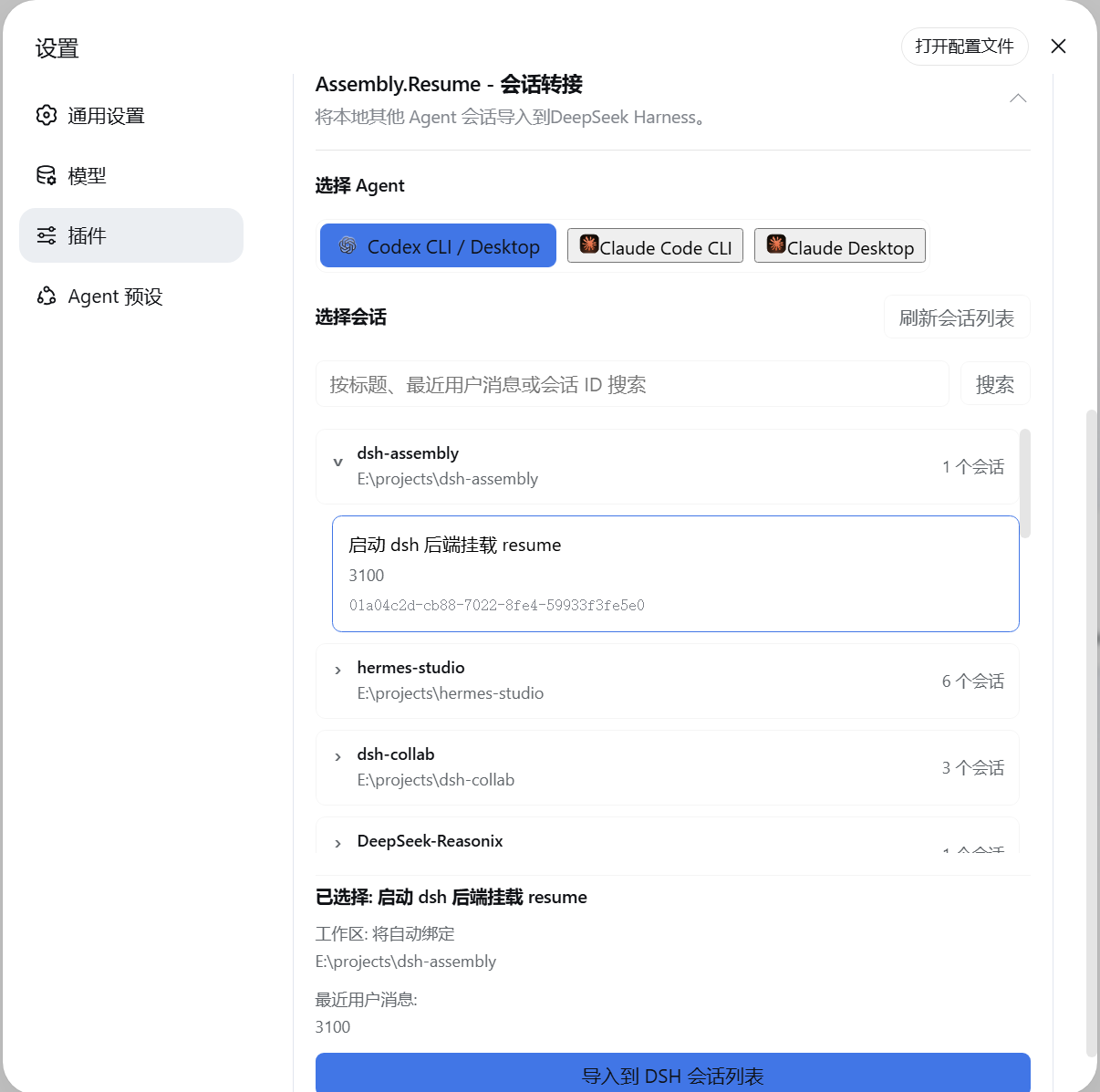
- Finds local conversations from Codex, Claude Code CLI, and Claude Code Desktop.
- Groups conversations by their original project so they are easier to find.
- Imports the selected conversation into DSH, including its visible messages and tool activity.
- Automatically registers and binds an existing source directory as a DSH Workspace.
- If the historical path no longer exists or the original conversation had no workspace, a new workspace can be specified during handoff. Otherwise, the conversation imports unbound and the old directory is never recreated.
- Continue the conversation in DSH after transfer.
Installation
Install the package from npm:
npm install dsh-assembly.resume
Add it to a DSH profile:
dsh plugin --profile web add dsh-assembly.resume
Start DSH:
dsh web
Open Settings > Plugins and select Session Resume to choose a provider and conversation.
Похожие плагины
Z
dsh-web-ui (dsh-chat-recovery)
zhu1090093659/dsh-web-ui
6.2k2 месяца назадСеансы и сообщенияApache-2.0
R
billion-context
ranxianglei/billion-context
4k2 часа назадСеансы и сообщения
L
dsh-synapse
liangmianya/dsh-synapse
65721 час назадСеансы и сообщенияMIT
M
dsh-archive-manager
michengai/dsh-archive-manager
2884 часа назадСеансы и сообщенияApache-2.0