dsh-coding-remote-kit
lninghaha/dsh-coding-remote-kit
Мобильный пульт для DeepSeek Harness: E2EE-компаньон поверх двухплоскостного RPC по белому списку (LAN, Tailscale, опционально Cloudflare Quick Tunnel или самостоятельный rendezvous-сервер).
Установка
dsh plugin --profile web add github:lninghaha/dsh-coding-remote-kitREADME
dsh-coding-remote-kit
v0.7.1 · DeepSeek Harness 0.1.1-rc.2 / 0.1.5-rc.2 · GitHub dsh-coding-remote-kit
Remote phone access for DeepSeek Harness. Pair a phone to the desktop that already runs dsh web, then observe sessions and perform a narrow set of writes — without exposing the full Web API.


English · 中文版 · 日本語 · 한국어 · Português (BR) · Español · Français · Deutsch · Русский
Upgrade / 升级: Follow the versioned steps in
INSTALL.md.0.7.1adds DSH0.1.5-rc.2support through the hostsessionControllerservice — session list, history paging, prompt, cancel, live events, phone approvals and user questions, and assistant streaming — while0.1.1-rc.2keeps working through the legacyapiProxypath;0.6.0added mobile Queue/Steer, activity strip, history paging, and optional offline push;0.5.2added CSP/pairing hardening and sessionStorage secrets;0.5.1fixes install→start without reloadingdsh-webafter Settings installs cloudflared;0.5.0added connection diagnostics, Quick Tunnel disclaimer gating, and pinned cloudflared verify; keep profile/storage/pairing files and restart one existing DSH Web process only after all selected plugins are updated.dsh-coding-oauth-core@0.1.2remains the Hub/Subscription shared npm dependency, not a separate DSH plugin.
Community plugin. Not affiliated with, and not endorsed by, DeepSeek. Product intent is closer to Orca Mobile Companion than to a second copy of the desktop IDE.
Read AGENTS.md before changing this repo: do not restart the production DSH Web process or its local service wrapper yourself. Prepare the tarball; the operator restarts it through the machine's own process manager.
Names
Developed first as GitHub dsh-mobile-remote. The npm name dsh-mobile-remote is a different project (a WeChat remote-control plugin). This plugin publishes as dsh-coding-remote-kit.
| Use this | Notes | |
|---|---|---|
| npm | dsh-coding-remote-kit@0.7.1 | dsh plugin --profile web add dsh-coding-remote-kit@0.7.1 |
| GitHub | lninghaha/dsh-coding-remote-kit | previous checkout name dsh-mobile-remote |
| Cordis plugin id | mobile-remote | unchanged |
| Settings HTTP | /api/mobile-remote/* | unchanged |
| Storage | $DSH_HOME/storages/mobile-remote/ | unchanged |
Do not dsh plugin add dsh-mobile-remote — that installs the unrelated WeChat plugin.
Status
| Milestone | Status |
|---|---|
| Research (Orca / DSH ecosystem) | done — docs/research/ |
| M1 plugin skeleton + ADR / threat model | done |
| M2 pairing / LAN data plane | done |
| M3 narrow RPC / approvals | done |
| M4 signed HTTPS / native app | not started |
| M5 self-hosted rendezvous Worker | done — docs/05-cloud-relay.md |
Features
- Bilingual UI — Chinese and English for desktop Settings and the phone companion (
?lang=/ in-app switch; defaults fromnavigator.language). - Pair once — desktop shows a QR code or 8-digit PIN; the phone pins the desktop X25519 public key and holds a
deviceToken(server stores SHA-256 only). - Dual plane — management routes stay on loopback
dsh web; the mobile data plane is a dedicated port (default6879) with an RPC allowlist. - E2EE after handshake — tweetnacl secretbox on
/m/ws; unauthenticated sockets never see session content. - Narrow writes — observe sessions, answer approvals/questions, short replies; heavy editing stays on the desktop.
- Private-network first — LAN / Tailscale preferred. Optional Cloudflare Quick Tunnel exposes only the data plane, never port
3080. Optional self-hosted rendezvous Worker: desktop and phone both outbound; business frames stay E2EE. - Standard plugin shape — one Cordis server plugin + classic-script Settings page.
dsh plugin --profile web adda file tarball, never alink:working tree.
Screenshots
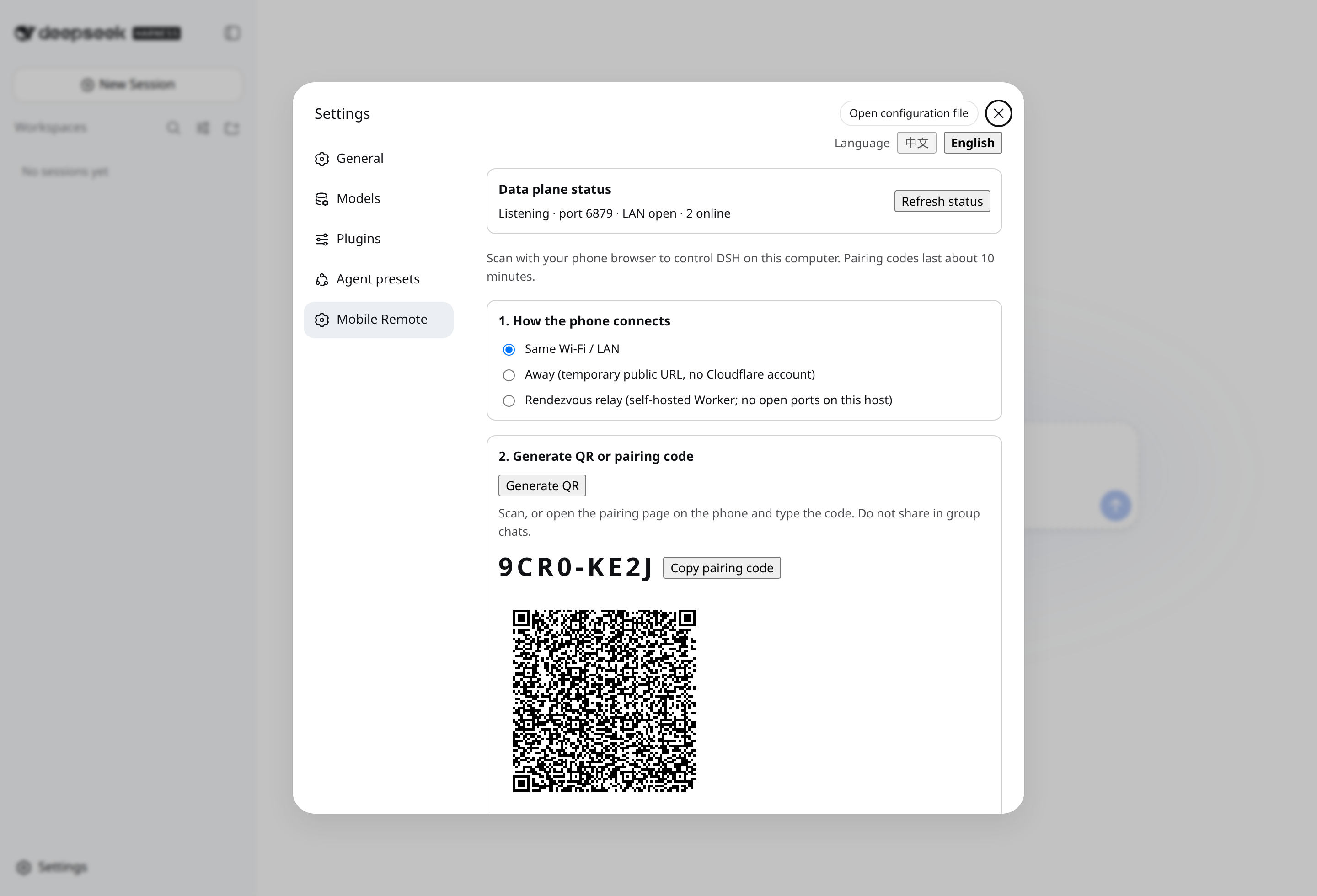
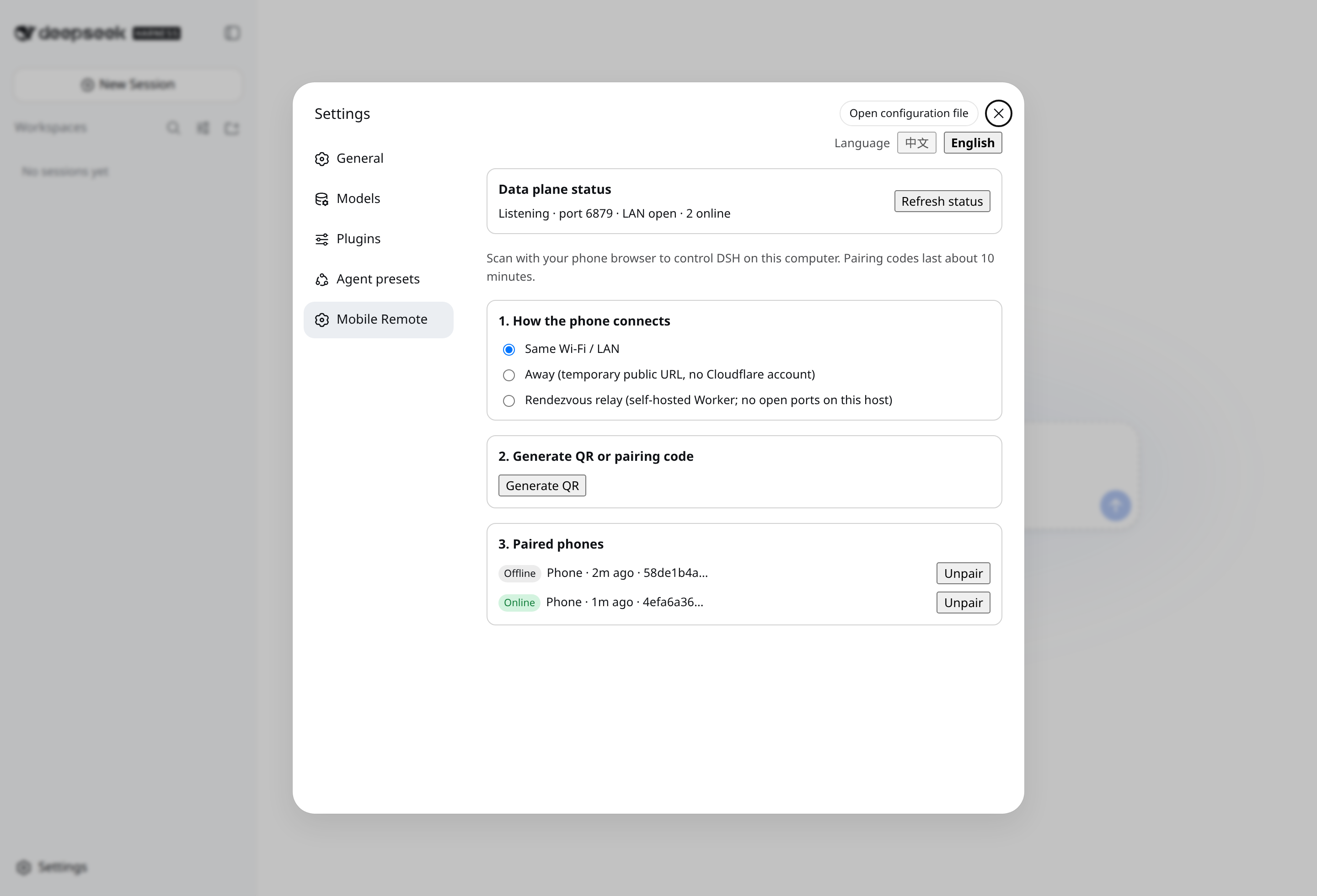
Desktop Settings → Mobile Remote: create a pairing offer (left) · channel status & devices (right)
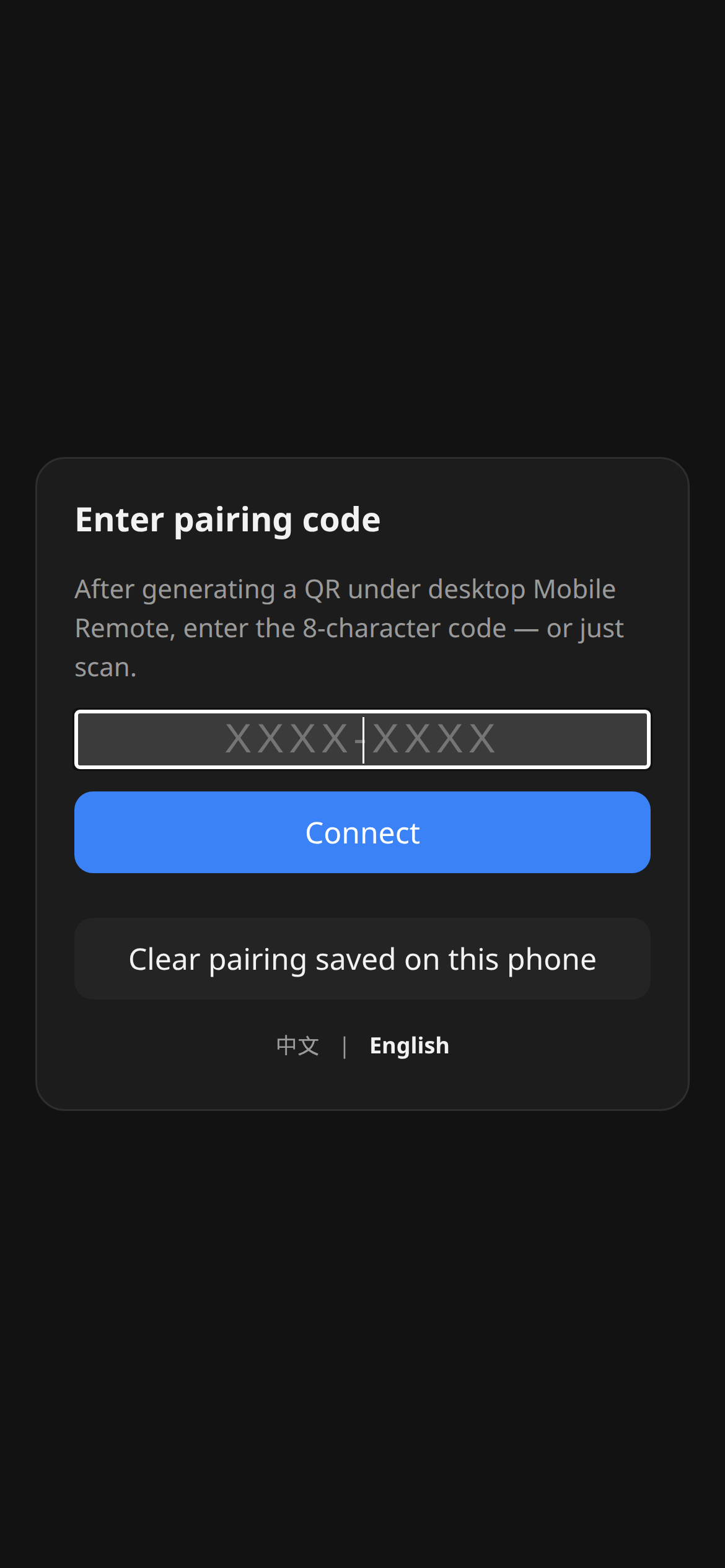
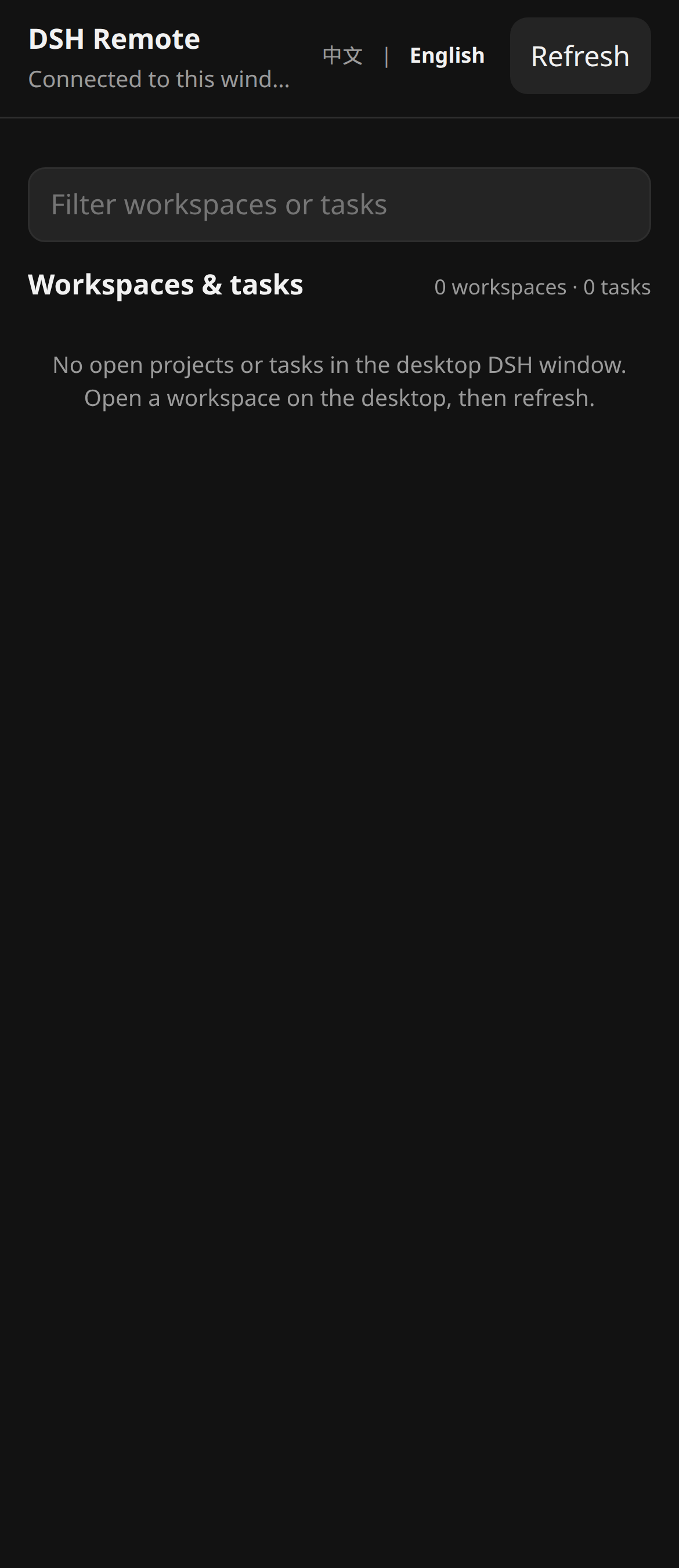
Phone companion: enter PIN / scan (left) · session list after pairing (right)
Problems this plugin solves
| You searched / saw | What was actually broken | What this plugin does |
|---|---|---|
| “Orca-style phone companion for DSH” | Official DSH has no first-class paired mobile app | Semantic companion: pair + E2EE + allowlisted RPC |
dsh-pocket / dsh-web-remote on a phone | Full dsh web surface on LAN/public | Dual plane; unknown RPC methods are forbidden |
| Phone on cellular, desktop on LAN | Raw LAN HTTP page can be MITM’d | Prefer Tailscale; optional Quick Tunnel (TLS at the edge, localhost origin) |
Plugin import failed and port 3080 died | DSH fail-fasts the whole plugin tree | Sandbox gate + packed tarball copied outside the repo; no link: |
Quick start
dsh plugin --profile web add dsh-coding-remote-kit@0.7.1
Then the operator restarts the existing dsh web process in their own window. Open Settings → Mobile Remote, create a pairing offer, scan the QR (or type the PIN) on the phone.
From a source checkout (development):
pnpm test:sandbox
pnpm pack
mkdir -p "$HOME/.dsh/packages"
cp dsh-coding-remote-kit-0.7.1.tgz "$HOME/.dsh/packages/"
dsh plugin --profile web add "$HOME/.dsh/packages/dsh-coding-remote-kit-0.7.1.tgz"
Do not dsh plugin add ./ from this working tree. pnpm 11 treats some file: tarball paths as link: source, and a bad entry import takes down the whole GUI.
Table of contents
- Names
- Status
- Features
- Screenshots
- Problems this plugin solves
- Quick start
- Install
- How it works
- Settings page
- Mobile RPC
- Public tunnel
- Security
- Architecture
- Documentation
- Related
- Contributing
- License
Install
Requires DeepSeek Harness 0.1.1-rc.2 (pinned) and Node.js 22.19+. Unverified candidates such as 0.1.5-rc.1 are recorded in the BOM only — see INSTALL.md.
Development:
pnpm install && pnpm build && pnpm test   # inside the Docker sandbox, not on a live GUI host
pnpm test:sandbox                         # Dockerfile targets check / isolated-install / verify
Build outputs:
lib/server/index.js— Cordis entry (name/inject/Config/apply)lib/client.js— Settings classic-scriptlib/mobile/— phone page served at/m
How it works
Settings (loopback)          Phone browser
        │                            │
        │  QR / PIN  ────────────────┤
        ▼                            ▼
 /api/mobile-remote/*          GET /m  +  WS /m/ws
   (dsh web, :3080)            (data plane, :6879, E2EE)
Management stays behind the host Web loopback fence. The data plane is a separate node:http + ws server. Pairing may rebind it from 127.0.0.1 to 0.0.0.0 so LAN clients can connect; an active Quick Tunnel advertises its HTTPS origin instead of widening.
Settings page
Open Settings → Mobile Remote:
- status (bind, port, listening, active devices, tunnel, rendezvous)
- LAN / Quick Tunnel / rendezvous channels
- create offer → QR + 8-digit PIN
- device list and revoke
- optional official
cloudflaredinstall (never runs at pluginapply()) - connection diagnostics (sanitized network candidates, cloudflared pin/verify, disclaimer version)
- Quick Tunnel disclaimer checkbox (required before Start)
Mobile RPC
Allowlisted methods (everything else is forbidden):
status.get · session.list · session.history · session.subscribe · session.unsubscribe · host.subscribe · session.prompt · session.cancel · session.create · respond · device.name
Pushes include session events plus approval.requested / question.requested (with rpcId for respond). Wire format: docs/03-protocol.md.
Public tunnel
Default off. Start from Settings only after accepting the disclaimer (disclaimerAccepted: true). cloudflared Quick Tunnel points only at 127.0.0.1:<data-plane-port>. /m becomes reachable on a https://<random>.trycloudflare.com URL; pairing still needs the fragment token (or PIN) and E2EE. The child process is killed on plugin unload / Stop.
Never tunnel port 3080 / dsh web. A self-hosted rendezvous Worker (desktop and phone both outbound, business frames still E2EE) is optional; see docs/05-cloud-relay.md. It needs a Cloudflare Workers Paid plan and is not a public relay operated by this project.
Security
Invariants (full model: docs/04-threat-model.md):
- Unauthenticated connections handle handshake only.
deviceTokenis stored as SHA-256; keys and registry files are0600.- RPC allowlist, default deny; writes are audited to
deviceId. - Management plane is loopback + Host + CSRF.
- The plugin does not weaken
dsh web/apiand does not take overapi-proxyproviders.
Honest v0 boundary: the first HTTP download of /m on a raw LAN can be MITM’d. Prefer an overlay VPN. /m responses include a Content-Security-Policy (script-src 'self', frame-ancestors 'none') that bounds post-load injection; it does not close the first-download MITM gap.
Prohibitions:
- Do not share another person's credentials.
- Do not monitor accounts you are not authorized to access.
- Do not bind the data-plane port on
0.0.0.0to the public Internet (Quick Tunnel is an explicit, user-started exception). - Do not imply DeepSeek official endorsement.
Examples in docs use example.com, 127.0.0.1, and YOUR_TOKEN only.
Architecture
Dual plane, module map, storage, and handshake: docs/02-architecture.md · 中文.
MVP decision (route B): docs/01-mvp-scope.md.
Documentation
| Doc | Purpose |
|---|---|
| INSTALL.md | Install, pair, tunnel |
| CHANGELOG.md | Release history |
| docs/00-project-rules.md | Versioning, publish vs local-only, host DSH boundary |
| docs/01-mvp-scope.md | ADR: MVP scope (Chinese) |
| docs/02-architecture.md | Internal architecture · 中文 |
| docs/03-protocol.md | RPC allowlist and push envelopes (Chinese) |
| docs/04-threat-model.md | Assets, attackers, invariants (Chinese) |
| docs/05-cloud-relay.md | Self-hosted rendezvous Worker (M5) |
| docs/06-dsh-alpha-smoke.md | Isolated smoke on unverified DSH candidates (0.1.2-alpha.*, 0.1.5-rc.1) |
| CONTRIBUTING.md | Contribution guide |
| AGENTS.md | Agent/operator rules (no production restart) |
Related
- dsh-coding-subscription-oauth — sibling plugin; documentation layout is modelled on it.
- GitHub:
lninghaha/dsh-coding-remote-kit. - This plugin is independent of the usage-centre plugin
dsh-hub-oauth-gateway. - It does not replace
@deepseek-ai/dsh.
Contributing
Issues and PRs welcome. See CONTRIBUTING.md for the Docker sandbox, commit conventions, and the document layers.
License
MIT.
Похожие плагины
dsh-web (dsh-ssh)
zhu1090093659/dsh-web
dsh-web (dsh-remote-web-ui)
zhu1090093659/dsh-web
dsh-web-ui (dsh-ssh)
zhu1090093659/dsh-web-ui
dsh-web-ui (dsh-remote-web-ui)
zhu1090093659/dsh-web-ui