dsh-replay
mingozhou/dsh-replay
Воспроизведение сессий на воспроизводимой временной шкале с использованием токенов по шагам, аудит чувствительных операций, оценка стоимости, просмотр истории форков, сравнение сессий и экспорт автономных HTML-повторов.
Установка
dsh plugin --profile web add github:mingozhou/dsh-replayREADME

dsh-replay
Time machine for your agent sessions.
Replay · Audit · Cost · Fork tree · Compare — inside the DeepSeek Harness web UI.


🎮 Live demo · 中文文档 · Install · FAQ
😫 Sound familiar?
You kick off an agent task, come back after dinner, and:
- "It ran for 5 hours and burned 18M tokens — on WHAT?"
- "Which tool call ate all that wall-clock time? Was it stuck?"
- "Did it touch my
.env? Did itrm -rfanything? Who approved that?" - "How much did this session actually cost me?"
- "I forked the session yesterday — where exactly did the two histories diverge?"
- "I want to show a teammate this hilarious failure — do they need to install the whole harness?"
DeepSeek Harness keeps a beautiful append-only log where everything that reached the model is reconstructible — but ships no viewer for it. dsh-replay is that viewer. One plugin, and every question above becomes one click.
✨ What you get
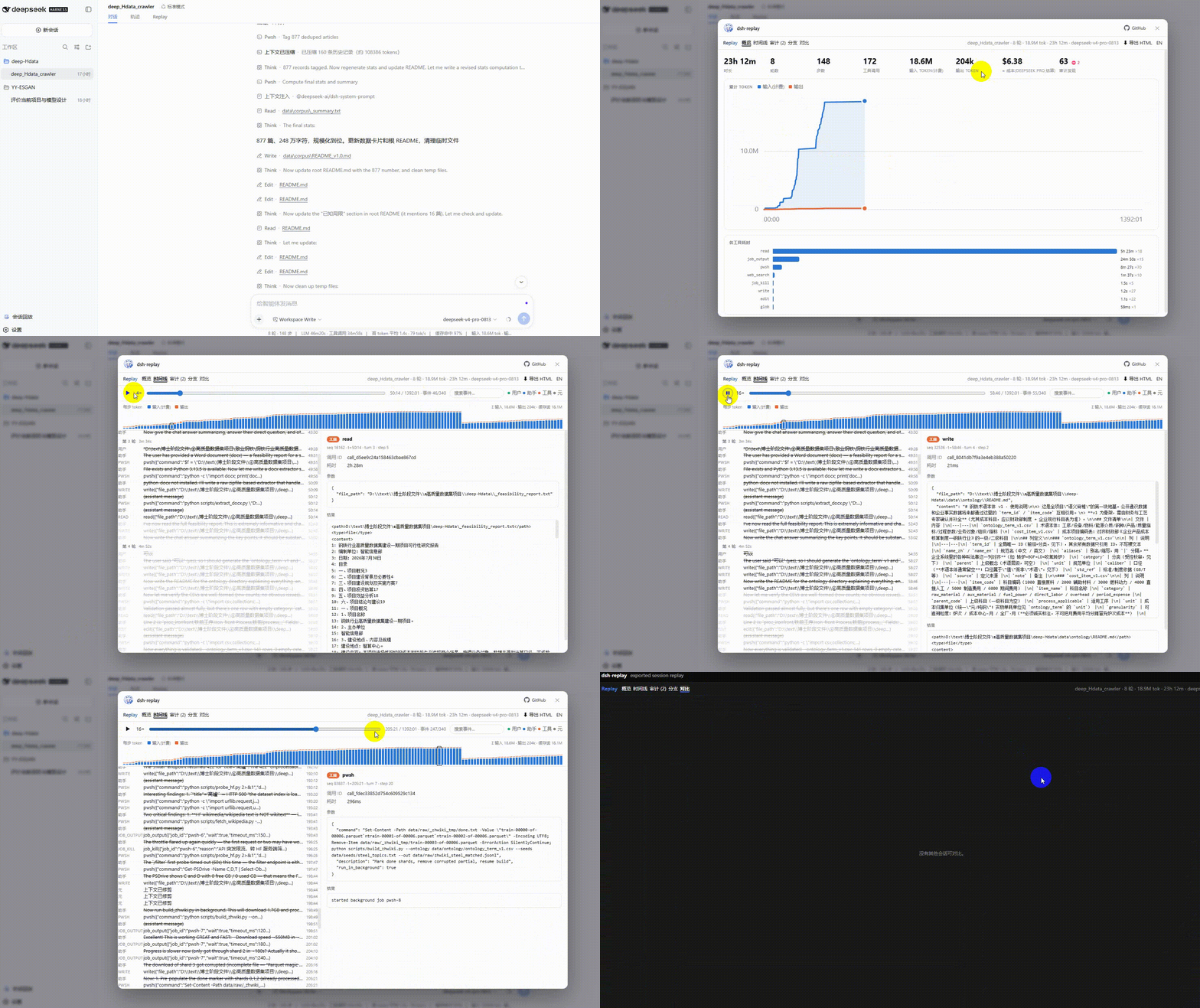
| ⏪ Timeline replay | Scrub through every turn, step, message and tool call; play back at 1–16×; click any event for raw prompt/args/results/durations |
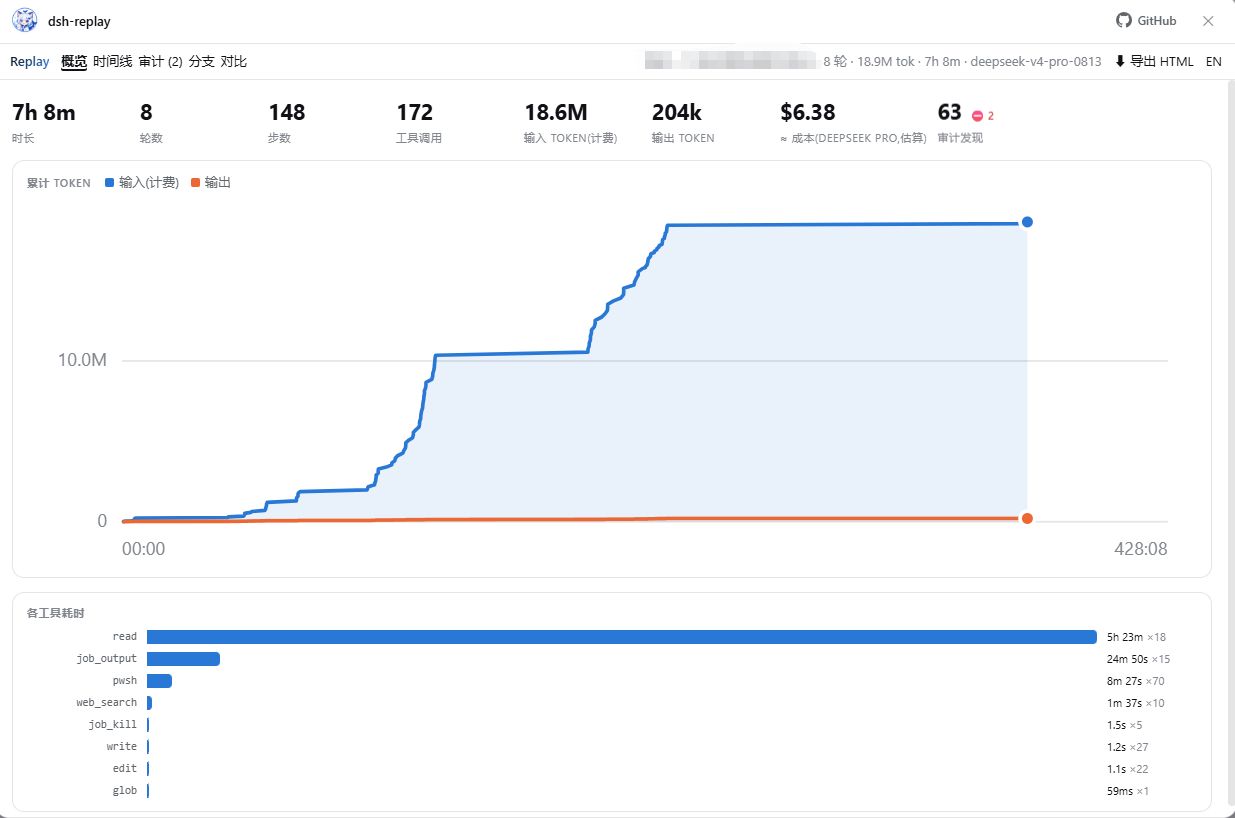
| 📊 Overview dashboard | Hero stats, cumulative token chart with crosshair, tool-time ranking — where the time and tokens actually went |
| 💰 Cost estimate | ≈ dollar cost from disjoint token accounting (cache-aware); editable pricing table, DeepSeek / Claude / OpenAI / Gemini defaults |
| 🛡️ Security audit | Rules-based scan: dangerous shell (rm -rf, sudo, curl-pipe…), sensitive paths (.env, ~/.ssh…), sandbox/permission changes, denied approvals — ranked, clickable, extensible |
| 🌿 Fork tree | The whole session lineage as a clickable tree, fork boundaries labeled, subagents marked |
| ⚖️ Compare | Any two sessions side by side: stats, tool mix, token deltas, exact divergence seq for forks |
| 📤 One-click HTML export | Bake a session into a single offline .html — attach it to a bug report or send to a teammate; they get the full interactive replay with zero installs |
| 🔍 Filter & search | Free-text search across messages/args/results + kind filters, right in the playback bar |
| 🌏 EN / 中文 | Whole UI switches language (findings and meta labels included); auto-detected, one-click toggle |
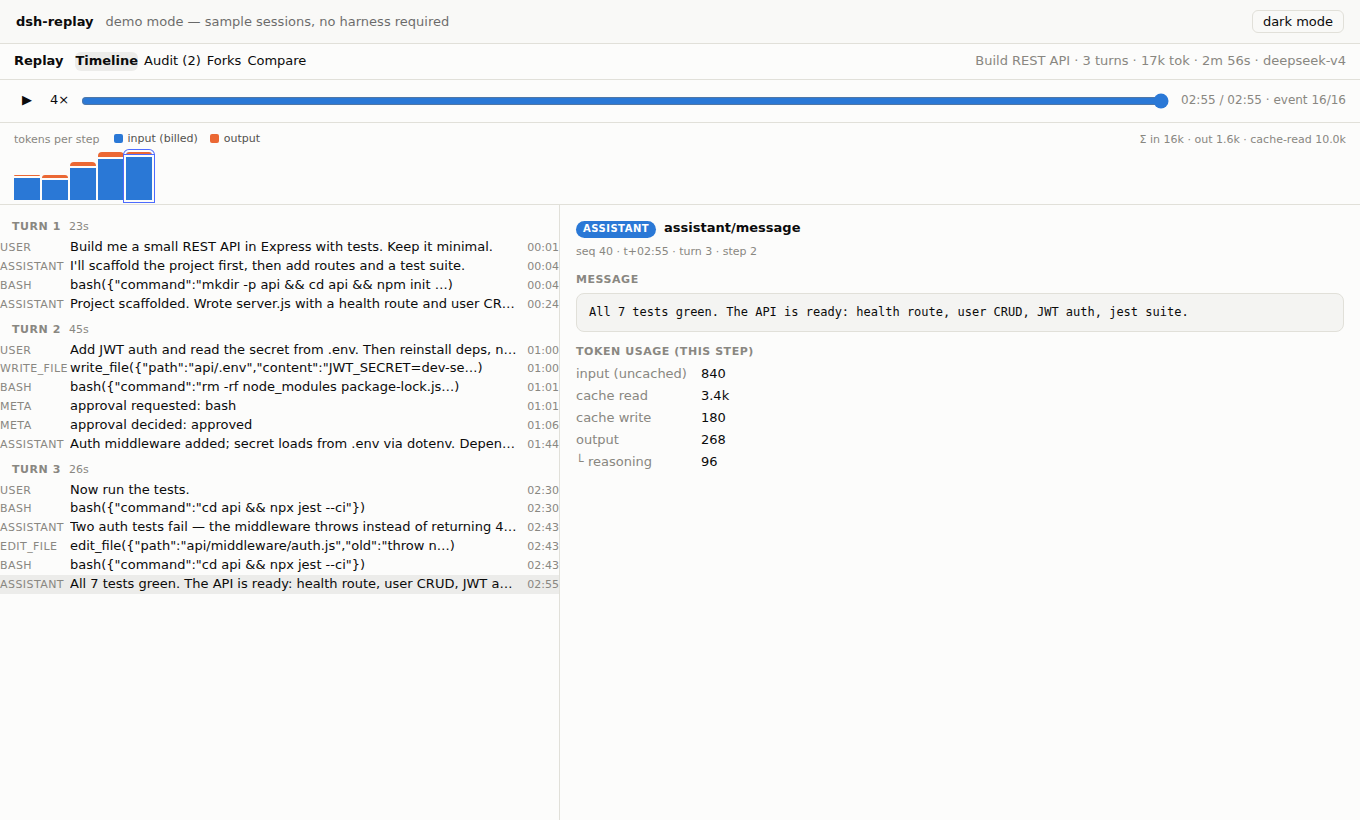
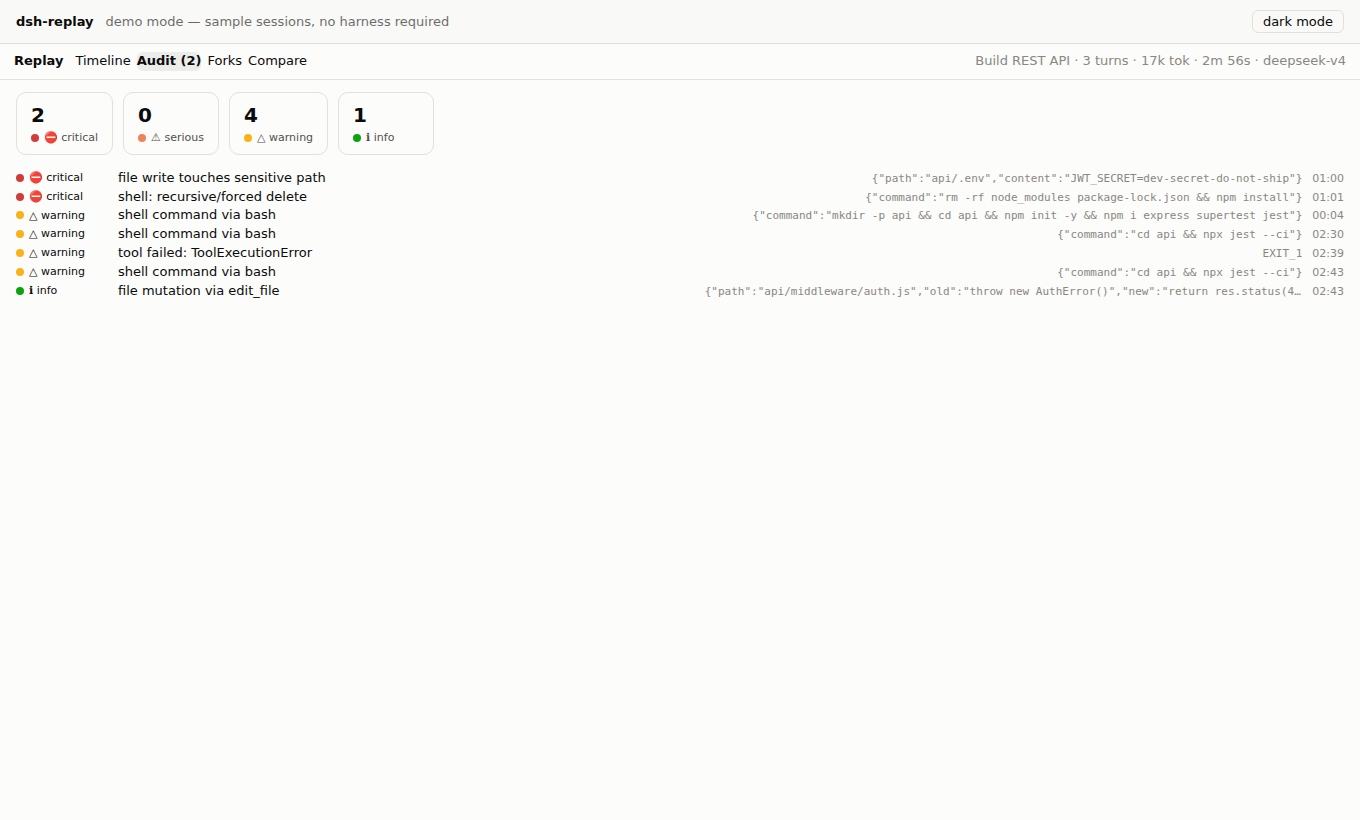
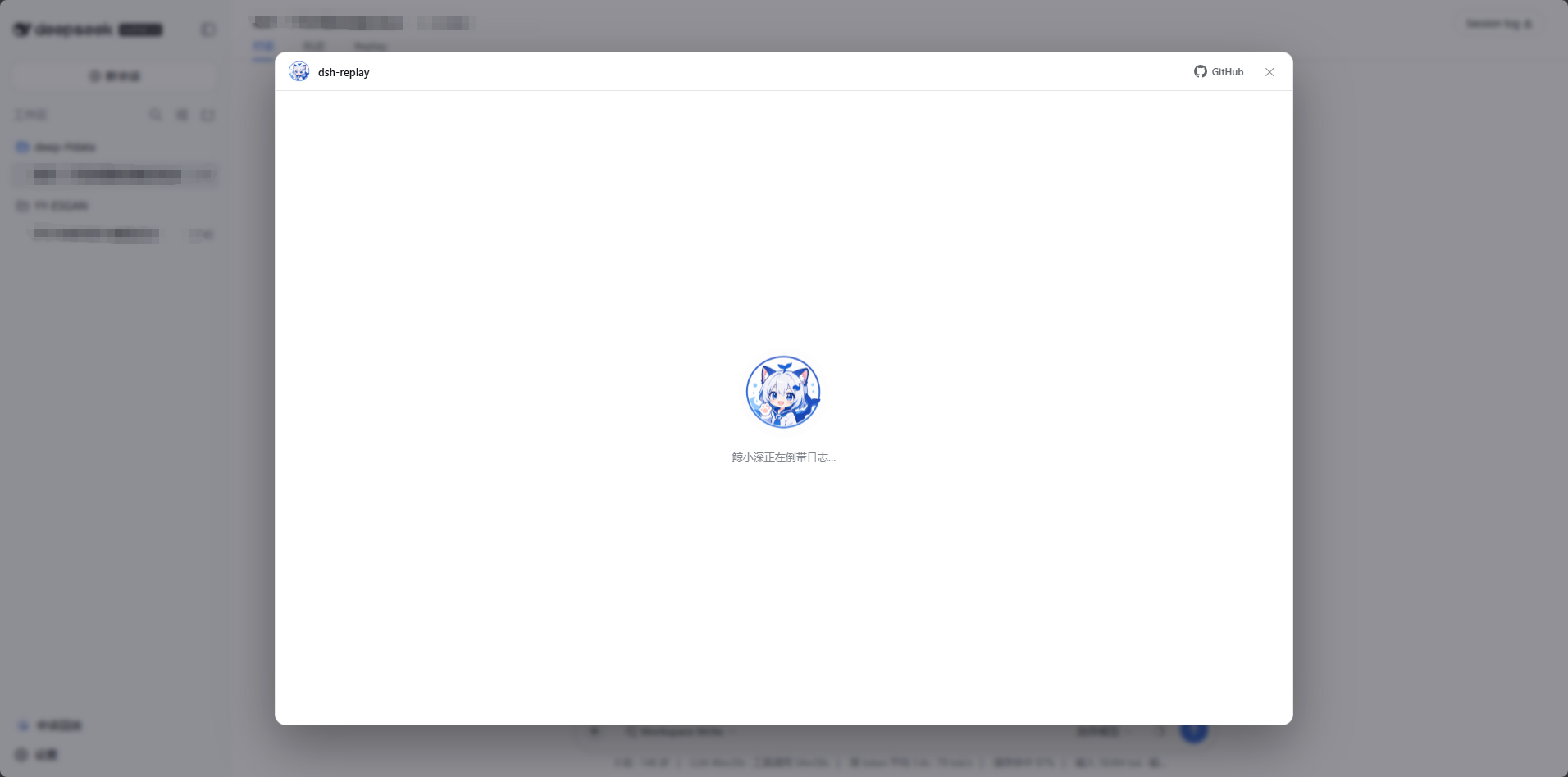
Dark mode follows the harness theme. Loading and empty states are hosted by Jing Xiaoshen (鲸小深), our original whale-catgirl mascot (hide her with .dshr-mascot { display: none }).
🚀 Quick start
1️⃣ Try it first — zero install
Online demo: https://mingozhou.github.io/dsh-replay/ — three sample sessions, full UI, zero install.
2️⃣ Install into DeepSeek Harness — one npm command
The npm package ships prebuilt: no cloning, no building, no allowBuilds approval.
# released CLI (npm i -g @deepseek-ai/dsh); list your profiles with: ls ~/.dsh/profiles
dsh plugin --profile <your-profile> add @mingozhou/dsh-replay

# harness running from a source checkout (`pnpm dsh web` uses the profile named "web"):
#   run inside the harness repo directory
pnpm dsh plugin --profile web add @mingozhou/dsh-replay
Verify with dsh --profile <your-profile> --dump-config (expect a # == @mingozhou/dsh-replay section), then restart the harness (dsh web --profile <your-profile> / pnpm dsh web) and open http://127.0.0.1:3080. You now have two entries:
-
the Session Replay button at the bottom-left of the sidebar (opens a full-screen modal with a session picker), and
-
a Replay tab inside every open conversation.
3️⃣ Install from a cloned repo (development / unreleased changes)
git clone https://github.com/MingoZhou/dsh-replay.git
cd dsh-replay
npm install && npm run build      # lib/ is a build artifact — required after every fresh clone
npm run demo                      # local demo → http://localhost:4173

# then point your profile at the folder instead of npm:
dsh plugin --profile <your-profile> add <absolute-path-to>/dsh-replay
🧹 Uninstall
The official way (works even when the harness fails to boot, since it only runs pnpm in the profile directory):
dsh plugin --profile <your-profile> remove dsh-replay        # released CLI
# or, from a harness source checkout:
pnpm dsh plugin --profile web remove dsh-replay
Then restart the harness. Manual fallback if the command itself misbehaves: open the profile directory (~/.dsh/profiles/<your-profile> — on Windows C:\Users\<you>\.dsh\profiles\<your-profile>), remove dsh-replay from package.json → dependencies and from dsh.profile.bundles, run pnpm install there, restart. Nothing else is written anywhere — the plugin keeps no state outside its own package.
🔧 FAQ / Troubleshooting
GET /replay/api/sessions returns 404 — the config layer didn't land. The harness fails silently on an unresolvable plugin name: re-run the dsh plugin add step and check --dump-config for the # == dsh-replay section.
Cannot find module '…\dsh-replay\lib\index.js' at boot — the profile links to your plugin folder, and lib/ is a build artifact that ships neither in git nor in release archives. Run npm install && npm run build inside the plugin folder (required after every fresh clone/unzip), then start the harness again.
API works but no sidebar button / Replay tab — the browser half didn't load. Confirm lib/client.js exists (run npm run build in the plugin), then fully restart the harness: client plugin sets are only scanned at boot, and negative results are cached.
EADDRINUSE: 127.0.0.1:3080 — a previous harness instance is still running; stop it first.
npm install fails on @deepseek-ai/* packages — you're on an old checkout of this plugin. All harness packages are optional peers since v0.2.0; pull the latest.
The harness updated and something broke — the preview-phase plugin API moves. Everything hard lives in the dependency-free core/; fixes land in two thin adapter files. npm run demo always works.
🏗️ Architecture
src/core      dependency-free analysis: JSONL + chunk-row decoding, timeline
              folding, audit rules, fork forest, cost model, session diff   ← 27 unit tests
src/index.ts  host half: read-only HTTP API on the harness web server
              (GET /replay/api/sessions | /session/<id> | /viewer.js)
src/client    browser half: React components + three slot registrations
              (conversation.view · sidebar.footer.action · shell.overlay)
demo/         the same components over sample logs, zero harness deps
The split is deliberate: a preview-phase API break means fixing an adapter, not the product. core is importable on its own (dsh-replay/core) if you want to build your own tooling over session logs — it understands the wire format including packed chunk rows, torn crash tails, seed boundaries, and compaction shadowing.
Wire-format notes (for fellow plugin authors)
seq is contiguous and gapless; streaming chunks may arrive packed as text-chunks / reasoning-chunks / tool-call-chunks rows (seq0 + dt[] deltas); token usage rides assistant/message (and early usage chunks) and replaces rather than accumulates per turn/step; cache token counts are disjoint from inputTokens (billed input = input + cacheRead + cacheWrite); session titles are log-only session/title events — take the last; session/end-seed marks the fork/resume boundary; a final line without a newline is an uncommitted crash tail, not corruption.
🗺️ Roadmap
Live mode (follow a running session over the events websocket) · file-diff reconstruction from edit-tool calls · audit rule packs · replay annotations & sharing links.
Issues and PRs welcome. If you build something on dsh-replay/core, open a discussion — happy to link it here.
📜 License & credits
MIT. Jing Xiaoshen (鲸小深) is an original character created for this project — she is not the official DeepSeek logo nor third-party fan art. Mascot artwork lives at assets/jingxiaoshen.png; replace it (≤400 KB) and npm run build embeds your version everywhere in the UI.
Похожие плагины
dsh-web-ui (dsh-chat-recovery)
zhu1090093659/dsh-web-ui
dsh-synapse
liangmianya/dsh-synapse
billion-context
ranxianglei/billion-context
dsh-chat-import
nwflower/dsh-chat-import