dsh-countup-pomodoro
researchrepo-backup/dsh-countup-pomodoro
Count-up Pomodoro: focus counts up with no ceiling and never stops itself at 25 minutes, finishing drops straight into a short break, and a status board plus the four quadrants keep the task list in view.
Установка
dsh plugin --profile web add github:researchrepo-backup/dsh-countup-pomodoroREADME
dsh-countup-pomodoro
中文 | English
An energy manager: a count-up Pomodoro plus a four-quadrant to-do list.
A plugin for DeepSeek Harness. It adds a 专注计时 row to the sidebar; selecting it takes over the main column with a timer that will not interrupt you, and a task list ordered by where your energy should go.
The idea: manage energy, not minutes
A Pomodoro answers "how long did I focus". The four quadrants answer "where should that energy go". Those usually live in two separate tools, so either the time never gets recorded, or it gets recorded without anyone asking whether the task was worth doing at all. This plugin puts both on one page.
1. It counts up, because an alarm interrupts the work it protects
With a classic Pomodoro you are often interrupted mid-sentence at minute 25 — right when you were actually in the flow, and getting back in costs more time than the break bought.
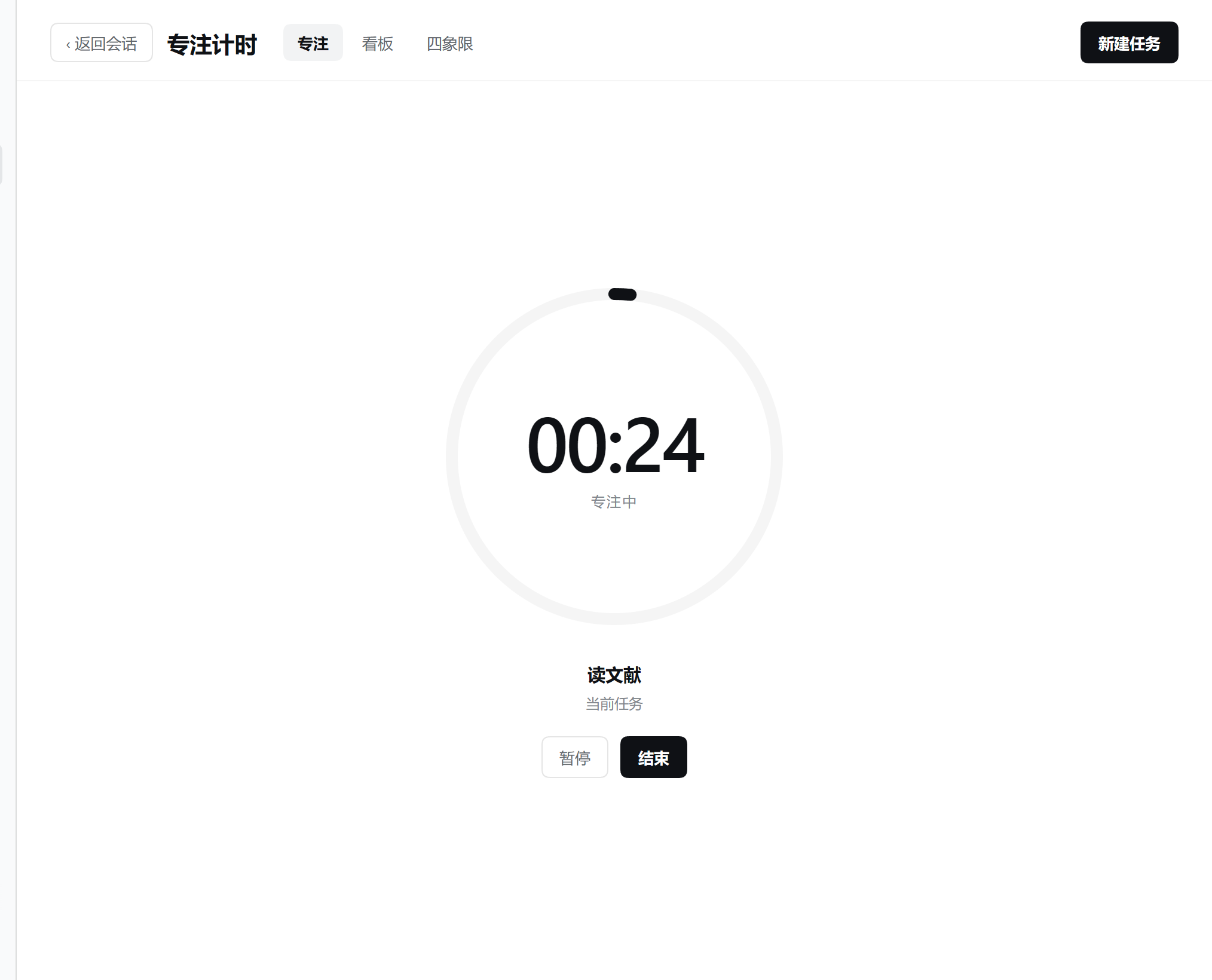
So this timer counts up: no ceiling, and it never stops itself. The 25-minute mark still exists, but only as one segment on the progress ring — a visual cue for rhythm, not a stopping condition. When a session ends is your call, not the clock's.
Worth saying plainly: this is not my idea — others proposed count-up Pomodoro before me. If you prefer the "25-minute countdown plus a forced break" rhythm, another Pomodoro tool will suit you better. Neither is superior; it depends on how you work.
2. Time records itself
Pick a task, press start, and the timer records against that task. Pressing finish writes the elapsed seconds into that task and every one of its ancestors, in a single transaction — so a parent's total is always correct, with no manual addition and no end-of-day timesheet to backfill.
Those totals surface on the board as count cards and summary cards: focus time and completions for today and this week, plus how much is still open today.
3. The quadrants decide where the energy goes
A task carries two flags — important and urgent — and lands in one of four quadrants:
| Quadrant | What it means | What to do |
|---|---|---|
| Urgent and important | It has to happen now | Do it now |
| Important, not urgent | Long-term value, the first thing to get squeezed out | Schedule it |
| Urgent, not important | Someone else's urgency, not necessarily yours | Delegate it |
| Neither | Costs energy, produces nothing | Drop it |
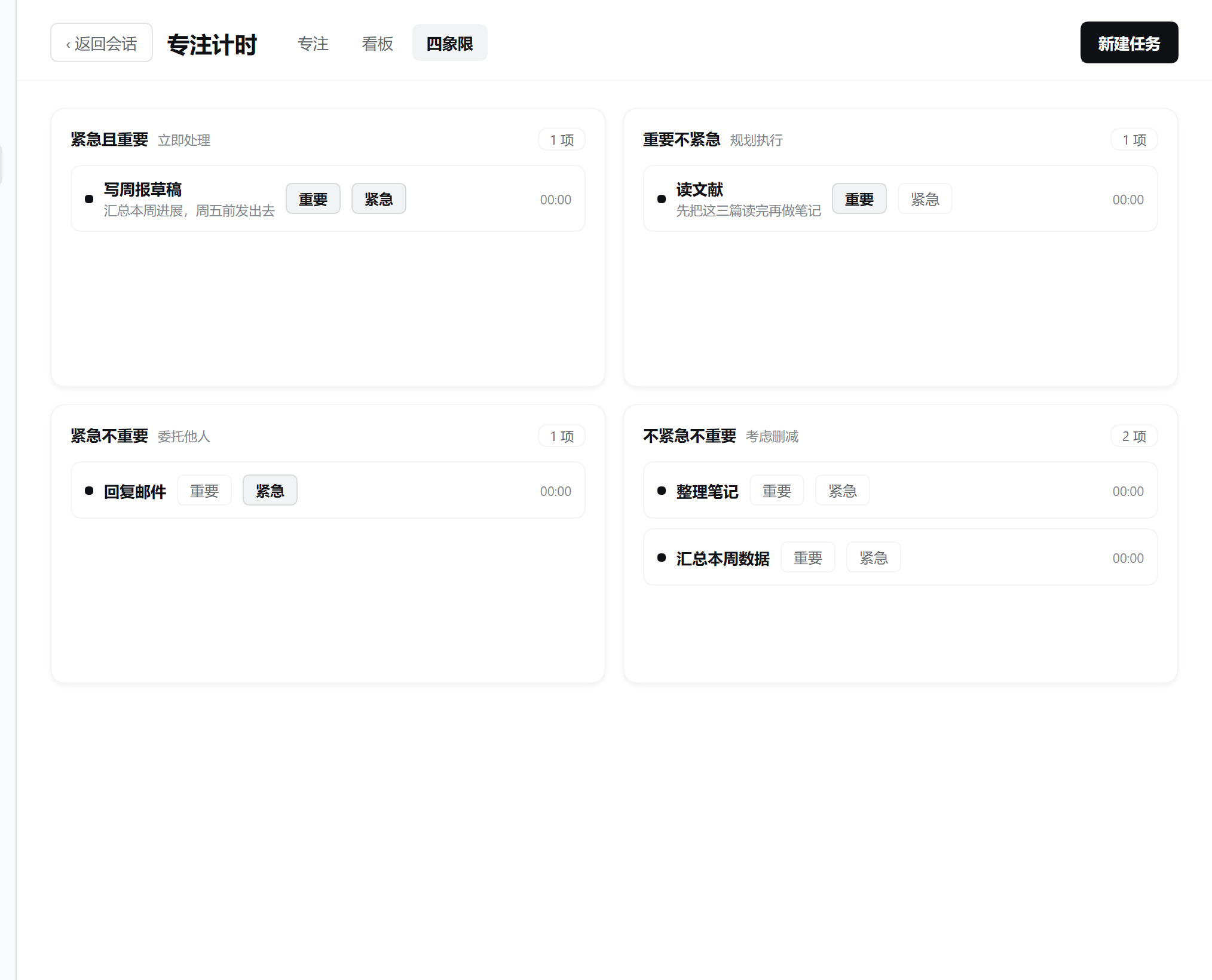
You can toggle a task's flags right in the quadrant view and it moves immediately — reprioritising never requires opening an editor. The second quadrant (important, not urgent) is usually where real investment belongs; living only in the first quadrant and abandoning the second is how energy gets burned out.
Three views
One page, three tabs, one entry point — no navigation in between.
Focus — the large ring, the current task, and start / pause / finish. While idle you pick from your todo and in-progress tasks.
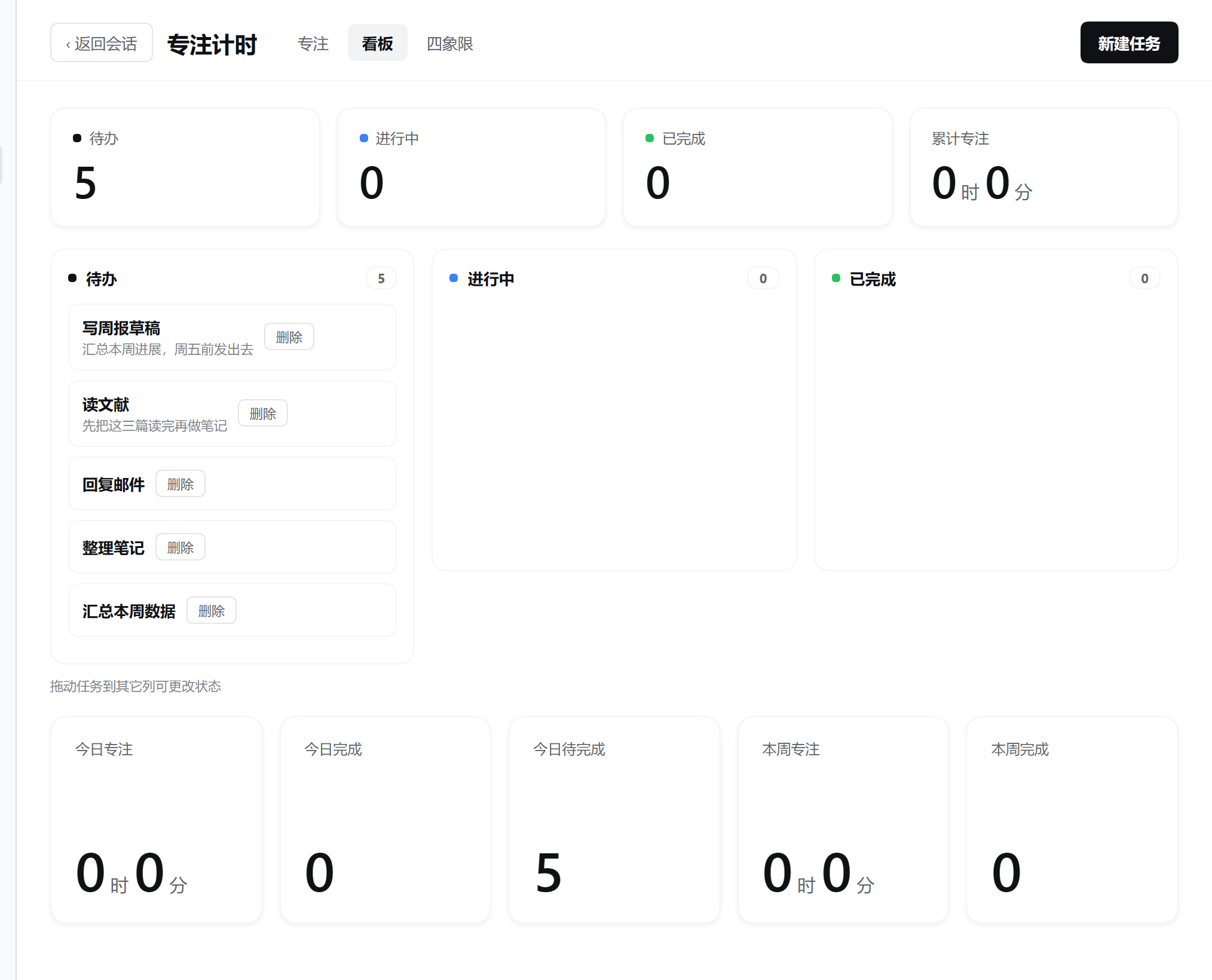
Board — four count cards on top (todo, in progress, done, total focus), three status columns below — drag a card onto another column to change its status — and five summary cards for today's and this week's focus time and completions.
Quadrants — the 2×2 view of where energy goes. The dot on each row is that task's status (todo / in progress / done).
Finishing drops straight into a break
Pressing finish does two things at once: it settles the elapsed time, and it starts a five-minute break. The break stage offers 5 / 10 / 15 minutes — picking one restarts the countdown at that length — and you can pause, resume, or stop it.
A break that runs out never starts the next work session on its own. It simply stops and waits for you to decide what is next.
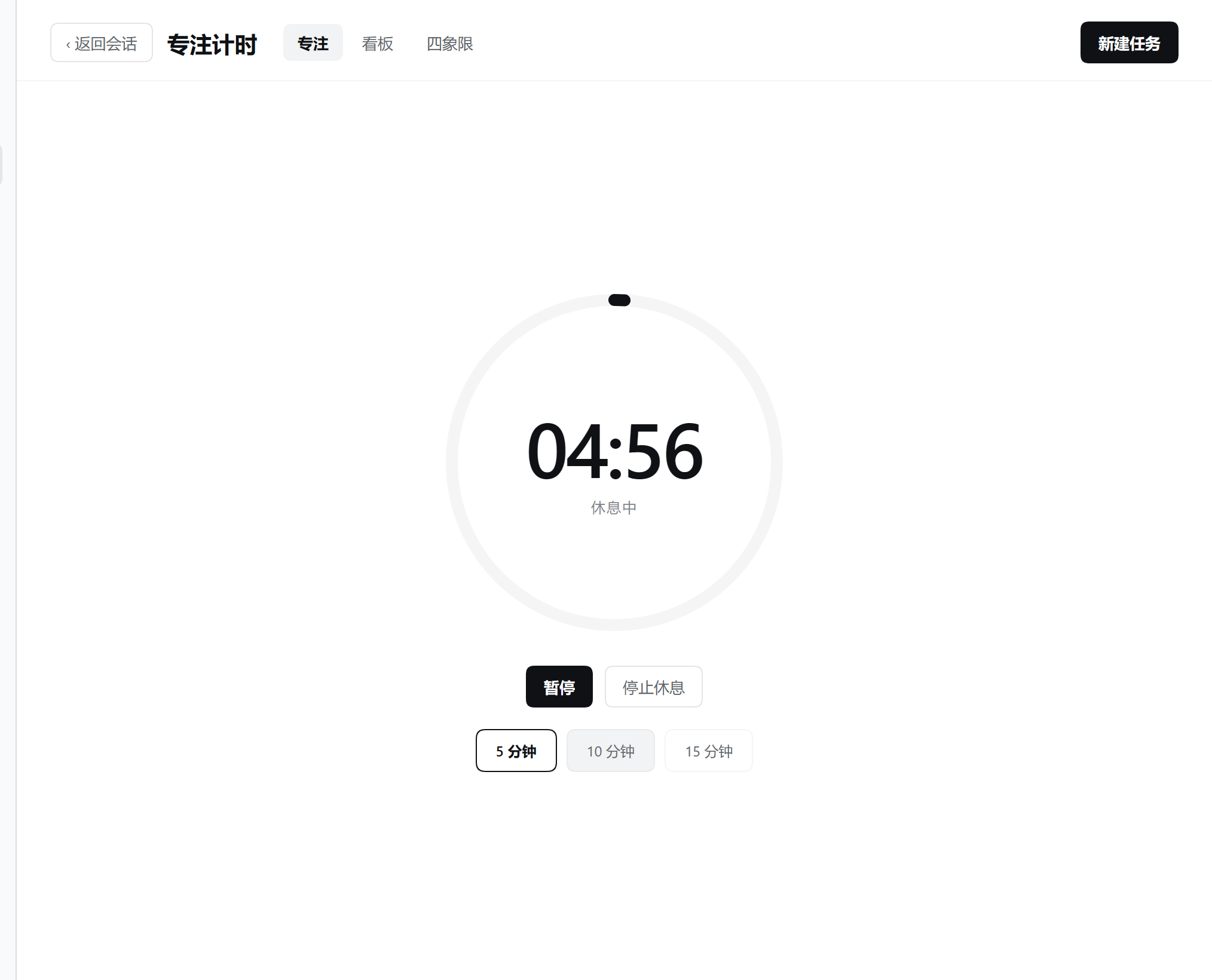
Exactly one timer exists at a time: work cannot start during a break and a break cannot start during work. A conflict is rejected by the service rather than silently replacing whatever was running.
Task details and subtasks
Clicking any task card opens its details: title, description, parent task, both flags, and the list of existing subtasks — with an inline field to add another one.
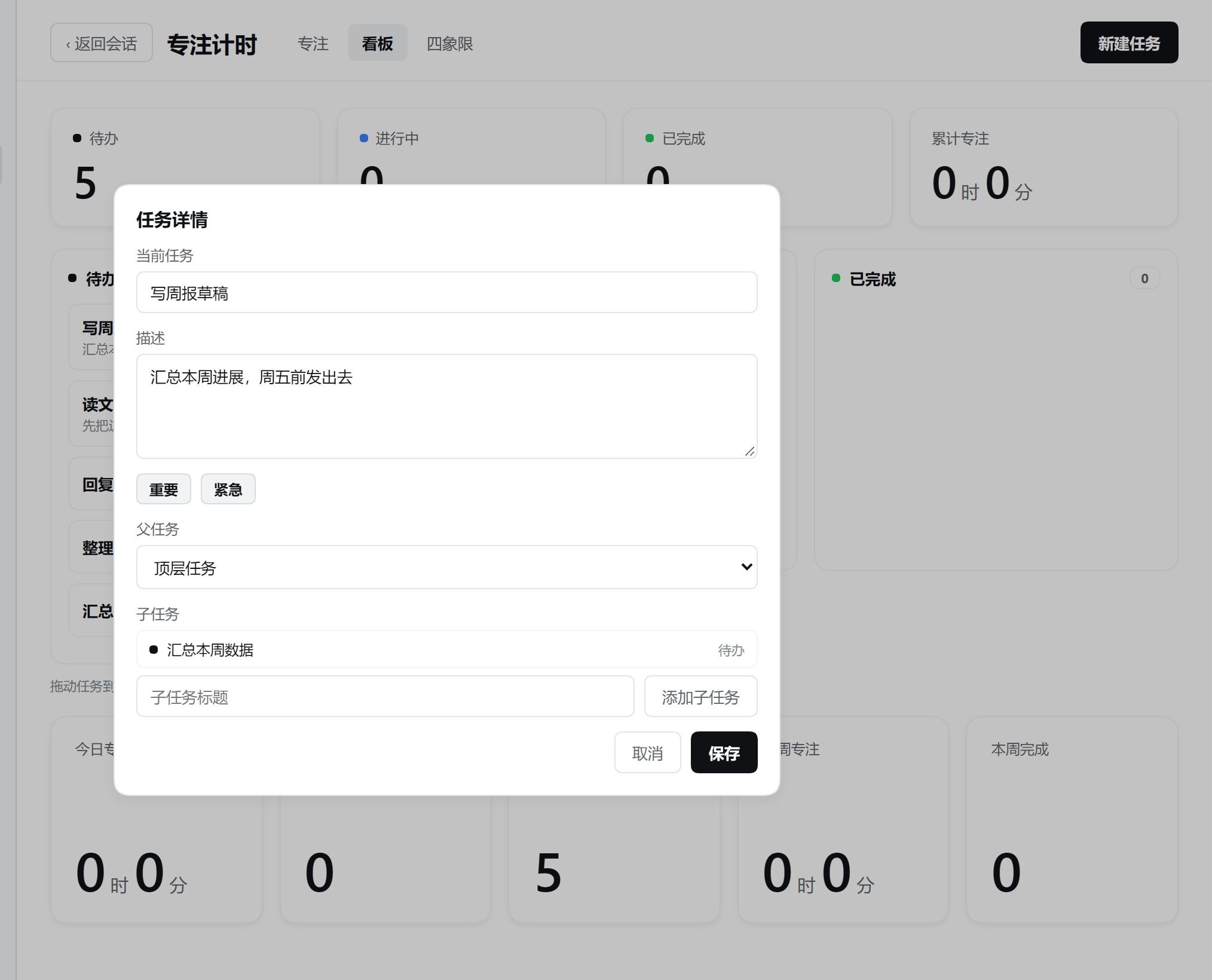
The create form carries the same fields, so you can set a parent or both flags up front instead of creating a task and then editing it.
Where the data lives
- Tasks, timer sessions, and accumulated time live in SQLite on the Host (
node:sqlite). The browser holds no authoritative state; every read and write crosses thefocusTimerRemote. - Weekly archive: tasks completed last week leave the board at the Monday 08:00 boundary. A missed run is compensated at startup.
- Work sessions (in progress or paused) are restored from SQLite after a Host restart; a break countdown is process-owned and is not restored.
- Focus time is bucketed by session start, so a session crossing midnight counts wholly toward the day it began.
Install
The package ships both halves — the Host service (lib/index.js) and a self-mounting browser half (lib/client.js) — and declares dsh.bundle, so it installs without a host-side change.
# into the profile your host boots (replace `web` with yours, e.g. `desktop`)
dsh plugin --profile web add dsh-countup-pomodoro
Or wire it up by hand — add the dependency and list it as a bundle:
{
  "dependencies": { "dsh-countup-pomodoro": "github:researchrepo-backup/dsh-countup-pomodoro" },
  "dsh": { "profile": { "bundles": ["…", "dsh-countup-pomodoro"] } }
}
Restart the host afterwards.
On DSH Desktop the profile is app-managed: install through Settings → Plugins, not through dsh plugin --profile web.
Requirements
- DeepSeek Harness with the browser surface (
dsh webor DSH Desktop). - Node built with
node:sqlite(Node 22.5+; the desktop runtime ships one).
@deepseek-ai/dsh-typert-protocol and @deepseek-ai/cordis are peer dependencies resolved from the host, so the service extends the host's own class instead of dragging a second copy of the runtime into the profile.
Localization and theming
Chinese and English ship in the box. Every surface is styled with the host's --dsw-* semantic tokens, so it follows the active theme — dark mode and installed skins included — with no palette of its own.
Limitations
- Subtasks are one level deep in the UI and are created one title at a time; the Host itself accepts arbitrary depth with cycle checks.
- The page refreshes after each action rather than subscribing to host pushes, so a timer changed in another window appears on the next action.
- Focus totals are bucketed by session start; a session crossing midnight is not split.
License
MIT
Похожие плагины
dsh-web (dsh-task-board)
zhu1090093659/dsh-web
dsh-web (dsh-web-all)
zhu1090093659/dsh-web
dsh-web-ui (dsh-task-board)
zhu1090093659/dsh-web-ui
dsh-web-ui (dsh-web-ui-all)
zhu1090093659/dsh-web-ui