dsh-any-background
tkingxiao/dsh-any-background
Набор оформления для DeepSeek Harness. Независимая настройка прозрачности и размытия стекла для 8 областей (основной фон, боковая панель, карточки и панели, поля ввода и контролы, настройки, рамка беседы, вид траектории, produced/highlights — 9 с dsh-better-sidebar). Любое изображение или видео как обои: редактор положения (перетаскивание — панорама, прокрутка — масштаб) и 5 раскладок (Fit/Fill/Stretch/Tile/Center); видео зациклены без звука, переживают перезагрузку, дают живой кадр для предпросмотра, извлечения цвета и кадрирования. Ротация набора изображений (перемешивание/порядок, каждый раз/ежедневно/еженедельно). Также: цветовой круг в стиле PS, извлечение цвета обоев одним нажатием, 6 пресетов и сохранённые профили, авто переключение день/ночь, полный экспорт/импорт темы.
Установка
dsh plugin --profile web add github:tkingxiao/dsh-any-backgroundREADME
dsh-any-background





English | 中文
A DeepSeek Harness appearance plugin: custom theme color, background wallpaper (image / video / algorithmically generated), and per-surface opacity & blur control. Compatible with DSH 0.2.1 through 0.2.2-rc.3 — and every host release above it.
Screenshots
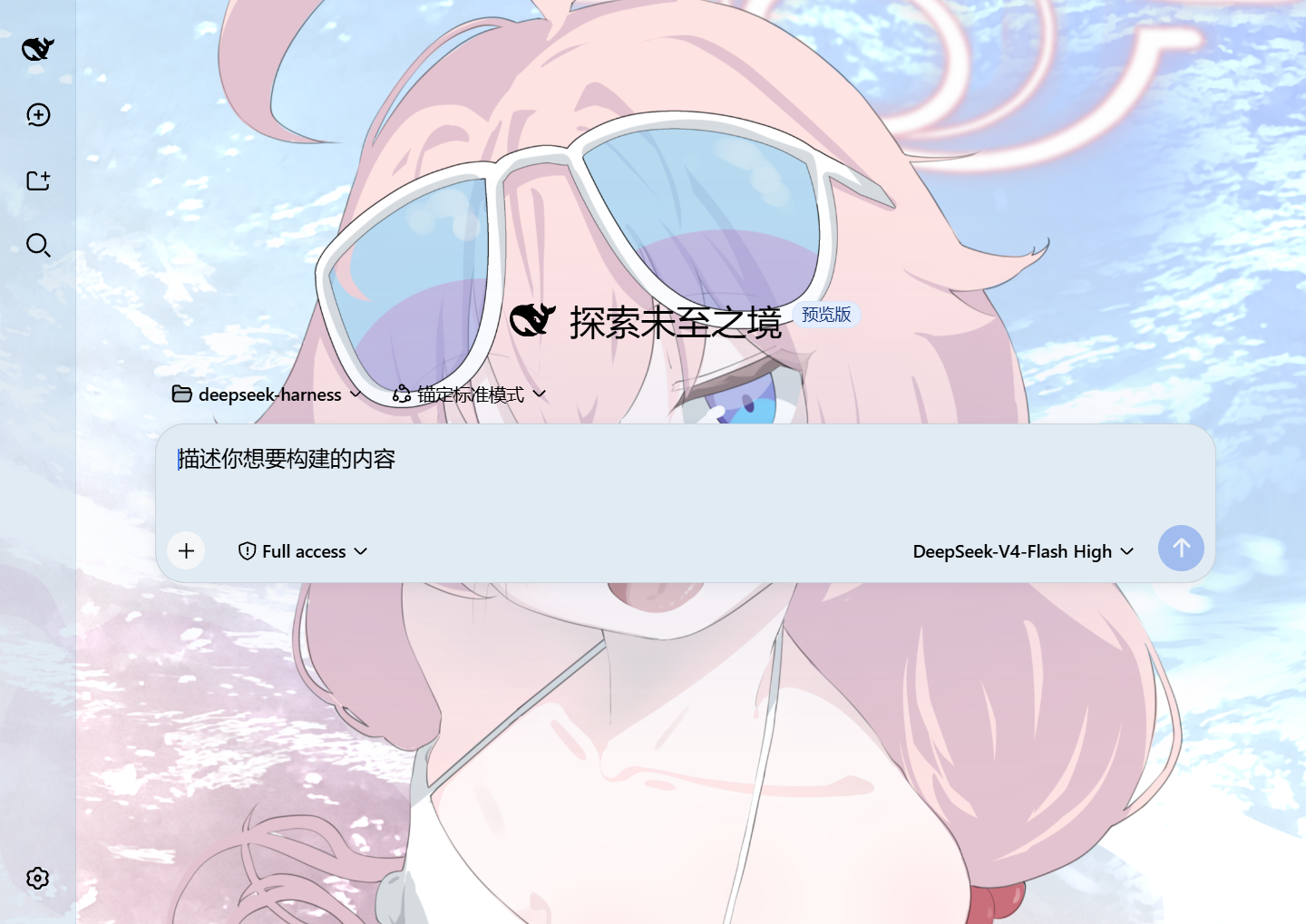 Custom homepage · wallpaper + theme color applied |
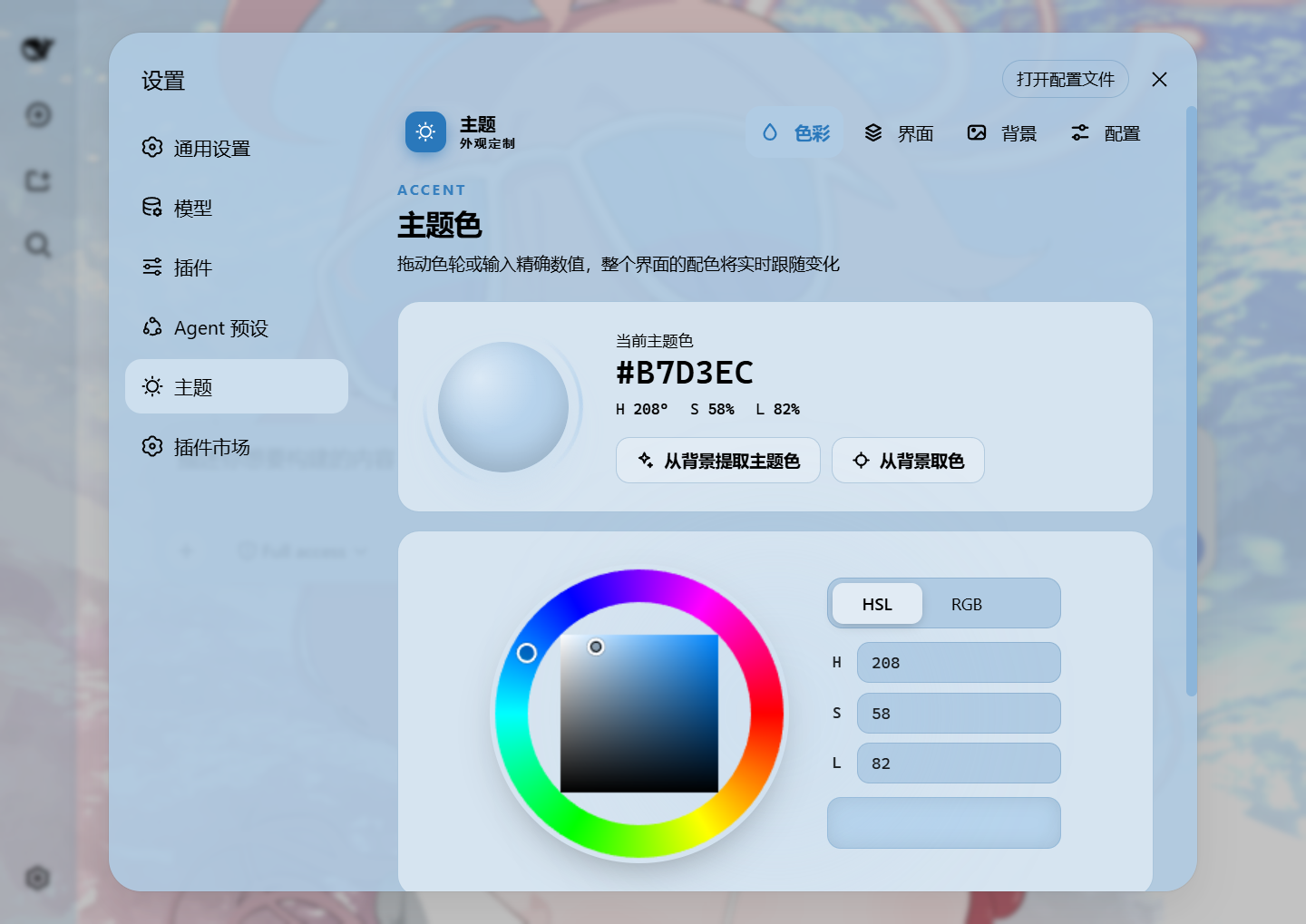 Theme color picker · PS-style wheel + HSL/RGB inputs |
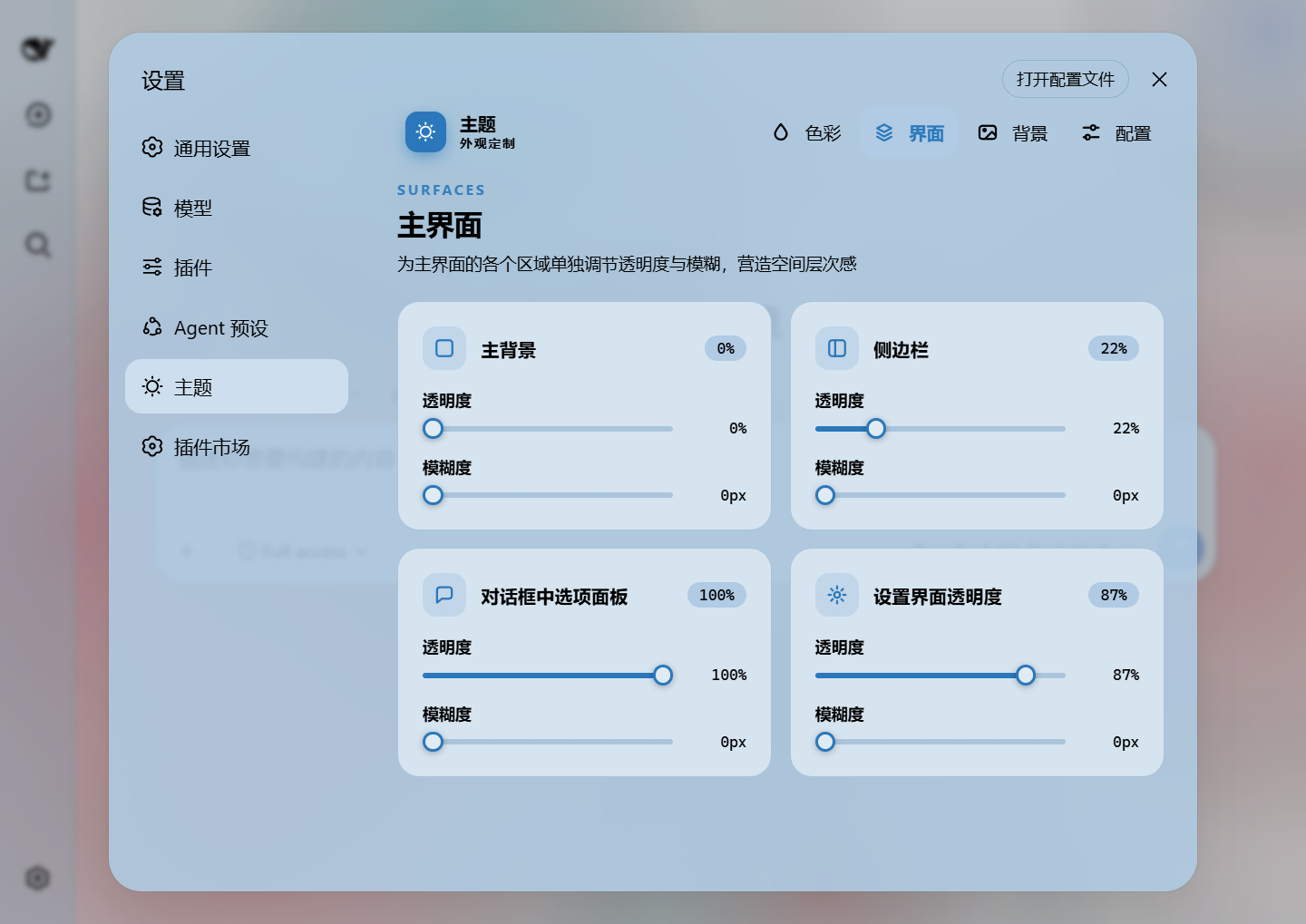 Per-surface opacity and blur |
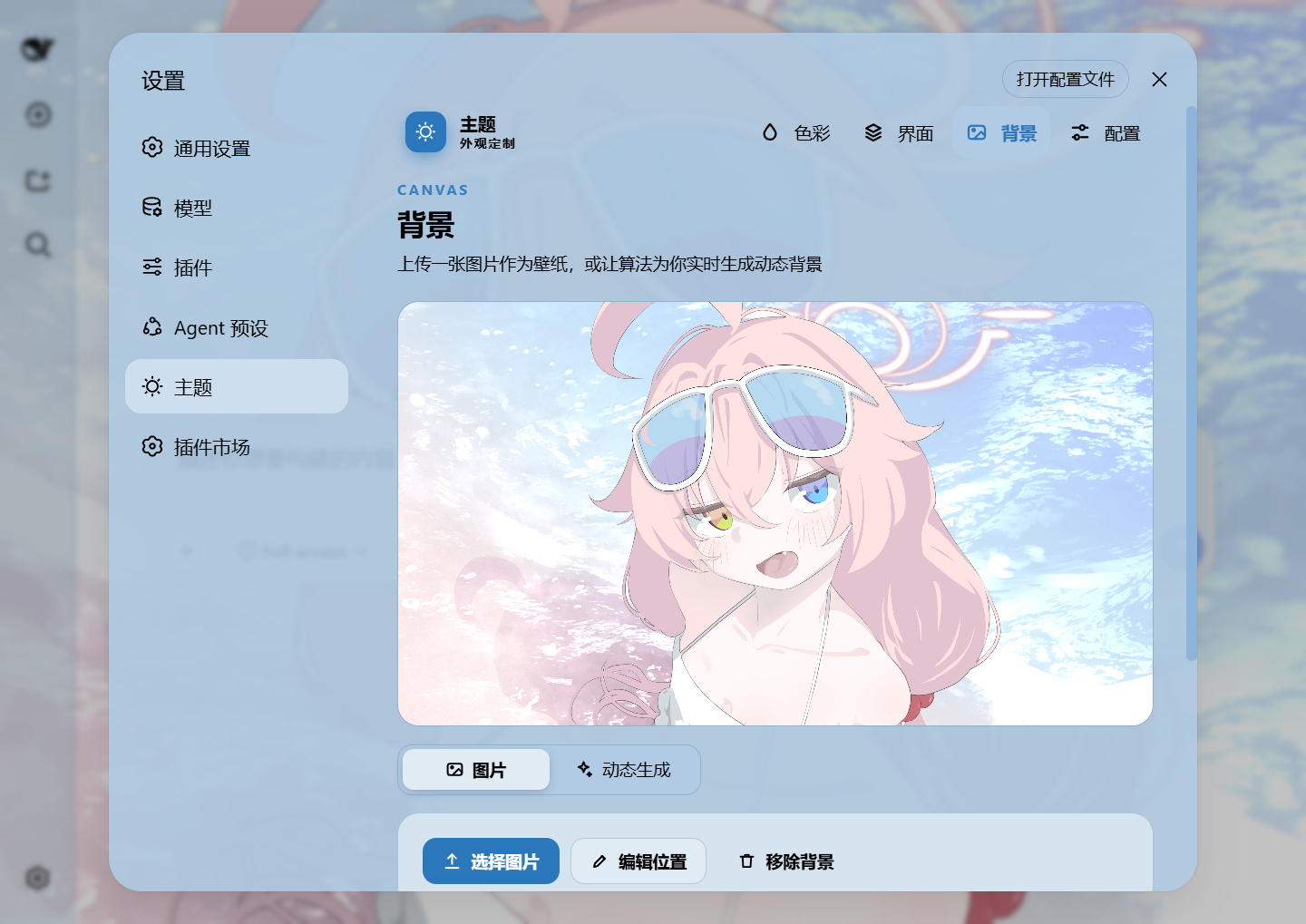 Background editor · pan and zoom |
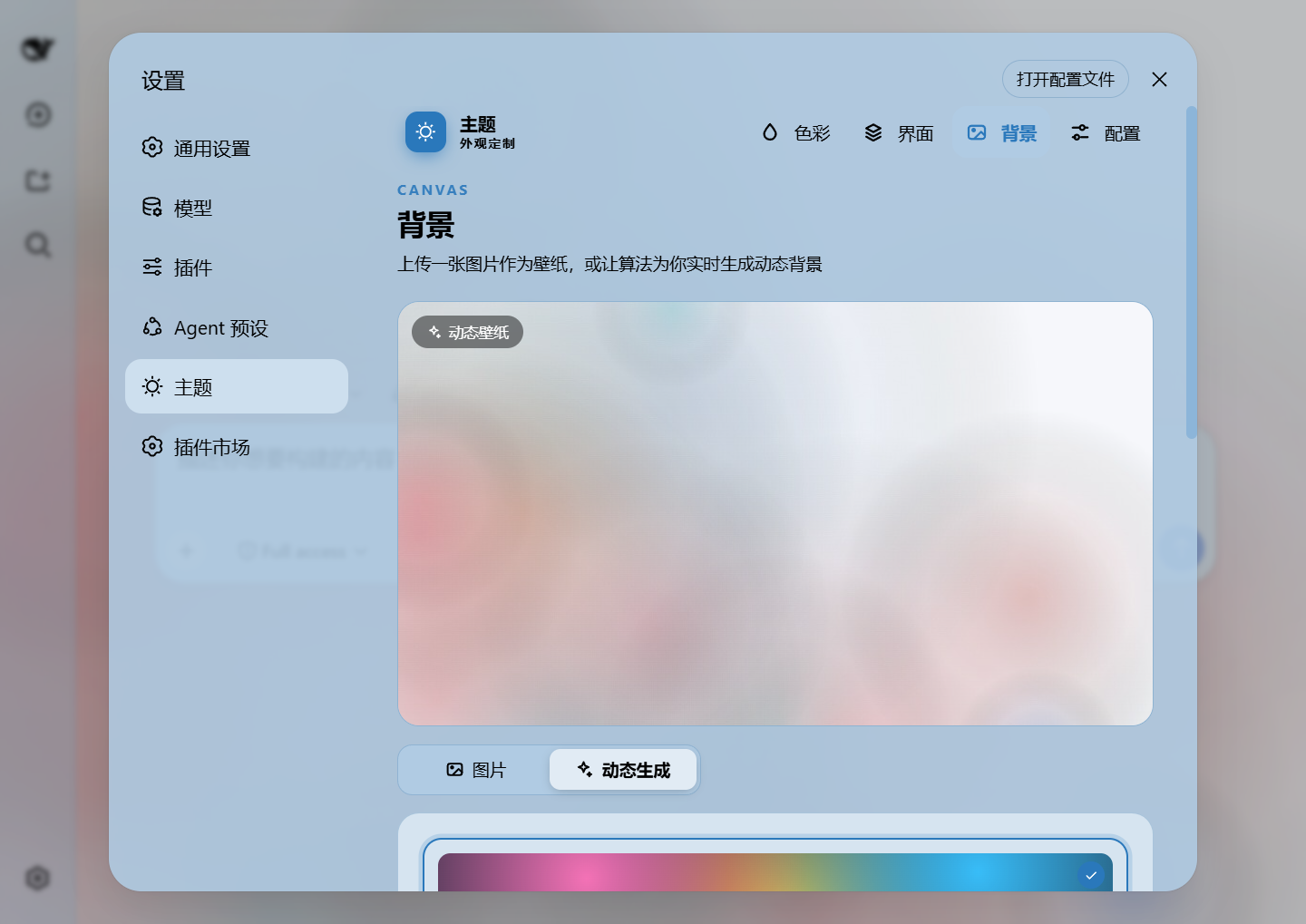 Generated background · mesh gradient / Shader / geometric |
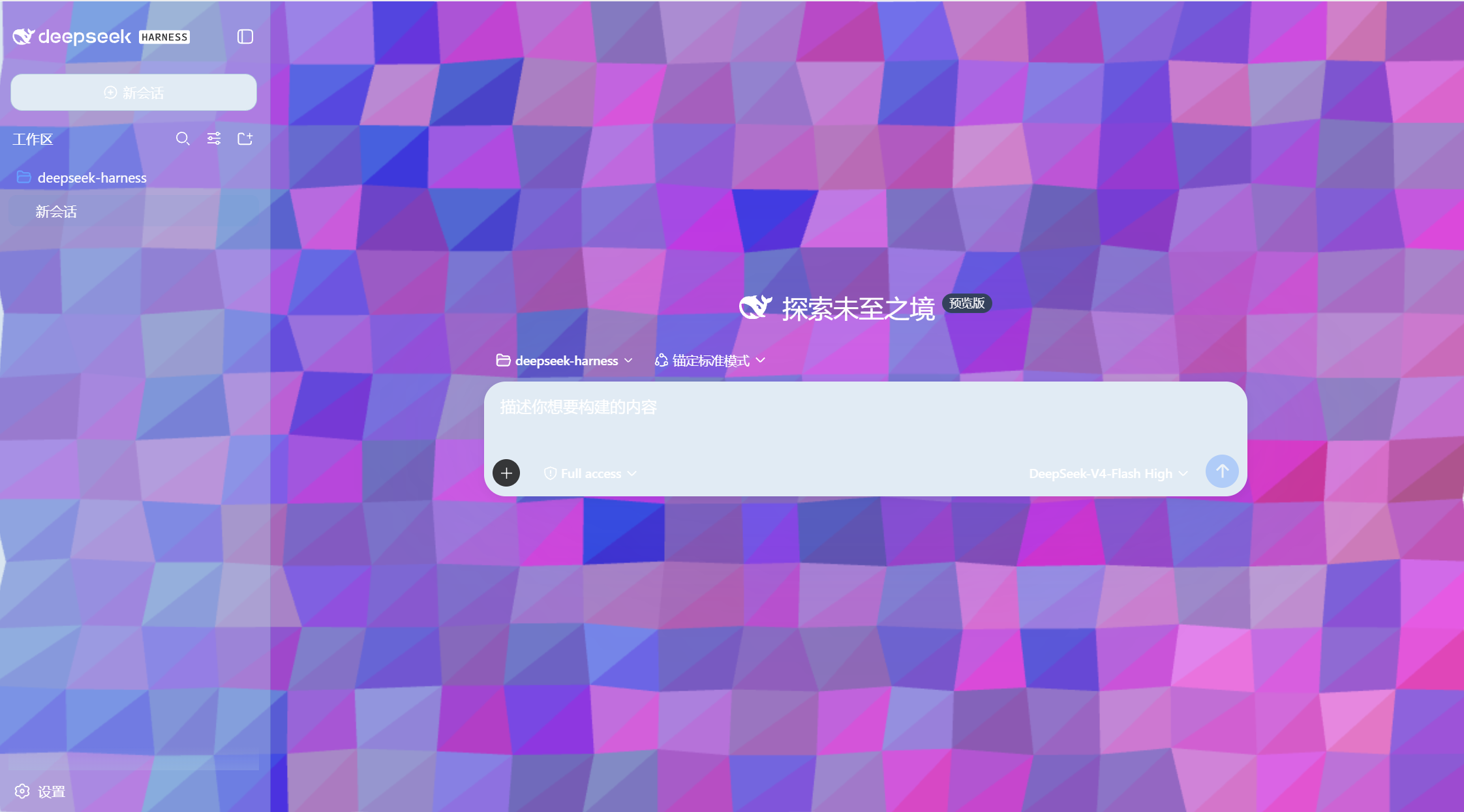 Generated background · geometric low-poly |
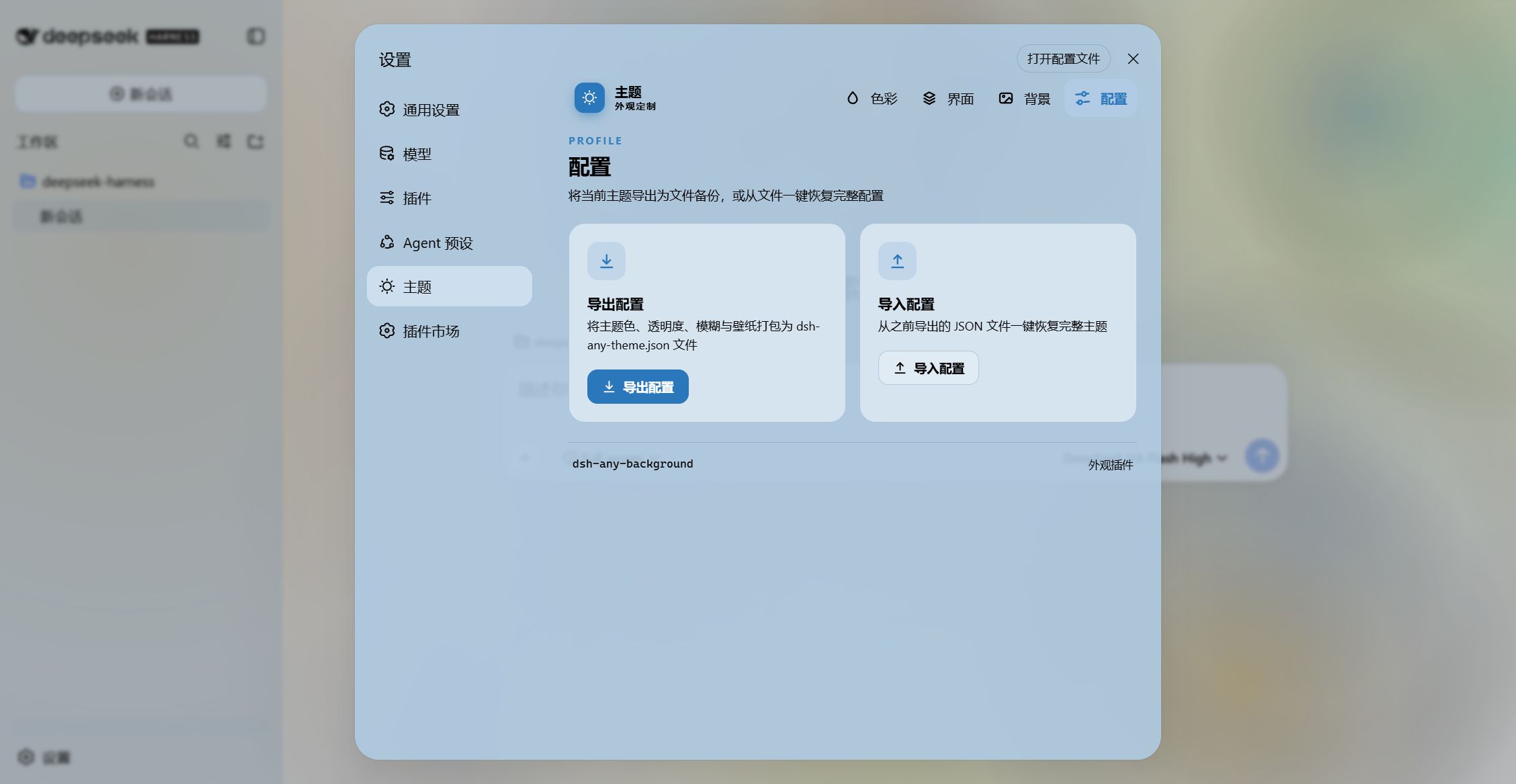 Export and import configs to share them |
|
Features
Color & theme
- PS-style color wheel — Hue on the ring, saturation and lightness in the inscribed square; generates 30+ CSS design tokens live.
- Precise HSL / RGB input — Numeric entry, bidirectionally synced with the wheel.
- Smart extraction / eyedropper — One click derives a theme color from the wallpaper (sampling the visible area and discarding gray, near-black and near-white), or hover any pixel to pick it. Video wallpapers contribute an auto-captured frame. All client-side.
- Forced light / dark scheme — Light, dark or auto. In auto the surface and font direction follow the accent color's lightness (dark pick → light text), falling back to the wallpaper's brightness when no accent is set.
- Theme export / import — A self-contained
dsh-any-theme.json(config + wallpaper + the whole rotation pool) that restores anywhere. - Presets & profiles — Six one-click presets plus named profiles that can be renamed and duplicated; deleting asks for confirmation twice.
Background & wallpaper
- Image wallpaper — Upload any image as the background.
- Video wallpaper — Muted, looping, survives refreshes (persisted on disk + HTTP Range streaming), with one frame captured for the preview, color extraction and position editing.
- Position editor & layout modes — Drag to pan, scroll or pinch to zoom, one-click reset; Fit / Fill / Stretch / Tile / Center. Image and video placements are stored separately and never overwrite each other.
- Generated backgrounds — Mesh gradient, Shader or geometric patterns, with adjustable spread and intensity and a lockable seed.
- Wallpaper rotation — Build a pool with the thumbnail picker, click a thumbnail to apply it directly, and rotate by shuffle or order on every refresh / hourly / daily / weekly; the cadence advances while the page stays open, not only on reload.
- URL wallpaper daily refresh — A wallpaper applied from a URL can re-download itself on the day boundary, for sources that serve a new image over time.
- Day / night switch — A day profile and a night profile, switched on a fixed schedule or by following the OS dark mode.
Per-surface opacity & blur
- Eleven parts, each with its own slider pair — main background, sidebar, card panels, input & controls, settings panel, conversation frame, trajectory view, right sidebar (or bettersidebar), produced / highlighted content, header popovers, and the header bar. Slider values are typeable, and hovering a module card outlines the real region it controls.
- The slider IS the frost amount, and 0 means no frost — including over the host's own default menu frost. Every part still defaults to 30px, so a stock install keeps the frosted look.
- Opacity re-scopes the host's own token — it never stacks a second color over the original, so the wallpaper shows through the content.
- Produced / highlighted content shares one slider — code blocks (with their language banner), inline
codechips and produced chips move together. - Right sidebar / bettersidebar: one pair, two identities — without dsh-better-sidebar it drives the official right sidebar; with it installed the same pair takes over that plugin's bottom workbench panel (the official sidebar keeps responding too).
- On the Windows desktop shell it also drives the caption band — the sidebar pair paints the segment directly above the sidebar, and the cut follows the sidebar's width as it is dragged or collapsed (at width 0 the band returns to the header card). The 「标题栏」 card drives the rest of the band and the native window controls, with a four-state 「标题条带文字」 choice (auto / follow theme / always white / always black) for when a light strip fights the theme.
Interface parts
- Sidebar "Theme" page (dual mode) — The same five pages (Color / Interface / Font / Background / Profiles) register into the official right sidebar's guide page or into dsh-better-sidebar's sidebar, sharing one state with the settings panel, so a change anywhere shows everywhere. On a host without that extension point nothing is registered, silently.
- Conversation view cards — The message list is wrapped in a translucent card automatically, and the trajectory page adjusts as a whole page.
- Header popovers and the header bar are separately adjustable — the Agent Team panel, the background-job list, the session-header dropdowns, and the title / view-tab row at the top of a session each have their own opacity + blur pair.
- Custom font — Upload a ttf / otf / woff / woff2 (up to 100 MB) and apply it across the interface; code blocks stay monospace. Can be disabled or removed at any time.
- Per-part text outline — The same surface groups as the interface page, each with its own
-webkit-text-stroke(0–4px, 0 = off) in auto-contrast / gray / black / white / accent / custom. Code blocks, inlinecode, icons and the host's gradient-shimmer text are exempt automatically. - Third-party compatibility — When dsh-better-display is detected, its sticky summary band is pinned at a 20% plate + 30px frost outside the sliders. Other detected plugins get a per-plugin verdict on the settings card (with a copyable report line) instead of a console-only warning, and the whole accommodation can be switched off in Settings.
General
- File-based persistence — Everything is stored under
~/.dsh/.dsh-any-background-data/, not inlocalStorage. - Bilingual UI — Full Chinese / English interface following the host's locale.
- Theme watchdog — Re-asserts the custom theme if the host resets it.
Installation
Method 1: npm install (Recommended)
# published on the npm registry
dsh plugin --profile web add dsh-any-background

# or straight from the GitHub repository
dsh plugin --profile web add github:Tkingxiao/dsh-any-background
Then launch:
dsh web
The plugin appears as a "Theme" section in Settings.
Method 2: npx (No Global Install)
npx @deepseek-ai/dsh plugin --profile web add dsh-any-background
npx @deepseek-ai/dsh web
Method 3: Local Build (Development)
The lib/ directory is committed, so installs need no build step. To rebuild after editing src/:
git clone https://github.com/Tkingxiao/dsh-any-background.git
cd dsh-any-background
pnpm install
pnpm run bundle
pnpm dsh plugin --profile web add "dsh-any-background"
pnpm dsh web
Compatibility
-
dsh web:0.2.1~0.2.2-rc.3, and everything above it. Hosts below 0.2.1 are no longer supported. The gate names each verified build and then closes with an uncapped>=0.2.1-alpha.1: the host enforces exactly this list (itsapp-bootreadsengines.dshwhen present and ignores peerDependencies), so a range that runs out is a wall in front of a plugin that would have kept working. -
Verified builds (
dsh.compatibility.dshReleases):Host build Facts folder Notes 0.2.1-alpha.1~0.2.1-rc.5v0-2-1facts unchanged across the line, folded into one folder; every checked build gets its own row with an exactverdict0.2.2-alpha.2v0-2-2a new patch line, so its own facts folder; every claim re-read and still true 0.2.2-rc.1v0-2-2checked on a real host: gate / RPC / boot self-check all pass; exactverdict0.2.2-rc.2/0.2.2-rc.3v0-2-2re-read from both tags' source: same line, same answer; darwin-only sidebar wash tokens joined the 「侧边栏」 slider group above 0.2.2-rc.3reuses the closest row an unverified build takes that line's adapter, stated in the log -
Facts are isolated per release: the host release is resolved on the Node half and handed down through the
readRPC; styling and logic only ask the adapter questions (who owns this surface, which layer carries the frost, which token fades a menu) and never compare version strings. Supporting a new host means adding one version folder and registering it. -
A restart is needed after installing or updating the plugin: the compatibility check runs while the profile is composed, not when the plugin is updated. Features that depend on a specific host structure (the right sidebar's panel blur, the official sidebar's "Theme" card) enable themselves only where that structure exists; everything else behaves identically across the range.
-
deepseek-harness-desktop — supported. Windows-only behavior (the caption band, the native window controls) applies on the desktop shell only.
Permissions, side effects & boundaries
- Integration form: an official Profile Bundle —
package.jsondeclaresdsh.bundle.patch: ./cordis.patch.yml(a loader insert layer) and the repository ships ready-to-use prebuilt artifacts (lib/index.js,lib/client.js). No install scripts, no postinstall, no native binaries, no build step at install time. - Filesystem: the server half reads and writes only inside
<dsh home>/.dsh-any-background-data/(config, wallpaper, rotation pool, video, font) and touches nothing outside it; config writes are atomic (temp file + rename). These files live on the real disk, so they are outside generation restore — it neither captures nor rolls them back; deleting the directory is a full plugin reset. - Network: exactly one outbound fetch, and only when the user pastes an http/https image or video URL and presses Apply. No telemetry, no other external calls.
- Shell / native: none. No
child_process, no native modules, no dynamically downloaded binaries. - HTTP surface: only
/dsh-any-background/{video,wallpaper,font}(GET/HEAD streaming) with the matching*/uploadPOST routes (100 MB cap), plus the dedicated RPC channel/dsh-any-background, all under the local dsh web server. No extra listening ports. - Restart required: the first install needs a (re)start of
dsh webto load the client bundle; settings changes afterwards apply live and persist automatically. Changing plugin version requires a restart to pick up the newlib/client.js. - Tests & verification:
pnpm run typecheck(full tsc check),pnpm run bundle(tsdown emitslib/), andnpm test, which starts the real host half and round-trips config writes, reads and profiles plus the upload fence. Visual changes go through two further paths: a local mock page that measures computed values, and realdsh webtesting slider by slider. - Known limitations:
- The styling relies on stable host DOM markers (such as
[data-sidebar-right-panel]) and CSS token names. A host restyle of those layers can leave a slider ineffective for its surface — cosmetic only, nothing breaks. The version-specific half of those selectors lives inside its own version folder, so a host revision normally means editing that one file. -webkit-text-strokemay clip about 1px at the edge of some single-line ellipsis containers.- One rule is a deliberate cross-plugin accommodation: dsh-better-display paints its sticky reading lanes from the token our 「主界面」 opacity owns, so when that plugin is detected its lanes are pinned at a 20% plate + 30px frost outside the sliders. If it ever renames those markers the rule stops matching and its lanes go back to being painted its own way.
- The styling relies on stable host DOM markers (such as
License
MIT
Похожие плагины
dsh-wallpaper-engine
elysia395/dsh-wallpaper-engine
dsh-deep-whale (maid-atelier)
small-tailqwq/dsh-deep-whale
dsh-claude-style
nwflower/dsh-claude-style
dsh-deep-whale
small-tailqwq/dsh-deep-whale