dsh-plugin-browser-bridge
beiningcheng/dsh-plugin-browser-bridge
让 DSH 直接读 Chrome 页面:通过令牌配对的扩展在本地回环 WebSocket 上提供 8 个 browser_* 工具,按选择器或文本读元素、点击、填表、跳转,不截图,也不打开 DevTools 端口。
安装
dsh plugin --profile web add github:beiningcheng/dsh-plugin-browser-bridgeREADME
Browser Bridge
Let DeepSeek Harness read a Chrome page as data and click the right element — instead of taking a screenshot and guessing coordinates.
The plugin registers eight browser_* tools and listens on one loopback WebSocket
(ws://127.0.0.1:17871/ws). The bundled Chrome extension dials in with a pairing token, then executes
a fixed command list inside the page with chrome.scripting. Nothing is exposed on the network and no
remote-debugging port is opened.
| Tool | What it does |
|---|---|
browser_status | Connection state, port, token path, frame counters |
browser_tabs | List open tabs (id, title, url, active) |
browser_read | Page text / HTML / links, optionally scoped to one CSS selector |
browser_query | Elements matching a selector: text, tag, href, form value, on-screen rect |
browser_click | Click by CSS selector, by exact or partial text, or by viewport point |
browser_type | Type into a field (input/change events, so React/Vue state updates) with optional Enter |
browser_navigate | Open a URL in a tab, keeping the user's cookies and logins |
browser_screenshot | Capture the tab viewport as a downscaled image (no desktop capture, no permission dialog) |
What it looks like
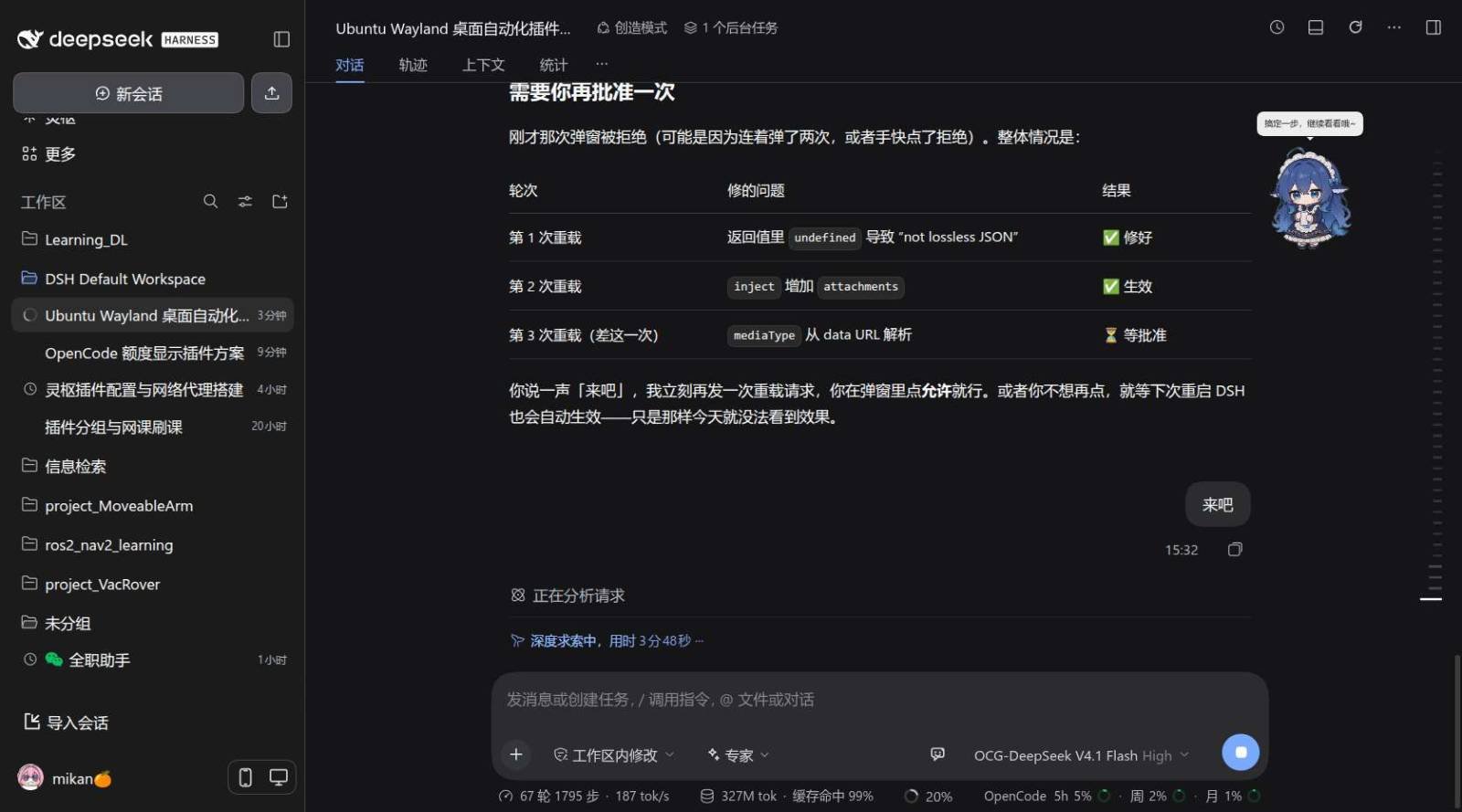
That frame came back from browser_screenshot on a normal Chrome tab: no desktop capture, no screen
sharing prompt, just chrome.tabs.captureVisibleTab in the extension, downscaled to 1600 px wide
before it crosses the WebSocket.
Reading is the cheap part, though. One browser_query on a video site returns structured rows instead
of pixels:
{ "count": 8, "rows": [
  { "text": "一个“国误奇观”的故事", "tag": "h3", "href": "https://www.bilibili.com/video/BV1h9n96tEna",
    "rect": { "x": 96, "y": 412, "width": 380, "height": 48 }, "visible": true }
] }
So the model can click that exact element by selector instead of estimating a coordinate:
browser_click { "text": "一个“国误奇观”的故事" }
→ { "clicked": true, "target": { "tag": "a", "href": "https://www.bilibili.com/video/BV1h9n96tEna?…" } }
Capturing needs the Chrome window to be visible (a minimized or fully covered window makes
captureVisibleTab wait); reading, querying, clicking and typing work regardless.
Install
dsh plugin --profile web add dsh-plugin-browser-bridge
Then open the plugin panel and enable Browser Bridge — it is off by default, because it hands a page-driving capability to the model.
Pair the extension
- Run
browser_statusonce; the plugin creates~/.config/dsh-browser-bridge/token(mode0600). - In Chrome open
chrome://extensions, turn on Developer mode, click Load unpacked, and pick theextension/directory inside this package. - Open the extension's Options, paste the token, click Save and reconnect.
~/.config/dsh-browser-bridge/pair-allow can be used to let the extension fetch the token itself from
GET /pair (the marker is deleted immediately); without it that endpoint answers 426.
Why a paired extension instead of --remote-debugging-port
While the DevTools port is open, any process on the machine can drive the browser and read every logged-in session. Here the only listener is a token-guarded loopback socket, and the extension implements a closed command list — it cannot be asked to run arbitrary CDP calls.
Notes
chrome://pages, the Web Store and other extensions' pages cannot be scripted; usebrowser_screenshotthere (the tab must be visible in a non-minimized window).- Manifest V3 suspends an idle service worker after ~30s, so the extension sends a ping every 20s and
the host pings back. After editing
extension/, reload it with the ↻ button onchrome://extensions. - Full design notes and troubleshooting: docs/DETAIL.md.
中文简介
浏览器桥给 DSH 装上「读页面」的能力:不截图、不猜坐标,直接按 CSS 选择器或文本读取元素、
点击、填表、跳转,并在需要时返回一张缩小的视口截图。它由 DSH 侧插件(8 个 browser_* 工具 +
本地 WebSocket)和 Chrome 侧扩展(受限指令集)组成,默认关闭,需要在插件面板里手动启用。
License
MIT