dsh-sight
fu3rte/dsh-sight
为纯文本 DeepSeek Harness 模型补上视觉:vision 工具内置免费 VLM 预设,支持多图批量分析、粘贴图片与热重载设置页。
安装
dsh plugin --profile web add github:fu3rte/dsh-sightREADME
dsh-sight
Plug-in vision for text-only DeepSeek Harness (dsh) models — paste an image, get a text description through a built-in VLM backend, no model switching.
Features
- Built-in VLM presets — OpenCode Zen (free, keyless) and Gemini Flash (free tier). Pick one in the web settings page, done.
- Multi-image batch — the
visiontool takes up to 10 paths/URLs and describes all of them in ONE request, labeled per image.
How it works
- Prompt-admission override — dsh refuses image pastes for text-only models. dsh-sight wraps
apiProxy.sessions.prompt: the paste is accepted, the bytes land in/tmp/dsh-sight/image{N}/{hash}.png, and the image block becomes a path hint before entering history. Works with any provider — no model variant to switch. visiontool — the model calls it with the hint path (or any local path / http(s) URL); the plugin reads the bytes and answers through the configured OpenAI-compatible VLM backend.- System-prompt section — teaches the model the hint →
visiontool flow. - Web settings page (Settings → Vision) — preset dropdown, API-key field, advanced overrides. Saved through the standard settings RPC and applied live, no restart (hot-reload via the
dsh-sight:section of$DSH_HOME/settings.yaml). - Cache cleanup — pasted images are stored under
/tmp/dsh-sight/image{N}/with MD5 dedup and an LRU cap (maxImages, default 200). A boot-time sweep deletesimage*dirs older than 7 days (DSH_SIGHT_MAX_AGE_DAYS), touching only the plugin's own directories; the OS clears/tmpon reboot too. - Security — the API key is
role('secret')and never rides a settings response. Local reads are capped at 25 MiB; URL fetches get a 30s timeout, a 25 MiB cap, and must claim animage/*content type. Remote bodies are downloaded and inlined — the vision API never receives your URLs (no SSRF surface). Only png/jpeg/webp/gif/bmp are accepted.
Demo
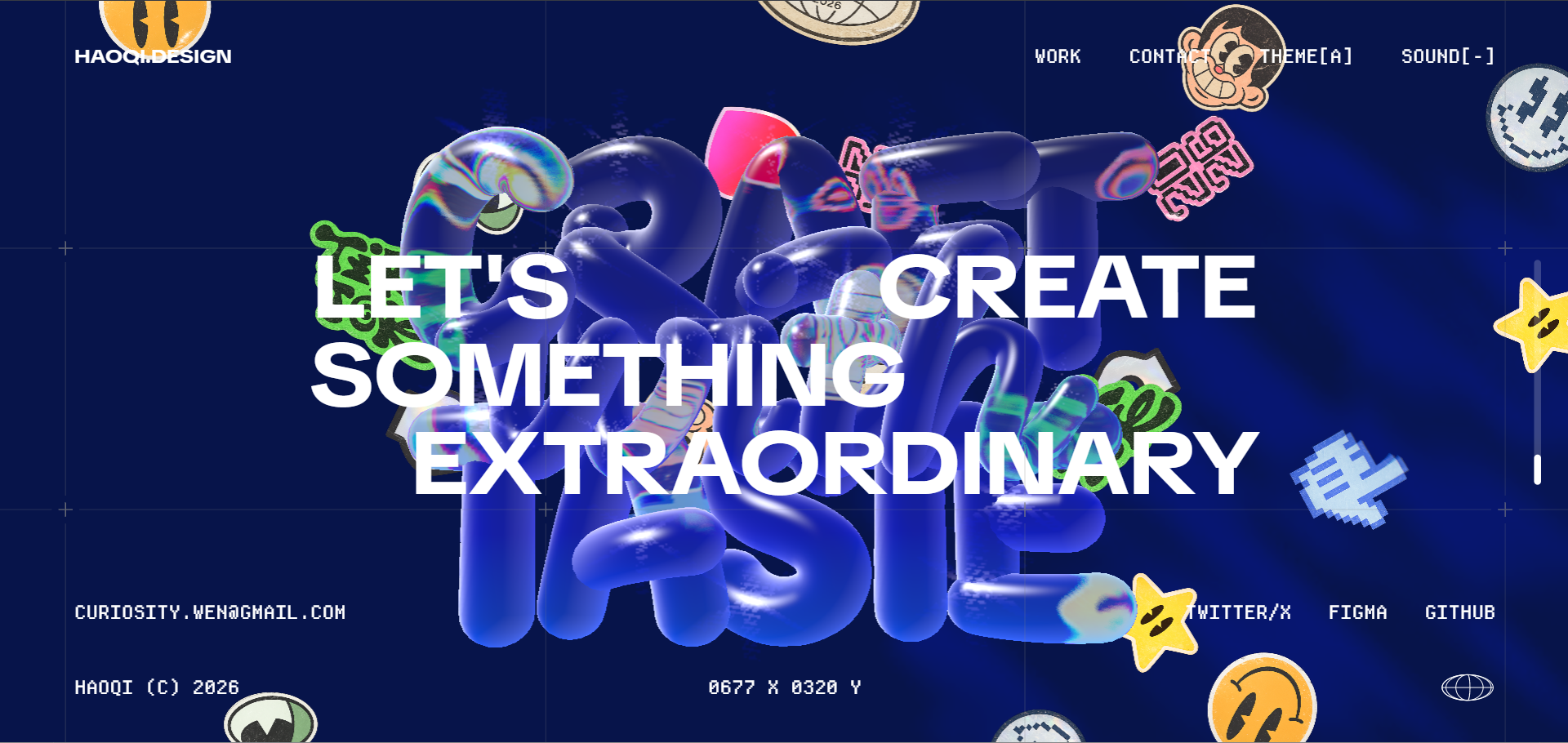
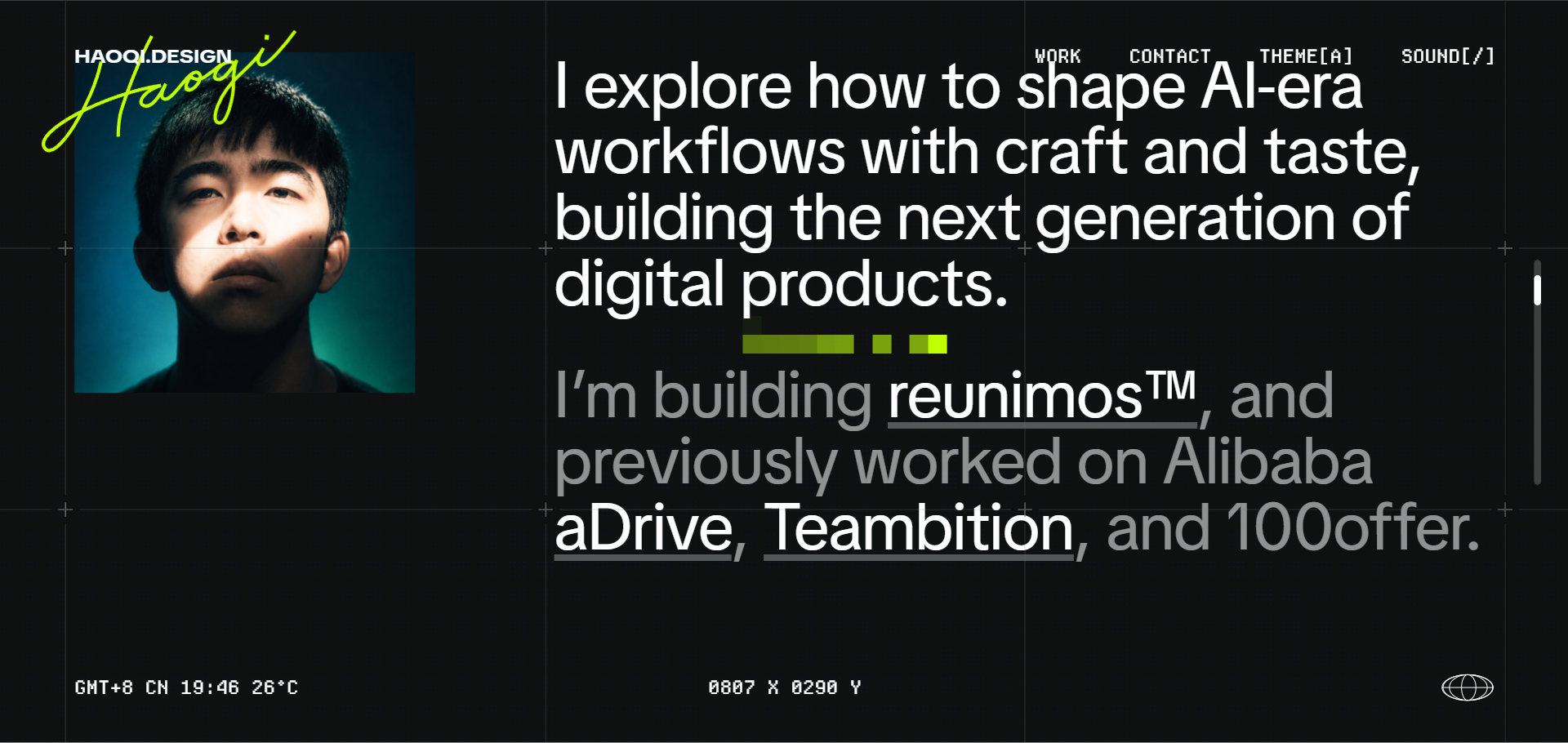
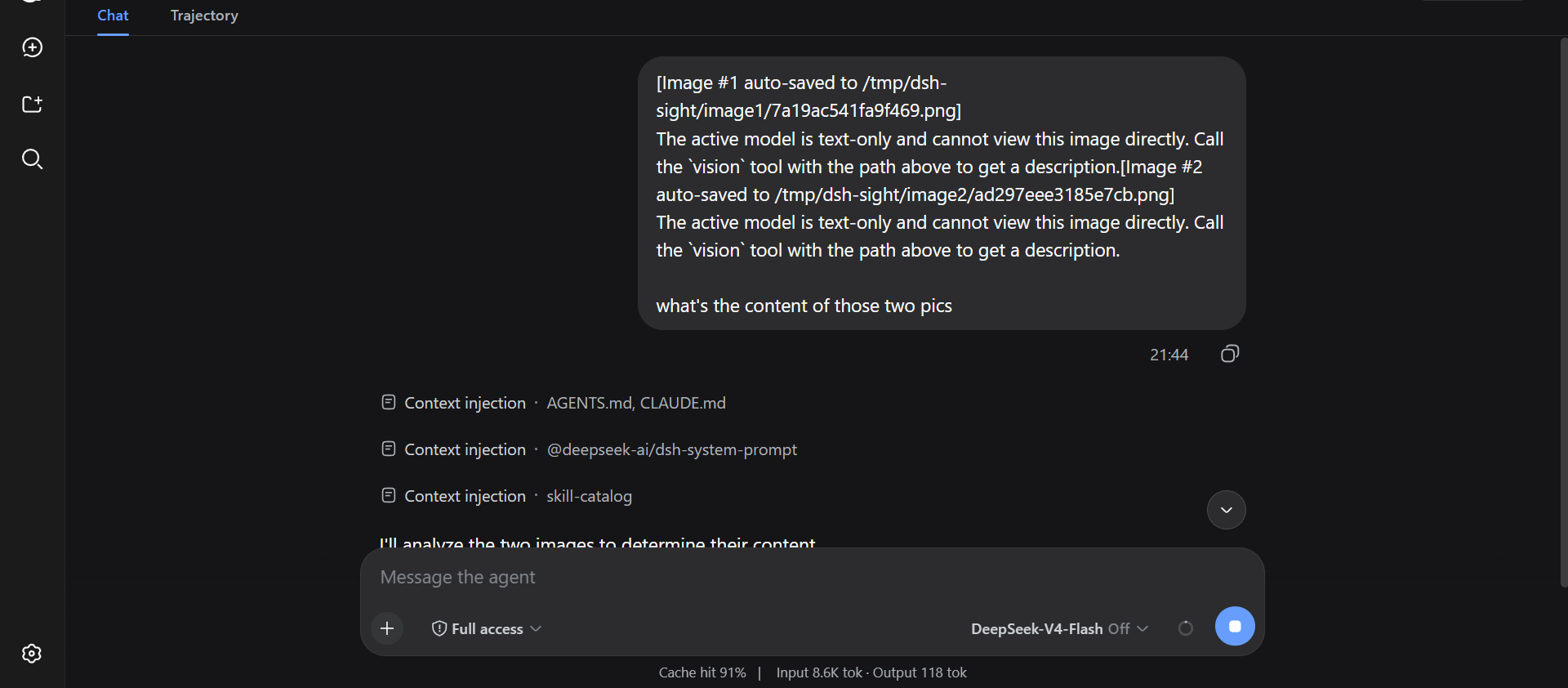
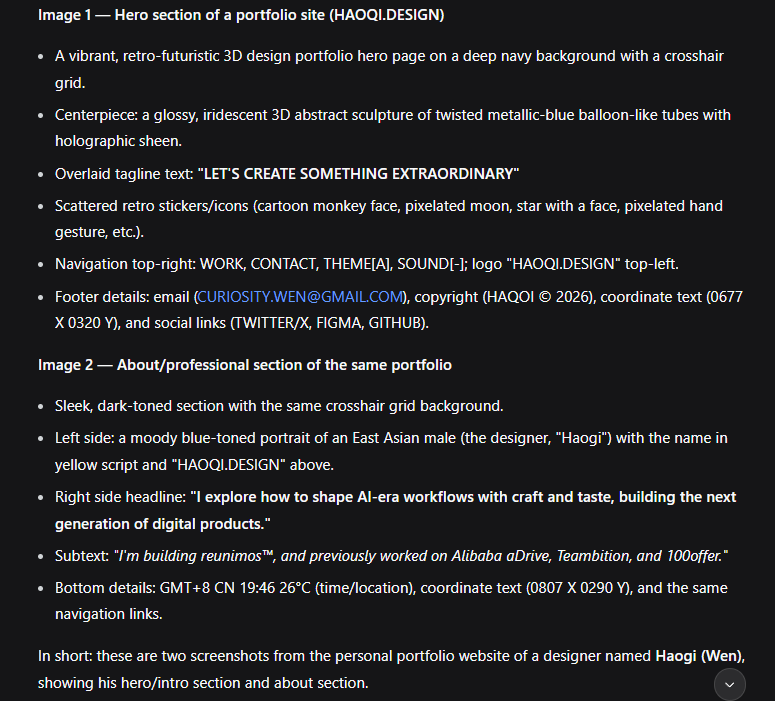
The vision tool's paths array takes up to 10 images per call (local paths or URLs, 25 MiB each). One request, per-image labels:
--- Image 1 ---
<description>
--- Image 2 ---
<description>
Install
Via your AI agent (recommended) — copy this to your agent:
Install dsh-sight for me: https://raw.githubusercontent.com/Fu3rte/dsh-sight/master/install.md
Or manually (npm registry, recommended):
dsh plugin --profile web add dsh-sight
Or from GitHub:
dsh plugin --profile web add github:Fu3rte/dsh-sight
Or clone it yourself:
git clone https://github.com/Fu3rte/dsh-sight.git
cd dsh-sight && pnpm install
dsh plugin --profile web add ./
GitHub downloads slow or unstable (e.g. mainland China)? Use the npm-registry install above. Point pnpm at a mirror and the whole install — package and dependencies — stays off GitHub:
pnpm config set registry https://registry.npmmirror.com
Configure
Open dsh web → Settings → Vision:
- Pick a preset (model / base URL fill themselves).
- Paste the API key if one is needed, hit Save — applied immediately.
| Preset | Provider | Key env | Price |
|---|---|---|---|
opencode-zen | OpenCode Zen | (keyless) | free tier |
gemini-flash | Google AI Studio (OpenAI-compat) | GEMINI_API_KEY | free tier |
The keyless preset needs nothing but the save button. Any other OpenAI-compatible endpoint works too: set model / baseUrl in the advanced section.
Headless / no-GUI fallback
Config layers (highest wins):
settings.yamldsh-sight:section (hot-reloads on edit)DSH_SIGHT_*env vars (DSH_SIGHT_PROVIDER,DSH_SIGHT_API_KEY,DSH_SIGHT_MODEL,DSH_SIGHT_BASE_URL,DSH_SIGHT_TIMEOUT_MS,DSH_SIGHT_MAX_TOKENS,DSH_SIGHT_MAX_IMAGES,DSH_SIGHT_CONFIG)~/.config/dsh-sight/config.json(re-read on mtime change)- plugin row config in the profile's
cordis.patch.yml - preset defaults
The API key is role('secret'): it never rides a settings response; the UI renders a write-only field and reports whether one is stored.
Acknowledgements
Inspired by modlens and dsh-eyes.
DeepSeek Harness: official site · GitHub
License: MIT