G
dsh-quote-reply
gf691271/dsh-quote-reply
选中对话里的文字就地引用回复,问答变成输入框上方的方块,一次发出。
安装
dsh plugin --profile web add github:gf691271/dsh-quote-replyREADME
dsh-quote-reply
Quote & reply for DeepSeek Harness, the way Claude Code does it.
中文 · MIT
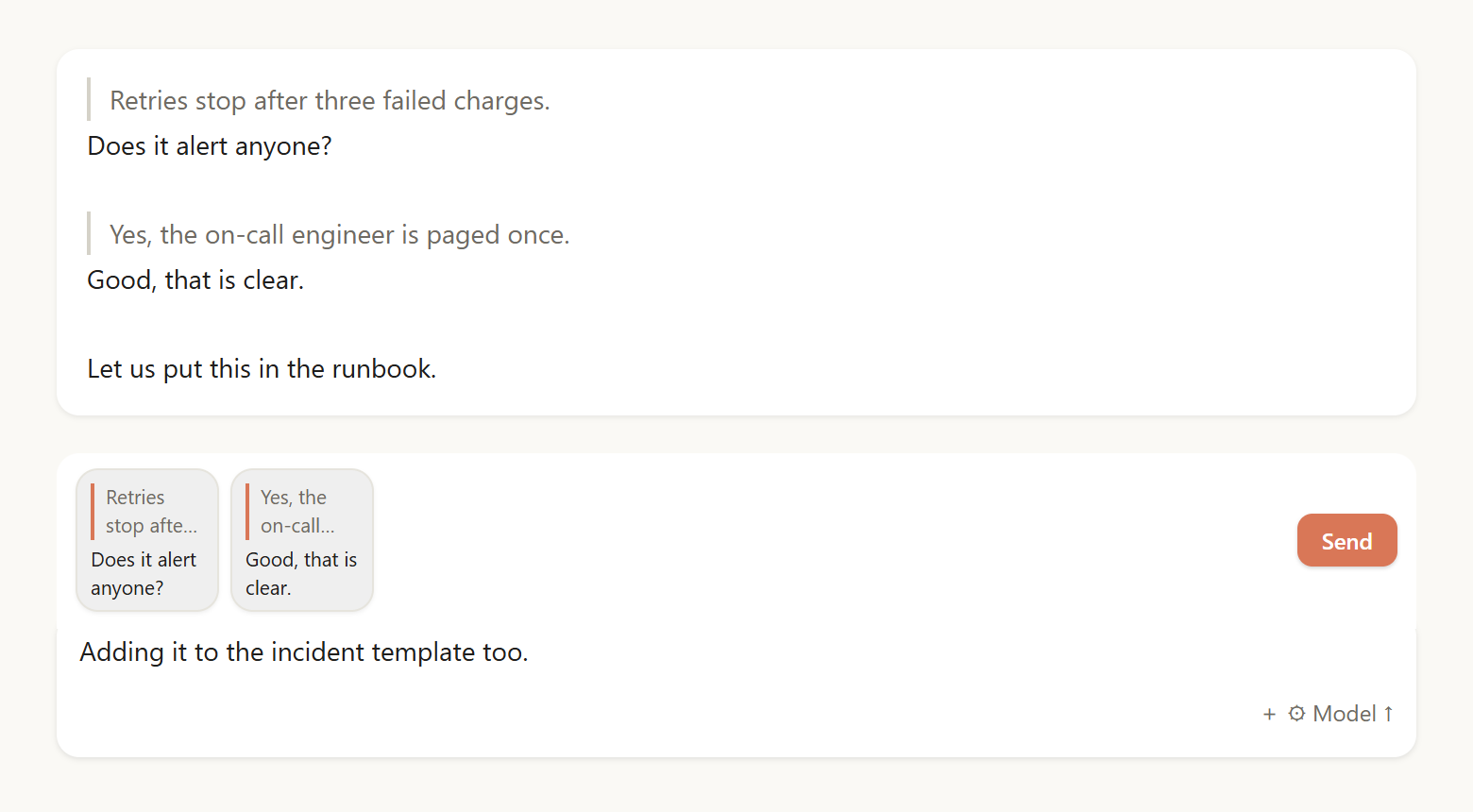
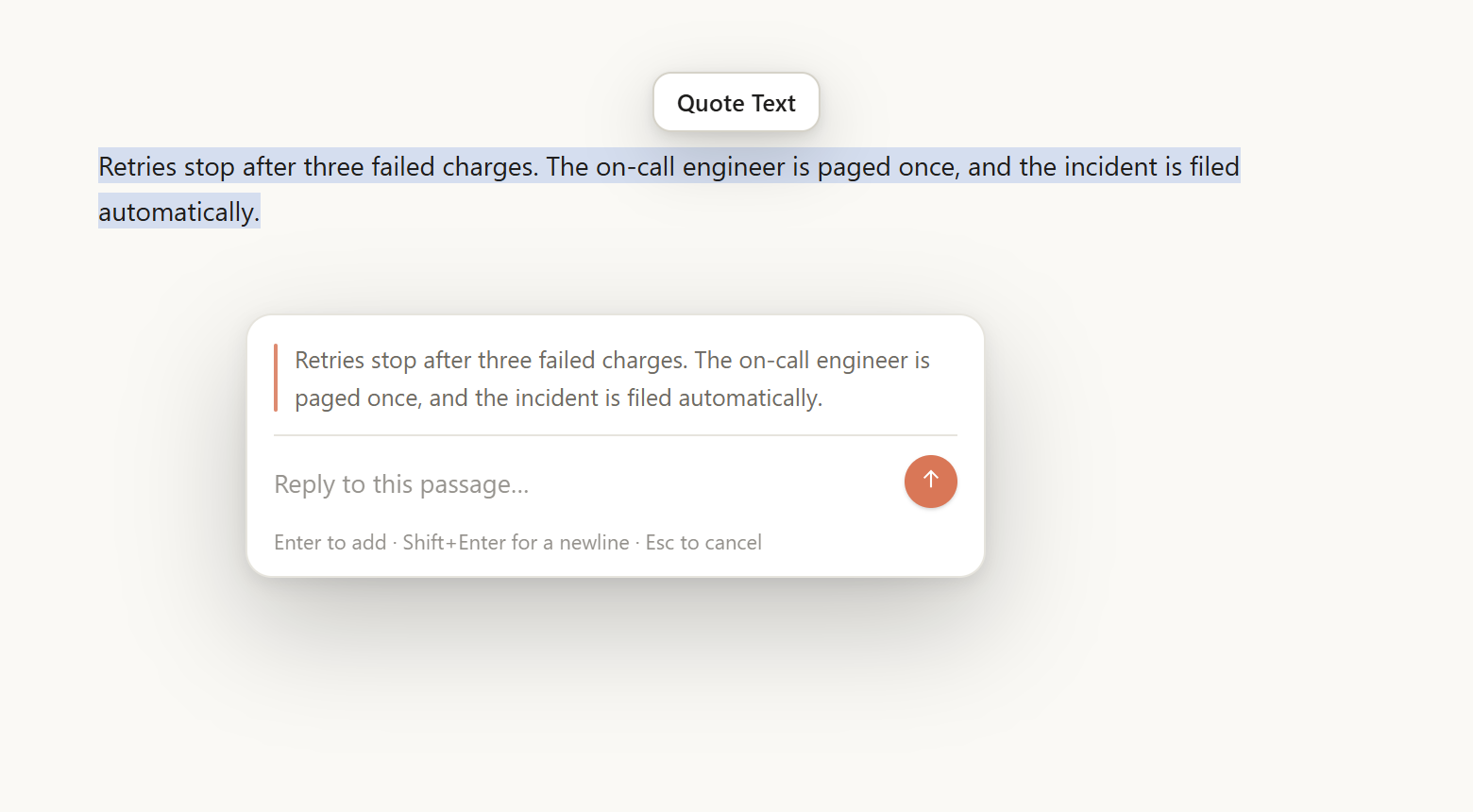
Select text → answer it in a popover → the pair becomes a block above the composer → send them all at once.
Features
- Selection pill, reply popover,
Enterto add. - 76×76 blocks: two quote lines with a rule, two lines of your answer.
- Composer text stays yours; it lands last in the message.
- Images in the draft travel with the message.
- Real quote rules in the transcript, not
│characters. - Chinese and English, following the app language.
Install

Requires DSH 0.2.x with the desktop/web conversation UI.
- npm →
dsh plugin add dsh-quote-reply - Plugin Manager → Add plugin → this directory.
- Git →
plugin_manager install_bundle target: git+https://github.com/gf691271/dsh-quote-reply#<commit> - Market index → add
https://raw.githubusercontent.com/gf691271/dsh-quote-reply/main/market/index.json
Usage
- Select text in any message.
- Click
Quote Text, write your answer, pressEnter. - Repeat, then press
Enterin the composer (or click Send).
Notes
│at the start of a line is the storage marker; the transcript renders it as a rule.- A send the host refuses keeps your blocks and text; nothing is lost.
- File attachments (PDF, zip) cannot ride a quote and stop the send with a notice.