dsh-file-review
left0ver/dsh-file-review
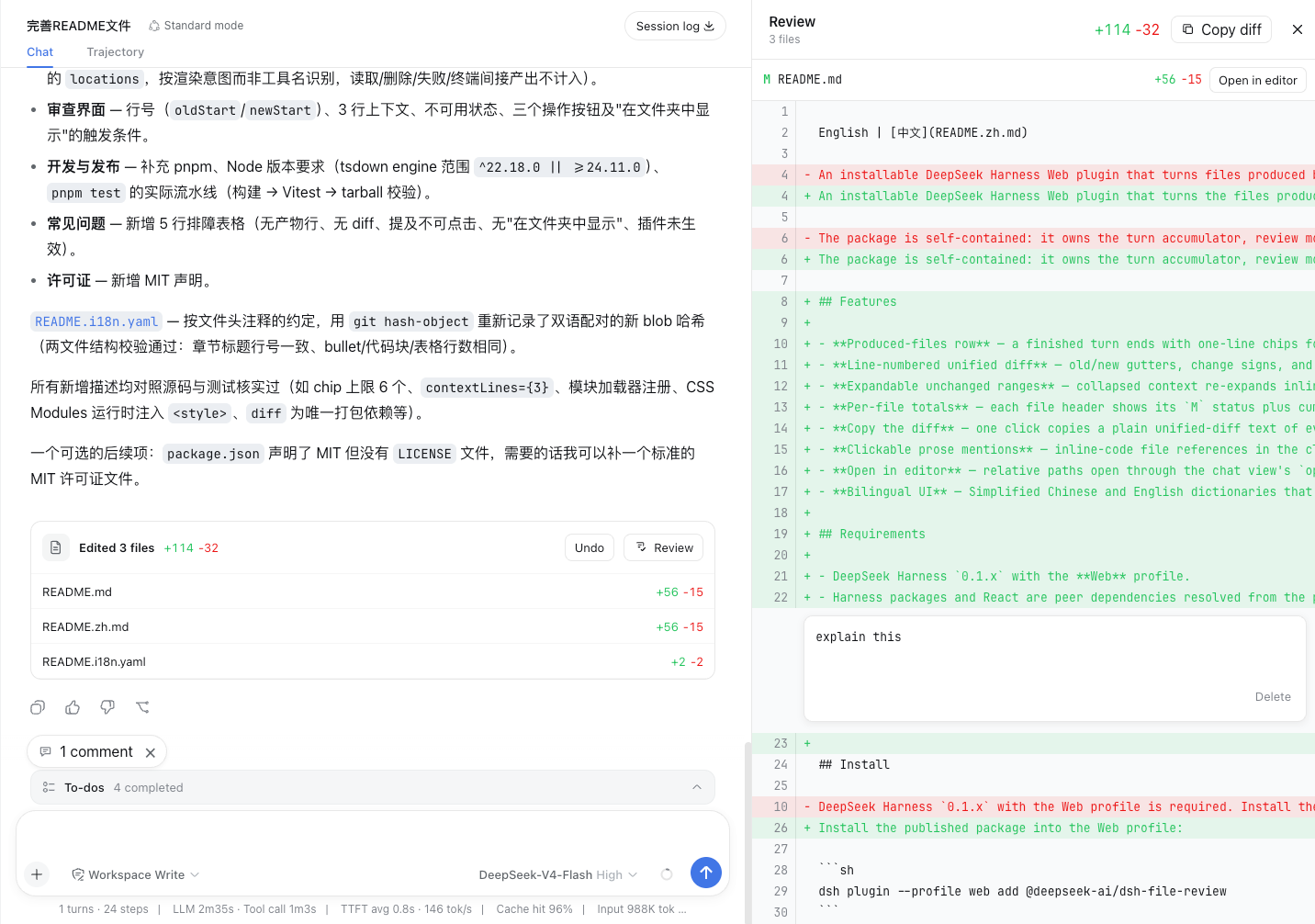
在 Diff 面板中审查 Agent 的文件改动、添加评论以继续修改,并撤销已编辑或新建的文件。
安装
dsh plugin --profile web add github:left0ver/dsh-file-reviewREADME
DSH File Review
Review every file an agent just changed—without leaving DeepSeek Harness Web.







English · 简体中文
How to use
💬 Chat → ✨ Generate → 📄 Click a changed file → 🔍 Review
Preview
Features
- This plugin supports standard, PTC, and Creator modes, but does not currently support Minimal mode.
- Review every file the agent just changed, shown in the
Diffpanel. - Enable DSH's
apply_patchtool by default when installed. Review text file creation, editing, deletion, and moves, with undo and reapply support.Use
apply_patchto review file deletions and moves; the plugin captures the original content and file permissions before deletion. - Add comments to changed lines and ask the agent to continue making updates based on the feedback, or ask questions about the changes.
- Automatically wrap long text while reviewing. Enable it under Settings → Plugins → Plugin configuration → File review; it is disabled by default.
- Multilingual support — both English and Chinese are supported.
Compatibility
The badge above shows the DSH CLI version this release was tested against. This release supports 0.2.2-rc.1 through the 0.2.2 release and requires Node.js 24.9 or later. The exact DSH range is engines.dsh in package.json, with the same range declared in peerDependencies.
Outside that range, DSH refuses to load the plugin. To run it anyway at your own risk, grant an exemption for the exact versions involved:
dsh plugin --profile web allow-version dsh-file-review@<plugin-version> --dsh-version <dsh-version> --accept-risk
Quick start
0. Add dsh-file-review to pnpm's minimum release age allowlist
Open ~/.dsh/profiles/web/pnpm-workspace.yaml and add:
minimumReleaseAgeExclude:
  - dsh-file-review
Recent versions of pnpm enforce a minimum release age, so newly published packages are not installed until that waiting period has passed. To install the latest versions, add dsh-file-review to the exclusion list.
1. Install this plugin
dsh plugin --profile web add dsh-file-review
2. Start DSH Web
dsh web
3. Enjoy it
Install from source
git clone https://github.com/left0ver/dsh-file-review.git
cd dsh-file-review
pnpm install
pnpm run build
dsh plugin --profile web add ${PWD}
Install from GitHub repository
dsh plugin --profile web add github:left0ver/dsh-file-review
Update the plugin
dsh plugin --profile web update dsh-file-review
Uninstall the plugin
dsh plugin --profile web remove dsh-file-review
Friendly Links
LINUX DO — A new ideal community