N
dsh-screenshot
nuomi9296/dsh-screenshot
在输入框左下角的「+」菜单里加一项「截图」:由宿主截取屏幕,并把 PNG 经 DSH 自带的附件流程加入当前消息。目前仅支持 Windows。
安装
dsh plugin --profile web add github:nuomi9296/dsh-screenshotREADME
Screenshot for DeepSeek Harness
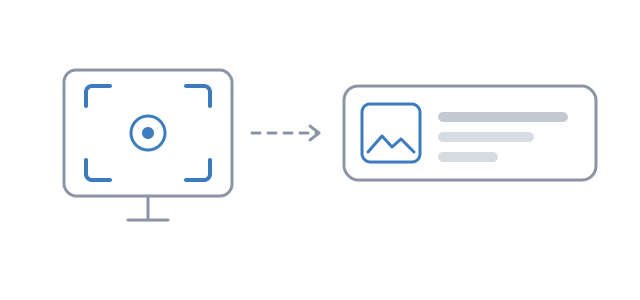
Adds a Screenshot entry to the composer's + menu (Add files or run commands, bottom left of the message box). Picking it captures the screen on the DSH host and attaches the PNG to the current message, so the thumbnail, upload and remove controls are DSH's own.
Install
From the plugin market, or directly:
dsh plugin add github:nuomi9296/dsh-screenshot
Restart DSH once after installing: a newly added bundle is loaded at startup, not while the app is running.
Use
- Open a conversation and click + at the bottom left of the message box.
- Choose 截图 / Screenshot in the Commands group.
- The screen is grabbed and a PNG thumbnail appears in the composer. Type and send as usual.
How it works
- Client half registers a
commandUicontribution withui.kind = 'action'. The+menu only lists thecommandsource, so a contribution is the supported way to add an entry there. Itsrun()asks the host for a capture and then hands the PNG to the composer's hidden<input type="file">, which is the same path as picking a file by hand. - Host half registers
GET /dsh-screenshot/captureon DSH's own HTTP server (webServer.register), so the request is same-origin and needs no extra port or CORS setup. On Windows it shells out to PowerShell andSystem.Drawing.CopyFromScreenover the virtual screen, and returns the PNG. - Captures are written to the system temp folder (
dsh-screenshot/); files older than 24 hours are deleted on the next capture.
Privacy and limits
- A capture contains everything visible on that screen, including other windows. Check what is open before using it.
- The route answers only same-origin requests (
Originmust matchHost) and onlyGET; it relies on DSH's own access control, so it is not reachable from another site. - Windows only — other platforms answer
501. - One image per capture; multi-monitor setups produce one wide combined image.
Requirements
- DeepSeek Harness
^0.2.3-alpha.2 - Windows (the capture step); the bundle itself installs anywhere.
License
MIT