dsh-notify-bark
pc439527/dsh-notify-bark
Bark push notifications to iPhone: turn completion, waiting-for-input, and approval events sent from the DSH Host.
Install
dsh plugin --profile web add github:pc439527/dsh-notify-barkREADME
dsh-notify-bark

License: MIT · Requires: Node ^22.19 · Platform: DSH Host + Web settings page
A Bark push-notification plugin for DeepSeek Harness (DSH): the DSH Host listens for events such as turn completion, waiting for your answer, and waiting for approval, and pushes notifications to your iPhone through a Bark Server. Notifications are sent entirely from the Host — closing the browser, refreshing the page, or putting your computer to sleep does not affect delivery.
- Host half (
src/index.ts+lib/*.js): session/event listener + Bark HTTP sending +barksettings namespace (ctx.settings→settings.yaml, hot-reloaded) +/dsh-notify-barkloopback RPC. - Browser half (
src/client/+lib/client.js): registers asettings.sectionslot; the form reads and writes Host config through the RPC. The Bark URL never crosses the wire to the browser — only a masked status is shown (configured:••••••••3F82).
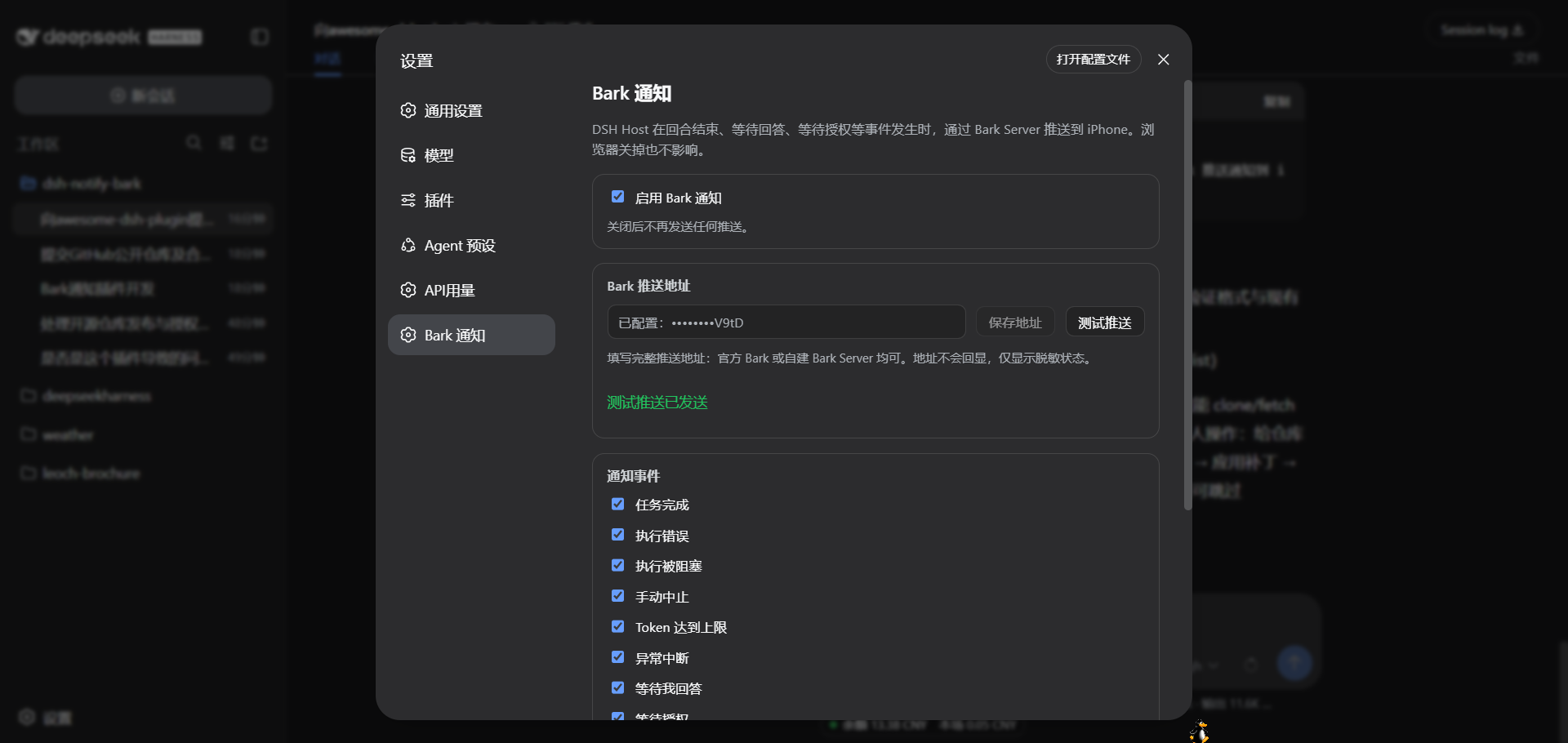
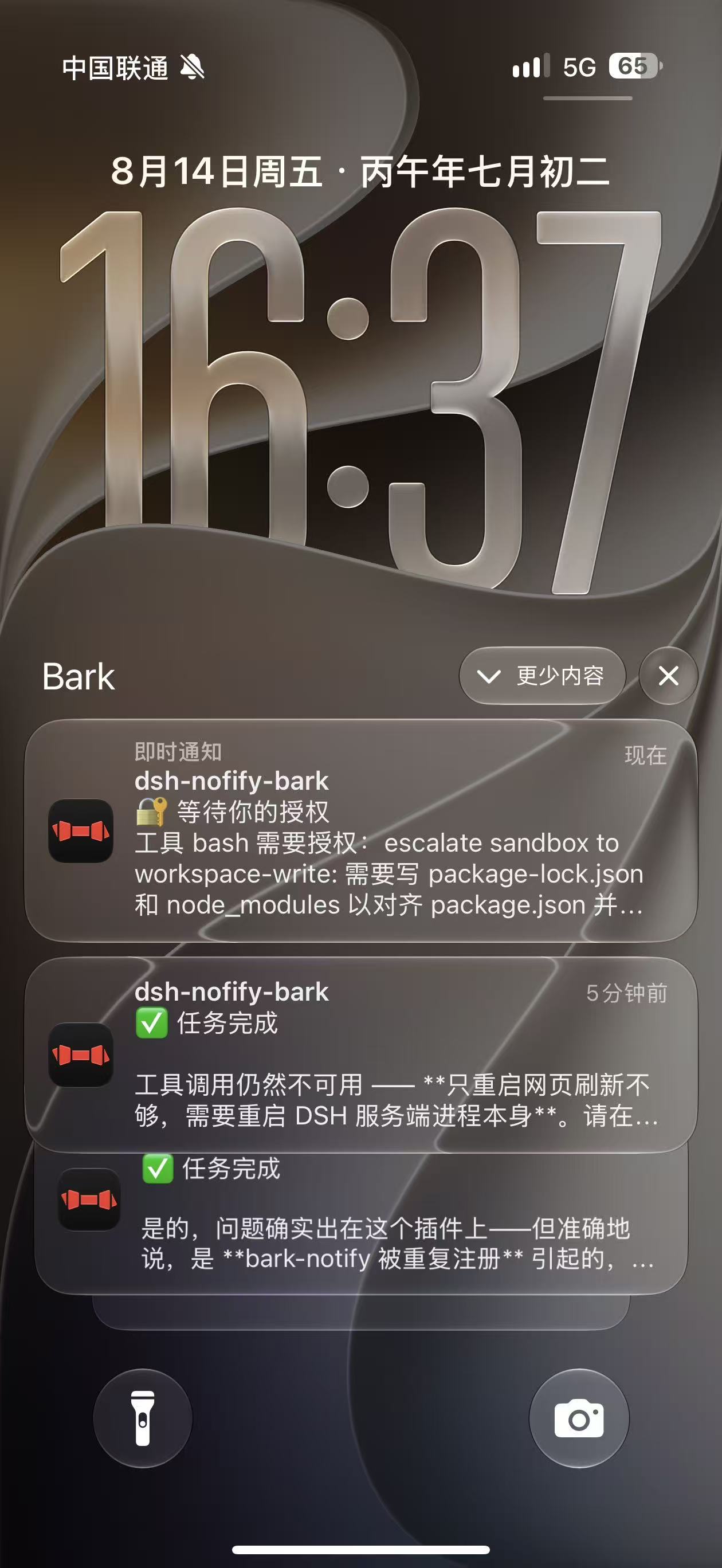
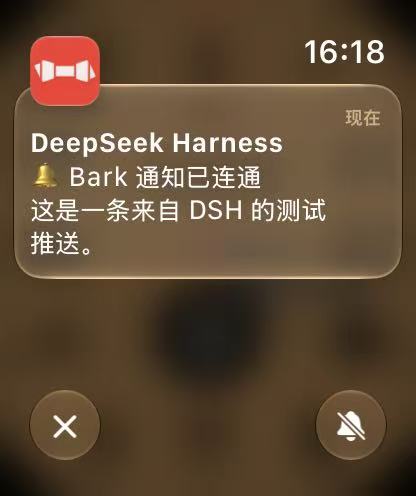
Notification events (9 switches)
| Event | Trigger | Default | Bark level |
|---|---|---|---|
| ✅ Task completed | turn/end reason completed | On | active |
| ❌ Execution failed | turn/end reason error | On | timeSensitive |
| 🚫 Execution blocked | turn/end reason blocked | On | timeSensitive |
| ⏹ Aborted | turn/end reason aborted | Off | passive |
| ⚠️ Token limit reached | turn/end reason max-tokens | On | timeSensitive |
| ⏸ Interrupted | turn/end reason interrupted | On | timeSensitive |
| ❓ Awaiting your answer | tool/call ask_user_question | On | timeSensitive |
| 🔐 Awaiting your approval | approval/asked | On | timeSensitive |
| 📋 Plan awaiting confirmation | tool/call exit_plan_mode | Off | timeSensitive |
The notification title is fixed to the workspace name (last path segment of session.header.cwd); the status is placed on the first line of the body. Optional extras: the AI's last reply text, a body length cap, and a Bark Group.
Installation
Install directly from GitHub (the repo ships compiled output — clone and use, no build step required):
dsh plugin --profile web add https://github.com/pc439527/dsh-notify-bark.git
Or from a local path:
dsh plugin --profile web add /path/to/dsh-notify-bark
dsh plugin add runs pnpm add (writing dependencies + dsh.profile.bundles), and the plugin's own cordis.patch.yml inserts the bark-notify line. A running dsh web watches the profile's cordis.patch.yml through Cordis HMR — appending the same insert line at the user layer hot-loads the plugin without restarting the service:
# $DSH_HOME/profiles/web/cordis.patch.yml
- insert:
    - id: bark-notify
      name: 'dsh-notify-bark'
Refresh the browser settings page (gear → Bark notifications) to see the configuration form.
Security & privacy
- No built-in keys:
barkUrldefaults to empty; each deployer fills in their own Bark URL on the settings page (https://api.day.app/your-key). This repository contains no real credentials (tests use only a faketestkey). - Credentials never reach the browser:
barkUrlis declaredrole('secret')in the schema; the RPC returns only a masked status (configured:••••••••3F82) and logs onlyconfigured: true/false. - Config is stored on the Host only: written to the Host-side
settings.yamland never uploaded to any third party; notifications are sent only to the Bark URL you configured.
Development
pnpm install        # typescript / @types/node (lockfile: pnpm-lock.yaml)
pnpm run build      # tsc compiles the Host half to lib/; the client bundle is maintained directly in lib/client.js
pnpm test           # node:test unit tests (send layer / event mapping / defaults / dedup / masking)
Structure
dsh-notify-bark/
├── package.json          # dsh.client declaration + bundle patch declaration + repo metadata
├── pnpm-lock.yaml        # pnpm lockfile
├── cordis.patch.yml      # plugin line insertion
├── LICENSE               # MIT
├── src/
│   ├── index.ts          # Host entry: settings registration + event listener + RPC
│   ├── bark-service.ts   # Bark HTTP sending (timeout / error classification)
│   ├── event-listener.ts # session/event → notification intent (dedup / title / content)
│   ├── settings-store.ts # settings model / schema / defaults / masking
│   ├── rpc-contract.ts   # /dsh-notify-bark channel contract
│   ├── rpc.ts            # Host RPC (get masked / set / test)
│   └── client/           # browser-half source (lib/client.js is its bundle mirror)
├── lib/                  # deployment artifacts (tsc-compiled Host + hand-maintained module-loader bundle)
└── tests/                # node:test unit tests
Design notes
- Notifications go through the Host:
ctx.on('session/event')listens directly (the same path dsh-im-bridge uses); the browser is only a configuration panel. - Config is stored on the Host: the
barknamespace is registered intoctx.settingsand persisted tosettings.yaml; DSH's web settings wire has a namespace whitelist (WEB_SETTINGS_NAMESPACES), and third-party namespaces go throughsettings-not-exposed, so the settings page uses a dedicated RPC (same architecture as dsh-codex-auth) to read and write. - Credentials never reach the browser:
barkUrlisrole('secret')and the RPC returns only masked status (configured: ••••••••3F82); logs output onlyconfigured: true/false. - Event dedup:
sessionId+event.seqkey with a bounded ledger, so reconnects or replays never push duplicates.
References & acknowledgments
- Architecture patterns referenced (design only — no code copied):
- dsh-im-bridge — the session/event listening path (internal DeepSeek plugin, not public);
- dsh-codex-auth — the pattern of a settings page reading/writing Host config through a dedicated RPC (internal DeepSeek plugin, not public).
- Plugin platform: DeepSeek Harness (MIT).
- Push service: Bark (open-source iOS push service) — this plugin only sends HTTP requests to the Bark URL you configured; it does not include or distribute Bark code.
License
MIT. Provided as-is, without any express or implied warranty; any loss arising from use of this plugin is borne by the user. Contributors agree to license their contributions under MIT.
Related plugins
dsh-web (dsh-ssh)
zhu1090093659/dsh-web
dsh-web (dsh-remote-web-ui)
zhu1090093659/dsh-web
dsh-web-ui (dsh-ssh)
zhu1090093659/dsh-web-ui
dsh-web-ui (dsh-remote-web-ui)
zhu1090093659/dsh-web-ui