dsh-bar (plugin)
reg4916/dsh-bar/plugin
macOS 菜单栏伴侣的宿主插件:实时显示 DeepSeek Harness 会话状态,可直接批准/拒绝工具审批、停止当前回合、打开对应会话。原生应用以通用二进制免费发布于 GitHub Releases。
安装
dsh plugin --profile web add github:reg4916/dsh-bar该插件位于仓库的 plugin 子路径下。
README
DSH Bar


An animated whale in the macOS menu bar for DeepSeek Harness — see and steer the agent without switching windows.
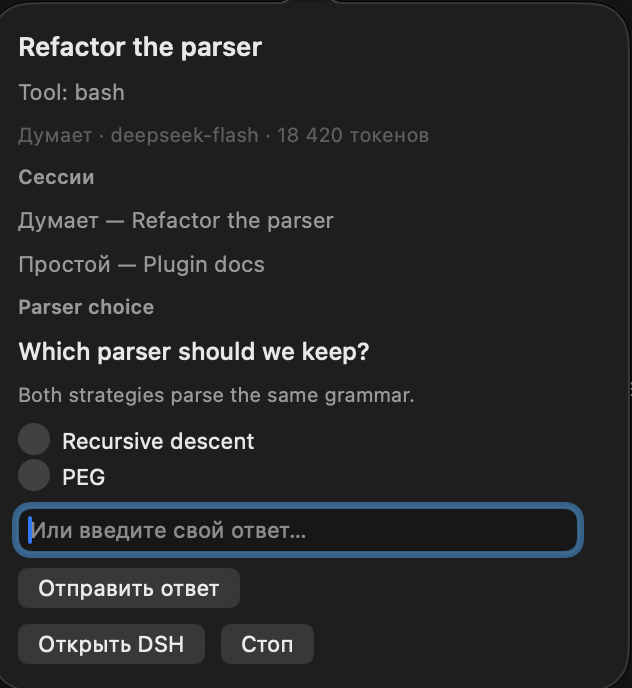
What it does
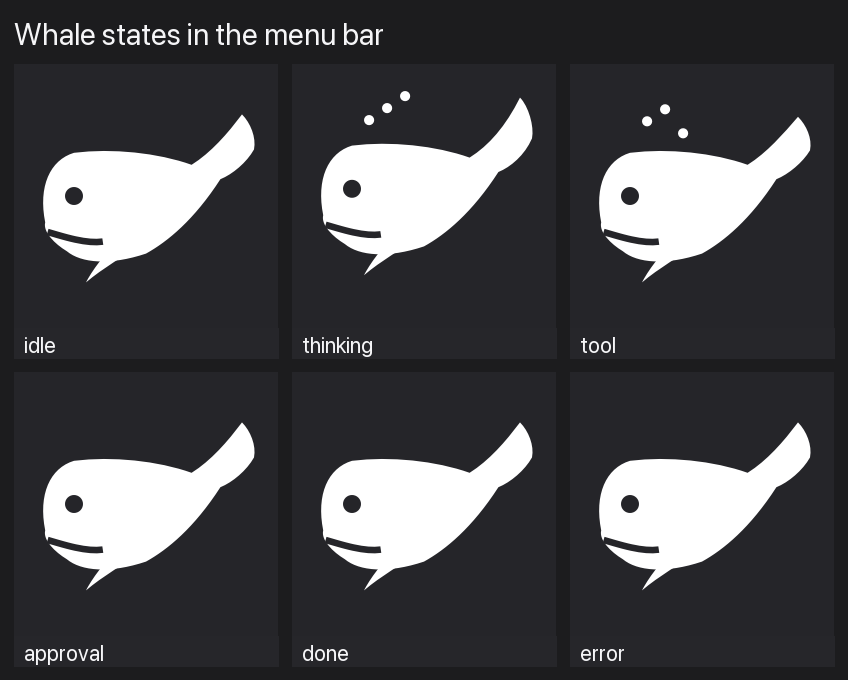
| State | Menu bar |
|---|---|
| Idle | still whale |
| Thinking / tool running | swimming whale + spout |
| Waiting for approval | red dot (and a count when questions are also waiting) |
| Done | short "done" flash, then idle |
| Error | stays until the next turn starts |
| DSH not running | dimmed whale, popover says why |
Left click opens the popover: session title, current step/tool, model, tokens, Approve/Deny for held tool approvals (with a 1/N queue), answer questions right there (radio / checkbox / free text), the session list, Stop, Open DSH, Quit. Right-click: Open DSH, Stop, Settings, Check for Updates, Launch at Login, Quit.
The whale
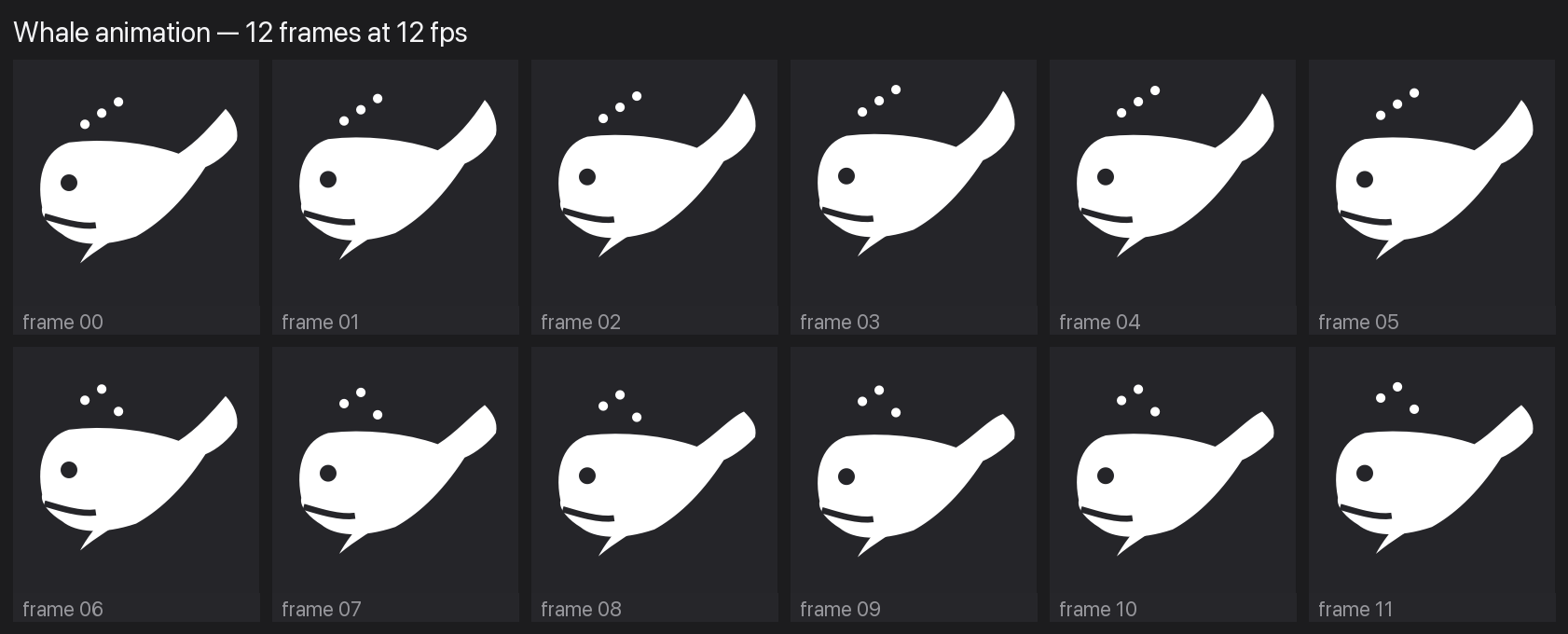
The mark is code, not an asset: WhaleIcon.swift draws the body oval, swinging flukes, fin, three spout drops and a transparent eye hole into a 22 pt template image, so macOS tints it for light and dark menu bars. Twelve frames at 12 fps run only while the agent is thinking or running a tool; other states are still.

New in 0.2:
- answer
ask_user_questionprompts from the popover — single select, multi select, custom text, multiple questions per prompt; - approvals queue: "1 of N" with Previous/Next instead of silently hiding the rest;
- session list from
status.rows: click a session to focus it; - settings window: notifications, whale animation, session list, launch at login;
- update check against GitHub Releases;
- en / ru / zh-Hans (system language);
- native tests (decode, answer batch, version compare) in CI.
New in 0.3:
- long questions and long session lists scroll inside the popover instead of growing past the screen (capped at 640 pt);
- up to 8 sessions in the picker;
- status-dot mode — show a small coloured dot instead of the whale (Settings);
- smoother recovery after a display change: the popover re-runs its size pass.
New in 0.4:
- instant updates over Server-Sent Events (
GET /dsh-bar/events); the 0.8 s poll stays as a safety net and for reconnects; - global hotkey ⌥⌘D toggles the popover from any app (Settings can disable it);
- 0.4.1: redrew the whale — big head, mouth line, broad raised fluke and pectoral fin, instead of the fish-like oval.
Download and install (free)
Homebrew (recommended)
brew tap reg4916/dsh-bar
brew trust reg4916/dsh-bar
brew install --cask dsh-bar
Manual
Download DSHBar-0.4.1-macos-universal.zip from the latest release, unzip into /Applications, and on first launch right-click → Open (or xattr -dr com.apple.quarantine /Applications/DSHBar.app). The bundle is ad-hoc signed — there is no paid Apple Developer ID, so no notarization.
Host plugin
cd ~/.dsh/profiles/desktop
npx pnpm add dsh-bar
Add "dsh-bar" to dsh.profile.bundles in that profile's package.json and reload DSH.
About notifications
macOS only registers apps with Apple-issued signatures for Notification Center, so an ad-hoc build gets
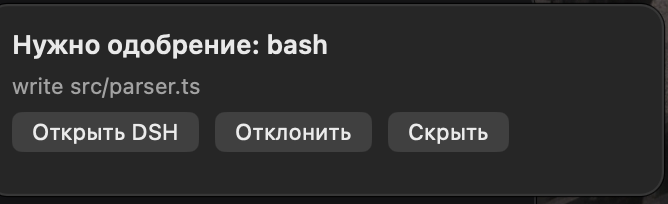
Notifications are not allowed for this application. DSH Bar detects this and shows a floating card near the menu bar instead:
approval title, tool and reason, with Open DSH / Deny / Dismiss. Approve stays in the popover on purpose — the tool arguments are not visible in a banner.
If you build locally and sign with your own Apple Development certificate, real notifications (including the Deny action) start working automatically.
Architecture
plugin/—dsh-barhost plugin (npm). Writes$DSH_HOME/dsh-bar/runtime.json(0700/0600), mounts/dsh-baron the Host web server, folds session events into a state document, holdsapproval/requestanduser-questions/requestwaterfalls so the bar can answer them, and serves a browser half that opens a session throughctx.uiWorkspace.openSession.app/— native menu bar app (Swift, AppKit + UserNotifications). Readsruntime.json, pollsGET /dsh-bar/statuswith a Bearer token, posts approvals/answers/stop/focus.
Security: loopback only, Bearer token on every native route, page routes use same-origin/bridge trust instead of putting the token in page JS. Only titles, tool names, question text and usage counters cross the bridge — never message bodies.
Approvals note: the shipped danger-full-access preset uses approval: never, so approvals never reach the bar. Use the read-only or workspace-write preset to see Approve/Deny.
Endpoints
| Method + path | Auth | Purpose |
|---|---|---|
GET /dsh-bar/status | Bearer | state document (sessions, approvals, questions) |
GET /dsh-bar/health | Bearer | liveness |
POST /dsh-bar/approve | Bearer | `{id, outcome: "allowed-once" \ |
POST /dsh-bar/answer | Bearer | {id, answers: [{id, selected, custom?}]} |
POST /dsh-bar/stop | Bearer | {sessionId} |
POST /dsh-bar/focus | Bearer | {sessionId} |
GET /dsh-bar/pending-focus | page trust | focus wish for the page half |
Development
cd plugin && npm test          # 13 host tests
cd .. && ./scripts/test-native.sh   # 20 native checks
./scripts/build.sh             # current-arch app
./scripts/build.sh --universal # arm64 + x86_64
./scripts/package.sh           # zip + plugin tgz + SHA256SUMS
Debug without the menu bar: DSHBar --dump-status, --notification-status, --alert-test.
Environment overrides: DSH_BAR_RUNTIME_FILE, DSH_BAR_DEMO=1, DSH_BAR_AUTOANSWER=1
(test hook: opens the popover and clicks the first option + Send — used for the end-to-end question test).
Roadmap
- 0.1 — native shell, animated whale, live state ✅
- 0.2 — questions, approvals queue, sessions, settings, locales, update check, tests ✅
- 0.3 — scrollable popover, 8 sessions, status-dot mode ✅
- 0.4 — SSE push, global hotkey ✅
- 0.5 — session search, richer notification cards
License
MIT