dsh-quick-workspace
wilsonchengassistant/dsh-quick-workspace
將「新增工作區」流程中喺主機彈出嘅資料夾選擇器,改成輸入名稱嘅對話框,令遠端瀏覽器可以直接建立並開啟工作區。
安装
dsh plugin --profile web add github:wilsonchengassistant/dsh-quick-workspaceREADME
dsh-quick-workspace
Make the sidebar's Add workspace button work when you are driving the DeepSeek Harness web UI from somewhere other than the host machine.
What was wrong
The stock flow opens an OS folder chooser on the host. dsh-host-directory-picker-auto
resolves the native backend whenever the bind host is 127.0.0.1 on macOS, and that
backend is a renderless osascript "choose folder with prompt …" call: it puts a Finder
dialog on the host's screen and renders nothing in the browser.
So from a remote browser (Tailscale, LAN, a phone) the button looks completely dead, and
it gets worse than dead — while the hidden dialog is open, WorkspacePickFlow holds
directoryBusy, and shortcutControls.add is a no-op whenever that flag is set. Every
later click is then silently ignored, with no error and nothing on screen.
What this plugin does
It occupies both directory-flow holes — the sidebar header button and the composer's Choose workspace — with a name dialog:
- you type a name,
- the dialog shows the exact path it is about to create,
- DSH makes the folder and registers it as a workspace, then opens it.
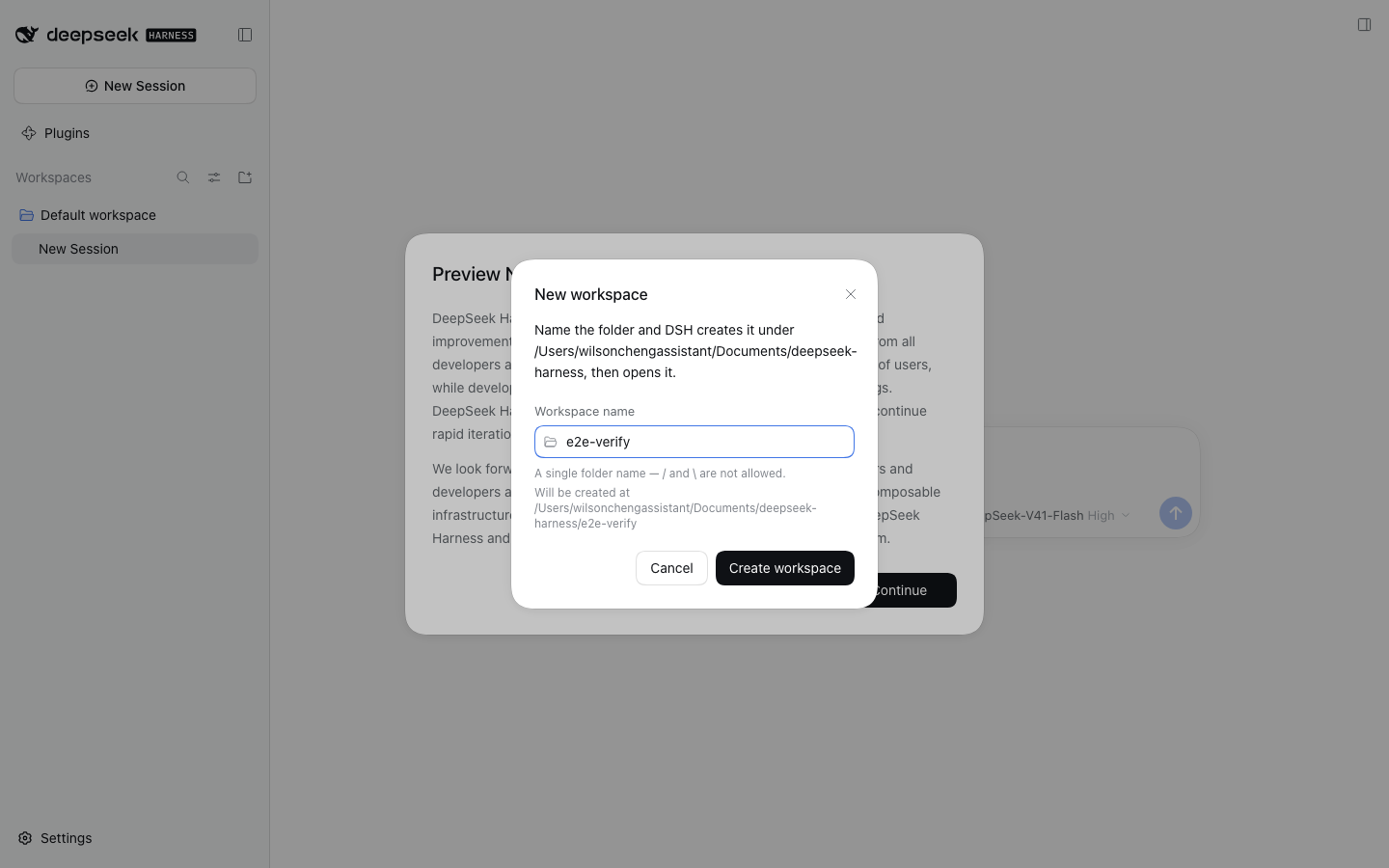
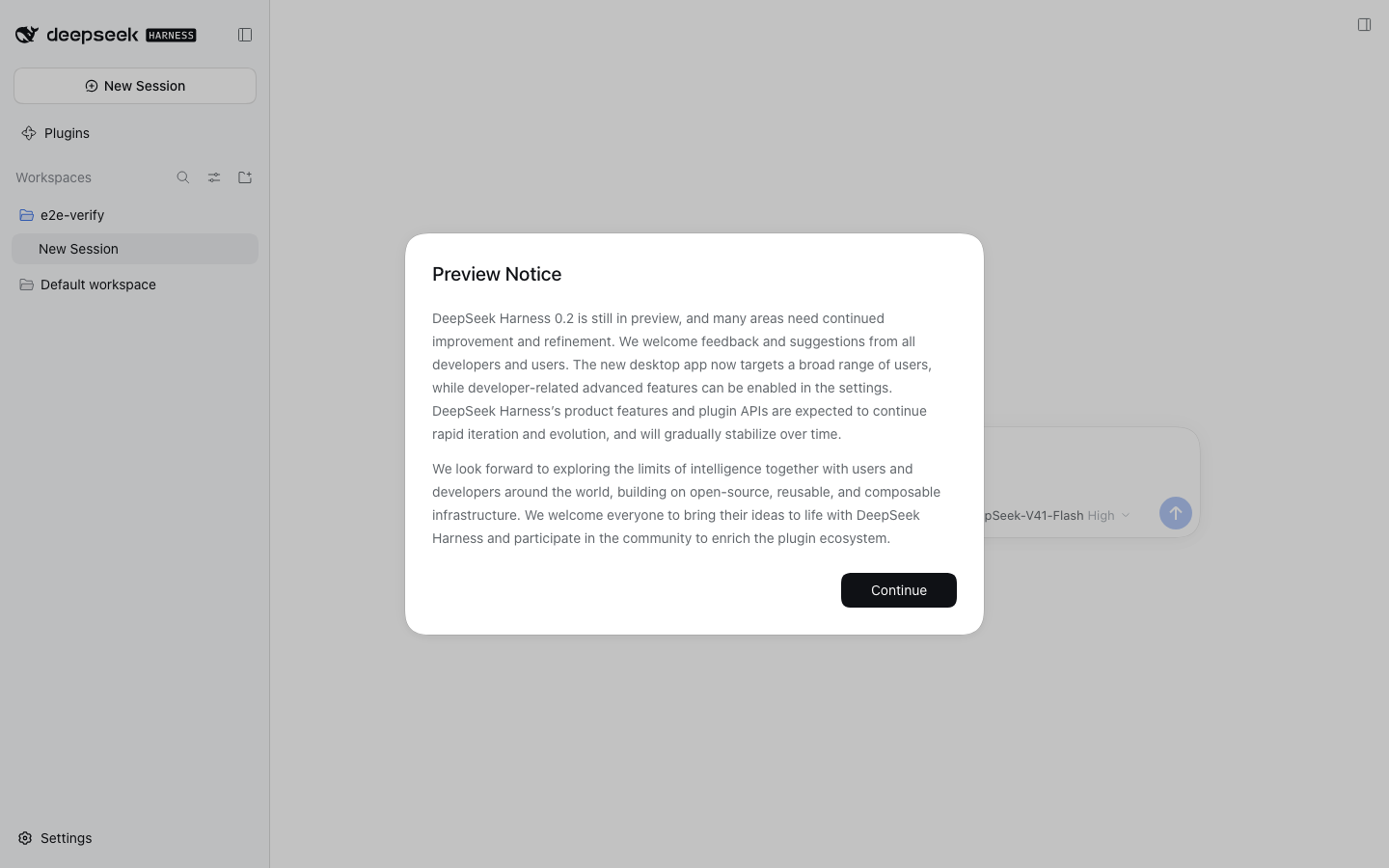
New folders land beside the deployment's default workspace, which on this machine is
~/Documents/deepseek-harness/ for a workspace at ~/Documents/deepseek-harness/default-workspace.
It registers at priority: -100, which is the documented way to shadow a single-kind
slot occupant: SlotCore.register sorts entries by ascending priority and the lowest
renders, so this takes the seat instead of throwing already has a registration against
the native/browse picker.
Install
dsh plugin --profile web add file:/path/to/plugins/dsh-quick-workspace
Then restart dsh web so the host half re-imports (see below).
Languages
The dialog ships in English and Simplified Chinese (zh), registered as
ctx.locale.register("quickWorkspace", { zh, en }) — 12 keys each, kept parallel.
Traditional Chinese comes from the separate dsh-zh-hant
pack, which converts every bundle's zh dictionary to Traditional with OpenCC. The
zh dictionary here is therefore Simplified on purpose: writing Traditional into
it would make Simplified users read Traditional text, and it would turn the zh-Hant
conversion into a no-op instead of the reverse of this table.
Two things that bite when editing this
lib/index.jsneeds adsh webrestart. The client half hot-reloads; the host half does not. After editinglib/index.js,rm -rf ~/.dsh/profiles/web/node_modules/dsh-quick-workspaceand re-add, or restart the server.process.cwd()is/.dsh webruns as a launchd KeepAlive agent, so the working directory is the filesystem root, andmkdir("/<name>")fails with a bareEACCESthat tells the user nothing. The parent comes fromworkspaceRegistryinstead, and the root is refused outright withquick-workspace/no-parent.
Wire shapes worth remembering
ctx.connection.rpc.call("/api", "ns/method", payload)resolves to the{ok, value | error}envelope. Reading.pathstraight off it yieldsundefinedwithout throwing — always unwrap.- The Gateway derives its argument descriptor from the Host method's signature. A
parameterless
describe()must be sent{args: {}};{args: {request: {}}}is rejected withgateway/arguments-invalid.
Uninstall
dsh plugin --profile web remove dsh-quick-workspace (or disable it on the Plugins page),
then restart dsh web. The stock folder picker comes back.