dsh-docs-manager
xiao0o0/dsh-docs-manager
Markdown 文档管理面板:一个目录一行卡片墙,富文本编辑并保存为 Markdown,支持搜索、置顶、排序与从会话一键记录。它的 HTTP 路由没有 DSH 的访问检查,浏览器里打开的网页可以调用它们。
安装
dsh plugin --profile web add github:xiao0o0/dsh-docs-managerREADME
dsh-docs-manager
A DeepSeek Harness plugin that turns a folder of Markdown files into a card wall inside the app: one row per directory, one card per document, with create / edit / delete / pin / sort and one-click capture from a conversation.
What it does
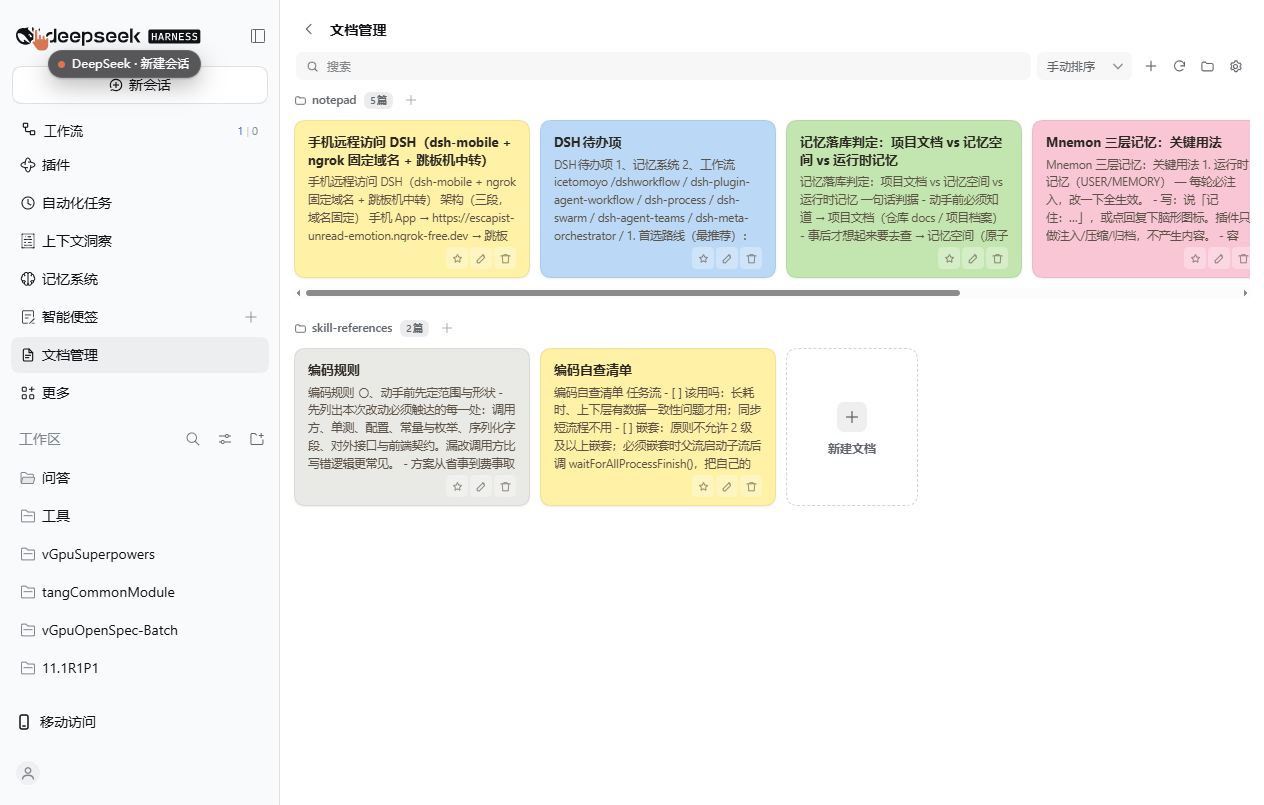
- Sidebar entry — a 【文档管理 / Documents】 item in the left sidebar opens the panel in the main content area; the
‹next to the title goes back to the conversation. - One row per directory — documents under the root are grouped by their folder; each group is a single horizontal row of cards that scrolls sideways when a folder holds more cards than fit. A search box on the toolbar filters by file name, path, title or body excerpt.
- Recursive scan, depth-limited — reads
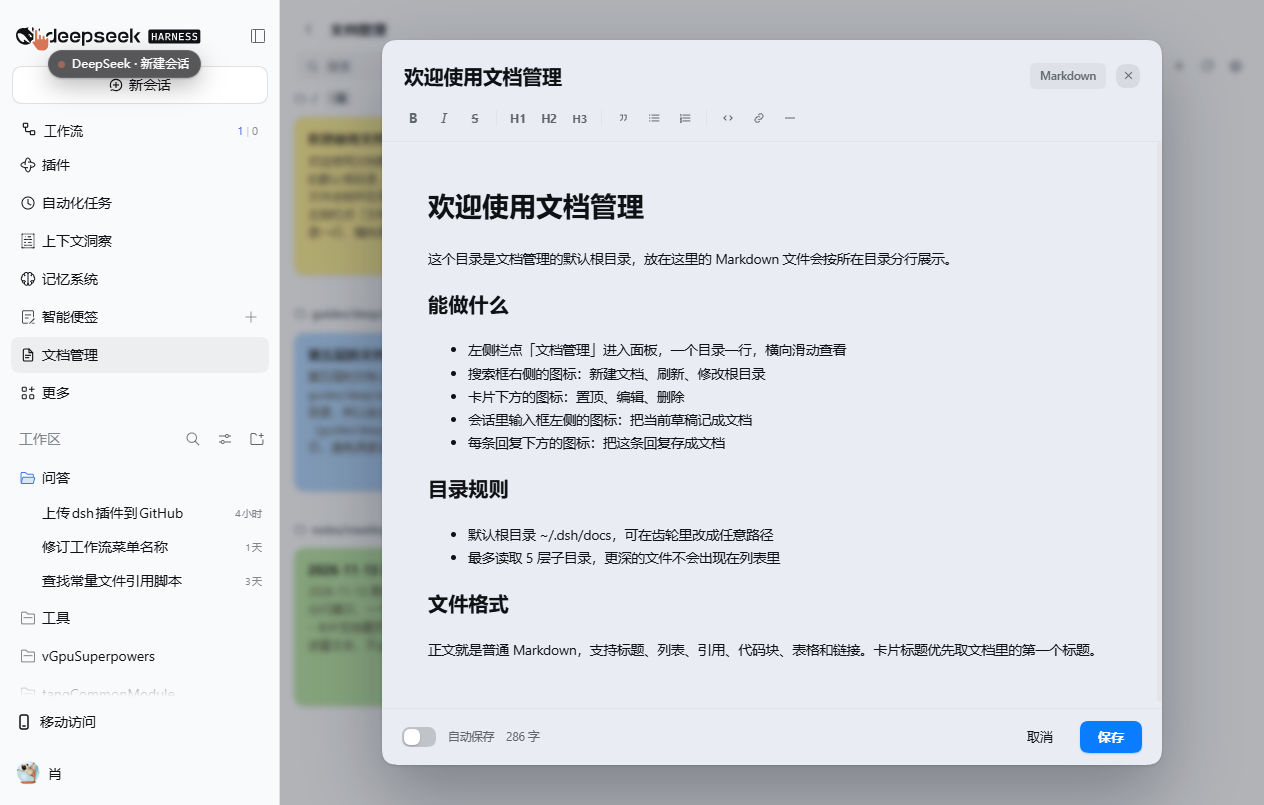
.md/.markdownfiles up to 5 directory levels below the configured root. - Rich-text editing — clicking a card opens the editor directly (no separate read-only page). The body is a WYSIWYG
contenteditablearea; the toolbar offers bold, italic, strikethrough, H1–H3, quote, bulleted/numbered lists, code, link and horizontal rule, and the header toggles between Markdown source and formatted view. - Titles come from the document — the card title is the document's first heading when it has one, otherwise the file name. Editing the title rewrites that heading line; if the file has no heading, the file is renamed on disk.
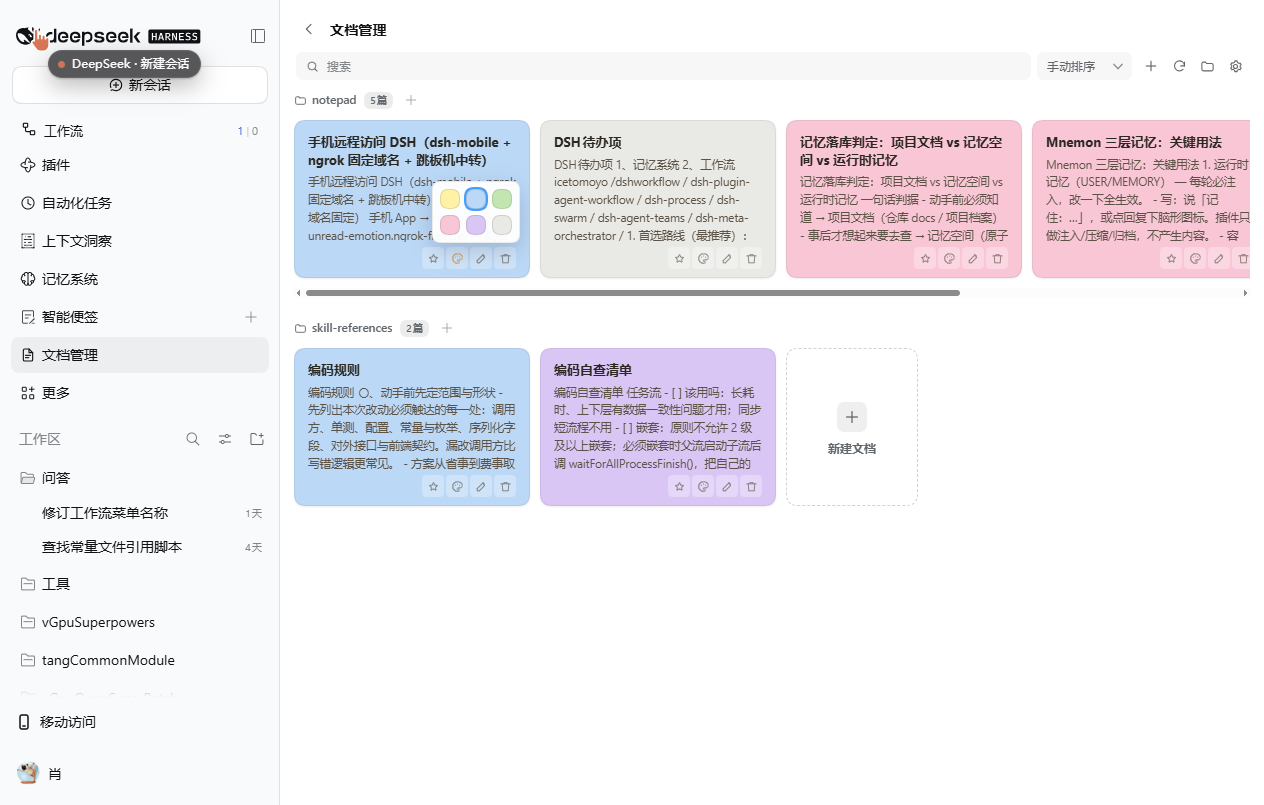
- Colors are stable — each card gets a sticky-note color (yellow / blue / green / pink / purple / gray) hashed from its path, so sorting or dragging never changes colors. The palette button on a card lets you pick another color; picking the current one again restores the automatic color.
- Pin and sort — pinning keeps a card first inside its own directory. The toolbar's sort dropdown switches between name (Chinese by pinyin), last-modified, and manual ordering, where cards can be dragged within their row.
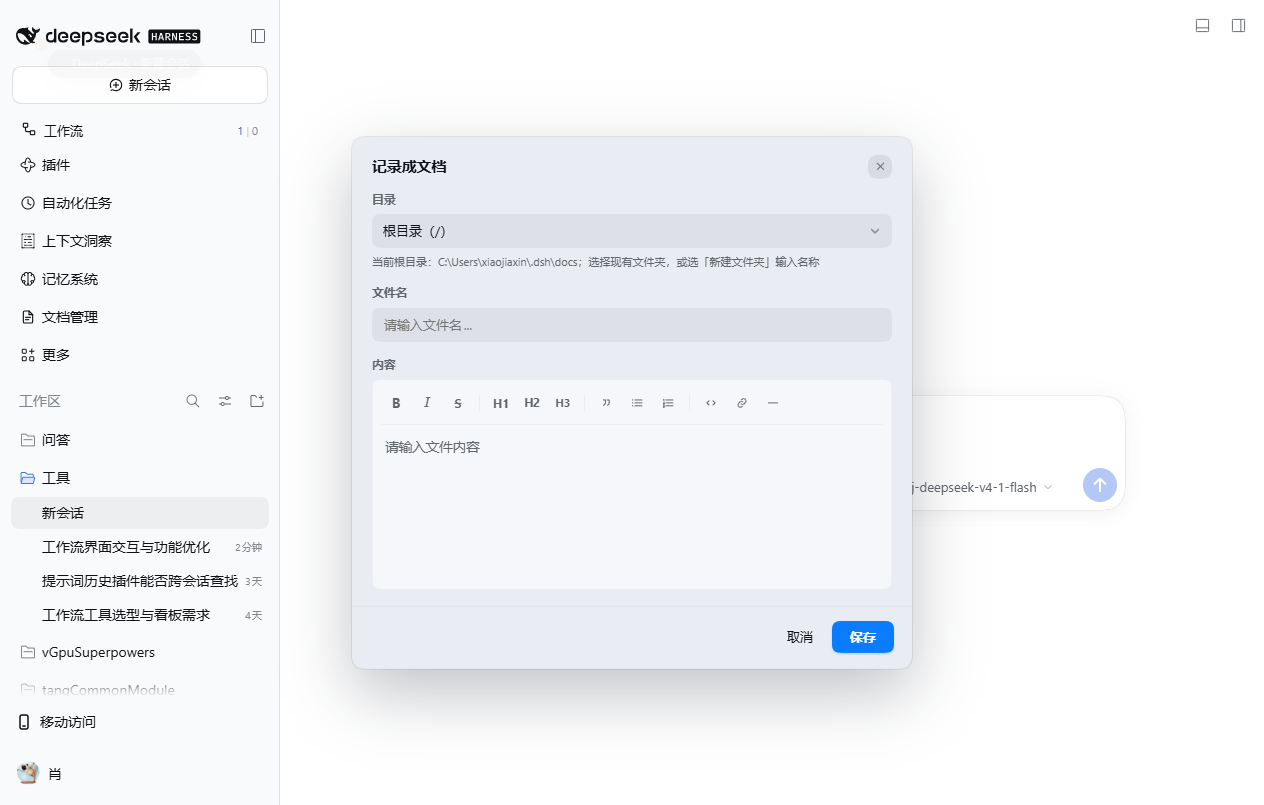
- Capture from chat — an icon at the left of the composer saves the current draft as a new document, and an icon under each assistant reply saves that reply's text with a derived title. The capture card floats over the page (no full-screen dimming), uses the same folder picker and rich-text editor as the new-document dialog, and writes Markdown.
- Configurable root — defaults to
~/.dsh/docs; the gear next to the search box changes it to any absolute path (or~-prefixed). A folder icon opens the current root in the system file manager. - Safe paths — every request is resolved inside the root and restricted to
.md/.markdown; writes are UTF-8 and create parent directories as needed.
Install
dsh plugin --profile <profile> add dsh-docs-manager
Or install it from the plugin market in the app. After install, restart the app once so the Host half registers its HTTP routes; Client-side changes afterwards only need a page refresh.
Configuration
| Item | Value |
|---|---|
| Default root | ~/.dsh/docs |
| Config file | ~/.dsh/storages/dsh-docs-manager/config.json |
| Scan depth | 5 directory levels |
| Accepted files | .md, .markdown |
Pin / sort / color preferences live in the browser's localStorage (dsh-docs-manager:pinned, dsh-docs-manager:order, dsh-docs-manager:tones).
Host API
The Host half registers /docs-manager/api/* on the webServer service:
| Path | Method | Body / result |
|---|---|---|
/state | GET | root path plus documents grouped by directory, each with title and excerpt |
/read | POST | { path } → { content } |
/write | POST | { path, content } → creates or overwrites, creating parent directories |
/delete | POST | { path } |
/config | GET / POST | read or change the root directory |
/open-root | POST | opens the root in the system file manager |
Screenshots
| Capture from chat | Card colors |
|---|---|
 |  |
Known trade-offs
- The panel opens in the main content area rather than the native right sidebar: a plugin tab there only renders its body once a session surface is mounted, so it could not be shown reliably.
- Overlays cover the panel, not the whole window — the desktop window's own title bar would otherwise stay bright next to a dimmed page.
- Styles are injected as the plugin's own
<style>element instead of the Client'sstyles.insert, which silently does nothing on some versions.
License
MIT