X
dsh-run-config
xiaoso456/dsh-run-config
DSH 的 IDE 风格运行配置:把常用 LLM 提示词和 Shell 命令保存为可复用的运行配置(全局或按工作区),在会话头部或新会话页一键运行,大模型可通过 task_run_config 工具管理(写操作走审批)。
安装
dsh plugin --profile web add github:xiaoso456/dsh-run-configREADME
dsh-run-config — DeepSeek Harness 运行配置管理
English | 中文
DeepSeek Harness Web 的运行配置管理:像 IDE 一样,把常用的 LLM 提示词和 Shell 命令保存为"任务运行配置",在会话页和新会话页一键运行。
功能特性
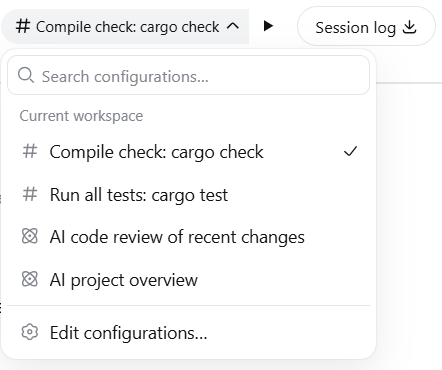
- 会话头部运行控制:任务选择器 + 运行按钮,悬浮提示当前将运行的任务配置
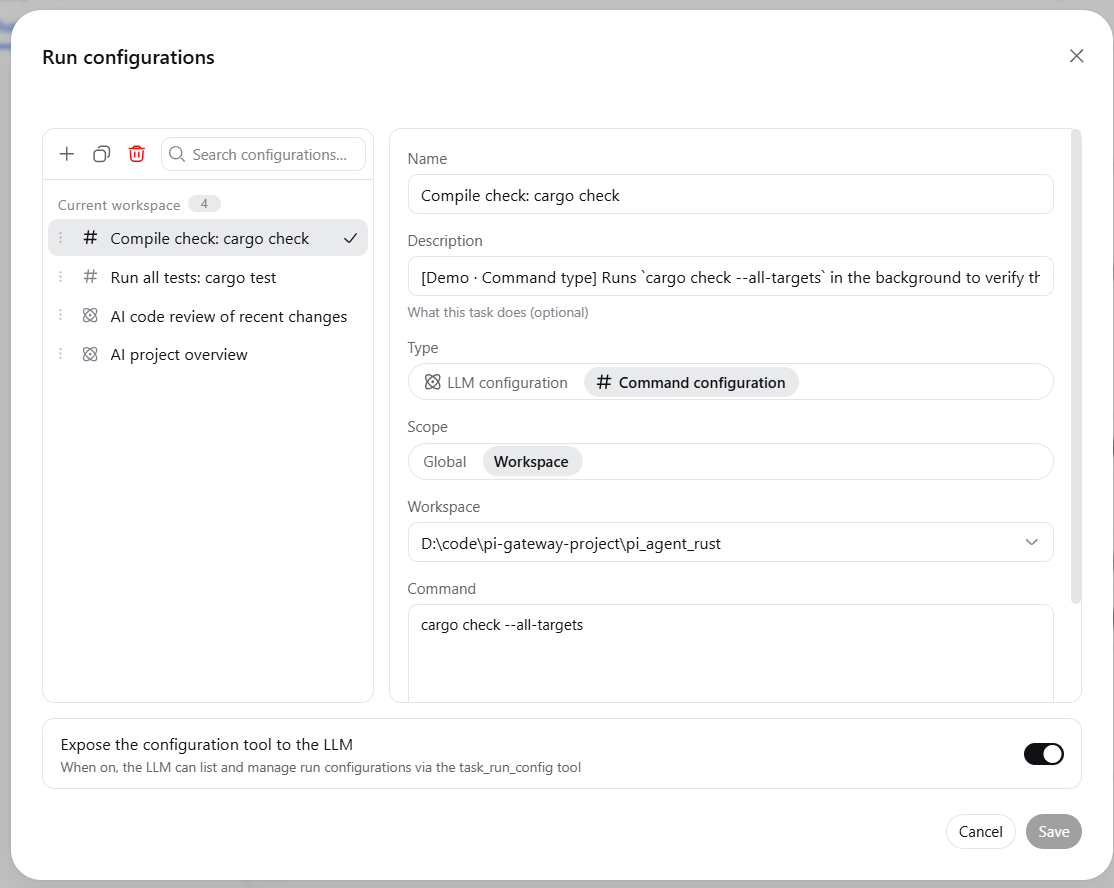
- 运行配置管理:IDEA 风格对话框,创建 / 编辑 / 复制 / 删除 / 排序运行配置
- 两种类型:LLM 任务配置(运行后把 Prompt 填入输入框并发送)、命令任务配置(后台执行 Shell 命令,完成后通知 LLM)
- 两种作用域:全局(所有工作区可见)、工作区(仅当前工作区可见)
- 新会话页运行控制:未进入会话时也能选择并运行任务配置(仅 LLM 类配置——命令类配置需要已有会话的工作目录,只能在会话页头部运行)
- LLM 集成:大模型可通过
task_run_config工具查看和管理运行配置(写操作走标准审批流程;完全权限模式下按官方语义免审批),详细用法通过run-configurationskill 按需加载
使用示例
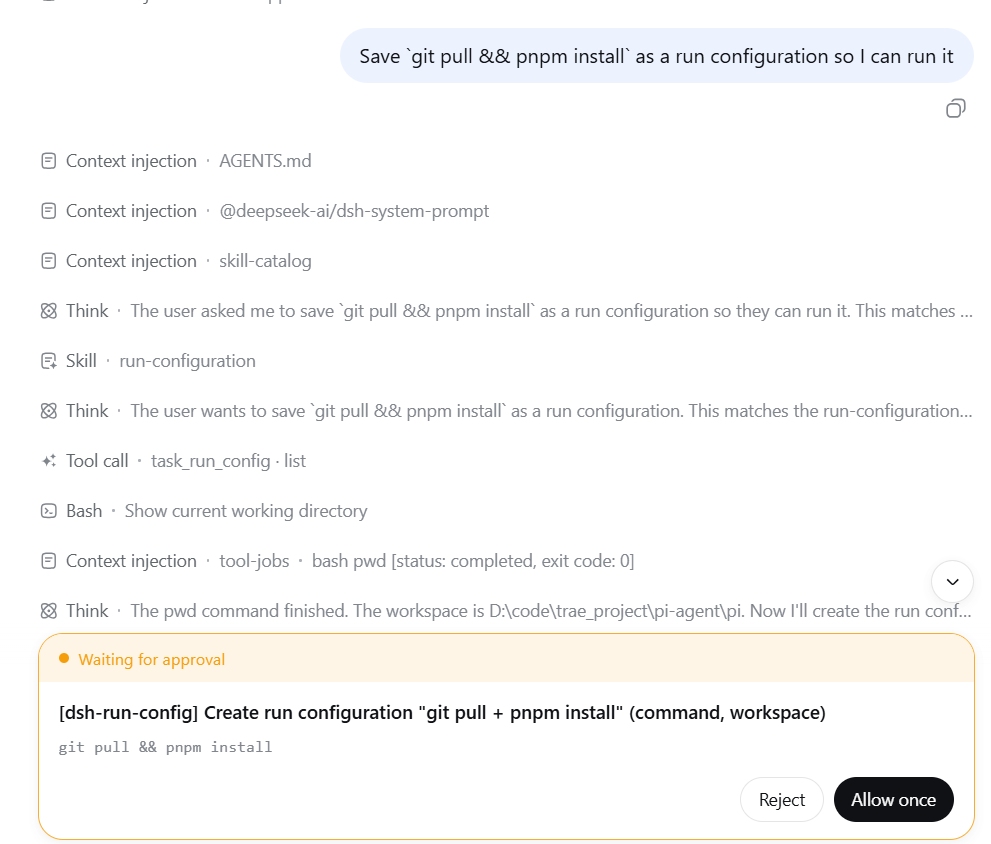
在会话里直接说:
把
git pull && pnpm install保存为任务配置,以后一键运行
大模型会调用 task_run_config 工具创建命令任务配置(写操作会弹出审批确认,除非会话处于完全权限模式),创建后即可在会话头部选择并一键运行。
推荐环境与配置
- 完全权限模式:建议在
danger-full-access(完全权限)下使用本插件,可避免部分场景下运行命令配置出现的沙箱错误。 - 任务后台管理插件:DSH-better-sidebar 提供后台任务页,可查看并手动终止后台任务。
安装
从 npm 安装(推荐)
dsh plugin --profile web add @xiaoso/dsh-run-config

dsh web
本地开发
dsh plugin --profile web add link:<本仓库路径>
从 GitHub 安装
dsh plugin --profile web add github:xiaoso456/dsh-run-config
git 安装会跑本包的 prepare 脚本构建产物;pnpm ≥10 会在首次 add 失败并提示在 profile 的 pnpm-workspace.yaml 里允许该构建。
环境要求
- Node.js ≥ 22(
package.json的engines要求) - Git Bash(推荐):Windows 上推荐使用 Git Bash 作为 shell 环境
- 适用于 DeepSeek Harness
dsh0.2.0-rc.2(本包peerDependencies精确写死0.2.0-rc.2;dsh 的插件版本闸门按includePrerelease精确比对,运行时版本与之不一致时本插件条目会被禁用)。dsh 0.2.0-rc.1 线请装@xiaoso/dsh-run-config@0.2.1,0.1.7 线装0.2.0,0.1.5 线装0.1.5
构建
pnpm install
pnpm build