dsh-remember
arborsm/dsh-remember
Mémoire à long terme intersessions pour DeepSeek Harness : pipeline d’extraction/consolidation en deux phases sur un espace mémoire basé sur des fichiers, injection des souvenirs, boucle de retour sur les citations et sémantique de tâches par lease. Comprend une page Settings et un panneau d’état latéral.
Installer
dsh plugin --profile web add github:arborsm/dsh-rememberREADME
dsh-remember


Cross-session long-term memory for the DeepSeek Harness(dsh).
While you're away, it looks back at your recent sessions and distills the useful experience into a set of plain Markdown files. Every conversation after that starts with a summary of those memories, and the model greps the originals when it needs details.
No vector database, no external service — memories are just files under ~/.dsh-memory/ that you can open, search, and manage with git.
Features
- Automatic extraction — idle sessions are scanned, redacted, and distilled in the background
- Automatic consolidation — new experience is merged incrementally; stale, never-cited entries are pruned
- Automatic recall — every prompt carries a memory summary (configurable token cap); the model searches on demand
- Readable and controllable — a sidebar status panel, a memory viewer, and a settings page; pause anytime
- Translatable — one-click translation of the memory files with incremental caching
- Portable — gzip bundle export/import with content-hash dedup
Screenshots
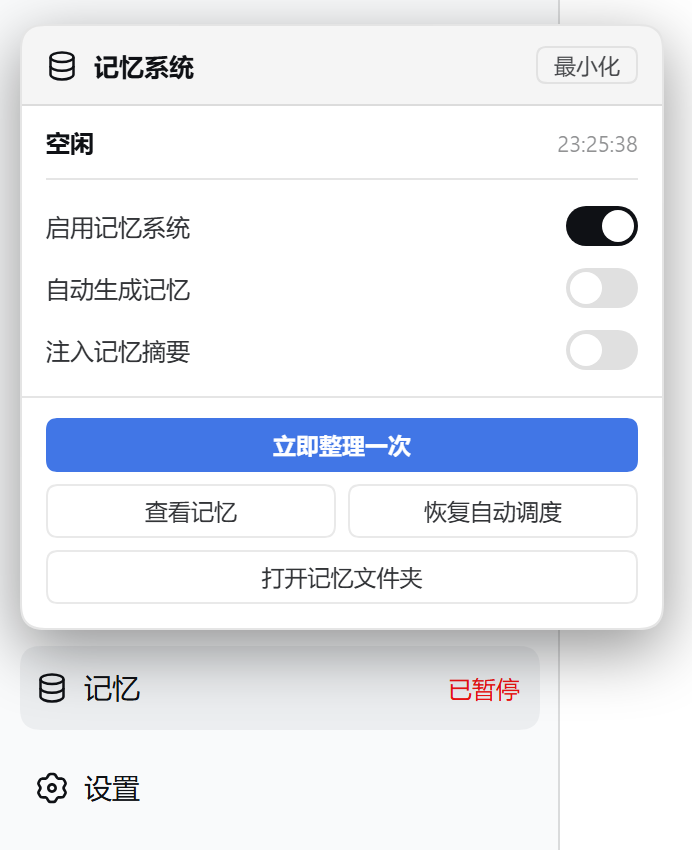
The memory entry at the bottom of the sidebar opens the status panel.
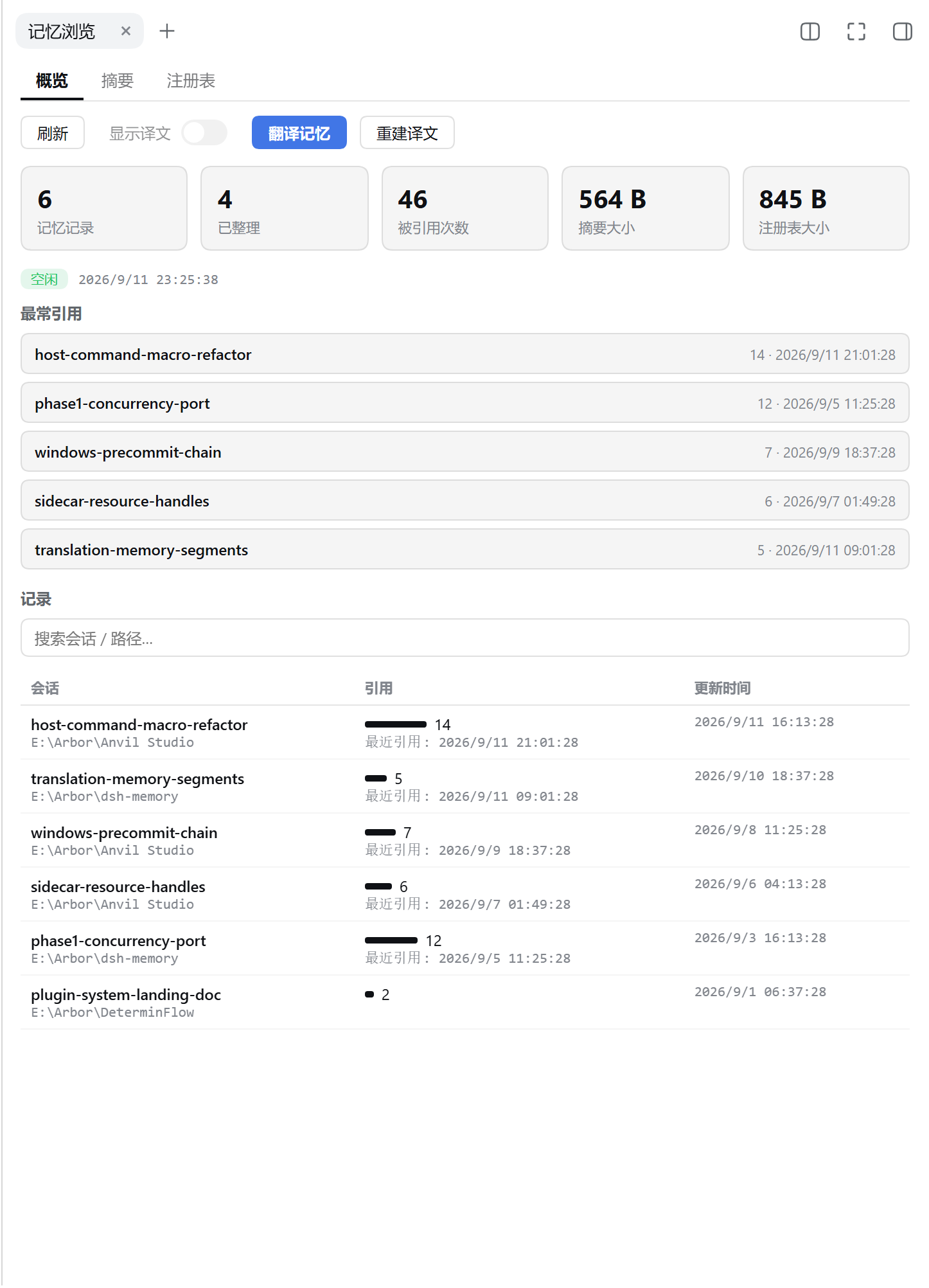
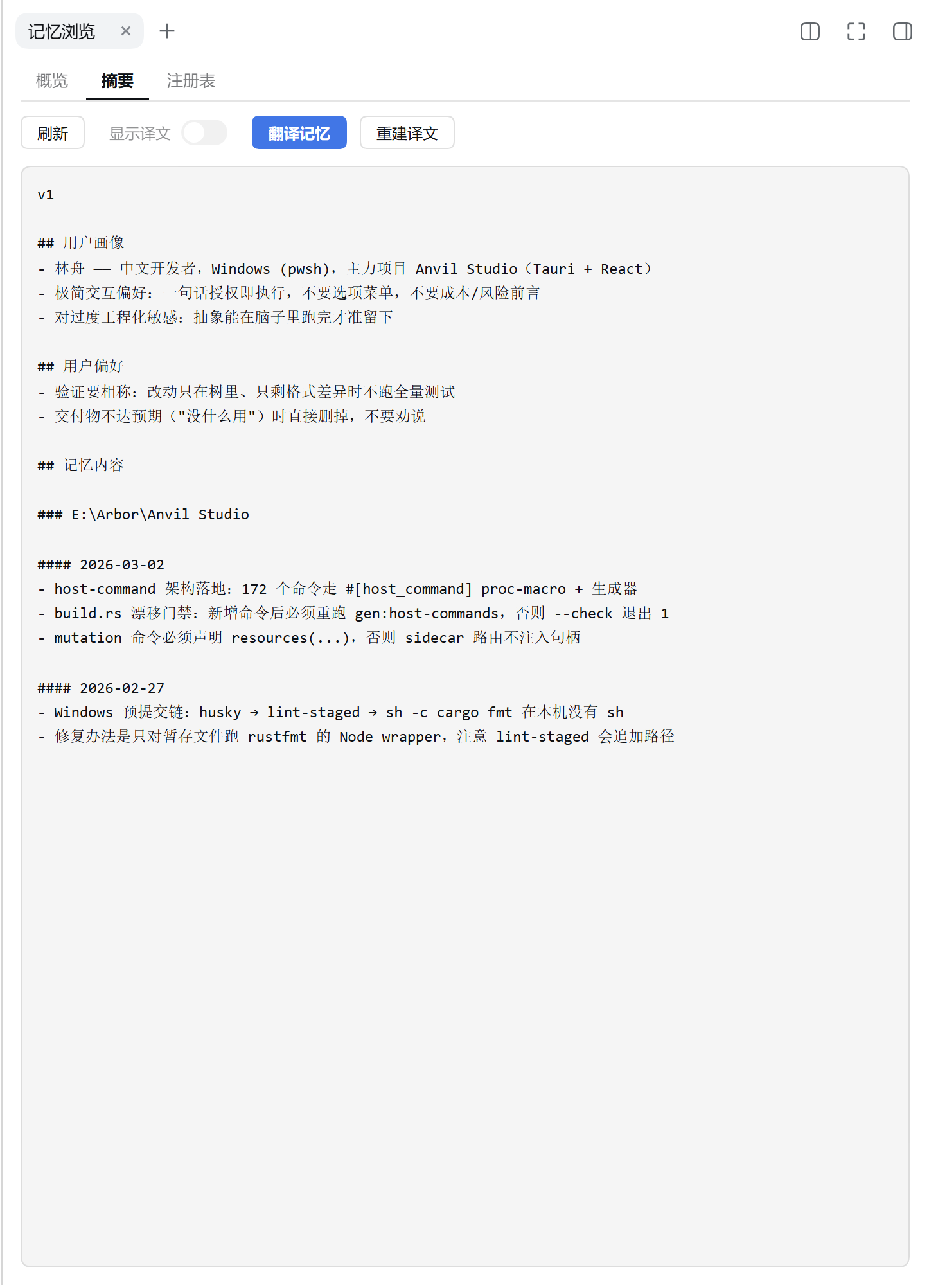
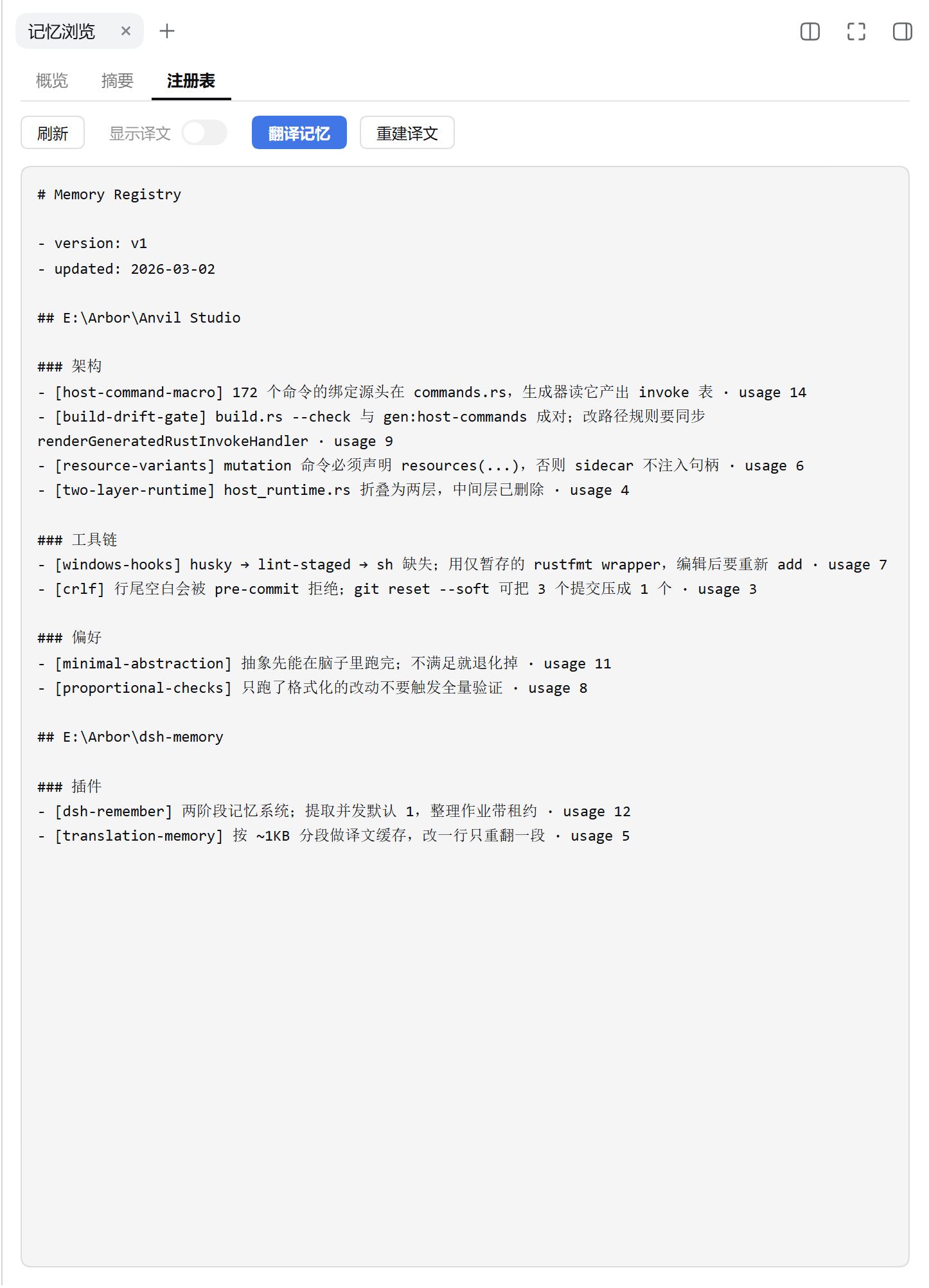
The memory viewer: overview (stats, most-cited, records), summary, and registry.
Install
From npm:
dsh plugin --profile <name> add dsh-remember
From source:
git clone https://github.com/Arborsm/dsh-remember.git
cd dsh-remember
pnpm install && pnpm build
dsh plugin --profile <name> add .
Restart dsh web after installing. During development you can skip installation and load straight from the workspace (run from the dsh checkout root):
pnpm dsh web --patch <path/to>/dsh-remember/cordis.dev.yml
Note: --patch must come before --port, otherwise commander fails with unknown option '--patch'.
Configuration
Every field has a default; the plugin works out of the box. Override via cordis.yml or the config: block of a dev overlay. Field definitions live in src/config.ts.
Commonly tuned:
| Field | Default | Description |
|---|---|---|
enabled | true | Master switch |
generateMemories | true | Run extraction and consolidation |
useMemories | true | Inject the memory summary into prompts |
extractModel / consolidationModel | '' | provider/model; empty = deployment default |
workspaceDir / dbPath | '' | Empty = under ~/.dsh-memory/ |
summaryTokenLimit | 2500 | Token cap for the injected summary |
scanIntervalMinutes | 15 | Background scan interval |
minRolloutIdleHours | 1 | Idle time before a session becomes extractable |
maxUnusedDays | 30 | Retention for never-cited memories |
There are 23 fields in total (scheduling, retries, concurrency, consolidator tool deny-list, …) — see src/config.ts. All of them are editable on the settings page.
Memory files
~/.dsh-memory/
├── memories/                  # git workspace
│   ├── MEMORY.md              # index of all memories
│   ├── memory_summary.md      # the summary injected into prompts
│   ├── rollout_summaries/     # source evidence for each memory
│   ├── skills/                # distilled skills
│   └── …                      # translations, ad-hoc notes, …
└── memories.sqlite            # extraction queue and job state
Development
pnpm build        # build (tsdown, host + browser bundles)
pnpm typecheck    # tsc --noEmit
pnpm test         # node --test
pnpm shots        # regenerate the screenshots above (fixtures + headless Chrome)
Repository layout, conventions, and debugging notes: AGENT.md.
Plugins associés
hindsight (coding-agents)
vectorize-io/hindsight
OpenViking (dsh-memory-plugin)
volcengine/openviking
MemOS (memos-local-plugin)
memtensor/memos
ReMe (dsh)
agentscope-ai/reme