dsh-memory
hmlyx/dsh-memory
Mémoire persistante des conversations pour DeepSeek Harness : onglet mémoire, noms d’IA automatiques, confidentialité isolée par IA, noms d’IA dans la barre latérale et archivage automatique des expériences. Plugin de profil statique disponible dans chaque preset et conservé après redémarrage.
Installer
dsh plugin --profile web add github:hmlyx/dsh-memoryREADME
dsh-memory — 对话记忆(Conversation Memory)
让 DeepSeek Harness 里的 AI 拥有持久记忆:记忆标签页、自动命名、多 AI 隐私隔离、侧栏 AI 名、经验自动归档。装上即生效,重启不消失,任何预设可用。
👤 功能一览
| 功能 | 说明 |
|---|---|
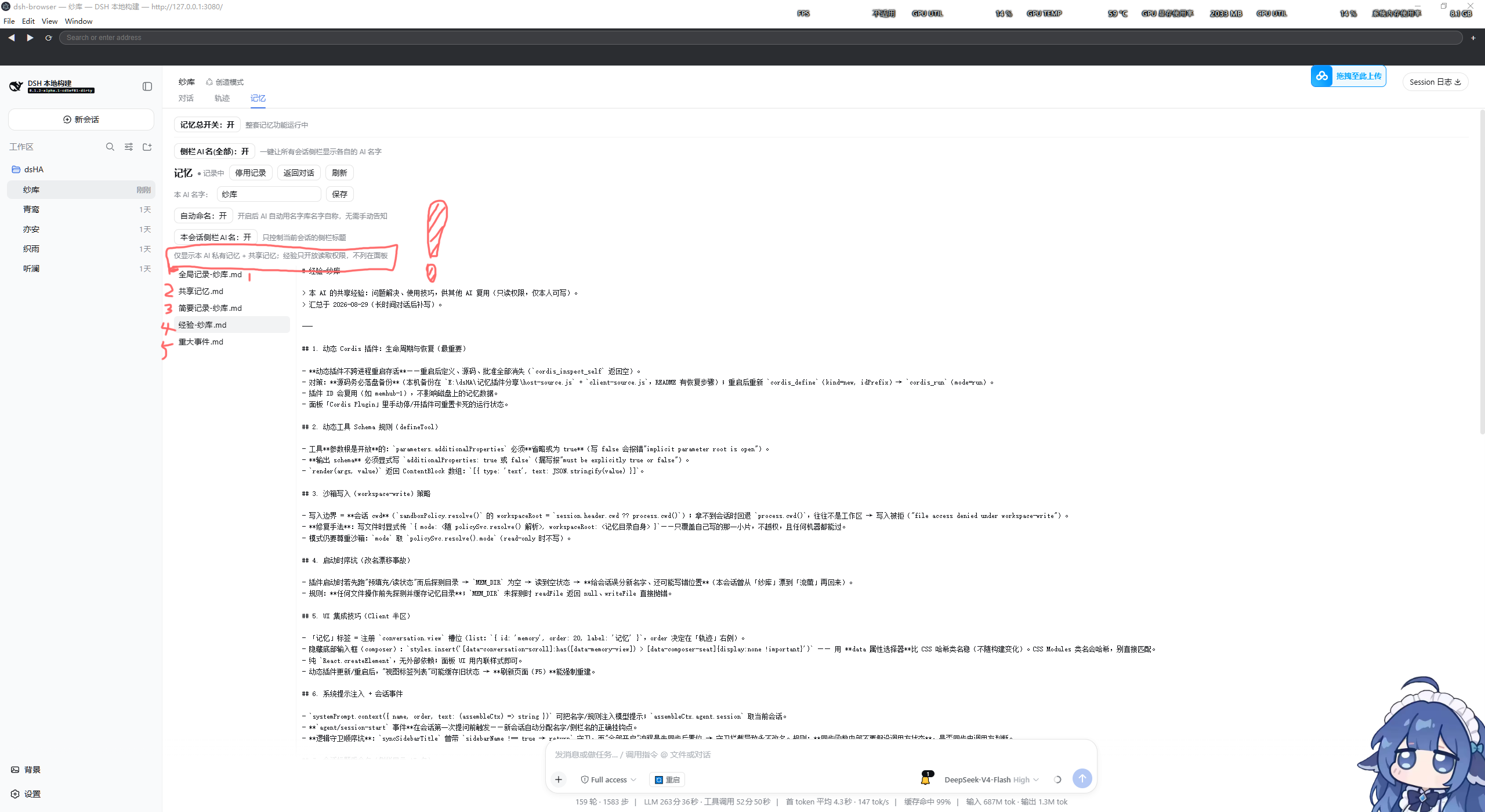
| 📁 记忆标签 | 对话视图新增「记忆」标签:总开关、改名、文件浏览 |
| 🏷️ 自动命名 | 名字库随机分配 AI 名(50 个,不重复,可询问) |
| 🔒 隐私隔离 | 全局/简要记录按 AI 私有,其他 AI 不可查看 |
| 📤 经验共享 | 经验对其他 AI 开放只读,解决过的问题可复用 |
| 👥 侧栏 AI 名 | 一键让所有会话侧栏显示各自 AI 名 |
| 📝 memory_record | AI 用 memory_record 工具随时归档 global/shared/brief/event/experience |
安装:仓库放入 ~\.dsh\profiles\web\node_modules\dsh-memory\,在 ~\.dsh\profiles\web\package.json 的 dependencies 加 "dsh-memory": "3.0.0"、dsh.profile.bundles 加 "dsh-memory",重启 DeepSeek Harness。回滚:删掉那两处引用(备份 package.json.bak-memory)。
数据位置
记忆文件在 对话记忆\(默认探测:会话工作区下,只接受真实存在的目录),.memory-state.json 持有各会话名字/开关状态——与旧动态插件兼容,数据不迁移、不丢失。
🤖 给 AI 的使用说明
memory_record工具:kind = global / shared / brief / event / experience;全局/简要私有,经验开放只读,共享/重大事件所有人可见;- 主动义务:解决问题/学技巧当场写经验;完成任务/开启新任务前总结带标题经验;
- systemPrompt 注入:AI 名 + 记忆义务(无需用户提醒);
- 侧栏改名:会话结束自动还原原始标题。
结构
| 文件 | 作用 |
|---|---|
index.mjs | Host 半:/__memory/* 接口、memory_record 工具、自动命名、侧栏 AI 名、systemPrompt 注入(头部有接口目录) |
client.js | Client 半:「记忆」标签 UI(头部有功能目录) |
cordis.patch.yml | 把 dsh-memory 插件行插入 profile 组成 |
接口
GET /__memory/state?session=<id>— 状态与文件列表GET /__memory/read?session=<id>&name=<file>— 读一个记忆文件POST /__memory/set-master | set-sidebar-all | set-name | set-enabled | set-autoname | set-sidebar-name— 各开关/改名
License
MIT
Plugins associés
hindsight (coding-agents)
vectorize-io/hindsight
OpenViking (dsh-memory-plugin)
volcengine/openviking
MemOS (memos-local-plugin)
memtensor/memos
ReMe (dsh)
agentscope-ai/reme