dsh-plugin-paper-reader
tulipe1735/dsh-plugin-paper-reader
Bilingual reading library for papers, tech blogs and long reads: paste a link, read the English original with a Simplified-Chinese translation in one shared scrollbar, keep headings, lists, code blocks and inline images, filter the shelf by paper/blog/article, edit card metadata, and ask a DSH-model chat rail that sees the text. Translation is cached per block; a static demo-snapshot gallery can be attached to scroll-driven pages, and the Original button opens the live page. Its HTTP routes have no DSH access check, so a web page open in your browser could call them.
Installer
dsh plugin --profile web add github:tulipe1735/dsh-plugin-paper-readerREADME
dsh-plugin-paper-reader



A Zotero-like reading library for DeepSeek Harness. Keep papers, tech blogs, docs and long reads on one shelf; read the English original on the left and a Simplified-Chinese translation on the right in one shared scrollbar; ask a chat rail that sees the text.
English | 简体中文
Developer preview. DeepSeek Harness is in developer preview and its plugin APIs still change. This plugin is developed against the current DSH developer preview; pin a commit if you need a stable install.
Why this plugin
Most "read it later" tools stop at a bookmark, and most translation tools lose the page. This plugin keeps the page's structure — headings, lists, code, figures, captions — and puts a cached, paragraph-aligned Chinese translation next to it. The paper/blog never leaves DSH: the panel, the translation model and the chat model all run through the harness you already have.
It is one reader, not two products: arXiv papers and tech blogs share the same shelf, the same bilingual layout and the same chat.
Features
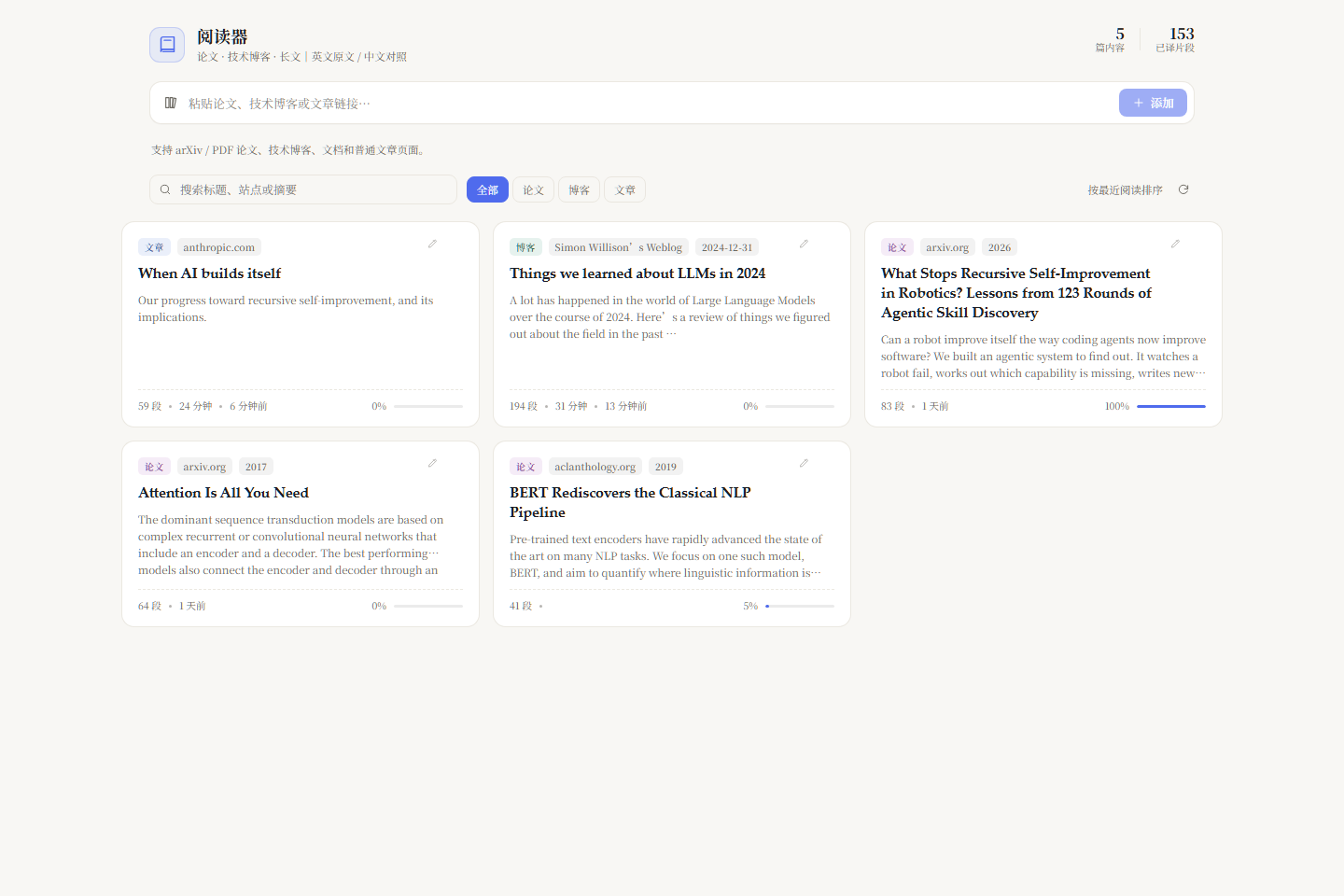
- One shelf for papers and blogs — paste an arXiv / PDF / article link. Cards show type (paper / blog / article), site, date and reading time; filter the shelf by type.
- Bilingual parallel reading — paragraph-level alignment in a single scroll container, so the columns cannot drift. The Chinese column follows DSH's own UI font (
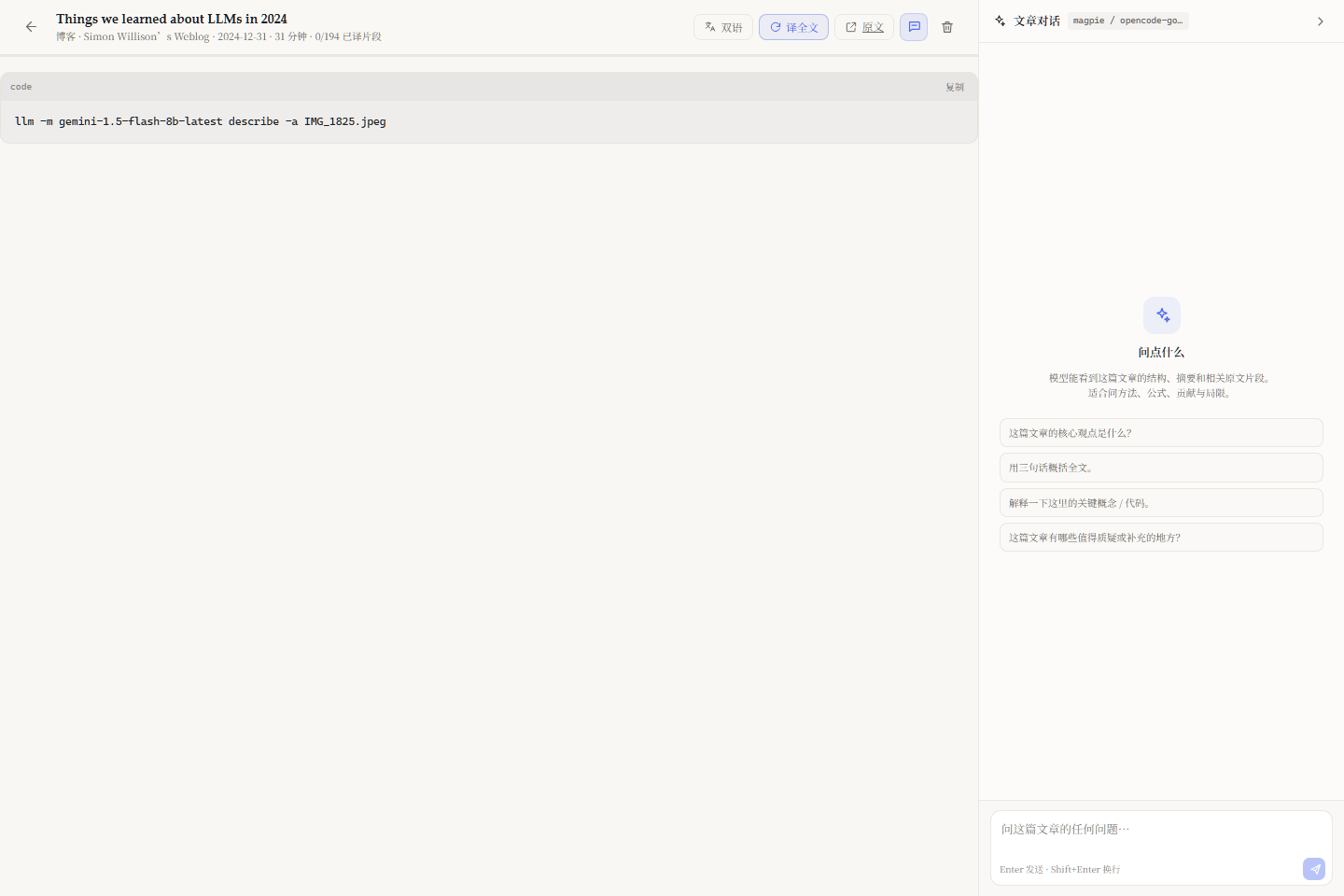
--dsw-font-family), includingdsh-fonttuneoverrides. - Blog structure preserved — headings, ordered/unordered lists, blockquotes, inline images and code blocks (monospace, horizontal scroll, copy button, never translated).
- Figures and images — HTML
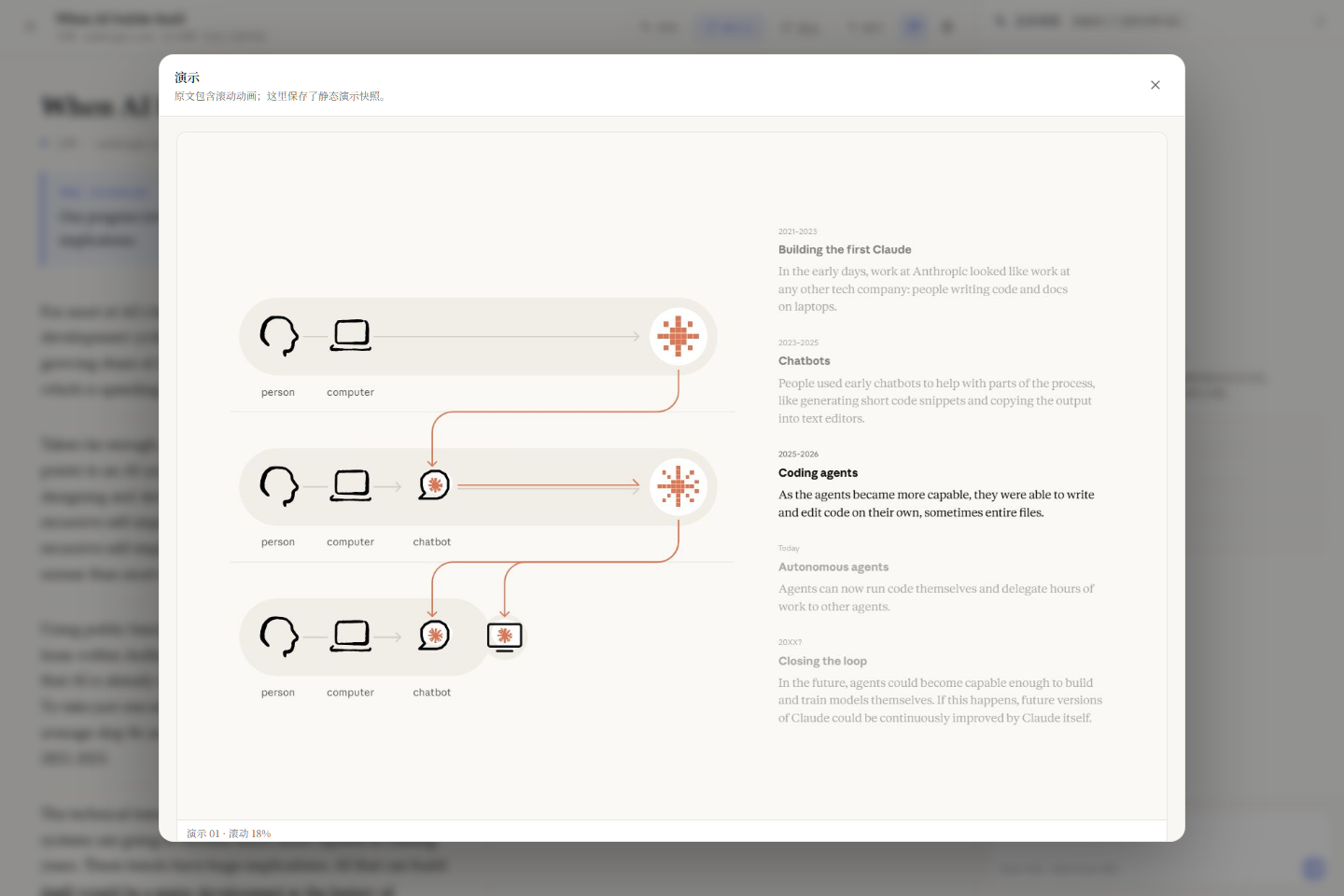
<img>,<object>SVG and inline SVG are downloaded into the item's folder and rendered at their original position; figure captions are translated like any other block. - Static demo snapshots — pages whose visuals are driven by scroll/canvas cannot run inside the reader. A
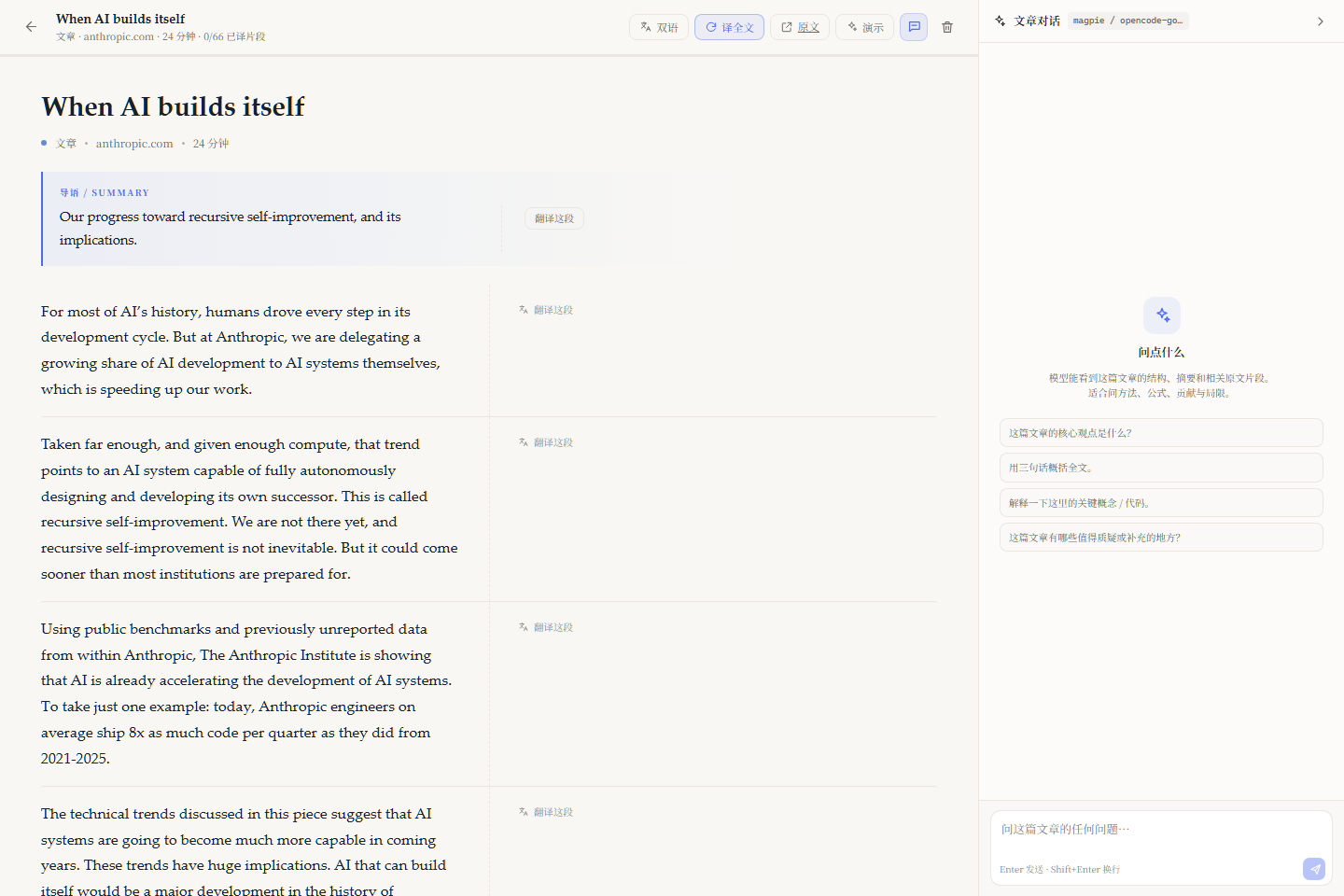
snapshotsgallery can attach static frames to an item (the screenshot shows Anthropic's When AI builds itself); frames are captured separately, and 原文 always opens the live page. - Editable cards — fix a title the source page got wrong; authors are editable but hidden on cards (they still appear in the reader header).
- Metadata that survives — arXiv
absmetadata, Open Graph,article:published_time, JSON-LD and<time>are used for title/author/date/site. Re-adding an existing link repairs missing metadata and figures without touching cached translations. - PDF layout analysis — an XY-cut pass rebuilds paragraphs and reading order for single- and two-column papers.
- Translation through DSH — batches call
ctx.llm.streamwith the model selected in DSH; results are cached per block inzh.json. Visible blocks translate lazily; 译全文 translates the rest. Code, images and references are skipped. - Article chat — the right rail streams answers from DSH's model. The prompt carries the summary, outline and the passages most relevant to the question, and cites block ids such as
[§3.2 · b42]. - Agent-visible — the host registers
paper_list,paper_readandpaper_add, so any DSH session can read what the reader is showing. - Same-origin and local-first — the UI talks only to the DSH web server; papers, translations, images and chat history stay under
~/.dsh/paper-reader.
Screenshots
| Library with type filters | Tech blog with code blocks |
|---|---|
 |  |
| Interactive demo snapshots | Figure with bilingual caption |
|---|---|
 | 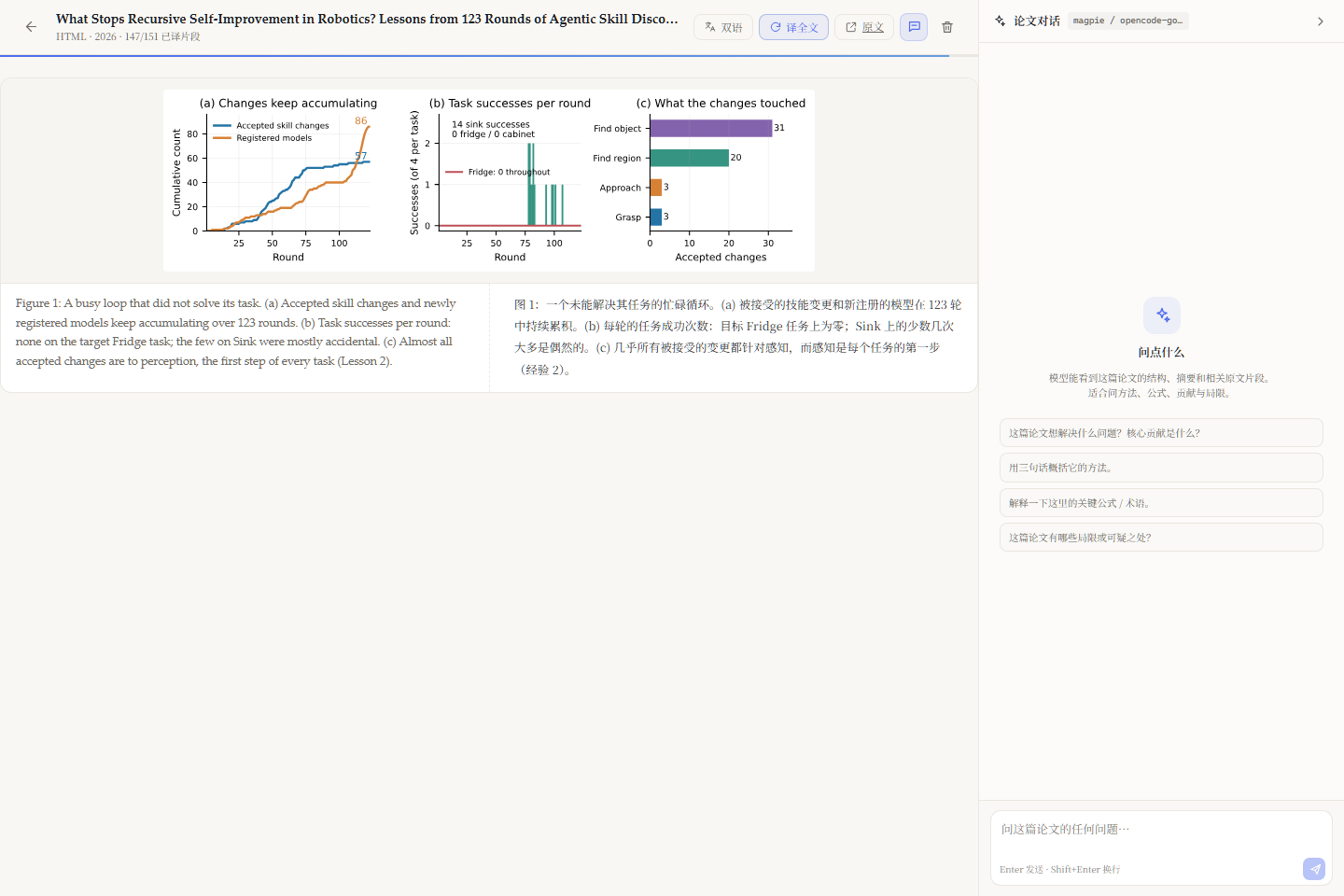 |
| Card metadata editor | Bilingual paper reader |
|---|---|
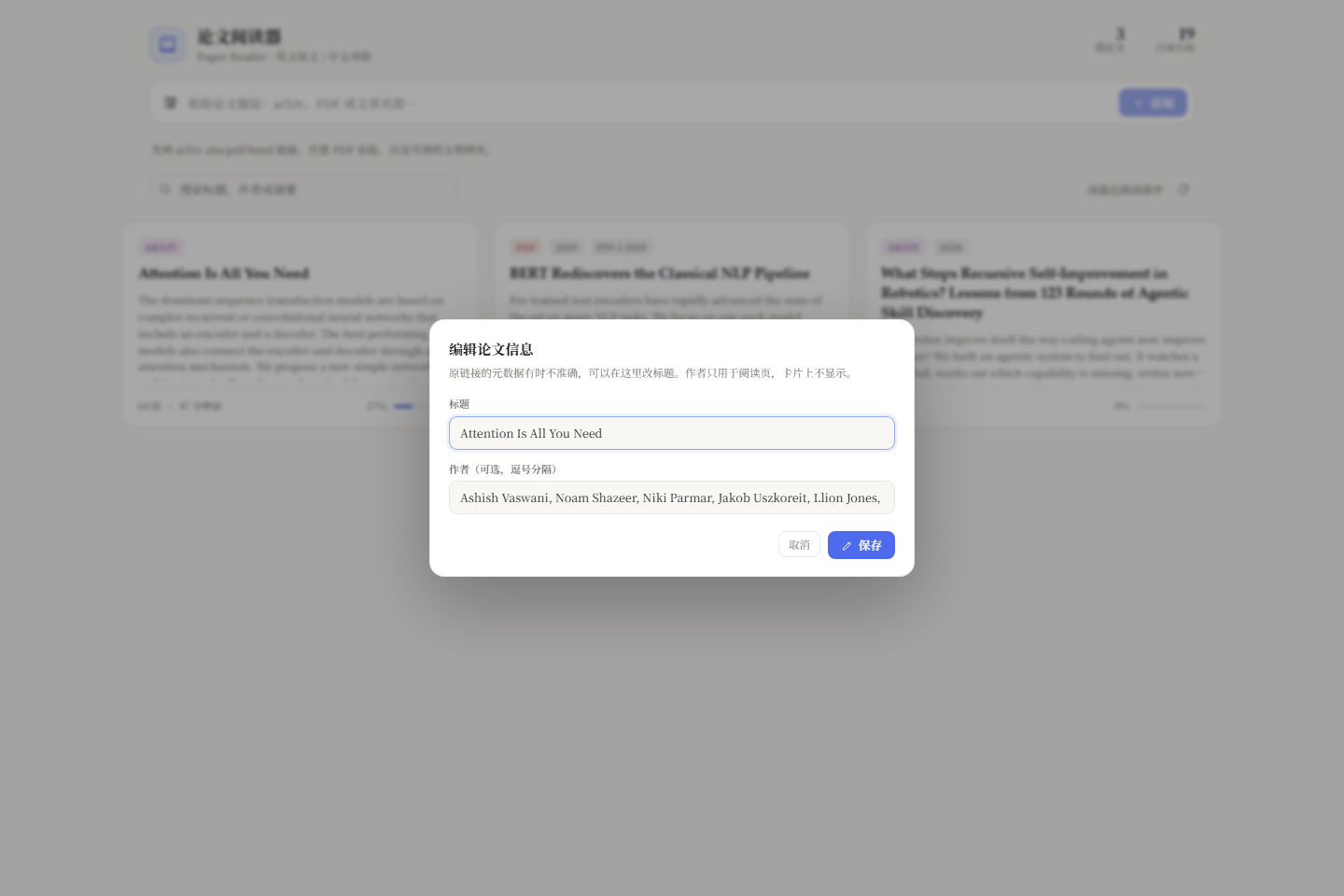 | 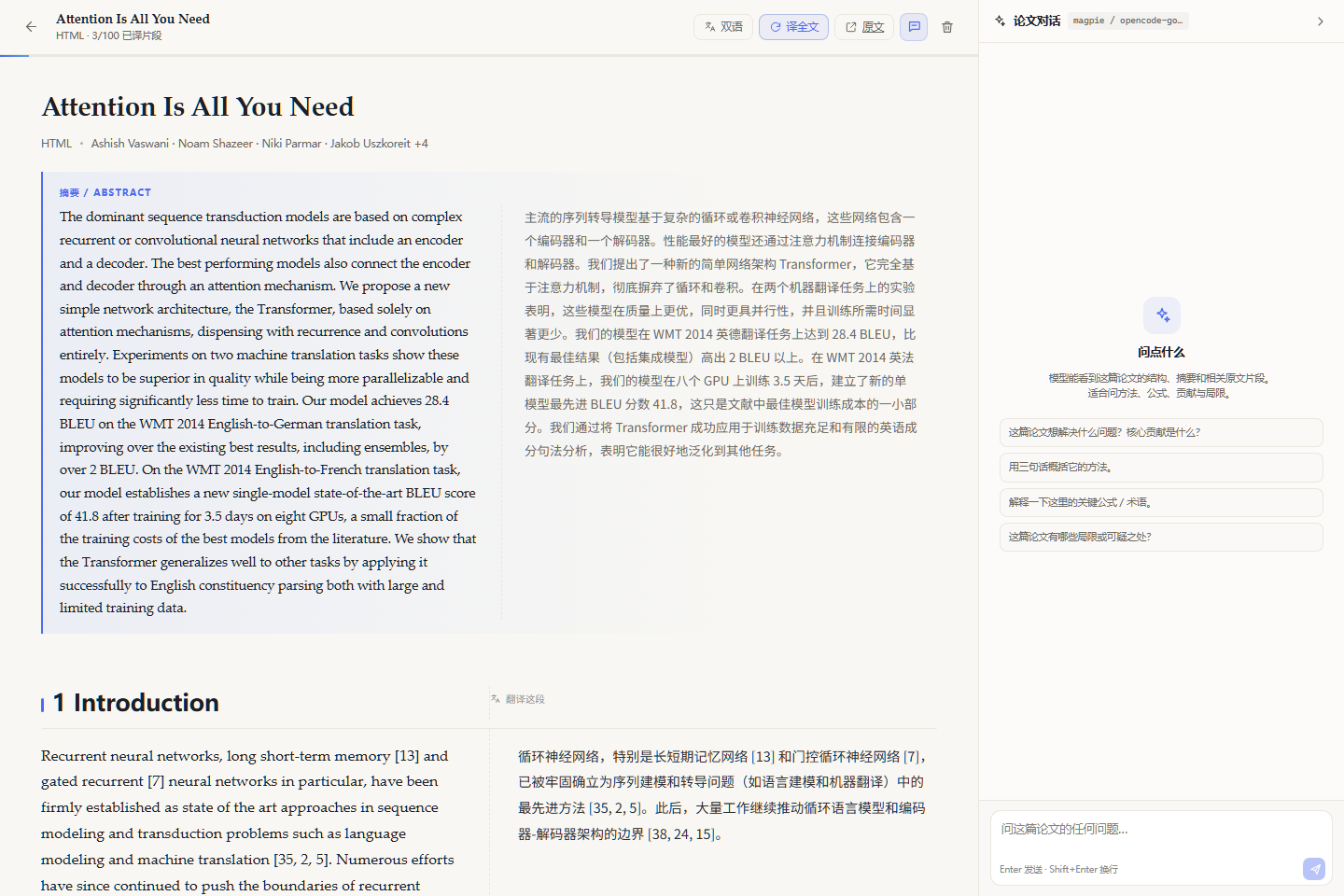 |
Install
From GitHub
dsh plugin --profile web add github:Tulipe1735/dsh-plugin-paper-reader
Use --profile desktop instead of web for the desktop profile. The repository ships a prebuilt client.js; no frontend build is required for installation.
From the marketplace
Submitted to the Awesome DeepSeek Harness Plugins list in PR #15612. Once merged, search for dsh-plugin-paper-reader in DSH's plugin marketplace and install it there.
Local development
git clone https://github.com/Tulipe1735/dsh-plugin-paper-reader.git
cd dsh-plugin-paper-reader
pnpm install
Then mount it in a profile:
# ~/.dsh/profiles/desktop/cordis.patch.yml
- insert:
    - id: dsh-plugin-paper-reader
      name: 'dsh-plugin-paper-reader'
and add the link dependency to that profile's package.json:
{
  "dependencies": {
    "dsh-plugin-paper-reader": "link:C:/path/to/dsh-plugin-paper-reader"
  }
}
The host half is plain ESM; the client is loaded through DSH's module loader.
Usage
- Open the 阅读 (Reader) book icon in DSH's sidebar.
- Paste a link:
https://arxiv.org/abs/1706.03762https://arxiv.org/pdf/1810.04805https://www.anthropic.com/institute/recursive-self-improvementhttps://simonwillison.net/2024/Dec/31/llms-in-2024/- any readable article URL
- The reader opens. The first blocks translate automatically; scroll to translate more, or press 译全文.
- Click a paragraph to reference it, select text to quote it, then ask in the right rail.
- Hover a card and press the pencil to fix its title or authors.
- For a page with scroll animations, press 演示 for the static snapshot gallery, or 原文 for the live page.
- 双语 / 原文 / 译文 cycles the display mode.
What is supported
| Source | Text | Figures | Code | Notes |
|---|---|---|---|---|
| arXiv HTML | Yes | HTML figures | Yes | Preferred full-text route |
| arXiv PDF | Yes | Not extracted | No | XY-cut paragraph/column rebuild |
| Direct PDF | Yes | Not extracted | No | Scanned PDFs without a text layer are reported |
| Tech blog / docs | Yes | Inline images and figures | Yes | Readability + metadata fallbacks |
How it works
DSH Web UI
  └─ paper-reader panel (client.js, React)
       └─ same-origin /plugins/dsh-plugin-paper-reader/api/*
            ├─ add      → fetch → Readability / arXiv / pdf.js → figures
            ├─ translate→ ctx.llm.stream → per-block cache (zh.json)
            ├─ chat     → summary + outline + relevant blocks → SSE
            └─ store    → ~/.dsh/paper-reader
The plugin is a normal Cordis plugin: it registers a web-server prefix, a sidebar panel and three agent tools. It does not start a second server and does not proxy model calls outside DSH.
Data
Everything lives under $DSH_HOME/paper-reader (default ~/.dsh/paper-reader):
| Path | Content |
|---|---|
library.json | shelf index (type, site, title, authors, date, counts, reading time) |
papers/<id>/paper.json | metadata + blocks (b1, b2, …) |
papers/<id>/zh.json | cached Chinese translations keyed by block id |
papers/<id>/chat.json | last 80 chat turns |
papers/<id>/source.pdf | original PDF, served by /api/source |
papers/<id>/figures/ | downloaded HTML/blog images, served by /api/figure |
papers/<id>/snapshots/ | optional static demo frames, served by /api/snapshot |
Deleting an item removes its folder. To back up the library, copy that directory.
Build and test
pnpm install
pnpm build        # esbuild → .build/app.cjs → wrapped into client.js
pnpm test         # happy-dom smoke test for the client half
pnpm test:extract # PDF extraction fixture
client.js is generated; edit src/** and run pnpm build. The host half (index.js, lib/**) is plain ESM and needs no build step.
Security and privacy
api/*enforces same-originSec-Fetch-Site/Origin/Refererchecks.- URL fetching blocks loopback / private-network hosts, caps downloads at 48 MB and redirects at 60 s.
- HTML is reduced to text; the reader never injects page HTML. Chat Markdown renders text, links and code only.
- Figures and snapshots are served as images from the item's own folder; SVG is rendered through
<img>, so scripts inside it do not execute. - No model keys are stored by the plugin; translation and chat use the model selected in DSH.
Limitations
- PDF figures are not extracted yet; use 原文 to view the PDF.
- JavaScript-only or paywalled pages may yield partial text if the server HTML does not contain the article.
- Interactive demos are static snapshots, not live components. 原文 is the live experience.
- OCR for scanned PDFs is out of scope.
- The plugin targets the current DSH developer preview; breaking changes in DSH's plugin APIs may require an update.
Contributing
Issues and pull requests are welcome. Please keep the dsh.bundle manifest and cordis.patch.yml intact, run pnpm test and node --check on host files before sending a change, and add the dsh-plugin topic when forking for the marketplace.
License
MIT.
Acknowledgements
Built on DeepSeek Harness and Cordis. HTML extraction uses Readability and linkedom; PDF extraction uses pdf.js. Screenshots include short excerpts from third-party articles for demonstration only; the original authors retain all rights to that content.
Plugins associés
archify (deepseek-harness)
tt-a1i/archify
WeKnora (dsh-weknora)
tencent/weknora
next-ai-draw-io (dsh-plugin)
dayuanjiang/next-ai-draw-io
weknora
tencent/weknora