dsh-mindmap
isaachuo/dsh-mindmap
Outline notes with a live mind-map view in a sidebar page, stored as local JSON with autosave, daily backups and Markdown/OPML import and export. Its HTTP routes have no DSH access check, so a web page open in your browser could call them.
Installazione
dsh plugin --profile web add github:isaachuo/dsh-mindmapREADME
dsh-mindmap
Outline notes with a live mind-map view for the DeepSeek Harness (DSH) web GUI. Both views edit the same document. Everything is stored locally: no account, no cloud, no AI, no runtime dependencies.
| Outline | Mind map (dark) |
|---|---|
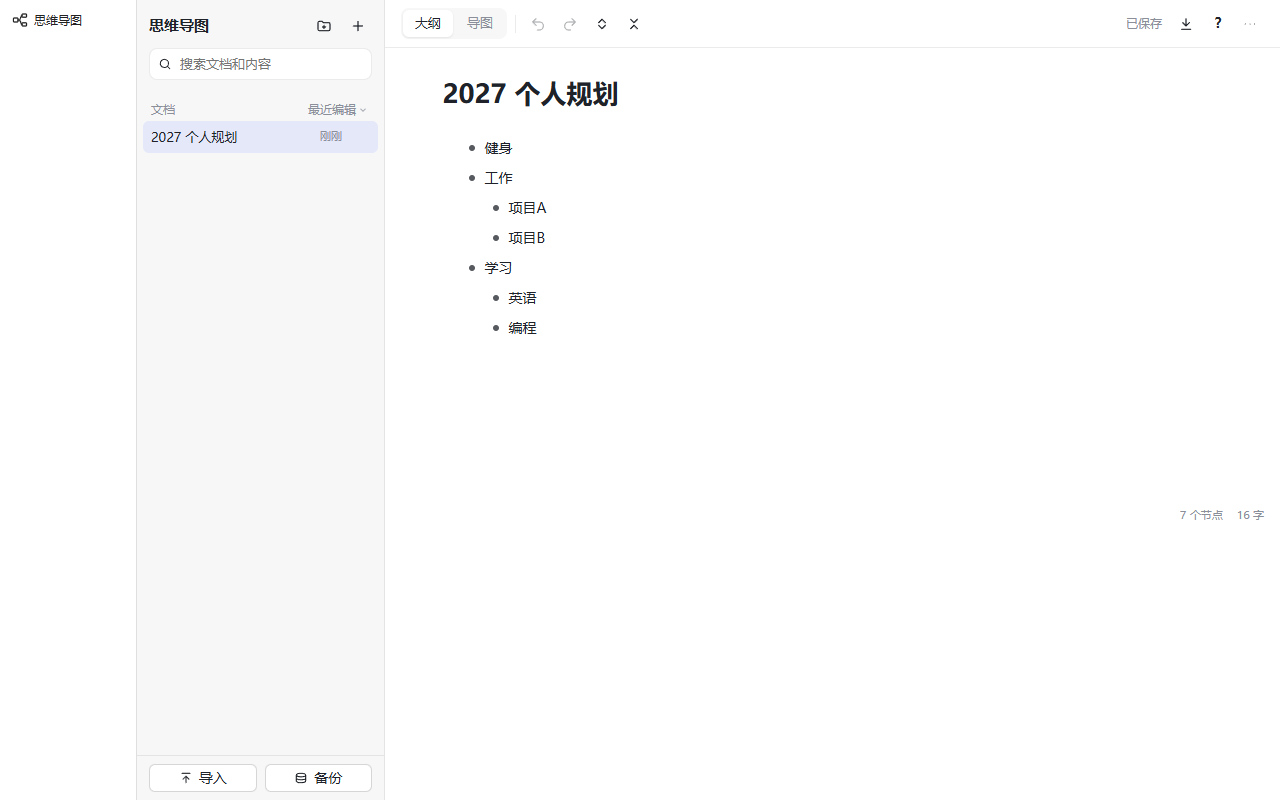 | 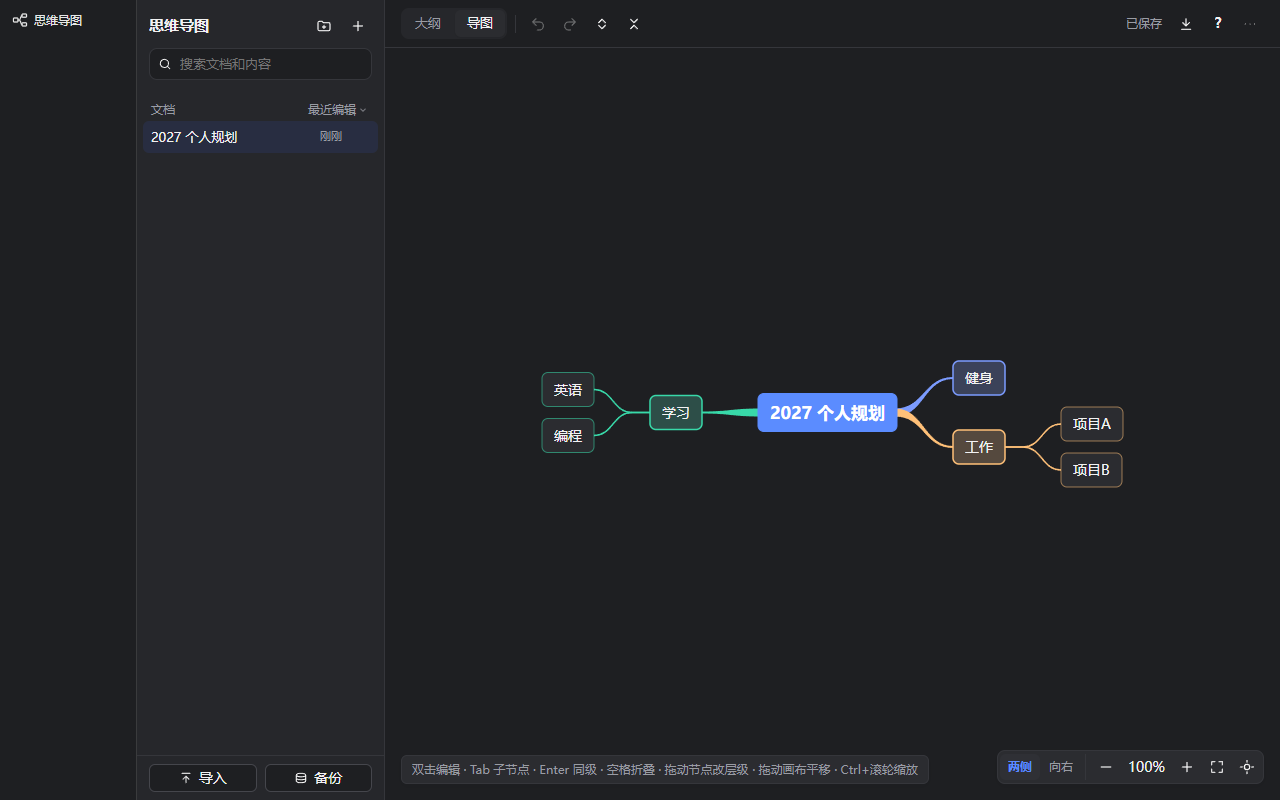 |
Features
- Outline — unlimited levels; Enter splits/creates a sibling, Alt+Enter inserts a line break, Shift+Enter adds a note, Tab / Shift+Tab indent / outdent, Backspace deletes an empty node or merges with the previous one, Delete merges the next one, ↑/↓ move across nodes, Alt+↑/↓ move a node, Ctrl+. collapse, Ctrl+Enter toggle done, Alt+→ focus a subtree (breadcrumb to go back), Ctrl+Z / Ctrl+Shift+Z / Ctrl+Y undo/redo. Drag the bullet to reorder or change level. Multi-line paste becomes a tree. Inline Markdown (bold, italic, strikethrough, code, links, #tags) and checkboxes. Find and replace (Ctrl+F), #tag filter, Esc selects rows for batch indent / move / delete / copy. Press Ctrl+/ for all shortcuts. IME composition is never intercepted.
- Mind map — two-sided or right-only tree with coloured branches, collapse/expand, Ctrl+wheel zoom (20%–300%), drag to pan, center / fit / 100%, double-click or F2 to edit, Tab adds a child, Enter adds a sibling, arrows move between nodes, drag a node to reparent it.
- Documents — create, rename, trash and restore, nested folders with drag and drop, favorites (Alt+1…9), sorting, last-edited time, search across titles, node text and notes; trash is emptied automatically after 30 days.
- Import / export — import Markdown and OPML; export Markdown, OPML, PNG and SVG (whole document or the focused subtree).
- Storage — autosave 800 ms after typing stops and immediately on document switch / page hide; atomic writes; revision-based conflict detection; daily automatic backups (14 kept), manual backup, download and atomic restore; edits in another tab are picked up automatically.
Requirements
- DSH
>=0.2.2-rc.1 <0.3.0(declared inengines.dsh; DSH checks it at install and at profile start) - The web GUI (the page is a web client plugin)
Install
Replace desktop with your profile name. dsh plugin --profile <name> ... forwards the arguments to pnpm inside that profile.
From npm (published as the scoped package @huoweifang/dsh-mindmap; the plugin itself is named dsh-mindmap):
dsh plugin --profile desktop add @huoweifang/dsh-mindmap
From GitHub (pin a tag; lib/ is committed, so no build step runs on install):
dsh plugin --profile desktop add github:IsaacHuo/dsh-mindmap#v0.2.0
Restart DSH. A 思维导图 entry appears in the sidebar.
Update
dsh plugin --profile desktop add @huoweifang/dsh-mindmap@latest          # npm
dsh plugin --profile desktop add github:IsaacHuo/dsh-mindmap#v0.2.0   # GitHub
npm installs can also be updated from the DSH plugin manager. Restart DSH afterwards.
Uninstall
dsh plugin --profile desktop remove @huoweifang/dsh-mindmap
Uninstalling keeps your documents. Delete the data directory below by hand if you want them gone.
Data and security
- Data directory:
~/.dsh/dsh-mindmap/(or$DSH_HOME/dsh-mindmap; override withDSH_MINDMAP_DIR). It holdslibrary.json,docs/<id>.jsonandbackups/. - Documents are plain, unencrypted JSON. Anyone with access to your user account can read them; don't store secrets.
- The plugin only registers HTTP routes under
/dsh-mindmap/apion the DSH web server and inherits its access control. Write requests must beapplication/json(blocks simple cross-site form posts); requests must come from a loopback host with a same-originOrigin; bodies are capped per route (save 32 MB, restore 64 MB, others 1 MB); document ids are validated before touching the file system. - No network requests, telemetry, agent tools or model calls. Links in notes open only for
http(s)URLs, and notes are never rendered as HTML.
Development
npm ci
npm run typecheck   # tsc --noEmit
npm test            # unit tests (node:test)
npm run build       # lib/index.js (host) + lib/client.js (web page)
npm run pack:check  # verify the npm tarball contents
npm run harness     # local test page: real host routes + mocked DSH slots
npm run e2e         # headless end-to-end test (Chromium/Edge via EDGE_PATH)
To try a working copy in DSH: dsh plugin --profile <name> add link:<path-to-this-repo>.
The client does not bundle React — the DSH page provides it. lib/ is committed so GitHub installs work; CI fails if it is out of date, so run npm run build before committing.
Release
- Update
versioninpackage.jsonandCHANGELOG.md, runnpm run check, commit. git tag v<version> && git push origin v<version>.- The Release workflow checks the tag against
package.json, rebuilds, publishes to npm with provenance (nexttag for prereleases) and creates a GitHub Release with the tarball. It needs theNPM_TOKENrepository secret.
License
MIT. Not affiliated with DeepSeek or any outliner product; no third-party brand assets are included.
Plugin correlati
archify (deepseek-harness)
tt-a1i/archify
WeKnora (dsh-weknora)
tencent/weknora
next-ai-draw-io (dsh-plugin)
dayuanjiang/next-ai-draw-io
weknora
tencent/weknora